How to add link to Instagram story
“`html
Instagram has become a powerful platform for sharing content and connecting with audiences. One of its most useful features is the ability to add a link to Instagram story, which allows users to direct viewers to external websites, promotions, or additional content. Whether you’re a business owner, influencer, or just someone who loves sharing experiences, knowing how to effectively utilize this feature can significantly boost your engagement. Let’s explore how you can master this skill.
1. Understanding the Basics of Instagram Stories
Before diving into the specifics of adding links, it’s crucial to grasp what Instagram Stories are. Launched in 2016, Instagram Stories allow users to post photos and videos that vanish after 24 hours. This ephemeral nature encourages quick sharing and frequent interaction. Recognizing the importance of this feature, Instagram continually enhances it, making it an effective tool for real-time engagement.
Stories are designed to be more casual and spontaneous than permanent posts, making them perfect for behind-the-scenes looks, quick updates, and promotions. With over 500 million accounts using Stories daily, understanding how to optimize their use can elevate your presence on the platform.
2. The Importance of Adding Links
Adding a link to your Instagram story can dramatically increase traffic to your website, blog, or specific promotions. This feature is particularly beneficial for businesses and creators who want to drive purchases, sign-ups, or visits to their sites. According to recent statistics, posts with links can see up to a 50% increase in engagement compared to those without.
By knowing how to add a link to Instagram story, you not only streamline your marketing efforts but also provide a seamless experience for your audience. Instead of having viewers search for links in your bio, they can access them directly through your stories, enhancing user experience and maximizing interaction.
3. Eligibility Requirements for Adding Links
Previously, only accounts with over 10,000 followers or verified accounts could add links to their Instagram Stories. However, as of late 2021, Instagram launched a new feature that allows all users to add links using the Link Sticker. This democratization of the feature means that anyone, regardless of follower count, can direct their audience to external sites.
To get started, ensure your Instagram app is updated to the latest version, as features often roll out progressively. If you’re using the Link Sticker, tap the sticker icon at the top of the screen when creating your Story, and you should see the option to add a link.
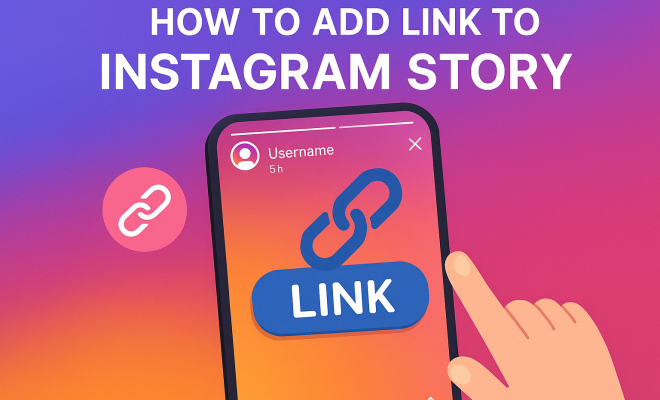
4. How to Add a Link to Your Instagram Story
Now that you’re familiar with the basics and eligibility, let’s go through the step-by-step process of adding a link to your Instagram story. It’s quite simple:
- Create a Story: Open Instagram, tap the ‘+’ button, and select ‘Story.’ Take a photo, record a video, or upload media from your gallery.
- Access Stickers: Tap the sticker icon at the top of the screen.
- Select the Link Sticker: Look for the ‘Link’ sticker option. Tap it to add your desired link.
- Insert Your URL: Paste the link you want to share. You can also customize the sticker text to encourage users to take action.
- Position Your Sticker: Move the sticker around the screen to find the perfect spot. Consider using eye-catching colors or designs that fit your brand.
- Share Your Story: Once satisfied with your Story, click ‘Your Story’ at the bottom to share it with your followers.
This straightforward approach ensures that viewers can easily tap on your links and be directed to the content you want them to see.
5. Best Practices for Link Sharing
While adding a link to Instagram story is straightforward, how you present that link can significantly impact its effectiveness. Here are some best practices to consider: (See: Social media and youth engagement.)
- Keep it Relevant: Ensure the link you provide aligns with the content of your Story. If you’re discussing a product, link directly to that product page.
- Create Urgency: Use phrases like “Limited Time Offer” or “Shop Now” to encourage immediate action.
- Track Engagement: Utilize link shorteners like Bitly to track click-through rates, helping you assess what content drives the most engagement.
- Visual Cues: Incorporate arrows or graphics to direct viewers’ attention to the link sticker. This can increase the likelihood that they’ll click on it.
By adopting these strategies, you can maximize the impact of your linked stories and drive more traffic to your targeted sites.
6. Analyzing Your Story Performance
After sharing your Story, it’s essential to analyze its performance. Instagram provides insights for business accounts, which can be incredibly valuable. You can view how many people have seen your Story and how many clicked on your link.
To access insights, tap on your Story and swipe up. Here, you’ll see the number of views and taps on the link sticker. Regularly reviewing this data helps you understand what works and what doesn’t, allowing you to refine your content strategy over time.
Experimenting with different types of content, call-to-actions, and link placements can yield insights that inform your future posts, enhancing your engagement even further.
7. Additional Features to Enhance Your Stories
Instagram continually evolves, adding new features that can enhance your Stories. Aside from linking, consider integrating polls, questions, or quizzes to promote engagement. These interactive features keep your audience involved and can provide valuable feedback.
Using stickers, music, and effects can help make your Story visually appealing. The more engaging and informative your content is, the more likely users will interact with it and your links.
Also, consider cross-promoting your Stories on other social media platforms. Sharing snippets or directing your audience from Facebook or Twitter to your Instagram Story can drive traffic and increase visibility.
8. Common Mistakes to Avoid
While adding a link to Instagram stories can be straightforward, many users make common mistakes that can hinder their effectiveness. Here are a few pitfalls to avoid:
- Neglecting the Story Context: Users might add a link without adequately explaining its relevance in the Story. Always ensure there’s a clear connection between your content and the link.
- Ignoring Analytics: Failing to monitor performance can lead to missed opportunities. Regularly reviewing your insights helps tailor your approach for future Stories.
- Overloading with Links: Too many links can overwhelm viewers. Stick to one or two per Story to maintain clarity and focus.
- Ignoring A/B Testing: Not testing different approaches can limit your understanding of what works best. Experiment with different designs, text, and placements for your link stickers.
By being aware of these mistakes, you’ll be better equipped to create effective Instagram Stories that resonate with your audience.
9. Real-Life Examples of Successful Link Usage
To better understand how to effectively add a link to Instagram stories, let’s look at some successful real-life examples:
- Brands Promoting Sales: A popular clothing retailer recently used their Stories to promote a flash sale. They added a link sticker that directed viewers to the sale page, accompanied by a countdown sticker for urgency. This approach resulted in a significant increase in traffic and sales during the sale period.
- Influencers Sharing Content: Well-known influencers often utilize links to direct followers to their latest blog posts or YouTube videos. For example, a beauty vlogger shared a Story highlighting their skincare routine, including a link to a detailed blog post. The combination of visual storytelling and a direct link drove considerable traffic to their blog.
- Nonprofits Raising Awareness: Nonprofit organizations often leverage Instagram Stories to promote fundraising campaigns. By adding a link directly to their donation page, they simplify the process for supporters, enhancing donation rates.
These examples illustrate the power of links in Stories when used strategically. By studying what works for others, you can adapt similar strategies to fit your content style. (See: The rise of Instagram Stories.)
10. Frequently Asked Questions (FAQ)
Can I add a link to my Instagram story if I don’t have 10,000 followers?
Yes! As of late 2021, all users can add links to their Instagram Stories using the Link Sticker, regardless of their follower count.
How can I track the performance of links in my Stories?
Instagram provides insights for business accounts that allow you to see how many people viewed your Story and how many clicked on your link. Additionally, using link shorteners like Bitly can give you additional analytics about click-through rates.
Is there a limit to how many links I can add to a single Story?
While you can add multiple link stickers to a single Story, it’s recommended to keep it simple. Usually, one or two links per Story is best to avoid overwhelming your viewers.
What types of content work best with links?
Links work well with promotional content, educational posts, or any Story that encourages viewers to take action, such as signing up for a newsletter or attending an event.
Can I use link stickers in Instagram Highlights?
No, link stickers can only be used in Stories. However, you can create a Highlight to save your Stories for longer periods, directing viewers to the links in those Stories.
How do I customize the text on link stickers?
When you add a Link Sticker to your Story, you can tap on it to edit the text. This feature allows you to create a compelling call to action that encourages viewers to click.
11. Advanced Strategies for Link Usage in Instagram Stories
Once you’re comfortable with the basics of adding links, you can explore more advanced strategies to further enhance your effectiveness:
Utilizing GIFs and Stickers
Incorporating GIFs and custom stickers into your Stories can make your link stand out more. Finding or creating a GIF that points to your link or emphasizes its importance can catch viewers’ attention. These visual elements can elicit interest and lead to higher click rates.
Story Highlights and Link Consolidation
While links can only be used in Stories, you can still create a Highlight dedicated to “Links” or “Resources.” Collect stories that contain valuable links, allowing followers to revisit them at any time. This method keeps your important links easily accessible, even after the 24-hour Story window has closed.
Engaging Call-to-Action (CTA)
Your call-to-action can significantly affect whether viewers click your link. Instead of generic phrases, use personalized language that resonates with your audience. Phrases like “Join the Community” or “Get Exclusive Access” create a sense of belonging or exclusivity that can be more enticing than a simple “Click Here.”
Segmenting Your Audience
If your account has distinct audience segments, tailor your Stories and links to those specific groups. For instance, if you have followers interested in different topics, consider creating targeted Stories that appeal to each segment, leading them to links that are relevant to their interests. This approach can enhance both engagement and conversion rates.
12. Instagram Story Link Case Studies
Seeing how different individuals and brands have successfully leveraged link stickers in their Stories can inspire your own use:
- Fitness Coaches: A fitness coach utilized Instagram Stories to share daily workout routines while including a link to a subscription-based workout program. By showing snippets of the workouts and providing value through tips, she effectively directed traffic to her program with a high conversion rate.
- Food Bloggers: Food bloggers often use link stickers to direct viewers to full recipes on their websites. By sharing appealing images of the finished dishes, combined with a link to the recipe, they successfully drive traffic to increase ad revenue and affiliate sales.
- Travel Influencers: Travel influencers frequently utilize Stories to share their experiences and destinations. By incorporating links to booking sites or travel blogs, they allow their followers to explore more about the places they’re showcasing, often leading to increased site visits and partnerships with brands in the travel industry.
13. The Future of Instagram Links
As Instagram continues to evolve, the capabilities and features surrounding links are likely to expand. Here are a few trends to watch for:
Shopping Integration
With the rise of e-commerce, Instagram has made strides toward integrating shopping features directly into Stories. This will likely include more seamless ways to link to products, making it easier for brands to sell directly through their Stories. Keeping an eye on updates regarding shopping tags and link options can help you stay ahead in the game.
Enhanced Analytics
As businesses increasingly rely on data-driven decisions, Instagram may introduce more robust analytics tools for Stories. This could include more detailed information on link performance, audience demographics, and engagement metrics, allowing you to better tailor your content.
Interactive Features
Instagram has been experimenting with various interactive features, such as polls or quizzes within Stories. Future iterations may allow for more sophisticated interactions with links, such as allowing users to interact with content before clicking through, which could enhance engagement rates.
In summary, knowing how to add a link to Instagram story is vital for anyone looking to enhance their social media engagement. By understanding the mechanics, utilizing best practices, avoiding common mistakes, and analyzing performance, you can effectively harness the full potential of Instagram Stories to connect with your audience and drive action. With these insights and strategies, along with the knowledge of real-life case studies, you’re now ready to take your Instagram marketing to the next level!
“`
Trending Now
Frequently Asked Questions
How do I add a link to my Instagram story?
To add a link to your Instagram story, create a new story and select the link icon. Enter the URL you want to share, customize the link text if desired, and then post your story. Viewers can then tap the link directly from your story.
Can anyone add a link to their Instagram story?
Previously, only verified accounts and those with a certain follower count could add links to their stories. However, Instagram has since expanded this feature, allowing all users to add links, enhancing accessibility for everyone.
What are the benefits of adding links to Instagram stories?
Adding links to your Instagram stories can significantly boost traffic to your website or promotions. It facilitates direct access for viewers, enhancing user experience and potentially increasing engagement and conversions compared to posts without links.
What types of links can I add to my Instagram story?
You can add various types of links to your Instagram story, including URLs to websites, blog posts, product pages, or even social media profiles. This versatility allows you to direct your audience wherever you want them to go.
How do links in Instagram stories affect engagement?
Links in Instagram stories can enhance engagement significantly. Statistics show that stories with links can see up to a 50% increase in interaction, as they provide a streamlined way for viewers to access content without searching through bios.
Agree or disagree? Drop a comment and tell us what you think.