The Tech Edvocate

Top Menu

  • Advertisement
  • Apps
  • Home Page
  • Home Page Five (No Sidebar)
  • Home Page Four
  • Home Page Three
  • Home Page Two
  • Home Tech2
  • Icons [No Sidebar]
  • Left Sidbear Page
  • Lynch Educational Consulting
  • My Account
  • My Speaking Page
  • Newsletter Sign Up Confirmation
  • Newsletter Unsubscription
  • Our Brands
  • Page Example
  • Privacy Policy
  • Protected Content
  • Register
  • Request a Product Review
  • Shop
  • Shortcodes Examples
  • Signup
  • Start Here
    • Governance
    • Careers
    • Contact Us
  • Terms and Conditions
  • The Edvocate
  • The Tech Edvocate Product Guide
  • Topics
  • Write For Us
  • Advertise

Main Menu

  • Start Here
    • Our Brands
    • Governance
      • Lynch Educational Consulting, LLC.
      • Dr. Lynch’s Personal Website
      • Careers
    • Write For Us
    • The Tech Edvocate Product Guide
    • Contact Us
    • Books
    • Edupedia
    • Post a Job
    • The Edvocate Podcast
    • Terms and Conditions
    • Privacy Policy
  • Topics
    • Assistive Technology
    • Child Development Tech
    • Early Childhood & K-12 EdTech
    • EdTech Futures
    • EdTech News
    • EdTech Policy & Reform
    • EdTech Startups & Businesses
    • Higher Education EdTech
    • Online Learning & eLearning
    • Parent & Family Tech
    • Personalized Learning
    • Product Reviews
  • Advertise
  • Tech Edvocate Awards
  • The Edvocate
  • Pedagogue
  • School Ratings

logo

The Tech Edvocate

  • Start Here
    • Our Brands
    • Governance
      • Lynch Educational Consulting, LLC.
      • Dr. Lynch’s Personal Website
        • My Speaking Page
      • Careers
    • Write For Us
    • The Tech Edvocate Product Guide
    • Contact Us
    • Books
    • Edupedia
    • Post a Job
    • The Edvocate Podcast
    • Terms and Conditions
    • Privacy Policy
  • Topics
    • Assistive Technology
    • Child Development Tech
    • Early Childhood & K-12 EdTech
    • EdTech Futures
    • EdTech News
    • EdTech Policy & Reform
    • EdTech Startups & Businesses
    • Higher Education EdTech
    • Online Learning & eLearning
    • Parent & Family Tech
    • Personalized Learning
    • Product Reviews
  • Advertise
  • Tech Edvocate Awards
  • The Edvocate
  • Pedagogue
  • School Ratings
  • 100 Best Apps for Data Backup

  • 100 Best Apps for Data Migration

  • 100 Best Apps for Data Transformation

  • 100 Best Apps for Data Cleaning

  • 100 Best Apps for Data Entry

  • 100 Best Apps for Business Process Automation

  • 100 Best Apps for Operational Efficiency

  • 100 Best Apps for Improving Processes

  • 100 Best Apps for Scaling Operations

  • 100 Best Apps for Community-Led Growth

Digital & Mobile Technology
Home›Digital & Mobile Technology›Desktop vs. Laptop GPU: What Is the Difference?

Desktop vs. Laptop GPU: What Is the Difference?
By Matthew Lynch
June 22, 2023
0
Spread the love

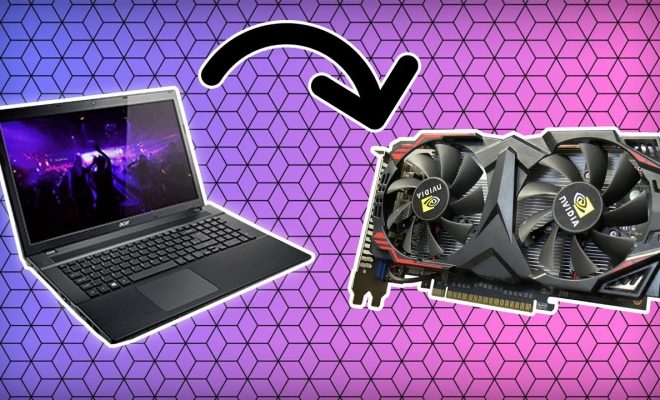
As far as computer specifications go, the graphics processing unit (GPU) is one of the most important. This component is responsible for processing and rendering all the graphics you see on your computer screen. When it comes to GPUs, there are two main types to consider – desktop and laptop GPUs.

Desktop GPUs are those that are designed to be used in desktop computers. These GPUs are typically larger in size and have a higher power consumption. The advantage of a desktop GPU is that it can provide significantly higher performance and better cooling, since there is more space in a desktop tower to accommodate larger fans and heatsinks.

Laptop GPUs, on the other hand, are smaller and designed specifically for use in laptops. These GPUs are typically less powerful and have a lower power consumption than their desktop counterparts. This is necessary in order to keep the laptop running on battery power for as long as possible.

So, what are the key differences between desktop and laptop GPUs?

Performance

Desktop GPUs are generally more powerful than their laptop counterparts, thanks to their larger size and ability to consume more power. With a powerful desktop GPU, you can play the latest games at high resolutions and settings, and even perform intensive tasks such as video editing or 3D rendering.

Laptop GPUs, on the other hand, are designed to balance performance and power consumption. While they may not be as powerful as desktop GPUs, they are still capable of delivering solid performance for tasks such as gaming, video playback, and web browsing.

Size and Cooling

Desktop GPUs are typically larger in size than laptop GPUs, which means they require more space to fit into a desktop computer. This allows for larger fans and heatsinks, which in turn provides better cooling for the GPU. A well-cooled GPU can operate at a higher frequency and maintain better performance over time.

Laptop GPUs, by contrast, are designed to be compact enough to fit inside a laptop. This means they require smaller fans and heatsinks, which can lead to increased heat and lower performance. Laptop manufacturers often use custom cooling solutions to keep the temperature under control, but this can vary from model to model.

Upgradability

Another major difference between desktop and laptop GPUs is upgradability. In most cases, desktop GPUs can be easily upgraded or swapped out for a newer model. This means you can keep your desktop computer up to date with the latest technology and performance.

Laptop GPUs, however, are much harder to upgrade or replace. In most cases, the GPU is soldered directly onto the motherboard, making it impossible to upgrade without replacing the entire motherboard. This can be expensive and time-consuming, making it more difficult to keep your laptop up to date with the latest technology.

Which Is Right for You?

Choosing between a desktop and laptop GPU ultimately depends on your needs and budget. If you’re a gamer or content creator who needs the highest possible performance, a desktop GPU is the way to go. If you need a more portable solution for everyday tasks and occasional gaming, a laptop GPU will be sufficient.

In either case, it’s important to do your research and choose a GPU that meets your needs and budget. Keep in mind that while desktop GPUs may be more powerful, they also require a desktop computer to use. Laptop GPUs offer the advantage of portability, but may not be able to deliver the same level of performance.


Previous Article

Top Linux Operating Systems You Should Try ...

Next Article

Snap vs. AppImage vs. Flatpak: What Is ...

Matthew Lynch

Related articles More from author

  • Digital & Mobile Technology

    45 Best Free Spooky and Fun Halloween Wallpapers

    June 10, 2023
    By Matthew Lynch
  • Digital & Mobile Technology

    How to Change Profile Icon on Amazon Prime Video

    May 20, 2023
    By Matthew Lynch
  • Digital & Mobile TechnologyEdTech Startups & BusinessesTeachers

    Top 5 Things to Consider When Designing an LMS

    January 4, 2022
    By Matthew Lynch
  • Digital & Mobile Technology

    What Is an ASL File?

    June 10, 2023
    By Matthew Lynch
  • Digital & Mobile Technology

    The Best Tools to Find and Remove Duplicate Files in Linux

    June 23, 2023
    By Matthew Lynch
  • Digital & Mobile Technology

    How to Use Color Coded Labels in Gmail to Organize Your Inbox

    August 3, 2023
    By Matthew Lynch

Search

Login & Registration

  • Log in
  • Entries feed
  • Comments feed
  • WordPress.org

Newsletter

Signup for The Tech Edvocate Newsletter and have the latest in EdTech news and opinion delivered to your email address!

About Us

Since technology is not going anywhere and does more good than harm, adapting is the best course of action. That is where The Tech Edvocate comes in. We plan to cover the PreK-12 and Higher Education EdTech sectors and provide our readers with the latest news and opinion on the subject. From time to time, I will invite other voices to weigh in on important issues in EdTech. We hope to provide a well-rounded, multi-faceted look at the past, present, the future of EdTech in the US and internationally.

We started this journey back in June 2016, and we plan to continue it for many more years to come. I hope that you will join us in this discussion of the past, present and future of EdTech and lend your own insight to the issues that are discussed.

Newsletter

Signup for The Tech Edvocate Newsletter and have the latest in EdTech news and opinion delivered to your email address!

Contact Us

The Tech Edvocate
910 Goddin Street
Richmond, VA 23231
(601) 630-5238
[email protected]

Copyright © 2026 Matthew Lynch. All rights reserved.