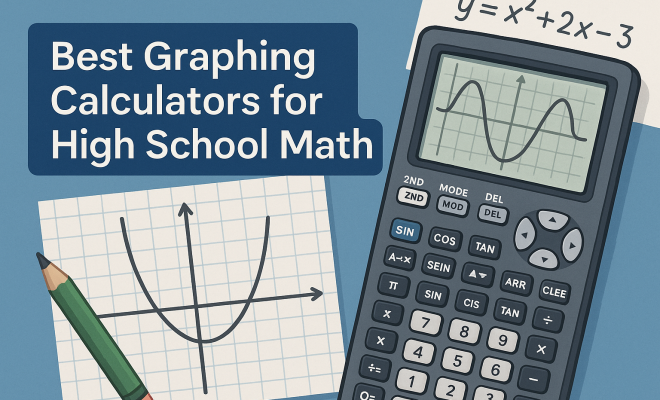
Best Graphing Calculators for High School Math
“`html
When it comes to tackling high school math, having the right tools can make a world of difference. Graphing calculators have become an essential part of the academic toolkit, especially for students delving into algebra, calculus, and beyond. But with so many options on the market, how do you know which are the best graphing calculators? This guide will break down the top choices, their features, and why they stand out, helping you make an informed decision.
1. Texas Instruments TI-84 Plus CE: A Classic Choice
The TI-84 Plus CE is arguably one of the most popular graphing calculators among high school students. Its sleek design and bright display make it user-friendly, while it packs a punch with powerful features suitable for a range of math problems. With its ability to handle everything from basic arithmetic to complex calculus, it’s no wonder this model is often recommended by educators.
One of the standout features of the TI-84 Plus CE is its extensive graphing capabilities. Students can easily graph functions, polar equations, and parametric equations. The calculator also comes preloaded with many math applications, which can be particularly helpful for students preparing for standardized tests like the ACT and SAT. Its rechargeable battery is another bonus, making it a reliable choice for long school days.
2. Casio fx-9750GII: Budget-Friendly and Functional
If you’re looking for a more affordable option, the Casio fx-9750GII is a fantastic choice. It offers a wide range of graphing functionalities while being easy on the wallet. This calculator includes a high-resolution LCD screen, allowing for clear graphing and visualization of mathematical functions.
The fx-9750GII excels in its straightforward user interface, making it accessible even for beginners. It also allows for data storage, which can be useful for students who want to save and review previous work. Its battery life is impressive, often lasting through multiple semesters without needing a replacement, making it a solid investment.
3. HP Prime: A Powerful Tool for Advanced Mathematics
The HP Prime stands out as one of the best graphing calculators for students venturing into higher-level math and engineering courses. Its modern touch-screen interface sets it apart from many competitors, providing an intuitive way to interact with complex mathematical functions.
With features like CAS (Computer Algebra System), the HP Prime allows students to simplify expressions, solve equations, and find derivatives symbolically. This can be incredibly advantageous for those studying calculus or linear algebra. Plus, its Wi-Fi capabilities enable users to share files and programs easily, which can be beneficial for collaboration in group projects.
4. Texas Instruments TI-Nspire CX II CAS: For the Serious Student
The TI-Nspire CX II CAS is a top-tier calculator designed for students who are serious about their math studies. This model is particularly favored in advanced courses due to its robust functionality that includes CAS capabilities, which allow for symbolic computation.
Students can perform calculus operations, including derivatives and integrals, and explore complex 3D graphs. Its large color display enhances visual learning, making it easier to interpret data and functions. While it comes at a higher price point, many educators argue that the investment is well worth it for serious math students. See also advanced calculus insights.
5. Sharp EL-W516TBSL: A Scientific Graphing Option
The Sharp EL-W516TBSL is an excellent choice for students looking for a scientific calculator with graphing capabilities. While it may not be as advanced as some of the other options, it provides ample functionality for students focusing on algebra and pre-calculus.
One of the most appealing features of the EL-W516TBSL is its easy-to-read display and user-friendly interface. It supports more than 500 functions, making it versatile enough for various math problems. Its affordability makes it perfect for students on a budget who still want a reliable graphing tool. (See: importance of graphing calculators in education.)
6. Texas Instruments TI-89 Titanium: Advanced Capabilities for AP Students
The TI-89 Titanium is a powerhouse that is best suited for high school students taking Advanced Placement (AP) courses. This calculator is equipped with a CAS, allowing for advanced algebraic computations, which can be critical for students looking to excel in calculus and other higher math courses.
Its ability to perform symbolic calculations gives students the edge when tackling complex problems. The calculator also boasts a large screen and a QWERTY keyboard, making it easier to enter functions and equations accurately. While it is pricier than some other options, its advanced features may justify the cost for students aiming for college-level math. (developing algebraic skills)
7. NumWorks Graphing Calculator: A Modern Approach
The NumWorks graphing calculator is a newer contender on the market that has quickly gained popularity due to its sleek design and user-friendly interface. This calculator emphasizes ease of use, with a focus on fostering student learning through an interactive experience.
One of the unique aspects of the NumWorks calculator is its open-source capabilities; students can even program their own apps and share them with others. Its clear display and straightforward design make it an attractive option for those who may feel intimidated by more complex calculators. Moreover, it’s competitively priced, making it accessible to a broader range of students.
8. TI-84 Plus Silver Edition: Time-Tested Reliability
The TI-84 Plus Silver Edition is an older model that still holds its ground as one of the best graphing calculators. While it may not have all the flashy features of its newer counterparts, it offers reliable performance and is well-suited for any high school math curriculum.
This calculator provides excellent graphing capabilities for functions, equations, and inequalities while supporting various applications. Students appreciate its long battery life and the ease of transferring files between calculators, making it a great tool for collaborative study sessions. The Silver Edition remains a trusted companion for many students who prefer a no-frills, dependable graphing tool.
9. Choosing the Best Graphing Calculator for You
When it comes down to selecting the best graphing calculator for your math journey, consider factors like your specific math courses, budget, and personal preferences. Each calculator has its strengths and weaknesses, making it essential to identify what features matter most to you.
For instance, if you’re preparing for AP Calculus, investing in a higher-end model like the TI-Nspire CX II CAS might be wise. Conversely, if you’re just starting with algebra, a more budget-friendly option like the Casio fx-9750GII could be sufficient. Ultimately, the best graphing calculator for you will enhance your learning experience and help you tackle the challenges of high school math with confidence.
10. Comparing Key Features
When selecting a graphing calculator, it’s essential to compare key features that can affect your learning experience. Here are some critical aspects to consider:
- Graphing Capabilities: Look for calculators that can handle multiple types of graphs, such as 2D and 3D graphs. The more versatile the graphing options, the better equipped you’ll be for different types of problems.
- User Interface: A user-friendly interface can significantly enhance your productivity. Calculators with touch screens or well-organized menus make it easier to navigate through complex functions.
- Battery Life: Long-lasting battery life is crucial, especially during exams or long study sessions. Many models now offer rechargeable batteries, which can be more convenient.
- CAS vs. Non-CAS: Decide whether you need a Computer Algebra System. CAS calculators can perform more advanced symbolic manipulations, which are helpful for higher-level mathematics.
11. Understanding Graphing Calculator Functions
To maximize the potential of your graphing calculator, familiarize yourself with its functions. Here are some essential functions you should know:
- Graphing Functions: Most calculators allow you to input multiple functions simultaneously and visualize their intersections, which can be extremely useful for understanding concepts in algebra and calculus.
- Statistical Analysis: Many graphing calculators come equipped with statistical tools to perform regression analysis, which can help in understanding data trends.
- Programming: Some models, like the NumWorks, allow students to write simple programs, which can be an excellent way to automate repetitive calculations or visualize complex functions.
- Dynamic Geometry: Certain calculators also offer dynamic geometry features, enabling students to manipulate shapes and see how equations relate to geometric figures.
12. Expert Perspectives on Graphing Calculators
To gain insight into the best graphing calculators, we reached out to math educators and students who have firsthand experience with various models. Many educators emphasize the importance of selecting a calculator that complements your learning style.
Dr. Sarah H., a high school math teacher, notes, “The TI-84 series remains a staple in classrooms because of its reliability and wide acceptance in standardized testing. However, students who are comfortable with technology may find the HP Prime and TI-Nspire more beneficial due to their advanced features.”
Meanwhile, student feedback often highlights the importance of a calculator’s interface. “The NumWorks was a game-changer for me,” shares David, a recent high school graduate. “Its design helped me focus more on learning concepts rather than struggling with complicated buttons.” (See: research on technology in math education.)
13. Frequently Asked Questions (FAQ)
What is the best graphing calculator for beginners?
If you’re just starting, the Casio fx-9750GII is a great option. It’s affordable and easy to use, making it perfect for beginners who need reliable functionality without overwhelming features.
Are graphing calculators allowed on standardized tests?
Most standardized tests, including the SAT and ACT, allow certain graphing calculators. However, you should check the specific rules for each test to ensure your calculator meets the requirements. The TI-84 is commonly accepted and recommended. We covered top teaching apps in more detail.
How do I maintain my graphing calculator?
Keep your calculator clean and store it in a protective case to prevent damage. Regularly check the battery and ensure it’s charged or replace it when needed. Avoid exposing it to extreme temperatures or moisture.
Can I use a graphing calculator for subjects other than math?
Yes! Graphing calculators can also be helpful in science subjects, especially physics and chemistry. Their ability to handle complex calculations and graph data makes them valuable tools for analyzing scientific phenomena.
Do I need a graphing calculator for college?
While not all college courses require a graphing calculator, many math and science programs do recommend or require one. If you plan on taking calculus, statistics, or engineering courses, investing in a good graphing calculator can be beneficial.
14. Long-Term Benefits of Using a Graphing Calculator
Investing in a quality graphing calculator can provide long-term benefits that go beyond immediate academic needs. These calculators encourage conceptual understanding and critical thinking by allowing students to visualize complex mathematical concepts easily.
Moreover, the skills developed while using a graphing calculator are transferrable to higher education and professional environments. Proficiency in using technology to analyze data and solve problems is a critical skill in many fields, including engineering, economics, and the natural sciences.
As technology continues to evolve, familiarity with graphing calculators can also prepare students for future advancements in mathematical software and programming languages, which are becoming increasingly important in today’s data-driven world.
15. New Trends in Graphing Calculators
As technology advances, so do graphing calculators. Recent trends show a shift toward integrating more advanced features, such as connectivity with computers, tablets, and smartphones. Many modern calculators now support online resources and apps that enhance their functionality.
For example, some graphing calculators can connect to graphing software on a computer, allowing students to transfer data easily or work through more complex problems using a larger display. This is particularly beneficial for collaborative projects or remote learning environments, where sharing calculations in real-time can enhance understanding. (See: Harvard University educational resources.)
Developers are also focusing on user experience, designing interfaces that are more intuitive and easier to navigate. Features like customizable menus, touchscreen capabilities, and interactive tutorials are becoming standard, making these devices more accessible for all students. There’s a fuller look at BC calculus resources.
16. Environmental Considerations
With a growing emphasis on sustainability, many manufacturers are considering the environmental impact of their devices. Some graphing calculators are now made from recyclable materials, and companies are looking into more energy-efficient designs to reduce the carbon footprint associated with production and usage.
Additionally, the rechargeable batteries found in many models not only save students money over time but also contribute to less electronic waste. Keeping an eye out for models that prioritize sustainability can be a responsible choice for environmentally-conscious students.
17. Choosing the Right Accessories
While selecting a graphing calculator is crucial, don’t forget about the accessories that can enhance your experience. A sturdy case can protect your calculator from damage while carrying it to and from school, and a screen protector can prevent scratches that could hinder visibility.
Consider purchasing additional resources, such as tutorial guides or online courses specifically designed for your model. These can provide valuable insights into maximizing your calculator’s capabilities and help you master its various functions more quickly.
18. Graphing Calculators in Professional Settings
Graphing calculators are not just for students; many professionals in fields such as engineering, architecture, and finance also use them. Engineers often rely on these calculators for quick calculations and simulations, while financial analysts may use them for statistical modeling and trend analysis.
Having a solid foundation in using a graphing calculator can offer a significant advantage in the job market. Employers look for candidates who are proficient in using tools that can analyze data and solve complex problems efficiently. Understanding how to leverage these devices can set you apart in competitive fields.
19. Conclusion
Choosing the right graphing calculator can significantly influence a student’s learning experience in mathematics. With various options available, it’s essential to consider individual needs, learning styles, and future academic goals. Investing time in understanding the features and benefits of each calculator will ultimately lead to better performance in math and related subjects. Whether you opt for a classic like the TI-84 or a modern alternative like the NumWorks, the right choice will help demystify complex math concepts and make learning more interactive and enjoyable.
“`
Trending Now
Frequently Asked Questions
What is the best graphing calculator for high school students?
The Texas Instruments TI-84 Plus CE is widely regarded as the best graphing calculator for high school students. Its user-friendly design, extensive graphing capabilities, and preloaded math applications make it a favorite among educators and students alike.
Are Casio graphing calculators good for high school math?
Yes, Casio graphing calculators, such as the fx-9750GII, are excellent for high school math. They offer a budget-friendly option with a high-resolution display and straightforward interface, making them suitable for beginners and experienced students.
What features should I look for in a graphing calculator?
When choosing a graphing calculator, look for features like a high-resolution display, extensive graphing capabilities, data storage options, and a user-friendly interface. Additionally, consider battery life and whether the calculator has preloaded math applications.
Can graphing calculators help with standardized tests?
Absolutely! Graphing calculators like the TI-84 Plus CE come preloaded with applications that can assist students in preparing for standardized tests like the ACT and SAT, making them valuable tools during exam preparation.
How long do graphing calculators last on a single charge?
The battery life of graphing calculators varies by model, but many, like the TI-84 Plus CE, feature rechargeable batteries that can last through long school days. It's essential to check the specifications of each model for exact battery performance.
Agree or disagree? Drop a comment and tell us what you think.