The Tech Edvocate

Top Menu

  • Advertisement
  • Apps
  • Home Page
  • Home Page Five (No Sidebar)
  • Home Page Four
  • Home Page Three
  • Home Page Two
  • Home Tech2
  • Icons [No Sidebar]
  • Left Sidbear Page
  • Lynch Educational Consulting
  • My Account
  • My Speaking Page
  • Newsletter Sign Up Confirmation
  • Newsletter Unsubscription
  • Our Brands
  • Page Example
  • Privacy Policy
  • Protected Content
  • Register
  • Request a Product Review
  • Shop
  • Shortcodes Examples
  • Signup
  • Start Here
    • Governance
    • Careers
    • Contact Us
  • Terms and Conditions
  • The Edvocate
  • The Tech Edvocate Product Guide
  • Topics
  • Write For Us
  • Advertise

Main Menu

  • Start Here
    • Our Brands
    • Governance
      • Lynch Educational Consulting, LLC.
      • Dr. Lynch’s Personal Website
      • Careers
    • Write For Us
    • The Tech Edvocate Product Guide
    • Contact Us
    • Books
    • Edupedia
    • Post a Job
    • The Edvocate Podcast
    • Terms and Conditions
    • Privacy Policy
  • Topics
    • Assistive Technology
    • Child Development Tech
    • Early Childhood & K-12 EdTech
    • EdTech Futures
    • EdTech News
    • EdTech Policy & Reform
    • EdTech Startups & Businesses
    • Higher Education EdTech
    • Online Learning & eLearning
    • Parent & Family Tech
    • Personalized Learning
    • Product Reviews
  • Advertise
  • Tech Edvocate Awards
  • The Edvocate
  • Pedagogue
  • School Ratings

logo

The Tech Edvocate

  • Start Here
    • Our Brands
    • Governance
      • Lynch Educational Consulting, LLC.
      • Dr. Lynch’s Personal Website
        • My Speaking Page
      • Careers
    • Write For Us
    • The Tech Edvocate Product Guide
    • Contact Us
    • Books
    • Edupedia
    • Post a Job
    • The Edvocate Podcast
    • Terms and Conditions
    • Privacy Policy
  • Topics
    • Assistive Technology
    • Child Development Tech
    • Early Childhood & K-12 EdTech
    • EdTech Futures
    • EdTech News
    • EdTech Policy & Reform
    • EdTech Startups & Businesses
    • Higher Education EdTech
    • Online Learning & eLearning
    • Parent & Family Tech
    • Personalized Learning
    • Product Reviews
  • Advertise
  • Tech Edvocate Awards
  • The Edvocate
  • Pedagogue
  • School Ratings
  • RayNeo iO Smart Glasses: A Comprehensive Review

  • Glo Skin Beauty: The Aesthetician-Backed Brand Taking 25% Off for October Prime Day

  • The Shocking Truth: ESG Training Programs Are Quietly Reshaping Your Career Path

  • Why Millions of People Are Switching to These Green Energy Certifications Right Now

  • The green skills gap in 2026: How to address this growing problem

  • The Shocking Truth: Your Degree Won’t Land You the Best IT Jobs in 2026

  • The Brutal Truth About Degrees: Why Micro-Credentials Are Quietly Dominating Careers by 2026

  • Why 96% of Employers Now Prefer Skills Over Degrees: The Micro-Credential Revolution

  • This Crucial Mistake With AI Is Stunting Student Minds: Here’s How to Fix It

  • The AI ‘Cognitive Surrender’ Crisis: 7 Tools Every Educator Needs NOW

Digital & Mobile Technology
Home›Digital & Mobile Technology›Nintendo Wii U Expanded Storage, Explained

Nintendo Wii U Expanded Storage, Explained
By Matthew Lynch
June 5, 2023
0
Spread the love

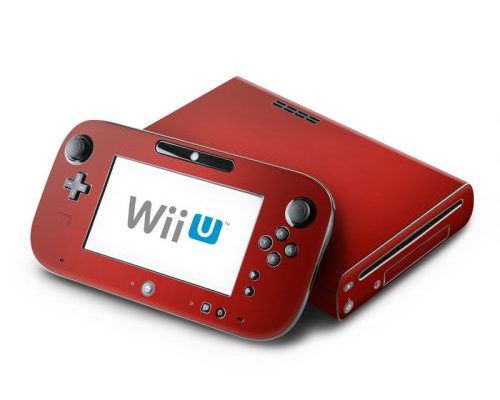
Nintendo has been synonymous with the video game industry since the early 1980s. With the release of their latest gaming console, the Wii U, they have redefined what it means to be a gaming console. One of the standout features of the Wii U is its expanded storage options. This article will explain what the Wii U expanded storage options are and how they work.

Before delving into the details of the Wii U’s expanded storage options, it is important to understand the basics of what storage means in the context of gaming consoles. Console storage refers to the space on the console where game software, personal data, and downloaded content is stored. Storage allows users to save their game progress, download new games, and access different apps and features.

The Wii U, like many other consoles, comes with limited storage space. The system initially launched with an 8 GB or 32 GB storage option. 8 GB is enough for some basic gameplay and software, but heavy users may find this limited. This is where the Wii U’s expansion options come in.

The Wii U supports external USB storage drives as a means of expanding the console’s storage space. This means that a user can add an external hard drive or USB flash drive to their console to increase the amount of storage available. The console supports any external drive with a capacity of up to 2 TB.

The process of expanding storage on the Wii U is straightforward. Firstly, the user needs to format the external drive to be in the correct format for the Wii U. Next, the user connects the external drive to the USB port on the Wii U. The system will detect the external drive and prompt the user to format it to the correct format for the Wii U. Once the drive is formatted, the user has access to the expanded storage space.

The benefit of using an external drive is that the user can store more games, demos, and digital content than before. This makes the Wii U a much more versatile console with the ability to store not only more games but also entertainment content such as movies and music.

In conclusion, the Wii U’s expanded storage options are a valuable feature for gamers who require additional storage space. While the console does have limited storage, the ability to add external drives is an affordable and straightforward solution that expands the Wii U’s capabilities. Regardless of the type of gamer, the option of increasing storage is something any user would appreciate. The Wii U’s expanded storage options make it a more flexible console for all types of gamers.


Previous Article

AirTags FAQ: Answering All Your Most Asked ...

Next Article

Eclipse Keyboard Shortcuts Essential for Beginners

Matthew Lynch

Related articles More from author

  • Digital & Mobile Technology

    Best Sonos Speakers

    April 11, 2023
    By Matthew Lynch
  • Digital & Mobile Technology

    Add a Recovery Email Address to Your Microsoft Account

    June 4, 2023
    By Matthew Lynch
  • Digital & Mobile Technology

    What is Wi-Fi (Wireless Fidelity)?

    May 15, 2023
    By Matthew Lynch
  • Digital & Mobile Technology

    Yes, It’s Bad for Your MacBook to Keep It Charging All the Time

    June 5, 2023
    By Matthew Lynch
  • Digital & Mobile Technology

    How to Extract Images from PDF Files

    May 28, 2023
    By Matthew Lynch
  • Digital & Mobile Technology

    How to Enable HDMI-CEC on Your TV, and Why You Should

    May 28, 2023
    By Matthew Lynch

Search

Login & Registration

  • Log in
  • Entries feed
  • Comments feed
  • WordPress.org

Newsletter

Signup for The Tech Edvocate Newsletter and have the latest in EdTech news and opinion delivered to your email address!

About Us

Since technology is not going anywhere and does more good than harm, adapting is the best course of action. That is where The Tech Edvocate comes in. We plan to cover the PreK-12 and Higher Education EdTech sectors and provide our readers with the latest news and opinion on the subject. From time to time, I will invite other voices to weigh in on important issues in EdTech. We hope to provide a well-rounded, multi-faceted look at the past, present, the future of EdTech in the US and internationally.

We started this journey back in June 2016, and we plan to continue it for many more years to come. I hope that you will join us in this discussion of the past, present and future of EdTech and lend your own insight to the issues that are discussed.

Newsletter

Signup for The Tech Edvocate Newsletter and have the latest in EdTech news and opinion delivered to your email address!

Contact Us

The Tech Edvocate
910 Goddin Street
Richmond, VA 23231
(601) 630-5238
[email protected]

Copyright © 2026 Matthew Lynch. All rights reserved.