How to check what’s using bandwidth
“`html
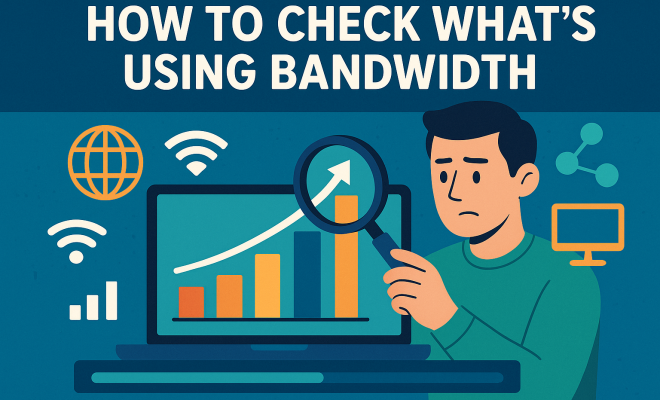
In today’s connected world, your internet bandwidth is crucial for everything from video streaming to remote work. But what happens when your connection slows down? It can be frustrating, especially if you’re unsure of what’s using your bandwidth. Fortunately, knowing how to check bandwidth usage can empower you to take control of your internet experience. Below, we’ll explore seven effective ways to identify bandwidth hogs and optimize your network for better performance.
1. Understanding Bandwidth: The Basics
Before diving into methods for checking what’s consuming your bandwidth, it’s essential to grasp what bandwidth actually is. In simple terms, bandwidth refers to the maximum rate at which data can be transferred across your internet connection. Measured in bits per second (bps), this metric impacts everything from download speeds to video quality. A higher bandwidth means more data can be transmitted simultaneously, leading to smoother streaming and faster downloads.
However, bandwidth isn’t just a numerical value; it’s about how effectively that capacity is utilized. Multiple devices connected to the same network can lead to congestion if not managed properly. Understanding the nuances of bandwidth usage will help you make informed decisions on managing your network effectively.
2. Using Built-In Router Tools
Most modern routers come equipped with built-in tools to check bandwidth usage. Accessing your router’s admin panel is often the first step. Typically, this involves typing the router’s IP address into a web browser. Common IP addresses include 192.168.0.1 or 192.168.1.1, but you can find the specific address in your router’s documentation.
Once logged in, look for a section labeled ‘Traffic Monitor’, ‘Bandwidth Usage’, or ‘Device List’. Here, you can see which devices are connected to your network and how much bandwidth each one is consuming. Some routers even allow you to set data limits or prioritize certain devices to optimize performance.
3. Third-Party Software Solutions
If your router doesn’t provide sufficient details, consider using third-party software tools. Programs like NetBalancer, GlassWire, or BitMeter OS offer comprehensive insights into bandwidth usage per application and device. These tools can give you real-time statistics on how much data is being used, allowing you to identify bandwidth-heavy applications quickly.
For instance, if you notice that a specific application like a cloud storage service is using excessive bandwidth, you can adjust its settings or schedule backups during off-peak hours. This kind of granular insight is invaluable for maintaining an efficient network.
4. Network Traffic Analysis Tools
For those with a bit more technical know-how, utilizing network traffic analysis tools can be a game-changer. Software like Wireshark or PRTG Network Monitor provides a deeper look into your network’s data flow. These tools can capture and analyze packets sent over your network, revealing detailed information about the types of data being transferred.
Using these tools, you can gain insights not just into which devices are using bandwidth, but also the specific types of traffic they generate. This level of analysis can help you pinpoint potential security vulnerabilities or unnecessary data transfers, allowing you to tighten network controls. (See: CDC on managing internet bandwidth.)
5. Monitoring Bandwidth Usage on Different Devices
Each device on your network may have its own method for tracking bandwidth usage. For example, Windows users can navigate to the ‘Settings’ > ‘Network & Internet’ > ‘Data usage’ section. Here, you can see a breakdown of data usage by application over a specified period. Similarly, macOS has a built-in Activity Monitor that displays network usage.
Mobile devices also offer bandwidth monitoring functionality. On iOS, for instance, you can find data usage metrics under ‘Settings’ > ‘Cellular’, where you can track how much data each app uses. Android devices offer similar features in the ‘Network & internet’ settings. Regularly checking these stats can help you manage data usage effectively, especially if you’re on a limited data plan.
6. Utilizing ISP Tools
Many Internet Service Providers (ISPs) offer their own tools to check bandwidth usage. These tools can provide insights into your overall network performance and data consumption over time. Accessing your ISP account online usually brings you to a dashboard where you can view this information.
Some ISPs may even offer mobile apps that allow you to monitor bandwidth usage in real-time. These tools can help you identify peak usage times and adjust your habits accordingly. For instance, if your ISP indicates that you frequently exceed your data limit, you might consider upgrading your plan or adjusting your usage patterns.
7. Setting Up Quality of Service (QoS)
Once you’ve identified what’s consuming your bandwidth, consider implementing Quality of Service (QoS) settings on your router. QoS allows you to prioritize certain types of traffic over others, ensuring that critical applications (like video conferencing or gaming) receive the bandwidth they need.
To set up QoS, access your router’s admin settings and look for a QoS section. Here, you can prioritize devices or applications based on your needs. For example, if you work from home and require consistent video call quality, you can allocate higher priority to your video conferencing app while limiting bandwidth for less critical applications. This proactive approach can significantly enhance your overall internet experience.
8. Understanding Bandwidth Needs for Different Activities
Different online activities consume varying amounts of bandwidth. Understanding your needs can help you manage your internet usage more effectively. Here’s a breakdown of typical bandwidth requirements:
- Email and Web Browsing: These activities are relatively light and usually require around 1-2 Mbps.
- Streaming Music: Streaming music typically uses around 1 Mbps. High-quality streams can go up to 3 Mbps.
- Streaming Video: Standard definition video typically requires 3-4 Mbps, while HD video can require 5-8 Mbps, and 4K video can demand 25 Mbps or more.
- Online Gaming: While gaming itself may not use a lot of bandwidth (around 3 Mbps), online gaming can require a stable connection with low latency.
- Video Conferencing: Applications like Zoom or Microsoft Teams can take up 1.5 Mbps for standard quality, but high-quality video calls can demand upwards of 3 Mbps.
By understanding these needs, you can make informed decisions about how to allocate your bandwidth and determine whether upgrades are necessary based on your internet usage habits.
9. Identifying Bandwidth Hogs
Once you have a grasp on your household’s internet needs, it’s crucial to identify what devices or applications are hogging bandwidth. Devices such as smart TVs, gaming consoles, and even IoT devices can consume significant amounts of data, often without your direct awareness. Here are some common culprits:
- Streaming Devices: Devices like Roku, Chromecast, or smart TVs may stream video in 4K, using a ton of bandwidth.
- Cloud Backup Services: Applications that back up files to the cloud can consume bandwidth, especially during initial backups or large uploads.
- Peer-to-Peer Applications: P2P apps, such as BitTorrent, can use considerable amounts of data if not monitored closely.
- Software Updates: Regular updates for software and applications on devices can consume significant bandwidth, especially when multiple devices update simultaneously.
Monitoring which devices connect and how much data they use can provide insights into possible adjustments or restrictions that could optimize your overall internet performance. (See: New York Times on internet speed and bandwidth.)
10. Common Myths about Bandwidth
As you navigate the complexities of bandwidth management, you might encounter several myths that can cloud your understanding. Here are a few common misconceptions:
- More Bandwidth Equals Faster Internet: While higher bandwidth allows for more data transfer, it doesn’t guarantee faster speeds for a single device. Latency, network congestion, and the quality of your router also play crucial roles.
- Wi-Fi Is Always Slower than Wired Connections: Wi-Fi technology has improved significantly, and in many cases, a well-configured Wi-Fi network can offer impressive speeds, though wired connections typically provide more stability.
- Bandwidth Is Only About Download Speeds: Upload speeds are equally important, particularly for activities like video conferencing, online gaming, and cloud file uploads.
Dispelling these myths can help you set realistic expectations and understand the factors affecting your internet experience.
11. Future Trends in Bandwidth Usage
As technology continues to evolve, so too will our bandwidth needs. Here are some trends to keep an eye on:
- Increased Streaming Quality: With the rise of 4K and even 8K streaming, bandwidth demands will continue to soar, making it essential for households to have robust internet plans.
- Smart Home Devices: The growing prevalence of smart home technology will lead to more devices consuming bandwidth. From smart thermostats to security cameras, understanding their impact on your network is vital.
- Remote Work and Collaboration Tools: As remote work becomes more established, the need for reliable video conferencing and collaboration tools will remain high, requiring more bandwidth for smooth operation.
Staying ahead of these trends can help you proactively manage your bandwidth and prepare for future demands.
12. Frequently Asked Questions (FAQ)
What is a good amount of bandwidth for a household?
The ideal bandwidth for a household depends on the number of users and the types of activities they engage in. For a household with light internet users (browsing and emailing), around 25 Mbps may suffice, while families with heavy usage (streaming and gaming) may need 100 Mbps or more.
How can I test my internet speed?
You can test your internet speed using various online speed test tools, such as Ookla’s Speedtest or Fast.com. These services measure your download and upload speeds and provide insights into your connection’s performance.
Can too many devices slow down my network?
Yes, too many devices connected simultaneously can lead to congestion and reduced speeds. Each device requires bandwidth, and if your internet plan doesn’t provide enough capacity for all devices, you may experience slowdowns.
Do I need to upgrade my internet plan?
If you consistently find that your internet is slow or you’re frequently running out of bandwidth, it may be time to consider upgrading your plan. Look at your usage patterns and consult with your ISP about available options.
How often should I check my bandwidth usage?
It’s a good idea to check your bandwidth usage regularly, particularly if you notice slow speeds or connectivity issues. Monitoring every month can provide insights into usage patterns and help you adjust your habits accordingly.
13. How to Optimize Your Bandwidth Usage
Optimizing your bandwidth usage can significantly improve your internet experience. Here are a few practical strategies to consider:
- Limit Background Applications: Many applications run in the background and consume bandwidth without you even realizing it. Make sure to close or restrict background applications on devices.
- Schedule Large Downloads: If you must download large files or updates, try to do this during off-peak hours when no one else is using the internet heavily.
- Use Wired Connections Where Possible: Wired connections generally offer more stability and speed compared to Wi-Fi. If possible, connect devices that require high bandwidth directly to your router.
- Regularly Reboot Your Router: Sometimes, simply rebooting your router can improve performance. This process can help clear temporary issues and refresh your connection.
14. The Importance of Security in Bandwidth Management
While checking bandwidth usage is essential, it’s equally important to ensure that your network is secure. An unsecured network can lead to unauthorized access, which can hog your bandwidth and expose you to security risks. Here are a few tips to enhance your network security:
- Change Default Login Credentials: Many routers come with default usernames and passwords. Change these immediately to prevent unauthorized access.
- Enable Network Encryption: Always use WPA3 encryption if your router supports it. This will help secure your network from intrusions.
- Regularly Update Firmware: Router manufacturers often release firmware updates to patch security vulnerabilities, so make sure your router’s firmware is always up to date.
15. Comparison of Bandwidth Monitoring Tools
With numerous tools available to check bandwidth usage, it can be challenging to pick the right one. Here’s a quick comparison of some popular options:
| Tool | Best For | Features | Price |
|---|---|---|---|
| GlassWire | Visualizing Data Usage | Real-time monitoring, alerts for unusual activity, and detailed usage statistics. | Free with paid upgrades |
| NetBalancer | Prioritizing Bandwidth | Allows you to set limits and priorities for applications and devices. | Free trial, then paid |
| Wireshark | Advanced Users | Packet analysis, network diagnostics, and protocol analysis. | Free |
| PRTG Network Monitor | Comprehensive Monitoring | Monitors entire networks, supports various protocols, and provides extensive reporting. | Free for small setups, paid for larger ones |
16. Conclusion: Taking Charge of Your Bandwidth
Understanding how to check bandwidth usage is essential for anyone looking to optimize their internet experience. Whether you use built-in router tools, third-party software, or ISP resources, the insights gained can help you identify bandwidth hogs and make informed decisions about your network management.
Ultimately, staying informed about your bandwidth usage not only improves your current internet experience but also prepares you for future technological demands. As more devices connect to our networks and streaming quality continues to increase, being savvy about bandwidth usage will help you maintain a smooth and efficient online experience.
“`
Trending Now
Frequently Asked Questions
How can I check what's using my bandwidth?
You can check what's using your bandwidth by accessing your router's admin panel. Most modern routers have built-in tools that display connected devices and their bandwidth consumption. Look for sections like 'Traffic Monitor' or 'Bandwidth Usage' to identify which devices are hogging your connection.
What is bandwidth and why is it important?
Bandwidth refers to the maximum rate at which data can be transferred over your internet connection, measured in bits per second. It is crucial because it affects your internet speed and performance, impacting activities like streaming and downloading. Higher bandwidth allows for smoother experiences across multiple devices.
How do I log into my router to check bandwidth usage?
To log into your router, type its IP address into a web browser. Common addresses include 192.168.0.1 or 192.168.1.1. After entering the IP address, you'll need to enter your admin credentials. Once logged in, navigate to the 'Traffic Monitor' or 'Bandwidth Usage' section to view connected devices and their usage.
What can I do if my internet is slow?
If your internet is slow, start by checking your bandwidth usage through your router's admin panel. Identify devices consuming excessive bandwidth and consider limiting their access or prioritizing other devices. Additionally, resetting your router or upgrading your internet plan may also help improve your connection.
Can I manage bandwidth usage on my network?
Yes, you can manage bandwidth usage on your network by accessing your router's settings. Many routers allow you to set data limits, prioritize devices, or even block certain devices from accessing the network, helping to optimize your internet performance.
What did we miss? Let us know in the comments and join the conversation.