How to animate game character
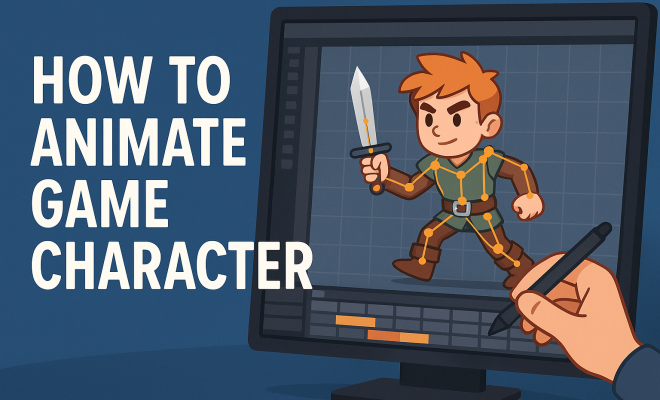
“`html
Creating a lifelike, engaging character animation is one of the hallmarks of successful game design. To truly bring a game character to life, animators must employ various techniques that blend both artistic vision and technical skill. In this article, we’ll explore ten essential techniques that help you effectively animate game characters, ensuring they resonate with players and enhance the overall gaming experience.
1. Understanding the Basics of Animation
Before diving into character animation, it’s crucial to grasp the foundational principles of animation. These principles have been around since the early days of animation and still apply to modern game design. They include concepts like timing, spacing, and exaggeration, which can greatly influence the feel of your animations.
Taking the time to understand these principles will establish a solid groundwork for your character animations. For instance, timing refers to the speed of actions and how they affect the believability of the character’s movements. If a character jumps too quickly or too slowly, the animation will feel off and might break immersion for players. Therefore, experimenting with timing can yield significantly more engaging animations.
2. Choosing the Right Animation Software
The software you choose to animate your game character can dramatically affect your workflow and the quality of the final output. Popular options include Unity, Unreal Engine, Blender, and Maya. Each platform has its strengths and weaknesses, which cater to different styles of animation.
For instance, Blender is a free, open-source 3D modeling and animation software that’s perfect for indie game developers or those on a budget. On the other hand, Maya is an industry-standard tool that offers advanced features for professional game animation. Selecting the right software will depend on your specific needs, your familiarity with the program, and the complexity of your projects.
3. Creating a Character Model
Once you’ve settled on your software, the next step is creating your character model. This is a critical phase of the animation process, as a well-designed model will make the animation smoother and more realistic. Consider the character’s shape, size, and proportions, as these elements heavily influence how they will move.
Moreover, you should pay attention to the character’s rigging — the process of creating a skeleton for your model that will allow for flexible and realistic movement. Good rigging will give your character the ability to perform a wide range of motions without looking stiff or unnatural. Thus, investing time in learning rigging techniques will pay off in your animation quality.
4. Utilizing Motion Capture
Motion capture technology has revolutionized the way animators create lifelike movements for game characters. By recording a live actor’s movements and translating them into digital data, you can achieve realistic animations that would be incredibly challenging to create by hand.
While motion capture can be expensive and logistically complex, there are affordable alternatives for independent developers. Tools like Adobe Character Animator allow you to animate characters based on your own movements using a webcam. This democratization of motion capture technology opens up new avenues for animators to create more engaging characters without breaking the bank.
5. Understanding Keyframe Animation
Keyframe animation is another core technique for animating game characters. This approach involves setting specific frames (keyframes) in your timeline where significant movements or actions occur. The software then interpolates the frames in between, creating a smooth transition from one pose to another. (See: Understanding the basics of animation.)
Mastering keyframe animation requires practice. Understanding how to manipulate timing and spacing between keyframes can lead to more dynamic and believable animations. For example, in a running animation, you might set keyframes for the character’s start, mid-stride, and end poses. How you space these keyframes can drastically change the feel of the running animation, making it feel more energetic or sluggish.
6. Incorporating Physics and Realism
Adding physics to your animations can significantly enhance the realism of your character’s movements. Many game engines, such as Unity and Unreal Engine, come equipped with physics engines that can simulate real-world forces like gravity, friction, and collision. This capability allows you to create more immersive animations.
For example, if your character jumps off a cliff, applying physics will make them fall realistically rather than simply moving downward at a constant speed. This kind of detail helps players suspend disbelief and feel more engaged in the game. Balancing exaggerated animations with realistic physics can create a compelling experience.
7. Using Facial Animation for Emotional Depth
Facial animations play a crucial role in conveying emotion and personality in game characters. A character’s facial expressions can communicate a wide range of feelings, from happiness to anger, and can greatly enhance storytelling in your game.
Implementing facial animation techniques, like blend shapes or bone-based rigging, allows you to create nuanced expressions. Many games use a combination of both methods to achieve a more natural look. For instance, using blend shapes for subtle changes in expression and rigging for broader movements can create a rich emotional palette for your characters.
8. Iterating and Refining Animations
No animation is perfect on the first try. Iteration is key to refining the quality of your game character animations. After creating an initial animation, take the time to review it critically. Look for areas that may feel awkward or unnatural and make necessary adjustments.
Gathering feedback from peers or conducting playtests can provide valuable insights. Observing how players react to your animations can highlight issues you may not notice yourself. Iterating on your work based on feedback ensures that your character animations feel polished and engaging.
9. Understanding Animation in Context
Finally, it’s essential to consider how your character animations fit within the broader context of the game. The style of your animations should align with the overall aesthetic and gameplay mechanics of the game. For instance, a cartoonish game may employ exaggerated movements, whereas a realistic simulation game would require more nuanced animations.
Moreover, animations should complement the gameplay. Quick, responsive animations enhance fast-paced games, while slower, more deliberate animations suit strategic games. Ensuring your animations serve the gameplay and narrative will create a cohesive and enjoyable experience for players.
10. Staying Updated with Industry Trends
The gaming industry is constantly evolving, with new tools, techniques, and trends emerging regularly. Staying informed about the latest advancements in game animation can give you a competitive edge. Engage with communities, attend conferences, and follow industry leaders on social media to keep up with new developments.
Understanding trends like augmented reality (AR) and virtual reality (VR) can also influence how you animate game characters. As these technologies become more prevalent, adapting your techniques to create immersive experiences in these formats will be crucial. Your journey doesn’t end with mastering animation; it’s about continuously learning and evolving as a game animator. (See: Choosing the right animation software.)
11. Exploring Different Animation Styles
Animation styles vary widely across games, and understanding these can enhance your ability to animate a game character effectively. Different genres often call for different approaches; for instance, a platformer game may require fast, snappy animations, while a role-playing game (RPG) might benefit from more fluid and detailed movements.
One approach is studying classic animation styles, such as squash and stretch, which add a sense of weight to your characters. If you’re working on a 2D game, you might want to experiment with hand-drawn animations that deliver a unique visual flair. In contrast, 3D games can leverage advanced animation techniques, such as dynamic bone systems that allow for real-time adjustments based on gameplay.
The art of animation is as much about creating movement as it is about understanding the character’s personality and backstory. For example, if your character is a rogue thief, their movements might be quick and stealthy compared to a lumbering giant who might move with heavy, deliberate motions. Tailoring the animation style to the character’s story can create a deeper connection with players.
12. The Role of Animation in Game Design
Animation isn’t just about making characters move; it plays a pivotal role in the overall game design process. Effective character animations can communicate gameplay mechanics and inform players about their environment. For instance, an animated character that looks back at an enemy before launching an attack can signal to players that they should be aware of their surroundings.
Additionally, animations can guide players through game mechanics. For example, a character might perform a specific animation when they interact with an object, such as picking up an item or opening a door. These animations help convey information non-verbally, enhancing player understanding without the need for lengthy tutorials.
Moreover, character animations contribute to the pacing of the game. In fast-paced scenarios, quick, snappy animations can heighten excitement, while slower animations can build tension during critical moments. Understanding how animation affects pacing can help you design a more engaging gameplay experience.
13. Tips for Beginners in Character Animation
If you’re just starting in the world of character animation, here are some valuable tips to help you hone your skills:
- Start Simple: Begin with basic shapes or stick figures to master the fundamentals. Once you’re comfortable, gradually move on to more complex models.
- Study Real Life: Observe how people and animals move in everyday life. This observation is crucial for understanding weight, balance, and motion.
- Use Reference Material: Don’t hesitate to use reference videos or images as you animate. This can provide clarity on how movements should look.
- Join Online Communities: Engaging with fellow animators through forums or social media can provide feedback and inspiration as you grow in your craft.
- Practice Regularly: Consistency is key. Set aside time every day or week to practice your animation skills and revisit your previous work to identify areas of improvement.
14. Common Challenges in Character Animation
Character animation can be fraught with challenges, especially for beginners. Here are a few common hurdles and suggestions for overcoming them:
- Timing Issues: Getting the timing right can be tricky. A useful strategy is to plan your keyframes carefully and use slow-motion playback to analyze the flow of your animations.
- Stiff Animations: If your character’s movements feel robotic, revisit the basics of weight and balance. Try using overlapping actions, where different parts of the character move at slightly different times.
- Facial Expressions: Creating believable facial animations can be daunting. Practice by sketching emotions on paper before bringing them into your software. This can help you visualize expressions more clearly.
- Technical Glitches: Software can sometimes misbehave, leading to unexpected results. Regularly save your work and use version control to keep track of changes.
15. FAQs about Animating Game Characters
What is the best software for animating game characters?
There isn’t a one-size-fits-all answer. It depends on your needs and budget. Blender is great for beginners and indie developers, while Maya and 3ds Max are industry standards with extensive features for professional work.
How can I improve my animation skills?
Improving your animation skills requires practice and patience. Study traditional animation principles, analyze existing animations, and continually seek feedback from peers. Online tutorials and courses can also be beneficial. (See: Principles of animation.)
Is motion capture worth the investment?
Motion capture can provide realistic animations, but it’s not always necessary for all projects. For indie developers, exploring alternative methods like keyframe animation or using simpler motion capture tools can be effective.
How important are facial animations compared to body movements?
Both are crucial, but facial animations add emotional depth that can greatly enhance storytelling. While body movements convey action, facial expressions can hint at a character’s thoughts and feelings, making them more relatable to players.
Can I animate a character without prior experience?
Absolutely! Many successful animators started with little to no experience. The key is to dedicate time to learning through practice and being open to feedback. Start with simple projects and gradually increase complexity as you gain confidence.
16. Case Studies: Successful Character Animation in Games
Analyzing successful games can provide insights into effective character animation practices. Here are a few notable examples:
- The Last of Us Part II: This game is widely praised for its character animations, which convey nuanced emotions and reactions. The attention to detail in facial animations and body language enhances the story’s impact.
- Celeste: This indie platformer utilizes simple yet effective animations that communicate character emotion and gameplay mechanics seamlessly. The protagonist’s movements are quick and responsive, reflecting the game’s fast-paced nature.
- God of War: The game showcases sophisticated motion capture techniques that bring characters to life. The blend of realistic movements with mythological elements creates a captivating experience.
17. Future Trends in Character Animation
As technology continues to advance, the future of character animation is poised for exciting developments. Here are a few trends currently shaping the landscape:
- AI-Driven Animation: Artificial intelligence is making strides in automating many aspects of animation, such as predicting motion paths or offering real-time feedback. This can drastically reduce the time required for animators to create realistic movements.
- Real-Time Animation: With advancements in processing power, more games are integrating real-time animation systems that allow for dynamic character responses based on player interactions. This creates a more personalized experience for players.
- Puppet Animation Techniques: Techniques borrowed from puppetry are becoming popular, allowing animators to create more lifelike movements. These methods involve using various rigging and control systems to manipulate characters more fluidly.
- Integration of Virtual Reality (VR) and Augmented Reality (AR): As VR and AR technologies become mainstream, animators will need to adapt their techniques to create immersive experiences within these environments. This includes understanding how characters interact with a three-dimensional space and how animations can enhance that interaction.
18. Animating Game Characters for Different Platforms
When animating game characters, it’s essential to consider the platform on which your game will be played. Each platform may have distinct requirements that can affect your animation approach:
- Mobile Games: Given the hardware limitations of mobile devices, animations need to be optimized for performance while still conveying personality. Simple, clean animations often work best, ensuring smooth gameplay without taxing processing power.
- PC and Console Games: These platforms typically have more processing power and can handle more complex animations. You can experiment with detailed movements and intricate transitions, providing a more immersive experience.
- Web-Based Games: Animations in web games must strike a balance between quality and loading speed. Utilizing sprite animations or lightweight 3D models can help maintain performance and user engagement.
In summary, animating a game character involves a blend of creativity and technical skill. Whether you’re a newcomer or a seasoned professional, mastering these essential techniques will enable you to create characters that captivate players and enhance their gaming experience. By understanding the fundamentals, experimenting with different tools, and staying updated with industry trends, you can become proficient in animating game characters that resonate with players and elevate your games.
“`
Trending Now
Frequently Asked Questions
What are the basics of character animation?
The basics of character animation include understanding foundational principles such as timing, spacing, and exaggeration. These principles influence how believable and engaging a character's movements feel. Mastering these concepts is essential for creating lifelike animations that resonate with players and enhance their gaming experience.
What software is best for animating game characters?
Choosing the right software for animating game characters depends on your needs and familiarity. Popular options include Blender, which is free and great for indie developers, and Maya, an industry-standard tool offering advanced features. Unity and Unreal Engine are also excellent choices, each catering to different animation styles and project complexities.
How do you create lifelike character animations?
To create lifelike character animations, animators should focus on the principles of animation, ensuring movements are timed correctly and spaced appropriately. Additionally, utilizing the right software and understanding the character's personality can enhance the animation's realism and engagement, making it resonate with players.
What techniques improve game character animation?
Techniques that improve game character animation include mastering the principles of animation, selecting the appropriate software, and experimenting with timing and spacing. Additionally, incorporating exaggeration and understanding the character's emotional state can make animations more dynamic and engaging, enhancing the overall gaming experience.
Why is timing important in character animation?
Timing is crucial in character animation because it affects the speed and believability of movements. Proper timing ensures that actions, like jumps or runs, feel natural and immersive. If the timing is off, it can break the player's immersion and detract from the overall experience, making it essential to experiment with timing during the animation process.
Have you experienced this yourself? We’d love to hear your story in the comments.