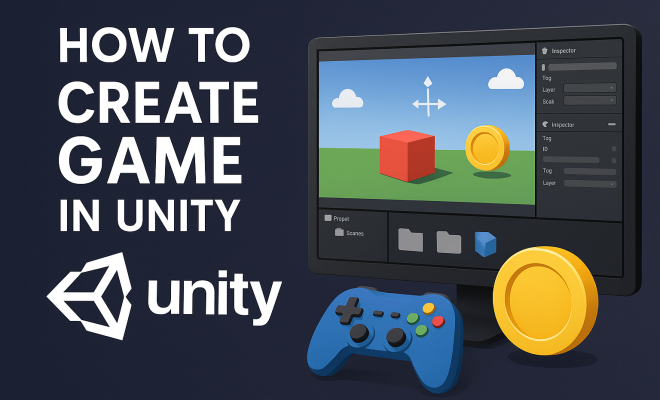
How to create game in Unity
“`html
Unity is a powerful game development platform that has gained immense popularity among both aspiring developers and industry veterans. If you’re looking to create a game in Unity, you’ve landed in the right place. This comprehensive guide will take you through the essential steps to bring your game idea to life, covering everything from initial concepts to final touches. Whether you’re a complete novice or have some experience, these insights will help you navigate the exciting world of Unity game development.
1. Understanding Unity: An Overview
Before diving into the nitty-gritty of game creation, it’s vital to understand what makes Unity stand out as a game engine. Launched in 2005, Unity has evolved significantly and now supports various platforms, including mobile devices, consoles, and desktops. Its user-friendly interface and extensive asset store make it accessible to developers of all skill levels.
Unity operates on a component-based architecture, allowing you to build complex behaviors from simple building blocks. This means you can focus on creativity rather than getting bogged down in technical details. The engine supports both 2D and 3D game development, making it a versatile choice for almost any type of game you might want to create.
One of the key advantages of Unity is its cross-platform capabilities. You can create games for various platforms such as iOS, Android, Windows, macOS, and even web browsers using WebGL. This flexibility means that you can reach a broader audience with your game without needing to develop separate versions for each platform.
2. Setting Up Your Unity Environment
Your first step in the journey to create a game in Unity is to set up the development environment. Download and install the latest version of Unity Hub, which will help you manage your projects and versions of Unity. Unity Hub is an easy-to-use interface that allows you to choose templates and manage various installations.
Once Unity is installed, you can create a new project. Choose between 2D or 3D templates based on the type of game you want to develop. Familiarize yourself with the layout: the Scene view lets you manipulate game objects visually, while the Game view shows you what the player will see. The Inspector panel is crucial for adjusting object properties, and the Project panel holds all your assets.
Don’t forget to set up version control for your project, especially if you’re working in a team. Tools like Git can help you manage changes, track revisions, and collaborate seamlessly with others. Unity also integrates well with services like GitHub, making it easier to keep your project organized.
3. Conceptualizing Your Game Idea
Before you start programming, take the time to outline your game’s concept. What genre will it fall into? Is it an action-packed adventure, a strategic puzzle, or a role-playing game? Defining your game concept clearly will guide your design and development choices.
Make use of storyboards or sketches to visualize the gameplay mechanics, environment, and characters. You might consider writing a game design document (GDD), which can help keep you focused on your initial vision as you create a game in Unity. Include elements like the storyline, character descriptions, and unique features that set your game apart.
Think about your target audience as well. Understanding who will be playing your game informs your design choices. Are you creating a game for casual gamers, hardcore players, or a specific age group? This knowledge will shape your game mechanics, aesthetics, and difficulty levels.
Also, consider conducting market research. Look at successful games in your genre to identify trends and find a niche for your game. Analyzing what works well and what doesn’t can provide valuable insights to refine your concept and make your game stand out.
4. Designing Game Assets
Your game’s visual and auditory elements are crucial for player engagement. Design or source your game assets, which include characters, environments, sounds, and music. You can create your own assets using tools like Blender for 3D models or Adobe Photoshop for 2D graphics, or you can find them in Unity’s Asset Store. (See: Unity game engine overview.)
When sourcing assets, ensure they are compatible with Unity and check the licensing agreements. Consider the art style that complements your game; whether it’s pixel art, hand-drawn graphics, or realistic 3D models, consistency in style enhances the overall experience and immersion.
It’s also worth exploring the Unity Asset Store for pre-made assets. Many developers offer free or paid assets that can save you time and effort. Just remember to customize them as needed to fit the unique identity of your game.
Additionally, sound design plays a pivotal role in creating an immersive experience. Use tools like Audacity or even Unity’s own audio features to create or edit sound effects and background music that enhance the gameplay. Just like visuals, audio should align with the overall theme and atmosphere of your game.
5. Programming Your Game Mechanics
At this stage, you’ll start to implement the actual programming to make your game interactive. Unity uses C# as its primary programming language, so familiarity with C# is beneficial. Begin by scripting the core mechanics of your game: player movements, interactions, and game rules.
Unity provides a wealth of documentation and tutorials that cover everything from basic scripting to advanced techniques. Create scripts to handle player input, manage game states, and control interactions between objects. Utilizing Unity’s physics engine can add realism to your gameplay, allowing for dynamic interactions that enhance the player experience.
Consider leveraging Unity’s built-in features, such as the Animator for character animations and the Input System for managing user inputs more efficiently. These tools can help streamline your workflow and allow for more complex gameplay mechanics without reinventing the wheel.
As you work on your scripts, keep performance in mind. Optimize your code to prevent lag or slowdowns, especially in more complex games. Use profiling tools within Unity to identify bottlenecks and improve your scripting practices.
6. Testing and Iterating on Your Game
Once you have your basic gameplay mechanics up and running, testing is essential. Playtest your game repeatedly, focusing on identifying bugs, refining controls, and enhancing the overall experience. Gather feedback from others; sometimes, players may notice issues or suggest ideas that you, as the developer, might overlook.
Unity provides a feature called the Profiler, which helps you monitor performance and optimize your game’s speed and resource usage. Remember that iteration is key in game development. Don’t hesitate to tweak mechanics, visuals, or narratives based on what you learn during testing. This phase can significantly improve your game’s quality before it reaches your audience.
Incorporate user feedback into your testing process. Create surveys or feedback forms to gather insights from players who test your game. This data can inform your development decisions and ensure the game is enjoyable for your target audience.
Additionally, consider running beta tests with a group of external players. This can help identify any issues that may not be apparent during internal testing and provide a fresh perspective on the game’s overall feel and functionality.
7. Publishing Your Game
After rigorous testing and refinement, you’re ready to share your creation with the world. Unity makes publishing relatively straightforward, allowing you to export your game to multiple platforms, including PC, mobile, and consoles. Each platform has its own requirements, so familiarize yourself with them before publishing.
Consider marketing strategies to promote your game. Create a website, engage with social media, and reach out to gaming communities to build excitement about your launch. A successful game launch involves not just a well-crafted product but also effective marketing to attract players and grow your audience. (See: Harvard University technology resources.)
Think about creating a teaser trailer or gameplay video to showcase your game. Videos can generate interest and excitement around your launch, giving potential players a taste of what they can expect. Use platforms like YouTube, Twitter, and Instagram to share your content and engage with the gaming community.
Once your game is published, monitor its performance and player feedback. Platforms like Steam or the App Store provide valuable analytics that can inform future updates and improvements. Stay engaged with your community through forums and social media to build a loyal player base and gather insights for your next project.
8. Common Challenges in Unity Game Development
Creating a game in Unity is an exciting journey, but it’s not without its challenges. Here are some common obstacles developers face and how to tackle them:
- Learning Curve: If you’re new to programming or game development, the learning curve can be steep. Take your time to familiarize yourself with C# and Unity’s interface. Start with simple projects and gradually increase complexity.
- Debugging: Bugs are an inevitable part of game development. Utilize Unity’s debugging tools and log messages to identify and resolve issues efficiently. Don’t hesitate to seek help from online communities or forums when you’re stuck.
- Asset Management: Organizing your assets can become overwhelming, especially for larger projects. Establish a clear folder structure from the outset and regularly tidy up your project to maintain organization.
- Performance Optimization: Optimizing your game for various platforms requires attention to detail. Regularly test your game on the target devices and use profiling tools to ensure it runs smoothly without sacrificing quality.
9. Expert Tips for Aspiring Developers
As you embark on your journey to create a game in Unity, consider these expert tips to enhance your development process:
- Join the Community: Engage with other developers through forums, social media, or local meetups. The Unity community is vast and supportive, offering valuable insights and resources.
- Stay Updated: Unity frequently releases updates and new features. Keep yourself informed about these changes to leverage the latest tools and improvements in your projects.
- Practice Regularly: Consistency is key in game development. Set aside time each week to work on your skills, experiment with new features, or start mini-projects to reinforce your learning.
- Play Games: Analyze the games you love. Consider what works well, what doesn’t, and how you might implement similar features in your own projects. Playing a variety of games can inspire new ideas and mechanics.
10. FAQ: Creating Games in Unity
Here are some frequently asked questions related to creating games in Unity:
1. Can I create a game in Unity without programming experience?
Yes, while programming knowledge is beneficial, Unity offers visual scripting tools like Bolt that allow you to create game logic without writing code. These tools can help beginners get started with game development.
2. What types of games can I make with Unity?
Unity supports the development of a variety of game types, including action, adventure, 2D platformers, first-person shooters, role-playing games, and even simulations. Its versatility makes it suitable for almost any genre you can imagine.
3. How long does it take to create a game in Unity?
The time it takes to create a game in Unity varies widely based on the complexity of the game, your experience level, and the resources available to you. Simple games can take a few weeks to develop, while larger projects may take several months or even years.
4. Is Unity free to use?
Unity offers a free tier (Unity Personal) for individuals and small teams with revenue under a certain threshold. For larger studios or those needing advanced features, Unity provides paid plans such as Unity Plus and Unity Pro.
5. Are there any tutorials or resources to help me learn Unity?
Absolutely! Unity offers extensive documentation, tutorials, and forums. Websites like YouTube, Udemy, and Coursera have countless video tutorials ranging from beginner to advanced levels. You can also find books and community resources that provide step-by-step guidance.
6. Can I publish my game on multiple platforms?
Yes, one of Unity’s greatest strengths is its ability to publish games across different platforms including PC, consoles, mobile devices, and even VR. Each platform may have specific requirements, so be sure to check those before publishing. (See: New York Times on Unity's impact.)
11. Future of Game Development with Unity
The game development landscape is continuously evolving, and Unity is at the forefront of many of these changes. With advancements in technology such as augmented reality (AR), virtual reality (VR), and artificial intelligence (AI), Unity is adapting to support these innovations, allowing developers to create more immersive and engaging experiences.
For instance, Unity’s AR Foundation helps developers build AR applications across multiple platforms, including ARKit and ARCore, simplifying the process of creating applications that blend the digital and physical worlds. Similarly, the integration of machine learning tools within Unity, such as ML-Agents, allows developers to incorporate AI into their games, providing players with unique and adaptive experiences that change based on interaction.
Staying informed about these trends and tools can give you a competitive edge as a developer. The Unity community often discusses these advancements, so participating in forums or attending Unity events can be beneficial. Embracing new technologies will not only enhance your skill set but also open up new avenues for creativity in your game development journey.
12. Case Studies: Successful Games Made with Unity
Examining successful games developed with Unity can provide invaluable insights into best practices and innovative techniques. Games like Hollow Knight, developed by Team Cherry, and Ori and the Blind Forest, by Moon Studios, are prime examples of how Unity can be used to create visually stunning and richly engaging games.
Hollow Knight is particularly noteworthy due to its hand-drawn art style and fluid animations, showcasing how Unity can handle 2D graphics efficiently while providing a rich gaming experience. The game’s success emphasizes the importance of art design and gameplay mechanics, demonstrating that a well-crafted game can thrive regardless of its scale.
Another successful title, Beat Saber, has taken the VR gaming world by storm. Developed using Unity, it showcases how the engine can produce high-performance titles that provide immersive gameplay experiences. The incorporation of music and rhythm mechanics with physical movement exemplifies how innovative game design can maximize player engagement.
These case studies highlight key aspects such as understanding your audience, paying attention to visual and audio design, and crafting compelling gameplay mechanics. They also serve as inspiration, proving that with dedication and creativity, you can achieve great results using Unity.
Conclusion: Your Game Development Journey
The journey to create a game in Unity may seem daunting at first, but with the right planning, resources, and perseverance, you can transform your idea into an engaging and fun game. Unity’s robust tools and community support will guide you throughout this process. Keep learning and experimenting, and most importantly, have fun with your game development journey!
“`
Trending Now
Frequently Asked Questions
What is Unity and why is it popular for game development?
Unity is a powerful game development platform known for its user-friendly interface and cross-platform capabilities. Launched in 2005, it supports 2D and 3D game development and offers an extensive asset store, making it accessible for both beginners and experienced developers.
How do I set up Unity for game development?
To set up Unity, download and install Unity Hub, which helps manage projects and different Unity versions. Once installed, you can choose templates and start creating your game environment effectively.
Can I create mobile games using Unity?
Yes, Unity allows you to create mobile games for platforms like iOS and Android. Its cross-platform capabilities enable you to develop a single game version that can run on multiple devices without needing extensive modifications.
What are the benefits of using Unity for game development?
Unity offers several benefits, including a component-based architecture that simplifies complex game design, extensive asset libraries, and strong community support. Its versatility allows developers to create games for various platforms, reaching a wider audience.
Is Unity suitable for beginners in game development?
Absolutely! Unity is designed to be user-friendly, making it a great choice for beginners. Its intuitive interface, extensive tutorials, and community resources help new developers learn the ropes and create their first games with ease.
What did we miss? Let us know in the comments and join the conversation.