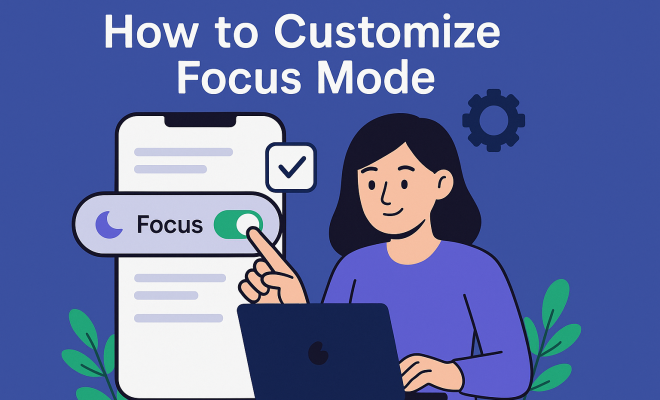
How to customize focus mode
“`html
In our constantly connected world, distractions are everywhere, making deep focus a challenge for many. The introduction of focus mode across various devices and applications aims to tackle this issue, allowing users to tailor their environments to enhance concentration. Whether you’re a student, a professional, or someone who wants to maximize productivity, knowing how to customize focus mode can significantly improve your workflow. In this article, we’ll explore seven essential steps to personalize focus mode effectively.
1. Understanding Focus Mode
Focus mode is a digital tool designed to minimize distractions and help users concentrate on specific tasks. Many operating systems, such as iOS, Android, and Windows, have integrated focus features that allow you to silence notifications, block distracting apps, and create an environment conducive to productivity. This feature is especially relevant in a time when remote work and online learning have surged, highlighting the need for effective tools to maintain focus.
Before diving into the customization options, it’s important to understand the various settings available in focus mode. Users can control what notifications they receive, which apps can send alerts, and how long focus mode will remain active. Many platforms allow you to set specific periods for focus mode—ideal for tasks like writing, coding, or studying—ensuring you have uninterrupted time to complete your work.
2. Personalizing Notifications
One of the most effective ways to customize focus mode is by adjusting notification settings. Distractions often come from notifications that ping, buzz, or flash on your screen. Most devices allow you to silence notifications, but you can go a step further by customizing which notifications to allow and which to block altogether.
For instance, if you’re working on a crucial project but still need to stay in touch with a select few individuals, you can set your focus mode to permit notifications from specific contacts or apps. This feature can often be found in the notification settings of your device. By fine-tuning these options, you can create a tailored environment where distractions are minimized while still being reachable for urgent matters.
3. Setting Time Limits
Establishing a time limit for your focus sessions can significantly boost productivity. Most focus mode settings allow you to specify how long you want the mode to be active, which can help you maintain a healthy work rhythm. Implementing techniques like the Pomodoro Technique—where you focus intensely for 25 minutes followed by a 5-minute break—can be particularly effective when using focus mode.
When you set time limits, you not only make the task at hand less daunting, but you also create a sense of urgency that can push you towards completion. Make sure to adjust these settings according to your personal productivity cycles. Some people might find they focus best in shorter bursts, while others may thrive in longer periods of uninterrupted work.
4. Blocking Distracting Apps
Many focus mode features allow users to block access to distracting apps temporarily. Identifying your biggest distractions—be it social media, games, or news apps—is the first step. Once you know what sidetracks you, you can customize focus mode to restrict access to these applications during your focused work sessions.
For example, if you find yourself habitually scrolling through Instagram instead of finishing that report, you can add Instagram to your block list during focus mode. This simple action can prevent mindless scrolling, allowing you to stay on track with your tasks. Over time, you’ll find that eliminating these distractions becomes second nature, increasing your overall productivity.
5. Creating Specific Focus Profiles
Many devices and apps now allow you to create different profiles for various types of focus sessions. For instance, you might have one profile for deep work, another for meetings, and a third for creative brainstorming. Each profile can come with its own set of customized notifications, allowed apps, and time limits.
By tailoring your focus mode to the nature of your task, you can significantly enhance your productivity. For example, a deep work profile might block all notifications and apps, while a meeting profile might only silence notifications from social media but allow messages from your team. This flexibility ensures you’re always in the right mindset for the tasks at hand. (See: importance of minimizing distractions.)
6. Utilizing Ambient Sounds
In addition to visual distractions, auditory distractions can also derail your focus. Some focus mode settings allow you to incorporate ambient sounds or white noise to create a more conducive working environment. Many people find that background sounds can help mask the noise of their surroundings, allowing them to concentrate better.
Platforms like Spotify or dedicated apps such as Calm and Noisli offer playlists specifically designed for focus. You can customize focus mode to include these sounds, setting the volume to a level that is comfortable for you. Experimenting with different types of ambient sounds—like rain, ocean waves, or instrumental music—can help you find the perfect soundtrack for productivity.
7. Reviewing and Adjusting Settings Regularly
Once you’ve set up your focus mode, it’s crucial to review and adjust your settings regularly. As your work habits, responsibilities, and distractions evolve, so too should your approach to focus mode. Periodically evaluating your settings can help you identify what’s working and what might need tweaking.
Consider keeping a journal of your focused sessions to track your productivity levels. Note which configurations lead to the best results and which distractions still manage to creep in. Over time, you’ll develop an understanding of your optimal focus conditions, making it easier to customize focus mode to suit your needs.
8. Integrating Focus Mode with Your Daily Routine
For focus mode to be truly effective, it should be integrated into your daily routine. This means understanding when you’re most productive and aligning your focus sessions accordingly. For instance, if you know you work best in the mornings, plan to use focus mode during that time to tackle your hardest tasks.
Additionally, combining focus mode with other productivity techniques, such as time blocking or task prioritization, can greatly enhance your effectiveness. Consider setting aside specific blocks of time each day dedicated solely to deep work, ensuring you maximize your productivity during these hours.
9. The Future of Focus Mode
The need for focus mode features has surged as remote work becomes more prevalent, and technology continues to advance. Developers are constantly refining focus tools, adding AI capabilities that can predict when you need to focus based on your usage patterns. Innovations like these promise to personalize our focus experiences even further, making it easier to stay productive in a world full of distractions.
As we continue to adapt to this new landscape, understanding how to customize focus mode will remain a critical skill. By tailoring your focus mode settings to suit your needs, you can create a personalized productivity environment that helps you achieve your goals, whether they’re professional or personal. So, why not take the steps today to reclaim your focus and unlock your full potential?
10. Understanding the Psychological Aspects of Focus
To fully grasp the benefits of customizing focus mode, consider the psychological factors at play. Our brains have a limited capacity for sustained attention, often referred to as “cognitive load.” When distractions are present, this load increases, which can lead to mental fatigue and decreased productivity. Customizing focus mode helps to alleviate this burden by creating an environment that limits cognitive overload.
Research shows that humans can typically focus on a single task for only about 20-25 minutes before losing concentration. By using focus mode effectively, you can train your brain to enter a more productive state. You might find that with time, the ability to focus increases, and the distractions that once pulled your attention away become less enticing.
11. Using Focus Mode for Specific Activities
Focus mode can be especially beneficial for certain activities that require heightened concentration. For instance, if you’re studying for an exam, customizing focus mode can help block out distractions and keep your attention on the materials. Similarly, artists and writers can use focus mode to create a sanctuary for their creativity, free from interruptions.
Consider tailoring your focus mode for these specific activities: If you are writing, you might want to cut out all notifications, turn on ambient sounds, and even enable a focus timer. If you’re coding, blocking social media apps and allowing only the tools needed for development can enhance your workflow. Each activity might require a unique setup, and customizing your focus mode accordingly can yield better results.
12. Statistics on Productivity and Focus
Understanding the impact of focus mode on productivity can be enlightening. A study conducted by the University of California found that it takes an average of 23 minutes and 15 seconds to regain focus after an interruption. With this in mind, the customization of your focus mode to reduce interruptions can save a significant amount of time. (See: impact of focus in remote work.)
Furthermore, research from the American Psychological Association suggests that multitasking can decrease productivity by as much as 40%. By using focus mode to limit distractions, you can effectively manage your attention and improve your output. The statistics indicate that those who utilize focus tools can see a marked improvement in their productivity levels, underscoring the importance of customizing focus mode to fit their unique needs.
13. Expert Perspectives on Focus and Productivity
Experts in productivity often emphasize the importance of focus and uninterrupted work time. Cal Newport, author of “Deep Work,” argues that cultivating the ability to focus without distraction is one of the most valuable skills in today’s economy. Newport’s philosophy aligns perfectly with the idea of customizing focus mode to create an environment where deep work is not only possible but encouraged.
Additionally, organizational psychologist Adam Grant has stated that eliminating distractions and honing in on one task can lead to greater creativity and innovation. This expert insight reinforces the value of focus mode and its customization as a means to achieve high levels of productivity and creativity.
14. Frequently Asked Questions (FAQ)
What is focus mode?
Focus mode is a feature available on many devices and apps designed to help users concentrate by minimizing distractions. It allows you to silence notifications, block apps, and create a distraction-free environment.
How can I customize focus mode on my device?
You can customize focus mode by accessing your device’s settings. Look for notification options, app preferences, and time limits. You can select which apps to block and which notifications to allow, tailoring the mode to your specific needs.
Is focus mode effective for everyone?
While focus mode can be beneficial for many, its effectiveness can vary from person to person. It often requires some customization to suit individual work habits and distractions. Experimenting with different settings will help you find what works best for you.
Can I use focus mode for different types of work?
Absolutely! Many devices allow you to create multiple focus profiles, so you can tailor the settings for different types of tasks, whether it’s for studying, meetings, or creative work.
How often should I review my focus mode settings?
It’s a good idea to review your focus mode settings regularly, especially if you notice distractions creeping back in. You might want to do this weekly or monthly, adjusting based on your current tasks and work habits.
Can ambient sounds really help with focus?
Yes! Research shows that for many people, ambient sounds can help mask distracting noises in the environment, making it easier to concentrate. Experiment with different types of sounds to see what works best for you.
What if I find myself still getting distracted while using focus mode?
If distractions persist, take a moment to reassess your focus mode settings. Consider what specific distractions remain and adjust your blocked apps and notification preferences accordingly. You might also want to explore other productivity techniques to complement focus mode. (See: how focus apps improve productivity.)
15. The Role of Mindfulness in Focus
Mindfulness can play a significant role in enhancing your focus. Practicing mindfulness techniques, such as meditation or deep breathing exercises, can help train your brain to maintain attention. When you incorporate mindfulness into your daily routine, you’re preparing your mind to better handle distractions.
For example, beginning your day with a short mindfulness session can set a positive tone, allowing you to enter focus mode more effectively. Studies have suggested that individuals who practice mindfulness regularly report increased attention spans and better cognitive flexibility—the ability to switch between tasks effectively without losing focus.
16. How to Maintain Focus Beyond Digital Tools
While customizing focus mode on your devices is essential, maintaining focus also requires a holistic approach. Consider factors such as your physical environment, mental well-being, and even your diet. Creating a dedicated workspace that reduces physical distractions can enhance your focus significantly.
Also, don’t underestimate the impact of regular breaks and physical activity on your ability to concentrate. Taking short walks or doing stretching exercises can refresh your mind and body, making it easier to return to your tasks. Hydration and nutrition matter too—fueling your body with healthy foods and sufficient water can improve cognitive function and focus.
17. Aligning Focus Mode with Personal Goals
Aligning your focus mode settings with your personal and professional goals can provide added motivation. When you know exactly why you’re focusing, it can help enhance your commitment to the task. For instance, if you’re working towards a certification, customizing focus mode to support study sessions for that goal can create a sense of purpose.
Consider writing down your goals and keeping them visible while you work. This reminder can serve as a motivational tool, reinforcing the importance of maintaining focus during your designated sessions. Tailoring focus mode to align with your objectives can make your productivity efforts feel more rewarding.
18. Comparing Focus Mode Features Across Platforms
Different platforms offer varying features for focus mode, so knowing the strengths of each can help you choose the right one. For instance, Apple’s focus mode allows for extensive customization, such as creating Focus filters that limit distractions based on location or time of day. In contrast, Windows 10’s Focus Assist provides a simpler interface with quick toggles for notifications and a focus timer.
Android devices often come equipped with Digital Wellbeing tools, allowing you to set app timers and track usage statistics. Understanding these differences can help you choose which platform or tool best suits your productivity needs, ensuring you are leveraging the right technology to customize focus mode effectively.
“`
Trending Now
Frequently Asked Questions
What is focus mode and how does it work?
Focus mode is a digital tool designed to minimize distractions, helping users concentrate on specific tasks. It silences notifications, blocks distracting apps, and creates an environment conducive to productivity, making it especially useful for remote work and online learning.
How can I customize notifications in focus mode?
You can customize notifications in focus mode by adjusting the settings on your device. This includes silencing notifications, allowing only specific alerts, and blocking distracting apps, ensuring you only receive important communications while you work.
What devices support focus mode?
Focus mode is supported by various operating systems, including iOS, Android, and Windows. Each platform has its own focus features, allowing users to tailor their distraction-free environments based on their needs.
Can I set a timer for focus mode?
Yes, many platforms allow you to set specific periods for focus mode. This feature is ideal for tasks like writing or studying, ensuring you have uninterrupted time to complete your work within a designated timeframe.
Why is focus mode important for productivity?
Focus mode is crucial for productivity as it minimizes distractions from notifications and apps, helping users maintain concentration on their tasks. This is particularly important in today's work and learning environments, where interruptions can significantly hinder performance.
Agree or disagree? Drop a comment and tell us what you think.