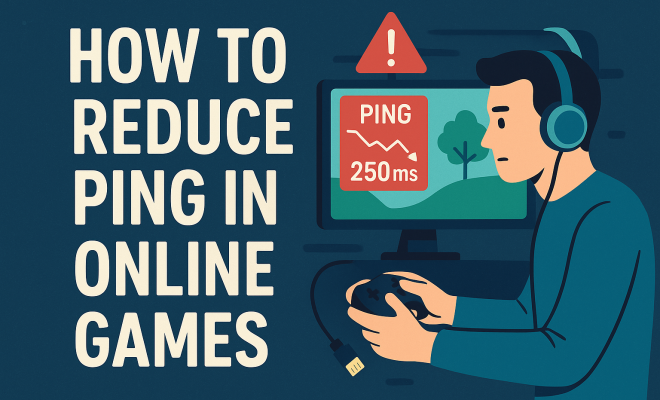
How to reduce ping in online games
“`html
Playing online games can be an exhilarating experience, but nothing ruins the fun quite like high ping. If you’ve ever been in the thick of a battle only to find your character lagging behind, you know how crucial it is to reduce ping in online games. While some factors are out of your control, many are within your reach. Here’s a comprehensive guide to help you lower your ping, enhance your gaming experience, and enjoy smooth, uninterrupted gameplay.
1. Understand Ping and Its Impact
Before you can effectively reduce ping in online games, it’s essential to grasp what ping actually is. Ping is a network utility that measures the round-trip time for data packets sent from your device to a server and back. It’s usually measured in milliseconds (ms), and lower ping times are better. A ping of 20-50 ms is considered excellent for gaming, while anything over 100 ms can lead to noticeable lag.
The impact of high ping on your gaming experience cannot be overstated. Even a slight increase can turn a smooth gaming session into a frustrating ordeal. High ping can cause delays in actions, affecting gameplay mechanics such as shooting speed, movement, and interaction with game elements. Thus, understanding ping is the first step to take control of your online gaming experience.
2. Use a Wired Connection
If you’re serious about reducing your ping, one of the most effective methods is to switch from a wireless connection to a wired one. While Wi-Fi offers convenience, it’s often less stable and subject to interference, leading to higher ping. A wired Ethernet connection, on the other hand, provides a direct link to your router and minimizes latency.
To set this up, you simply need an Ethernet cable long enough to reach from your modem to your gaming device. Once connected, you should notice a significant drop in ping. In fact, many gamers report improvements of 20-50 ms after making this switch. For those playing competitive online games, this reduction can be a game-changer, allowing for quicker reactions and a more enjoyable experience.
3. Choose the Right Server
When you’re in an online game, selecting the right server can have a profound impact on your ping. Most games allow you to choose from multiple servers, often categorized by region. Connecting to a server closer to your geographical location can drastically reduce ping times. For example, if you’re on the East Coast of the United States, connecting to a server in New York will probably yield better results than one located in California.
In addition to geographical proximity, consider the server load. Sometimes, specific servers can be overloaded with players, leading to higher ping. If you notice high latency on a server, switch to another one, even if it’s slightly further away. Always keep an eye on ping rates displayed in the game lobby, as this information is crucial for making informed decisions.
4. Limit Bandwidth Usage
Another crucial aspect of reducing ping in online games is minimizing bandwidth usage from other devices on your network. If multiple devices are streaming videos, downloading files, or conducting video calls simultaneously, it can lead to congestion and higher latency. To combat this, try to limit network activity while gaming.
You can also consider quality of service (QoS) settings on your router. Many modern routers allow you to prioritize traffic for specific devices or applications. By allocating more bandwidth to your gaming device, you can ensure that your gameplay remains smooth, even if other devices are active on your network.
5. Update Network Drivers and Firmware
Keeping your network drivers and router firmware up to date is a simple yet often overlooked way to maintain optimal performance. Outdated drivers can lead to inefficiencies and higher ping times. Check your device manufacturer’s website for the latest drivers and install them accordingly.
Similarly, router manufacturers frequently release firmware updates designed to improve performance and security. Log into your router’s admin panel and check for updates regularly. Implementing these updates can lead to a more stable connection, which in turn helps reduce ping in online games. (See: Understanding ping in networking.)
6. Optimize Your Gaming Device
Another practical approach to achieving lower ping is optimizing your gaming device. Make sure that you’re not running unnecessary applications in the background while gaming, as these can hog resources and slow down your system. Closing programs like browsers or streaming services can free up CPU and memory, allowing your game to run more smoothly.
You can also adjust your game settings for optimal performance. Reducing graphics settings can improve frame rates, which can be beneficial for competitive gaming. While it may take away some visual flair, prioritizing performance over aesthetics is often the best choice if you want a lower ping and a quicker response time in-game.
7. Utilize a Gaming VPN
While it might seem counterintuitive, using a gaming VPN can sometimes help reduce ping in online games. A VPN can provide a more stable connection by routing your data through less congested pathways. This can result in lower ping times, especially if your ISP has poor routing to gaming servers.
However, it’s essential to choose a reputable gaming VPN known for low latency and minimal impact on speed. Look for VPNs that offer dedicated gaming servers, as these are specifically optimized for performance. Keep in mind that while a VPN can improve performance in some cases, it may also introduce additional latency depending on the server you choose, so it’s important to test different options.
8. Regularly Restart Your Router
Believe it or not, simply restarting your router can have a significant effect on your ping. Over time, routers can accumulate temporary files, memory leaks, and other issues that can lead to slower performance and higher ping. By restarting your router, you can clear these issues and restore optimal performance.
As a best practice, consider restarting your router on a regular basis — perhaps once a week. It’s a simple yet effective maintenance step that many gamers overlook. Additionally, ensure your router is positioned in an optimal location; placing it in a central spot in your home can improve Wi-Fi coverage and stability.
9. Monitor Your ISP’s Performance
Finally, if you continue to experience high ping despite implementing various strategies, it may be time to evaluate your Internet Service Provider (ISP). Some ISPs provide better service for gaming than others, so do your research. Look for ISPs known for lower ping and higher reliability, especially in your area.
Additionally, consider testing your internet speed using reputable speed test websites. This can help you determine whether your current plan is sufficient for your gaming needs. If you find your speeds are consistently lower than expected, it may be worth reaching out to your ISP for support or even considering an upgrade.
In the competitive world of online gaming, having a low ping is crucial for achieving peak performance. By following these nine tips to reduce ping in online games, you can optimize your gaming experience, gain a competitive edge, and enjoy those crucial moments without frustrating lag. Remember, even small changes can lead to substantial improvements, so don’t hesitate to experiment and find what works best for you!
10. Common Causes of High Ping
Understanding the common causes of high ping can help you address the issues more effectively. Here are a few frequent culprits:
- Network Congestion: Too many users on the same network can slow down your connection.
- Distance to Server: The farther you are from the game server, the longer data takes to travel.
- ISP Throttling: Some ISPs reduce speeds for gaming, especially during peak hours.
- Hardware Limitations: Outdated routers or gaming systems can struggle to handle modern games efficiently.
11. Best Practices for Mobile Gaming
Mobile gaming has become increasingly popular, but it often comes with its own set of challenges regarding ping. Here are some tips specifically for mobile gamers looking to reduce latency:
- Choose Wi-Fi Over Cellular: Wi-Fi typically provides a more stable connection than cellular data. Whenever possible, connect to a reliable Wi-Fi network.
- Avoid Background Apps: Close all background applications to free up bandwidth. This can notably improve your gaming experience.
- Adjust Game Settings: Lower the graphics settings of mobile games to help improve performance and reduce lag.
- Use Airplane Mode: If you’re playing offline games, turn on airplane mode to disable background data usage from other apps.
12. Evaluating Your Hardware
Your gaming hardware can significantly impact your ping. If you’re still experiencing high latency after trying other methods, it might be time to evaluate your equipment.
Router: Ensure your router can handle your internet speed and is appropriate for gaming. Some routers are designed specifically for gaming, with features like advanced QoS and low-latency modes. (See: Impact of network latency on online activities.)
Device: The device you’re playing on can also affect ping. Higher-end gaming PCs and consoles usually have faster processing times, leading to quicker responses in-game.
Consider upgrading your hardware if it’s outdated or not performing as expected. Investing in a high-quality router or gaming device can pay off in reduced ping and enhanced gameplay.
13. Utilizing Network Optimization Tools
There are several network optimization tools available that can help you manage your connection better. These tools can help reduce ping and improve overall network performance. Here are a few popular options:
- NetBalancer: This program allows you to prioritize traffic for specific applications, ensuring that your gaming gets the bandwidth it needs.
- WTFast: A gaming VPN specifically designed to reduce ping. It optimizes your connection to gaming servers, potentially lowering latency.
- PingPlotter: A diagnostic tool that helps you visualize your network connection to identify potential issues affecting your ping.
14. Game-Specific Settings
Many online games come with specific settings that can help you manage your ping more effectively. Here are some common configurations you may consider:
- Reduce Packet Loss: Some games allow you to adjust settings to reduce packet loss, which can directly improve ping.
- Adjust Network Settings: Many games have options that can be changed to favor performance over graphics, especially in competitive settings.
- Voice Chat Options: If you use voice chat, consider reducing the quality or frequency of the audio stream to save bandwidth.
15. FAQs about Reducing Ping in Online Games
What is the ideal ping for online gaming?
The ideal ping for most online gaming is between 20-50 milliseconds. Anything over 100 ms can start to negatively impact gameplay, leading to noticeable lag.
Can a VPN lower ping?
In some cases, a VPN can lower ping by routing your connection through less congested pathways. However, it’s essential to choose a high-quality gaming VPN to avoid increased latency.
How can I test my ping?
You can test your ping by using various speed test websites like Speedtest.net or by using the command prompt on Windows. Simply type “ping [game server IP]” to see your latency.
Is it possible to completely eliminate ping?
While you can’t completely eliminate ping, you can take significant steps to reduce it. Implementing various strategies discussed in this article will help you achieve the lowest possible ping for your gaming needs.
How does my internet speed affect my ping?
While internet speed and ping are related, they are not the same. A fast internet connection can help reduce ping, but if your connection is unstable or if you’re experiencing high traffic, you may still encounter high ping times.
What should I do if my ping is consistently high despite trying these methods?
If you’ve tried all the suggested methods and still experience high ping, it may be time to contact your ISP. They may have solutions or may be able to offer you a plan that better suits your gaming needs.
16. How Router Placement Affects Ping
Router placement is often an overlooked factor that can affect your ping. The physical location of your router can impact the strength and stability of your Wi-Fi signal, which is crucial for online gaming. Ideally, you should place your router in a central location in your home, away from walls or obstructions that can weaken the signal. High shelves can also be beneficial, as signals tend to travel downward better than up. (See: Latest technology news and updates.)
Additionally, avoid placing your router near other electronic devices, such as microwaves or cordless phones, which can cause interference. A clear line of sight between your gaming device and the router can help ensure a strong connection, ultimately contributing to lower ping times.
17. Choosing the Right Internet Plan
Your internet plan can make a significant difference in your gaming experience. If you find yourself consistently struggling with high ping, consider your current plan and whether it meets your gaming needs. High-speed internet plans typically come with lower latency, which can directly contribute to reduced ping times.
When selecting an ISP, read reviews and check whether they are known for gaming performance. Some ISPs may offer specific gaming packages that prioritize low latency and optimal routing to gaming servers. Don’t hesitate to compare plans and even negotiate with providers to find the best deal that suits your gaming lifestyle.
18. Understanding Network Packet Loss
Packet loss refers to the failure of data packets to reach their destination, which can result in high ping and lag during gameplay. Understanding and mitigating packet loss is essential for a seamless online gaming experience. Various factors can contribute to packet loss, including poor-quality hardware, overloaded networks, and even software conflicts.
To diagnose packet loss, you can use tools like PingPlotter to visualize your connection. If you’re experiencing packet loss, consider using a wired connection instead of Wi-Fi or upgrading your router. Additionally, you may want to disconnect any non-essential devices from your network during gaming sessions.
19. Advanced Solutions for Persistent High Ping
If you’ve tried numerous strategies to reduce ping without success, there are advanced solutions you can consider. One option is to use a gaming router designed specifically for low latency and high-performance gaming. These routers often come with advanced QoS settings and are optimized for online gaming traffic.
Another advanced solution is to implement a mesh Wi-Fi system, especially if you have a large home. Mesh systems can provide better coverage and stability than traditional routers, potentially reducing ping across multiple devices. Keep in mind that while these solutions may require a higher initial investment, the improvement in your gaming experience can be well worth it.
20. Final Thoughts on Reducing Ping
Reducing ping in online games is a multifaceted challenge, but it’s not insurmountable. By understanding the various factors that contribute to high ping and implementing the strategies outlined in this article, you can create a more enjoyable and competitive gaming experience. Remember to be patient and consistent with your efforts, as small changes can lead to significant improvements. Whether you’re a casual gamer or a competitive player, optimizing your connection can make all the difference in your gameplay.
“`
Trending Now
Frequently Asked Questions
What is ping in online gaming?
Ping is a network utility that measures the round-trip time for data packets sent from your device to a server and back, typically measured in milliseconds (ms). Lower ping times, ideally between 20-50 ms, are better for online gaming, as high ping can lead to lag and negatively impact gameplay.
How can I reduce my ping in online games?
To reduce ping in online games, consider switching from a wireless connection to a wired Ethernet connection, which minimizes latency. Additionally, optimizing your network settings, closing background applications, and choosing servers closer to your location can help lower ping.
Does a wired connection help reduce ping?
Yes, using a wired Ethernet connection can significantly reduce ping. Unlike Wi-Fi, which is prone to interference and instability, a wired connection provides a direct link to your router, resulting in lower latency and smoother gameplay.
What is considered a good ping for gaming?
A good ping for gaming is typically between 20-50 ms. Pings above 100 ms can cause noticeable lag, affecting gameplay experience. Keeping your ping low ensures faster response times and a smoother online gaming experience.
What factors can affect my ping in online games?
Several factors can affect your ping in online games, including your internet connection type (wired vs. wireless), distance from the game server, network congestion, and background applications consuming bandwidth. Addressing these factors can help improve your ping.
What’s your take on this? Share your thoughts in the comments below — we read every one.