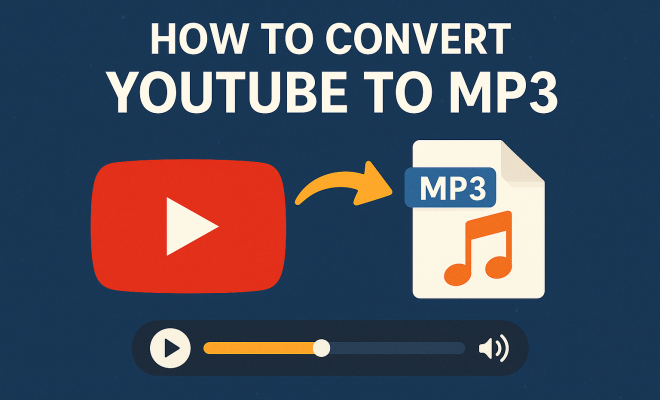
How to convert YouTube to MP3
“`html
YouTube is a treasure trove of music, podcasts, and educational content, captivating millions around the globe. But have you ever wished to enjoy your favorite YouTube videos on-the-go, without needing an internet connection? One popular solution is to convert YouTube to MP3. This process allows you to save audio from videos directly to your device, making it accessible anytime, anywhere. In this comprehensive guide, we’ll explore the ins and outs of converting YouTube videos to MP3, including practical tips, legal considerations, and the best tools available.
1. The Basics of YouTube and MP3 Formats
YouTube, founded in 2005, has become the world’s leading video-sharing platform, attracting over 2 billion users monthly. The MP3 format, established in the early 1990s, revolutionized the way we consume music, allowing for compressed audio files that maintain reasonable quality. Given the prevalence of both platforms, the desire to convert YouTube videos to MP3 has surged.
When you convert YouTube videos to MP3, you’re essentially extracting the audio track from the video. This means you can enjoy music, interviews, or speeches without the visuals. The MP3 format is particularly favored due to its compatibility with virtually all devices, including smartphones, tablets, and computers.
2. Why Convert YouTube to MP3?
The reasons for wanting to convert YouTube to MP3 are as diverse as the content available on the platform. Here are a few compelling motivations:
- Offline Access: One of the primary reasons people convert YouTube to MP3 is to listen to content offline. Whether on a long flight or during a road trip, having your favorite audio ready to go is invaluable.
- Data Savings: Streaming video can consume significant amounts of data. Downloading audio instead can save you a bundle on data usage.
- Convenience: Audio files require less storage space than video files. This makes for a more efficient way to manage your media library.
Each of these points highlights the practical benefits of utilizing audio content from YouTube, making MP3 conversions increasingly appealing.
3. Are There Legal Concerns?
Before diving headlong into the world of converting YouTube videos to MP3, it’s crucial to consider the legal implications. YouTube’s Terms of Service explicitly state that users cannot download content without permission unless a download button or link is provided.
However, the legal landscape surrounding this activity is complex. For example, converting videos that you own, or that are in the public domain, is generally acceptable. Yet, downloading copyrighted music or video content without permission can lead to copyright infringement issues. It’s essential to be aware of these risks and navigate them carefully.
In addition, several countries have specific laws regarding digital content and copyright. For instance, the Digital Millennium Copyright Act (DMCA) in the United States provides guidelines about copyright infringement and its penalties. Understanding these laws helps ensure that your actions remain within legal bounds.
4. How to Choose the Right Tool for Conversion
With countless tools available to convert YouTube to MP3, selecting the right one can be daunting. Here are some key factors to consider when making your choice:
- User-Friendly Interface: A straightforward, intuitive interface will save you time and frustration. Look for software or online services that prioritize user experience.
- Output Quality: Not all tools produce the same audio quality. Ensure the tool you choose allows you to select the bitrate (e.g., 128 kbps, 256 kbps) to suit your preferences for sound fidelity.
- Speed and Efficiency: Nobody wants to wait ages for a conversion to finish. Look for tools that promise quick conversions without sacrificing quality.
- Support and Updates: Software that frequently updates to keep pace with YouTube’s changes is beneficial. Good customer support can also be a lifesaver if you encounter issues.
- Multi-Format Support: Some converters allow you to convert videos into various formats beyond MP3, such as AAC or WAV, which can be helpful depending on your device’s compatibility.
Taking the time to research and select the right conversion tool can greatly enhance your experience and satisfaction.
5. Top Tools to Convert YouTube to MP3
Here’s a list of some of the most popular and reliable tools available today to convert YouTube to MP3: (See: YouTube's history and impact.)
- 4K Video Downloader: This app is known for its simplicity and effectiveness. It allows users to download entire playlists or channels in MP3 format effortlessly. Users appreciate the ability to extract subtitles and annotations as well.
- YTMP3.cc: An online tool that provides quick conversions without the need for software installation. It’s straightforward: paste the YouTube URL, select MP3, and hit convert. This site is often favored for its speed and ease of use.
- Freemake Video Converter: A versatile option for those who want to convert YouTube videos alongside a variety of other video formats. Its interface is user-friendly, and it supports batch conversions, allowing users to convert multiple files simultaneously.
- Any Video Converter: This software can convert videos from multiple sources, including YouTube, into different formats, making it a handy all-rounder. It also includes basic editing features for those who want to trim their audio.
- ClipGrab: A free downloader and converter that’s compatible with many sites besides YouTube. ClipGrab is praised for its simple design and reliable performance.
Each of these options has its unique features, so consider your specific needs to choose the best fit for you.
6. Step-by-Step Guide to Convert YouTube to MP3
Now that you’ve chosen your tool, let’s walk through the general steps to convert YouTube to MP3:
- Find Your Video: Open YouTube and locate the video you want to convert. Copy the video URL from your browser’s address bar.
- Open Your Converter: Launch the application or visit the website of your chosen converter.
- Paste the URL: In the converter’s interface, look for an option to paste the URL and do so.
- Select MP3 Format: Choose MP3 as your desired output format. Some converters allow customization of bitrate and quality.
- Convert and Download: Hit the convert button. Once the conversion process is complete, download the file to your device.
Following these steps should ensure a smooth conversion experience, allowing you to enjoy your favorite audio content in no time.
Remember, some converters may have additional features like editing tools, so explore those options if you’re looking to customize your audio further.
7. Maximizing Audio Quality
Audio quality is a key factor when converting YouTube to MP3. Here are some tips to ensure you get the best sound possible:
- Choose Higher Bitrates: When given the option, select a higher bitrate. Generally, 256 kbps or 320 kbps will yield a clearer sound than lower bitrates.
- Use Lossless Formats: If audio fidelity is paramount, consider converting to lossless formats like FLAC first and then to MP3. This preserves more detail.
- Check the Original Video Quality: The quality of the original video impacts the audio. A high-quality video will typically result in a better audio extraction.
- Listen with Quality Headphones: It’s essential to use good quality headphones or speakers to truly appreciate the audio quality you’re converting. Poor playback devices can mask audio fidelity.
By paying attention to these details, you can significantly improve your audio experience.
8. Alternatives to YouTube to MP3 Conversions
If you’re hesitant about converting YouTube videos to MP3, there are several alternatives you might consider:
- Streaming Music Services: Platforms like Spotify, Apple Music, and Amazon Music offer vast libraries of music for streaming, often with offline listening options available. Many of these services also provide curated playlists and recommendations, enhancing the listening experience.
- Podcasts: Many creators share similar content through podcasts, which are readily available for download on various platforms. Podcast platforms often allow you to subscribe and receive new episodes automatically.
- SoundCloud and Bandcamp: These platforms allow artists to distribute their music directly, often including free streaming and download options. They’re excellent for discovering new and independent artists.
These alternatives can provide similar content without the need for converting or risking copyright infringement. Plus, they often come with additional features like playlists and music discovery tools.
9. The Future of YouTube to MP3 Conversions
The popularity of converting YouTube to MP3 shows no signs of waning. As mobile devices and streaming services continue to evolve, the methods for extracting and accessing audio content will likely become even more refined. With ongoing advances in technology, expect tools to become faster, easier to use, and more integrated with other platforms.
However, the legal landscape remains complex. Content creators and copyright holders are becoming increasingly vigilant. This could lead to stricter enforcement regarding unauthorized downloads. It’s essential for users to stay informed about their rights and obligations when considering conversion tools.
The societal shift towards digital ownership and content consumption means more people are looking for ways to access their favorite content without relying on constant internet connectivity. As a result, we might see a rise in legitimate platforms that offer downloadable audio content legally.
10. Common Issues and Troubleshooting
When converting YouTube to MP3, you may encounter some common issues. Here are solutions to address them: (See: media safety and legal considerations.)
- Conversion Fails: Sometimes, the converter may fail to process the link. Double-check the URL to ensure it’s correct and that the video is still available on YouTube.
- Low-Quality Audio: If the audio quality is lower than expected, check the bitrate settings before conversion and ensure you’re selecting the highest option available.
- Slow Download Speeds: If conversion speeds are slow, it may be due to high traffic on the converter’s website. Try using the tool during off-peak hours or consider switching to a different converter.
- Software Crashes: If a downloaded application crashes, make sure it’s updated to the latest version. If issues persist, you may need to uninstall and reinstall the software.
11. Final Thoughts
Converting YouTube to MP3 can be a practical solution for those looking to enjoy audio content offline. By understanding the tools available, recognizing the legal considerations, and maximizing audio quality, you can create an effective strategy for enjoying your favorite content. While the allure of downloadable audio is strong, always remember to respect copyright laws and the rights of content creators. Whether you choose to convert or explore alternatives, there’s no denying that the world of audio content is as vibrant as ever.
12. Frequently Asked Questions (FAQs)
As you navigate the process of converting YouTube to MP3, you might have some questions. Here are some common queries answered:
- Can I convert any YouTube video to MP3? Not all videos are available for conversion due to copyright restrictions. Always check if the video is subject to copyright and avoid downloading such content without permission.
- Is it legal to convert YouTube videos to MP3 for personal use? Generally, converting and downloading content for personal use can be legal if the content is not copyrighted or if you have permission from the copyright holder. Always respect copyright laws.
- Do I need special software to convert YouTube to MP3? You don’t necessarily need software; many online converters do the job without installation. However, downloaded applications may offer additional features and convenience.
- Can I convert playlists or channels to MP3? Yes, many tools allow you to convert entire playlists or channels to MP3, saving you time and effort.
- What should I do if the converter isn’t working? If you experience problems, check your internet connection, verify the URL, or try a different converter. If using software, ensure it’s updated and compatible with your operating system.
13. Understanding the Technical Aspects
For those who are more technically inclined, understanding the underlying mechanics of converting YouTube to MP3 can enhance your experience. The conversion process involves extracting the audio stream from a video file format, often using specific codecs and algorithms to ensure compatibility and quality. Here’s a deeper look into the technical components:
Codecs and Bitrates
The MP3 format uses a lossy compression algorithm to reduce file sizes without significantly affecting sound quality. Bitrate, measured in kbps (kilobits per second), indicates the amount of data processed every second. Higher bitrates (e.g., 320 kbps) generally provide better audio clarity, while lower bitrates (e.g., 128 kbps) may sacrifice some sound detail.
When selecting a converter, it’s essential to choose one that allows you to specify the desired bitrate to match your audio preferences and device capabilities. Many advanced converters also offer options to adjust the codec settings, which can impact compatibility across different devices.
Audio Formats Comparison
While MP3 is the most popular audio format for conversions, alternatives like AAC, FLAC, and WAV have their benefits as well:
- AAC: Often used by Apple devices, AAC offers better sound quality than MP3 at similar bitrates.
- FLAC: This lossless format preserves all the audio data, ideal for audiophiles who prioritize quality.
- WAV: A raw audio format, WAV files are uncompressed, leading to large file sizes but excellent quality.
Choosing the right format depends on your device compatibility and quality needs.
14. Comparing Online and Software Converters
When deciding between online and software converters, it’s important to understand the pros and cons of each option:
Online Converters
Online converters like YTMP3.cc and Convert2MP3 are typically free and don’t require installation. They’re great for quick conversions, especially if you’re on a public computer or a device without the ability to install software. However, they often have limitations on file sizes or the number of conversions allowed per day, and they may not always guarantee the best audio quality.
Software Converters
On the other hand, software options like 4K Video Downloader and Freemake Video Converter usually provide more robust features, including batch downloads, higher quality output, and the ability to convert various file types. They also often include built-in editors for trimming or merging files. The downside is that they require installation and may not be free. (See: YouTube's role in music consumption.)
Ultimately, it depends on your needs. If you frequently convert files and require high quality, investing in software may be worthwhile. If you only convert occasionally, an online tool may suffice.
15. The Impact of YouTube to MP3 Conversions on Creators
The rise of converting YouTube videos to MP3 has significant implications for content creators. On one hand, it allows users to enjoy their content conveniently, increasing exposure and potentially boosting their audience. However, it also raises concerns regarding revenue loss from ad-supported content or streaming services.
Many creators rely on ad revenue or streaming royalties as their primary income. When users convert their videos to MP3 and listen elsewhere, it can diminish their earnings. Some platforms are working on new models that allow creators to monetize their audio content more effectively, ensuring they receive fair compensation.
16. The Role of User Education
As the landscape of media consumption evolves, user education becomes essential. Many users may not fully understand copyright laws or the implications of downloading content illegally. Educational campaigns and resources can help users navigate the complexities of content ownership and copyright compliance. Platforms that offer clear guidelines on legal downloading practices can empower users to make informed choices while respecting creators’ rights.
17. What’s Next for Audio Consumption?
The future of audio consumption is likely to be shaped by advances in technology, shifts in user behavior, and evolving legal frameworks. With the rise of smart speakers and voice-assisted technology, the way we interact with audio content is changing rapidly. Services that provide seamless access to downloadable or streamable audio content will likely continue to thrive, and companies that adapt to these changes will have a competitive edge.
In addition, as users seek more personalized experiences, platforms that leverage AI and machine learning to curate tailored playlists or recommendations could redefine how we discover and enjoy music and podcasts.
In conclusion, converting YouTube to MP3 offers a practical solution for many users, but it also calls for a thoughtful approach to copyright and creator rights. With ongoing changes in technology and user behavior, staying informed and adapting to new trends will be critical for both consumers and content creators alike.
“`
Trending Now
Frequently Asked Questions
How can I convert YouTube videos to MP3?
To convert YouTube videos to MP3, you can use various online tools and software. Simply copy the video URL, paste it into the converter, choose the MP3 format, and download the audio file to your device. Ensure that you select a reputable site to avoid malware.
Is it legal to convert YouTube videos to MP3?
The legality of converting YouTube videos to MP3 depends on the content. If the video is copyright protected, downloading it without permission may violate copyright laws. Always check the video's licensing and consider using content that is explicitly marked for reuse.
What are the best tools for converting YouTube to MP3?
Some popular tools for converting YouTube to MP3 include 4K Video Downloader, YTMP3, and ClipGrab. These tools are user-friendly and offer various features, such as batch downloading and different quality options for audio files.
Can I convert YouTube videos to MP3 on my phone?
Yes, you can convert YouTube videos to MP3 on your phone using dedicated apps or mobile-friendly websites. Look for reputable apps in your app store that facilitate video conversion, or use a mobile browser to access online converters.
Why should I convert YouTube videos to MP3?
Converting YouTube videos to MP3 allows you to enjoy audio content offline, save on data usage, and manage your media library more efficiently. This is particularly useful for listening to music, podcasts, or educational content without needing an internet connection.
Agree or disagree? Drop a comment and tell us what you think.