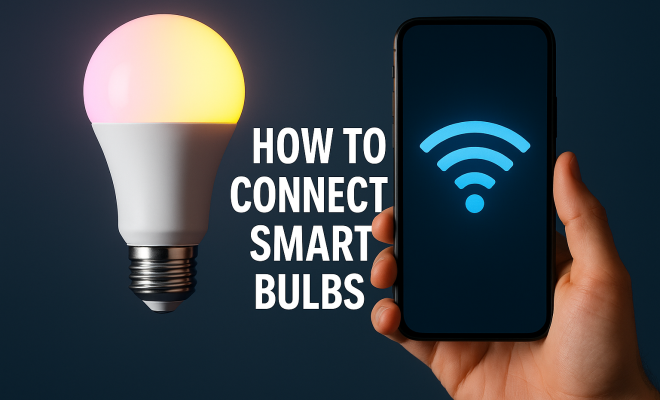
How to connect smart bulbs
“`html
As technology advances, our homes are evolving into smarter spaces. One of the simplest yet impactful ways to begin this transformation is by adding smart bulbs to your lighting system. In this guide, we’ll explore how to connect smart bulbs, ensuring you make the most of your home’s illumination.
1. Understanding Smart Bulbs
Before diving into the technicalities of connectivity, it’s essential to understand what smart bulbs are. These innovative lighting solutions allow you to control brightness, color, and even schedules directly from your smartphone or through voice commands. Smart bulbs can connect via Wi-Fi, Zigbee, or Bluetooth, each offering varying degrees of functionality. For instance, Wi-Fi-enabled bulbs integrate with your home network, while Zigbee operates on a low-power mesh network.
Smart bulbs not only improve convenience but also energy efficiency. Many options on the market are LED-based, which can last significantly longer than traditional bulbs while consuming less electricity. This means that by choosing smart bulbs, you’re not just modernizing your lighting; you’re also contributing to energy conservation.
2. Choosing the Right Smart Bulb
With a plethora of options available, selecting the right smart bulb can be overwhelming. Consider factors such as compatibility with your existing smart home system, desired features, and the bulb’s light output. Brands like Philips Hue, LIFX, and Wyze offer various smart bulb models that cater to different preferences.
For instance, if you have a home security system, you might prefer bulbs that can simulate occupancy by scheduling on/off times. If you enjoy customization, consider bulbs that support RGB color changing for mood lighting. Assess your needs carefully to make an informed choice that enhances your living experience.
3. Preparation: What You Need
Before connecting smart bulbs, gather all necessary equipment. Generally, you’ll need: smart bulbs, a stable Wi-Fi connection, a compatible mobile device, and a corresponding app from the bulb manufacturer. Additionally, ensure that your smart home ecosystem, such as Google Home or Amazon Alexa, is set up, as many smart bulbs can integrate with these systems.
If you’re using smart bulbs that rely on hubs (like Philips Hue), make sure that the hub is plugged in and connected to your home network. Having everything prepared in advance will streamline the installation process, making it a breeze to connect smart bulbs and get them operational.
4. Connecting Smart Bulbs to Wi-Fi
Now it’s time to connect smart bulbs. Most smart bulbs connect through the associated app. Start by downloading the app for your specific bulb brand. For instance, if you’re using Philips Hue, install the Philips Hue app from your device’s app store.
Once the app is installed, create an account or log in if you already have one. Follow the in-app instructions to add your smart bulb. Typically, you’ll need to screw in the bulb and turn it on. The app should detect the new bulb. Afterward, you will enter your Wi-Fi credentials to connect the bulb to your home network. Ensure that your smartphone is also connected to the same Wi-Fi network.
5. Connecting Smart Bulbs Using a Hub
Some smart bulbs, like those from Philips Hue, require a hub for connecting to your network. In this case, you’ll need to set up the hub first. Connect it to your router using an Ethernet cable and power it on. Once the hub is operational, open the smart bulb app and follow the instructions to add your smart bulbs. (See: LED lighting energy efficiency.)
After the initial setup, the app will allow you to discover and add bulbs. Make sure the bulbs are powered on as the hub searches for them. Once found, you can assign each bulb to specific rooms or groups for easier management.
6. Utilizing Smart Home Assistants
Another level of convenience arises from integrating your smart bulbs with home assistants like Google Assistant or Amazon Alexa. This can allow you to control your lights through voice commands. To connect smart bulbs with these assistants, you’ll typically enable the specific skill (for Alexa) or link the service (for Google Assistant) within the respective apps.
After linking, you may need to re-discover your devices in the assistant’s app. Once your smart bulbs are detected, you can create routines or scenes, which can automate lighting changes based on time of day or other triggers. Imagine saying, “Hey Google, turn on the living room lights,” and having your wishes granted instantly!
7. Advanced Features and Customization
Once you’ve connected smart bulbs, explore the advanced features many models offer. This can include adjustable color temperatures, brightness settings, and personal schedules. Most apps allow you to set up routines, turning lights on and off at specific times, which is especially useful for enhancing home security when you’re away.
Some smart bulbs can even mimic natural light patterns throughout the day, helping regulate your sleep-wake cycle. Additionally, take advantage of integration with IFTTT (If This Then That) for creating more complex automation. For instance, you can set your lights to turn red when your security system is triggered, increasing the alertness level in your home.
8. Troubleshooting Common Issues
While connecting smart bulbs is generally straightforward, you might encounter a few hiccups. Common issues include connectivity problems, difficulty in detecting the bulbs, or the app crashing. If you face connectivity problems, first ensure your router is functioning properly. Restarting both your router and the smart bulb can often resolve issues.
If your app fails to detect the bulb, check that the bulb is powered on and within range. Additionally, consider resetting the bulb to factory settings by following the manufacturer’s instructions, which typically involve turning it on and off several times consecutively.
9. Maintaining Your Smart Bulbs
After successfully connecting smart bulbs, maintaining them is crucial for longevity and performance. Regularly check for firmware updates in the app, as manufacturers often release updates that enhance functionality or security. Clean the bulbs periodically to ensure optimal brightness and efficiency.
Also, consider the placement of your smart bulbs. Avoid covering them with lampshades that could block their signals, and ensure they’re not in overly humid environments that could affect their electronics. Proper care will ensure you enjoy your smart lighting for years to come.
10. Exploring the Different Types of Smart Bulbs
When looking to connect smart bulbs, it’s beneficial to know the variety of types available on the market. Understanding these differences can help you select bulbs that fit your lifestyle and needs. Here are some common categories:
- White Smart Bulbs: These bulbs provide adjustable white light temperatures, allowing you to shift between cool white and warm white. They’re great for general use and can help set the mood in a room.
- Colored Smart Bulbs: If you like changing the ambiance of your space, colored smart bulbs can display millions of colors. Perfect for parties or creating a calming environment, they can also sync with music for an immersive experience.
- Smart Flood Lights: These bulbs provide bright, wide-angle lighting, ideal for outdoor spaces or illuminating large areas. They often come with motion sensors and are perfect for security purposes.
- Smart Vintage Bulbs: For those who appreciate the aesthetic of traditional filament bulbs, smart vintage bulbs combine classic designs with modern technology, offering both style and smart functionality.
11. Smart Bulb Compatibility with Home Automation Systems
Before purchasing smart bulbs, ensure they are compatible with your existing home automation setup. Some popular smart home ecosystems include: (See: smart home technology benefits.)
- Google Home: Many smart bulb brands, such as Philips Hue and Lifx, seamlessly integrate with Google Home, allowing you to control your lights through voice commands and the Google Home app.
- Amazon Alexa: Alexa-compatible smart bulbs can enhance your home lighting system with voice control. Brands like Wyze and TP-Link Kasa offer Alexa-friendly options.
- Apple HomeKit: For Apple users, some smart bulbs work with HomeKit, allowing you to control lighting with Siri and through the Home app on your iPhone or iPad.
12. Statistics on Smart Bulb Utilization
Smart bulbs are becoming increasingly popular, and the statistics reflect this trend. According to a recent market research report, the global smart lighting market is expected to reach over $70 billion by 2027, with smart bulbs making up a significant portion of this growth. Furthermore, a survey revealed that around 25% of U.S. households have at least one smart bulb installed.
Energy consumption is another key factor driving the adoption of smart bulbs. Studies show that smart lighting can reduce energy use by up to 80% compared to traditional incandescent bulbs. This not only results in lower electricity bills but also contributes to a sustainable lifestyle. As awareness of energy conservation grows, the demand for smart bulbs continues to rise.
13. Real-World Examples of Smart Bulb Benefits
Many households have reported significant benefits after integrating smart bulbs into their lighting systems. For instance, families with young children can set ‘night mode’ schedules where lights dim gradually, making bedtime routines smoother. Additionally, smart bulbs can be programmed to turn on and off automatically, giving the illusion of occupancy during vacation, which enhances home security.
In a home office setting, smart bulbs can be adjusted to cooler temperatures during the day to improve focus and productivity, while warmer hues can be utilized in the evenings to create a relaxing atmosphere. The versatility of smart bulbs means they can cater to various activities and moods, making them a valuable addition to any home.
14. Frequently Asked Questions (FAQ)
How do I know if my smart bulb is compatible with my smart home system?
Check the specifications on the packaging or the manufacturer’s website. Most smart bulbs list compatibility with popular smart home systems like Google Assistant, Amazon Alexa, and Apple HomeKit.
Can I connect smart bulbs to a dimmer switch?
Many smart bulbs are designed to work with standard switches, but they may not work seamlessly with existing dimmer switches. It’s best to use smart dimmers specifically designed for smart lighting systems.
What happens if my Wi-Fi goes down?
If your Wi-Fi is down, most smart bulbs will not function unless they have a hub that maintains a local connection. Consider investing in a hub if you want to ensure functionality during internet outages.
Are smart bulbs energy-efficient?
Absolutely! Smart bulbs, especially LED variants, consume significantly less energy than traditional incandescent bulbs, leading to reduced energy bills.
Can I control my smart bulbs when I’m away from home?
Yes! As long as you have an internet connection, you can control your smart bulbs remotely through the associated app on your smartphone.
What is the lifespan of a smart bulb?
Smart bulbs typically have a lifespan of 15,000 to 25,000 hours, depending on the brand and usage. This is much longer than traditional incandescent bulbs, which usually last about 1,000 hours. (See: smart home devices overview.)
15. Additional Features to Consider
When selecting smart bulbs, it’s essential to think beyond basic functionality. Here are some additional features to consider that can enhance your smart lighting experience:
- Integration with Smart Sensors: Some smart bulbs can work with motion sensors, allowing them to turn on automatically when someone enters a room. This is particularly useful for hallways, bathrooms, or garages.
- Scheduled Dimming: If you often forget to turn off the lights, look for bulbs that can be scheduled to dim gradually before shutting off. This feature can save energy and is less jarring than turning lights off abruptly.
- Color Sync Features: Certain smart bulbs can sync with your music or movies. This means your lights can change color and pulse to the beat of your favorite songs, ideal for parties or movie nights.
- Emergency Functionality: Some advanced smart bulbs can act as emergency lights, automatically turning on during a power outage or when smoke is detected. These features enhance home safety.
16. Eco-Friendly Benefits of Smart Bulbs
Switching to smart bulbs isn’t just about convenience; it also has notable environmental benefits. According to the U.S. Department of Energy, if every American household replaced just one conventional bulb with an ENERGY STAR-rated LED bulb, we would save enough energy to light 3 million homes for a year. This is equivalent to reducing the greenhouse gas emissions of about 660,000 cars.
Smart bulbs can also help you track and reduce your energy consumption. Most smart bulb apps offer insights into how much energy your lights use, enabling you to make informed decisions about your lighting habits. As we strive for more sustainable living, every small change counts, and adopting smart bulbs is a significant step in the right direction.
17. Future of Smart Lighting Technology
The smart bulb industry is rapidly evolving, integrating cutting-edge technology to enhance user experience. For instance, advancements in AI are enabling smart bulbs to learn user preferences over time. Imagine your bulbs automatically adjusting their brightness based on the time of day or the activities you typically do at certain times.
Additionally, with the rise of smart home ecosystems, we can expect even better interconnectivity among devices. Future smart bulbs may seamlessly communicate with other smart devices, creating more comprehensive automation scenarios. For example, upon detecting that you’re home, the bulbs could adjust based on your preferred lighting settings, and the thermostat could adjust the temperature to your liking—all without you lifting a finger!
18. Connecting Smart Bulbs: A Brief Summary
As you navigate the world of smart lighting, remember that connecting smart bulbs is just the beginning. From energy savings to enhanced home security, the benefits are numerous. Whether you choose to start with a few basic white bulbs or go all out with colored smart bulbs, there’s a solution that fits your needs and lifestyle.
Embrace the flexibility and control that smart bulbs offer, and transform your home into a smarter, more energy-efficient space. With the ability to connect smart bulbs easily, you can enjoy a new level of comfort and convenience in your daily life.
“`
Trending Now
Frequently Asked Questions
What are smart bulbs and how do they work?
Smart bulbs are innovative lighting solutions that allow users to control brightness, color, and schedules via smartphone or voice commands. They connect through Wi-Fi, Zigbee, or Bluetooth, each offering different functionalities, enhancing convenience and energy efficiency in homes.
How do I choose the right smart bulb for my home?
When selecting a smart bulb, consider compatibility with your existing smart home system, desired features, and light output. Brands like Philips Hue, LIFX, and Wyze offer various options tailored to different preferences, including RGB color changing and scheduling capabilities.
What do I need to connect smart bulbs?
To connect smart bulbs, gather essential equipment such as the smart bulbs themselves and a stable Wi-Fi connection. Ensure your smartphone or smart home device is compatible with the bulbs to facilitate easy setup and control.
Can smart bulbs save energy?
Yes, smart bulbs, especially LED models, are designed to be energy-efficient. They consume less electricity than traditional bulbs and often come with features that allow users to schedule lighting, which can further reduce energy usage.
Do smart bulbs work with voice assistants?
Many smart bulbs are compatible with popular voice assistants like Amazon Alexa, Google Assistant, and Apple HomeKit. This allows users to control their lighting with simple voice commands for added convenience.
Agree or disagree? Drop a comment and tell us what you think.