How to check if password has been leaked
“`html
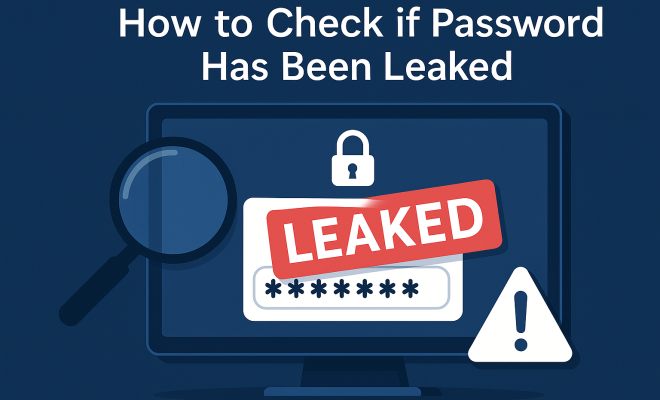
In today’s digital age, keeping your online accounts secure has never been more critical. Cyber threats abound, and one of the most alarming risks is the potential for your passwords to be leaked. So, how can you check if your password has been leaked? Below, we explore nine vital steps to determine whether your credentials have been compromised, and what to do next.
1. Understand What a Password Leak Is
A password leak occurs when user credentials (usually in the form of email addresses and passwords) are exposed to unauthorized parties, often through data breaches. These leaks can happen at large companies or services that store user data, making the information accessible on the dark web. Understanding this concept is crucial, as it lays the foundation for your subsequent actions.
When a leak happens, hackers may use automated tools to harvest data from these breaches, leading to identity theft, unauthorized access to accounts, and other malicious activities. This is why it’s essential to regularly check if your password has been leaked, especially if you’ve heard news of a data breach involving a service you use.
2. Use Have I Been Pwned?
One of the most well-known resources for checking password leaks is Have I Been Pwned?. This service allows users to check if their email addresses or passwords have been involved in a data breach. The site, created by security expert Troy Hunt, boasts a massive database of leaked data from various breaches.
To use it, simply visit the site and enter your email address in the search field. If your email has been found in a breach, you’ll see a list of services where your credentials were compromised. You can also use the “password” feature, where you can input your password to check its status without storing it. This helps you stay informed without unnecessarily exposing your data.
3. Check Breach Notifications
Many online services are now proactive about notifying users when their data is compromised. If you have accounts with these services, you might receive an email or a notification alerting you to potential breaches. It’s wise to enable these notifications whenever possible.
Check your email regularly for any security alerts from the platforms you use. If you receive a notification indicating that your password may have been leaked, take it seriously. Change your password immediately and consider enabling multi-factor authentication (MFA) for added security.
4. Examine Data Breach Reports
Staying informed about data breaches is essential. Websites like SecurityWeek and Data Breach Today provide updates on recent breaches, including details about which companies were affected and how many accounts were compromised. By keeping an eye on these reports, you can better understand the cybersecurity landscape.
After a breach is reported, take the time to assess whether you have accounts with the affected service. If you do, take immediate action to change your passwords. Be vigilant in the wake of these incidents, as hackers often take advantage of the chaos following a breach.
5. Use Password Managers
Password managers are invaluable tools that can help you maintain strong security practices. They generate complex passwords, store them securely, and help you manage your accounts effectively. Many password managers also have built-in features that check if your passwords have been leaked. (See: Understanding data breaches.)
When choosing a password manager, look for one that offers a security breach monitoring feature. Services like LastPass, Dashlane, and 1Password can alert you if one of your saved passwords has appeared in known leaks, allowing you to take swift action.
6. Manually Check for Leak Indicators
While automated tools and services are very effective, you can also conduct a manual check. This involves reviewing your accounts for suspicious activity. Log into your online accounts and look for any unusual login attempts, unauthorized changes, or messages that you did not initiate.
If you notice anything out of the ordinary, it’s crucial to change your password immediately. Even if you don’t find any signs of suspicious activity, it’s wise to change your passwords regularly as a precautionary measure. A good rule of thumb is to update your passwords every three to six months.
7. Monitor Your Credit and Financial Accounts
In addition to checking your passwords, keeping a close eye on your financial accounts can help you detect potential fraud. Regularly review your bank statements and credit reports for any transactions you didn’t authorize. If you notice any discrepancies, report them to your bank or credit card company immediately.
Consider using credit monitoring services, which can alert you to any significant changes in your credit report, such as new accounts opened in your name. This can be particularly useful if your personal information has been leaked, as it can help you catch identity theft early.
8. Implement Multi-Factor Authentication (MFA)
Multi-factor authentication adds an extra layer of security by requiring additional verification methods when logging into accounts. Even if your password has been leaked, MFA can prevent unauthorized access. This typically involves a combination of something you know (your password) and something you have (a smartphone or security token).
Many services now offer MFA options, including Google, Facebook, and financial institutions. If you haven’t set this up yet, it’s time to do so. By enabling MFA, you significantly reduce the risk of someone accessing your accounts even if they have your password.
9. Stay Informed and Adapt
Cybersecurity is a constantly evolving field. Staying informed about new threats, security best practices, and emerging tools is essential for keeping your online accounts safe. Follow cybersecurity blogs, subscribe to newsletters, and participate in online forums to stay updated on the latest trends in password security.
As you learn more, adapt your security practices accordingly. Be proactive in maintaining good password hygiene: use unique passwords for different accounts, avoid easily guessable passwords, and change them frequently. By doing so, you’ll significantly reduce the risk of your passwords becoming a target.
10. Understanding the Impact of Password Leaks
Password leaks can have far-reaching consequences beyond just unauthorized account access. When your credentials are compromised, you face risks such as identity theft, financial fraud, and reputational damage. For instance, identity theft can lead to financial loss, affecting your credit rating and causing significant stress as you navigate the process of restoring your identity.
Statistics show that over 60% of consumers have experienced some form of data breach or identity theft in their lifetime. The repercussions can be severe, with the average cost of identity theft for victims being $1,343 in 2020, according to a report by Javelin Strategy & Research. This highlights the importance of both prevention and timely reaction to potential leaks. (See: Personal safety in digital age.)
11. Using Dark Web Monitoring Services
Another proactive approach to checking if your password has been leaked is through dark web monitoring services. These services search the dark web for any mention of your credentials. Companies like Experian and Identity Guard offer dark web monitoring as part of their identity theft protection services.
By enrolling in such services, you can receive alerts if your information appears on the dark web. This early warning system can give you the chance to change your passwords and take other protective measures before any damage is done.
12. Educating Yourself on Phishing Attacks
Phishing attacks often play a crucial role in the compromise of passwords. Cybercriminals send emails or messages that appear legitimate, tricking users into providing their login information. Understanding how to recognize phishing attempts can help you avoid falling into these traps.
Be wary of emails requesting sensitive information, especially if they contain links. Always verify the source before clicking on any links. A common tactic is to hover over the link to see its actual destination URL. If it looks suspicious, don’t click it.
13. FAQs About Checking if Passwords Have Been Leaked
Q1: How often should I check if my password has been leaked?
A: It’s wise to check your passwords regularly, especially after major data breaches or if you suspect that your accounts may be compromised. You should also consider checking after changing key passwords or using new services.
Q2: Can I check if passwords from my accounts are leaked without revealing them?
A: Yes, tools like Have I Been Pwned allow you to check password safety without storing your password. Always ensure that you’re using trusted services to avoid exposing your data.
Q3: Is it enough to change my password after a leak?
A: Changing your password is essential after a leak. However, it’s also crucial to enable multi-factor authentication and monitor your accounts for suspicious activities to enhance security further.
Q4: What should I do if I find out my password has been leaked?
A: Immediately change your password for the affected account and any other accounts using the same password. Enable multi-factor authentication and monitor your accounts for any unauthorized access.
Q5: Are free password managers safe to use?
A: While many free password managers offer basic security features, they may lack advanced functionalities and customer support. It’s generally recommended to choose reputable paid options for enhanced security and features. (See: Recent news on password breaches.)
14. Implementing Strong Password Policies
Organizations should also set clear guidelines for creating and managing passwords. Strong password policies include using a mix of letters, numbers, and special characters, as well as requiring regular password changes. For businesses, educating employees about these policies can significantly lower the risk of password leaks.
In addition, companies should enforce multi-factor authentication for all employees, particularly those who access sensitive information. Regular training sessions on cybersecurity awareness can also help create a culture of security, making employees more vigilant against threats like phishing.
15. The Future of Password Security
Password security continues to evolve, with emerging technologies aimed at enhancing protections. Biometrics, such as fingerprint and facial recognition, are becoming more common as alternatives to traditional passwords. These methods add an additional layer of security, making it harder for unauthorized individuals to access accounts.
Furthermore, the shift towards passwordless authentication is gaining traction. This allows users to log in via secure tokens or through trusted devices, thereby reducing reliance on passwords. As these technologies develop, they may ultimately change how we think about password security.
16. Common Myths About Password Leaks
There are several misconceptions regarding password leaks that can lead to inadequate security practices. Here are a few:
- My password is strong, so it won’t be leaked. – Even the strongest passwords can be compromised if a site is breached. Regularly checking your passwords can help you stay safe.
- Only big companies are targeted. – Small businesses and individual accounts are often targeted because they may have less security. Everyone should be vigilant.
- If I don’t use the same password everywhere, I’m safe. – While using different passwords for different accounts is important, it’s not a foolproof solution. Regular monitoring and updates are also crucial.
17. Additional Resources for Password Security
There are numerous resources available for individuals looking to enhance their password security. Here are a few recommendations:
- NIST Cybersecurity Guidelines – The National Institute of Standards and Technology offers guidelines for creating and managing passwords effectively.
- Cyber Aware – This UK government initiative provides tips for protecting your online accounts.
- FTC Password Guidelines – The Federal Trade Commission provides consumer guidance on how to create and manage secure passwords.
18. Final Thoughts
In a world where password leaks are a significant threat, taking proactive steps to check if your password has been leaked is essential. From utilizing tools like Have I Been Pwned to implementing strong security measures, staying informed and vigilant can help safeguard your online presence. Remember, your security is only as strong as your weakest link, so prioritize good password hygiene and stay ahead of potential risks.
“`
Trending Now
Frequently Asked Questions
How can I check if my password has been leaked?
You can check if your password has been leaked by using services like Have I Been Pwned?. Simply visit the site, enter your email address or password, and it will inform you if your credentials have been compromised in any data breaches.
What is a password leak?
A password leak occurs when user credentials, typically email addresses and passwords, are exposed due to data breaches. This information can be accessed by unauthorized parties, leading to risks such as identity theft and unauthorized account access.
Why is it important to check for password leaks?
It's crucial to check for password leaks to protect your online accounts from being compromised. If your credentials are leaked, hackers can gain unauthorized access to your accounts, potentially leading to identity theft and other malicious activities.
What should I do if my password has been leaked?
If your password has been leaked, immediately change your password for the affected accounts. Additionally, enable two-factor authentication for added security and consider monitoring your accounts for any suspicious activity.
Can I check my password without exposing it?
Yes, you can check if your password has been compromised without exposing it by using the password feature on Have I Been Pwned?. This allows you to input your password for a check without storing it in their database.
What’s your take on this? Share your thoughts in the comments below — we read every one.