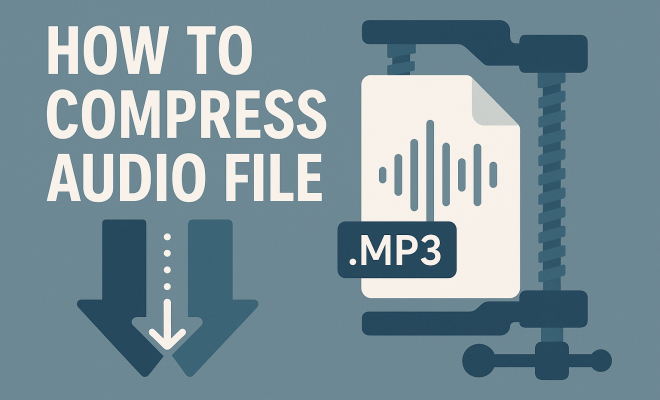
How to compress audio file
“`html
In a world where digital media is king, managing file sizes has become crucial. Whether you’re an aspiring musician, a podcaster, or just someone who loves sharing audio clips, knowing how to compress audio files can save you time and storage space. This guide will walk you through the essentials of audio compression, providing practical insights, tips, and tools to ensure your audio files are as efficient as possible.
1. Understanding Audio Compression
Audio compression is the process of reducing the size of an audio file while maintaining its quality. This is vital for several reasons: smaller files are easier to share, quicker to upload, and less taxing on storage. Audio files, especially in formats like WAV or AIFF, can be quite large, making compression a practical necessity.
Compression works by removing unnecessary data from the audio file. There are two main types of compression: lossy and lossless. Lossy compression reduces file size significantly by eliminating some audio quality, which may not be noticeable to the average listener. Common formats that use lossy compression include MP3 and AAC. On the other hand, lossless compression maintains the original quality while still reducing file size, as seen in formats like FLAC or ALAC.
2. Choosing the Right File Format
Before diving into compression techniques, it’s essential to choose the right audio format. The format you select will ultimately influence the file’s size and quality. For instance, if you need a smaller file for streaming or sharing, MP3 is a popular choice, thanks to its balance between size and sound quality. However, if maintaining audio fidelity is crucial, consider using a lossless format like FLAC.
Here’s a quick overview of some common formats:
- MP3: The most widely used lossy format, ideal for music and podcasts.
- AAC: Offers better quality than MP3 at similar bitrates; often used in Apple products.
- WAV: A lossless format that retains high-quality audio but produces large files.
- FLAC: A lossless format that reduces file size while preserving audio quality.
3. Using Audio Compression Software
There’s no shortage of software available for compressing audio files. Whether you’re a Windows or Mac user, several applications cater to your needs. Popular choices include Audacity, Adobe Audition, and online platforms like Online Audio Converter.
Audacity, a free open-source program, allows you to import your audio file, modify its bitrate, and export it in your desired format. On the other hand, Adobe Audition offers more advanced features for professional users, such as detailed editing and mastering options. If you prefer a hassle-free online solution, sites like Online Audio Converter can convert and compress your files directly from your browser.
4. Adjusting Bitrate for Optimal Compression
Bitrate is a significant factor in audio quality and file size. It refers to the number of bits that are processed per unit of time, usually measured in kilobits per second (kbps). Higher bitrates result in better audio quality but larger files, while lower bitrates reduce file size at the expense of sound fidelity.
When compressing audio files, consider experimenting with different bitrates. For example, a typical bitrate for MP3 files ranges from 128 kbps to 320 kbps. For most listeners, a bitrate of 192 kbps offers a good balance between size and quality. However, if you’re compressing music for professionals or audiophiles, you might want to aim for 256 kbps or higher.
5. Trimming Unnecessary Parts
Sometimes, the best way to compress audio files is simply to remove unnecessary sections. If your audio has long pauses, irrelevant segments, or excessive silence, cutting these out can significantly reduce file size without compromising quality.
Most audio editing software allows you to trim files easily. For instance, in Audacity, you can select unwanted sections and delete them with a simple keystroke. This not only helps in compression but also enhances the listening experience by keeping the content concise and engaging.
6. Auditory Perception and Compression
Understanding how the human ear perceives sound can also inform your compression strategy. The principle of auditory masking indicates that certain sounds can hide or mask others, meaning that you can remove specific frequencies without the listener noticing. This is particularly useful in lossy compression. (See: Understanding audio compression techniques.)
By focusing on the frequencies that are less perceivable to human ears, you can achieve greater compression. Software like the LAME encoder uses psychoacoustic models to determine which parts of the audio can be discarded during the compression process. This results in smaller files that maintain quality by prioritizing audible sound.
7. Testing and Quality Assurance
Once you’ve compressed your audio file, it’s essential to test it. Listen carefully to identify any noticeable loss in quality. This step is particularly crucial if you’re preparing audio for professional release or distribution.
Consider comparing the compressed file against the original. You can also solicit feedback from others, as fresh ears might catch discrepancies you missed. If the quality isn’t up to par, don’t hesitate to adjust the settings and experiment until you find the sweet spot between size and sound quality.
8. Current Relevance of Audio Compression
In today’s fast-paced digital environment, the relevance of audio compression cannot be overstated. As content creators strive to reach wider audiences, efficient file sharing becomes paramount. Compressed files are easier to upload, download, and stream, making them crucial for platforms like Spotify, YouTube, and podcast hosting services.
Moreover, with the rise of mobile devices and limited data plans, users are often looking for ways to save on data usage while still enjoying high-quality audio. As a result, understanding how to effectively compress audio files is not just a technical skill; it’s also a necessity for modern communication and entertainment.
9. Advanced Techniques for Audio Compression
While the basics of audio compression are essential, there are more advanced techniques that can help you achieve even better results. One such method is using multiband compression, which allows you to compress different frequency ranges independently. This can help maintain a more balanced sound while still reducing overall file size.
For example, vocals may require a different approach than bass or percussion. By targeting specific ranges, you can ensure that your audio maintains clarity and presence, even after compression.
Another advanced technique is dynamic range compression. This involves reducing the volume of the loudest parts of your audio, making it easier to compress without losing quality. It’s particularly useful in music production, where varying levels of loudness can create challenges during compression.
10. Popular Tools for Audio Compression
Along with Audacity and Adobe Audition, several other tools are available for audio compression that cater to different needs and levels of expertise. Here’s a snapshot of some notable ones:
- GarageBand: A user-friendly app for Mac users that provides various options for audio editing and compression, ideal for beginners.
- FL Studio: A comprehensive digital audio workstation that includes sophisticated compression tools suitable for professional music production.
- WavePad: A versatile audio editing software that also supports compression, suitable for both novice and experienced users.
- FFmpeg: A powerful command-line tool that allows for extensive audio processing, including compression, providing users with maximum control over their files.
11. FAQs About Compressing Audio Files
What is the best audio format for compression?
It depends on your needs. If you’re prioritizing size and don’t mind some loss in quality, MP3 is a great choice. For lossless compression, FLAC is the way to go. AAC is also a solid option if you’re in the Apple ecosystem.
How much can I compress an audio file?
The amount of compression varies based on the format and settings you choose. Lossy formats like MP3 can reduce file size by up to 90%, while lossless formats may only reduce size by about 30%. It’s essential to find a balance that maintains acceptable quality.
Will compressing an audio file affect its quality?
Yes, compressing a file, especially using lossy formats, can affect its quality. However, when done correctly and with the right settings, the loss may be imperceptible to most listeners.
Can I compress audio files online?
Absolutely! Numerous online services allow you to compress audio files without downloading software. However, be cautious about file privacy and the quality of the output when using these services. (See: Choosing the right audio format.)
Is it possible to convert a lossy format to a lossless format?
Yes, you can convert a lossy format to a lossless format. However, the quality will not improve; it will simply retain the existing quality without adding any new audio data.
What bitrate should I use for podcast audio?
For podcasts, a bitrate of around 64 kbps to 128 kbps is typically adequate for spoken word content. If your podcast includes music or high-quality audio, consider using a bitrate of 192 kbps or higher for better fidelity.
12. Understanding the Future of Audio Compression
The landscape of audio compression is continuously evolving, with technology advancing rapidly. Emerging formats like Opus are showing promise due to their superior compression efficiency and quality, particularly for streaming applications. This codec adapts to varying bitrates, providing an optimal listening experience regardless of internet speed.
As virtual reality and augmented reality technologies gain traction, audio compression will need to adapt to accommodate 3D audio and spatial sound. This will introduce new challenges and opportunities for audio engineers and content creators, as they strive to deliver immersive experiences while managing file sizes effectively.
With the advent of AI and machine learning, future audio compression techniques may become even more sophisticated. These technologies could analyze and process audio data in real-time, optimizing compression settings based on the type of content and listener preferences.
13. The Environmental Impact of Audio Compression
As digital media consumption grows, so does its environmental footprint. Compressed audio files use less data, which translates to lower energy consumption for transmission and storage. By mastering the skill of audio compression, content creators can contribute to reducing the overall energy demand associated with digital media.
Moreover, as the industry shifts towards more sustainable practices, understanding how to effectively compress audio files can play a role in minimizing the carbon footprint. Choosing efficient compression methods not only benefits individual users and creators but also supports a more eco-friendly approach to digital media.
14. Practical Tips for Everyday Users
For those who may not be audio professionals but still want to manage their audio files effectively, here are some practical tips:
- Start with a Good Recording: The better the original audio quality, the more effective your compression will be.
- Regularly Review Your Audio Files: As storage solutions evolve, revisit older files and consider compressing them for better efficiency.
- Stay Informed: Keep up with new audio formats and compression techniques to ensure you’re using the best methods available.
- Utilize Batch Processing: If you have multiple files to compress, look for software that allows batch processing to save time.
15. Advanced Audio Compression Techniques
Beyond standard compression practices, there are additional techniques that can significantly enhance your audio files’ manageability and quality. Here are a few methods to consider:
15.1. Normalization
Normalization is the process of adjusting the amplitude of an audio file to ensure that the loudest peak reaches a specified level. This can help in maintaining volume consistency across different tracks, making your audio files more listener-friendly. When combined with compression, normalization can ensure that the quieter sections are more audible without drastically increasing file size.
15.2. Using Metadata Efficiently
When you’re compressing audio files, don’t forget to add metadata. This includes information such as the title, artist, album, and even artwork. Proper tagging enhances the usability of your audio files, especially if they will be distributed on platforms like music streaming services. While metadata doesn’t directly affect compression, it adds value to the end-user experience.
15.3. Experimental Compression Techniques
For those with a bit more technical knowledge, experimenting with different compression algorithms can yield great results. Tools like Ozone by iZotope offer professional-grade mastering options which include unique algorithms for compression that can be tweaked to create a very specific sound. This can be especially useful in music production. (See: Research on audio compression methods.)
16. The Role of Compression in Music Production
In the world of music production, compression isn’t just about reducing file size; it plays a critical role in shaping the sound of the audio. Producers use various types of compressors to control dynamic range and add character to recordings. For instance, a vocal compressor can help make a singer’s voice more consistent in volume, while a bus compressor can glue the mix together, providing coherence.
Notably, the mixing and mastering stages of production prioritize compression to ensure that the final product sounds polished and professional. Understanding how to balance compression during these stages is key to achieving the desired sound while keeping the audio files manageable.
17. Audio Compression for Different Applications
Different applications have specific requirements for audio compression. Let’s take a closer look at how compression is tailored for various use cases:
17.1. Podcasting
For podcasts, the goal is often clarity and intelligibility. This means that while you may choose a moderate bitrate, the emphasis should be on frequency ranges that enhance speech. Using tools like noise reduction can also help in compressing the file while maintaining the essential audio clarity needed for dialogue.
17.2. Music Streaming
Music streaming platforms like Spotify and Apple Music often use their own optimized compression algorithms. Artists should be aware that their music may be compressed differently based on the listener’s internet speed and device. As such, maintaining a high-quality master file is essential so that the compression applied by these platforms does not severely degrade the audio.
17.3. Audiobooks
For audiobooks, the compression strategy focuses on the clear transmission of spoken word. Audiobooks are generally compressed to reduce file size for ease of downloading and storage while ensuring that the narration remains crisp and easy to understand. A common practice is to use a bitrate of around 64 kbps to 128 kbps to strike a balance between file size and quality.
18. DIY Audio Compression Techniques
If you’re looking to compress audio files at home without professional software, here are some DIY techniques you can apply:
- Online Converters: Websites like Zamzar or CloudConvert allow you to upload audio files and convert them to a smaller size directly from your browser.
- Free Apps: Apps like MP3splt allow you to split audio files into smaller segments, which can help you manage and compress your audio content more effectively.
- Mobile Apps: If you frequently work with audio on your phone, apps like WaveEditor allow you to record, edit, and compress audio right on your mobile device.
19. Conclusion: Mastering Audio Compression
Whether you’re an audio professional or a casual user, mastering the art of audio compression can significantly enhance your experience in the digital realm. By understanding the principles of compression, choosing the right formats, and utilizing effective software, you can create efficient audio files that don’t sacrifice quality. Remember, the goal is to find a balance that meets your needs while providing the best listening experience possible. So go ahead, experiment with these techniques, and take control of your audio files!
“`
Trending Now
Frequently Asked Questions
What is audio compression?
Audio compression is the process of reducing the size of an audio file while maintaining its quality. It helps make files easier to share and store by removing unnecessary data. There are two types: lossy compression, which reduces file size significantly but may affect quality, and lossless compression, which retains original quality while still reducing size.
What are the different types of audio compression?
There are two main types of audio compression: lossy and lossless. Lossy compression significantly reduces file size by eliminating some audio quality, commonly used in formats like MP3 and AAC. Lossless compression retains the original audio quality while still reducing file size, with formats like FLAC and ALAC being popular choices.
Which audio format is best for compression?
The best audio format for compression depends on your needs. MP3 is a popular choice for smaller file sizes with decent sound quality, ideal for streaming. If maintaining high audio fidelity is important, consider lossless formats like FLAC, which compress files without sacrificing quality.
How can I compress audio files?
To compress audio files, you can use various tools and software that support different formats. First, choose the appropriate audio format based on your needs. Then, apply compression settings that balance file size and audio quality. Popular software options include Audacity, Adobe Audition, and online converters.
What is the difference between lossy and lossless audio compression?
Lossy audio compression reduces file size by removing some audio data, which may affect quality but is often imperceptible to listeners. Formats like MP3 and AAC are examples. In contrast, lossless compression maintains the original audio quality while still reducing size, with formats such as FLAC and ALAC.
Agree or disagree? Drop a comment and tell us what you think.