The Tech Edvocate

Top Menu

  • Advertisement
  • Apps
  • Home Page
  • Home Page Five (No Sidebar)
  • Home Page Four
  • Home Page Three
  • Home Page Two
  • Home Tech2
  • Icons [No Sidebar]
  • Left Sidbear Page
  • Lynch Educational Consulting
  • My Account
  • My Speaking Page
  • Newsletter Sign Up Confirmation
  • Newsletter Unsubscription
  • Our Brands
  • Page Example
  • Privacy Policy
  • Protected Content
  • Register
  • Request a Product Review
  • Shop
  • Shortcodes Examples
  • Signup
  • Start Here
    • Governance
    • Careers
    • Contact Us
  • Terms and Conditions
  • The Edvocate
  • The Tech Edvocate Product Guide
  • Topics
  • Write For Us
  • Advertise

Main Menu

  • Start Here
    • Our Brands
    • Governance
      • Lynch Educational Consulting, LLC.
      • Dr. Lynch’s Personal Website
      • Careers
    • Write For Us
    • The Tech Edvocate Product Guide
    • Contact Us
    • Books
    • Edupedia
    • Post a Job
    • The Edvocate Podcast
    • Terms and Conditions
    • Privacy Policy
  • Topics
    • Assistive Technology
    • Child Development Tech
    • Early Childhood & K-12 EdTech
    • EdTech Futures
    • EdTech News
    • EdTech Policy & Reform
    • EdTech Startups & Businesses
    • Higher Education EdTech
    • Online Learning & eLearning
    • Parent & Family Tech
    • Personalized Learning
    • Product Reviews
  • Advertise
  • Tech Edvocate Awards
  • The Edvocate
  • Pedagogue
  • School Ratings

logo

The Tech Edvocate

  • Start Here
    • Our Brands
    • Governance
      • Lynch Educational Consulting, LLC.
      • Dr. Lynch’s Personal Website
        • My Speaking Page
      • Careers
    • Write For Us
    • The Tech Edvocate Product Guide
    • Contact Us
    • Books
    • Edupedia
    • Post a Job
    • The Edvocate Podcast
    • Terms and Conditions
    • Privacy Policy
  • Topics
    • Assistive Technology
    • Child Development Tech
    • Early Childhood & K-12 EdTech
    • EdTech Futures
    • EdTech News
    • EdTech Policy & Reform
    • EdTech Startups & Businesses
    • Higher Education EdTech
    • Online Learning & eLearning
    • Parent & Family Tech
    • Personalized Learning
    • Product Reviews
  • Advertise
  • Tech Edvocate Awards
  • The Edvocate
  • Pedagogue
  • School Ratings
  • How to create estimates in Buildertrend

  • How to use Bluebeam for punch lists

  • Procore vs Viewpoint features

  • How to submit invoices in Procore

  • How to set up Monday.com for contractors

  • Can PlanGrid track punch lists

  • How to create selections in CoConstruct

  • How to markup drawings in PlanGrid

  • How to use PlanGrid for blueprints

  • How to create custom tools in Bluebeam

Google ClassroomGoogle Classroom Tips
Home›Google Classroom›How Do I Sign In to Google Classroom?

How Do I Sign In to Google Classroom?

By Matthew Lynch
August 5, 2020
0
Spread the love

Here are the steps to guide you through logging in to Google Classroom for the first time, whether you are an educator or learner. 

Step 1: Type in classroom.google.com on the web browser of your choice. 

* If you have never signed in before, you may see a product info page. Click on Go to Classroom, located near the bottom of the screen.
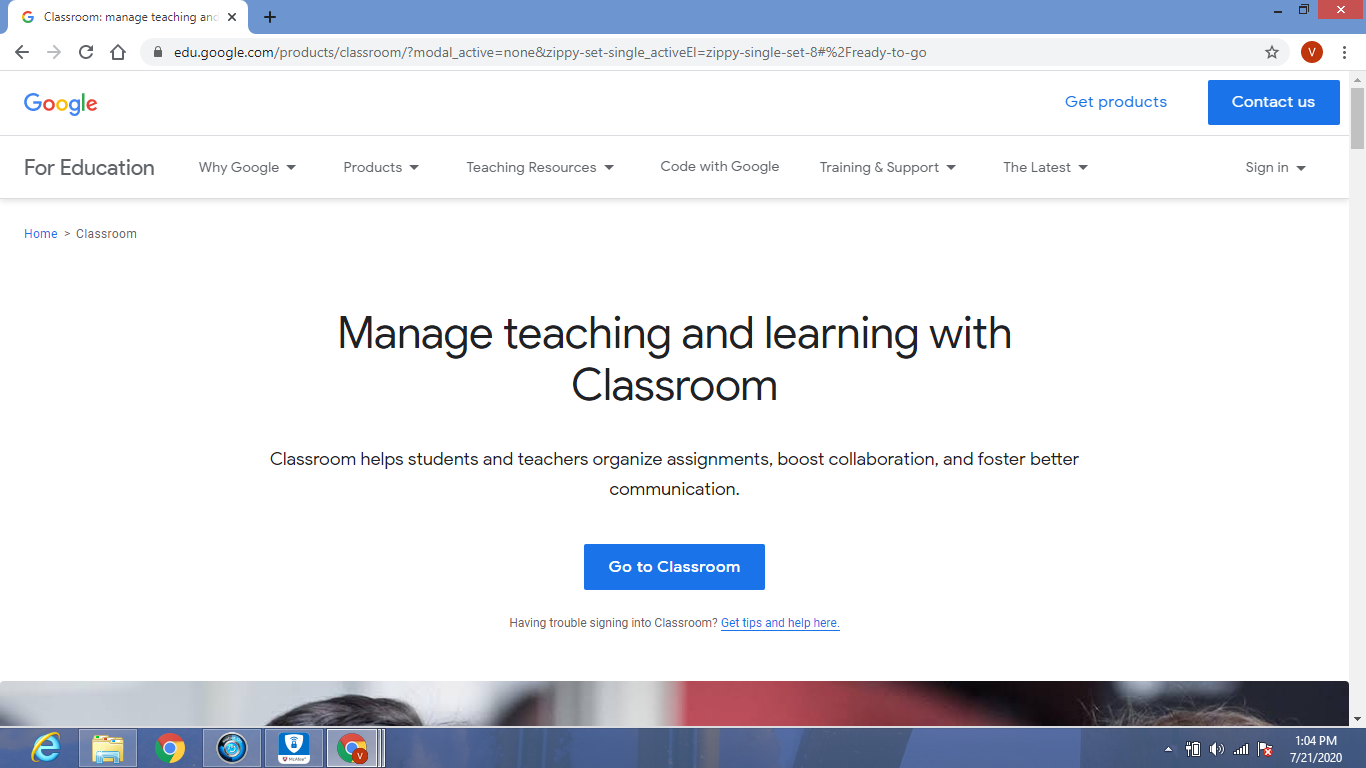
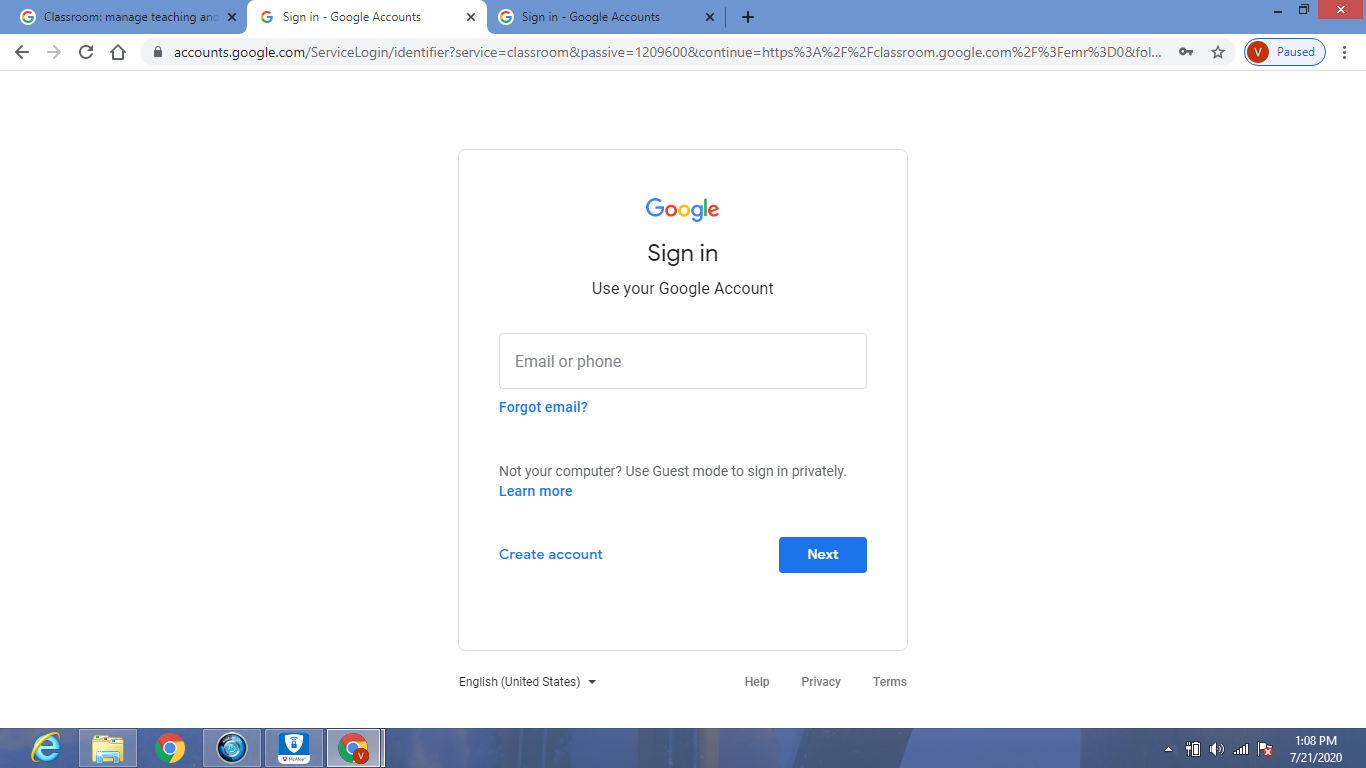
Based on your learning environment, sign in to Classroom by entering your email address that is associated with one of the following user account types:

  • School account: Known as a G Suite for Education account, this account is set up by an accredited school. It looks like [email protected]. If you do not know your G Suite for Education account details, ask your educator or the school’s IT admin.
  • Personal Google Account: Set up by you or your parent or guardian. Typically you utilize a personal Google Account outside of a school, such as a homeschool. The email address should look like [email protected].

G Suite account: Set up by your company admin. It looks like [email protected].

Step 2: After entering your email address,  click Next and you will then be prompted to enter your password. Click Next again after you have entered it.
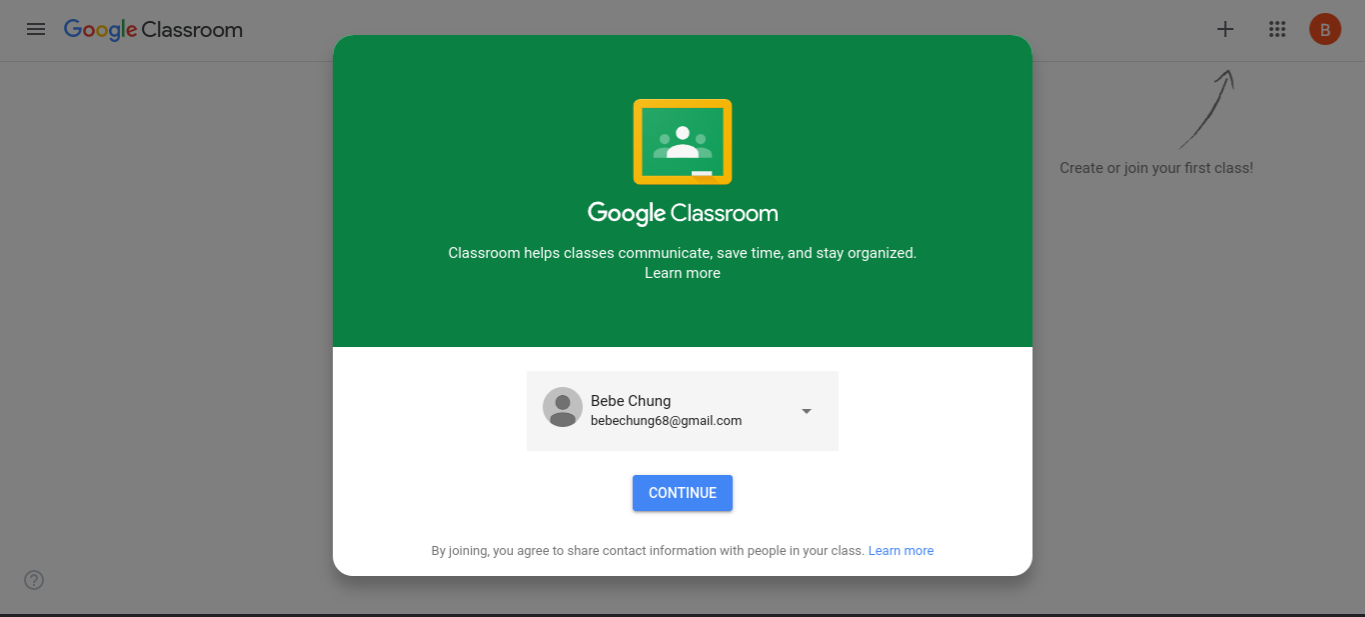
Step 3:  A welcome message will appear that lists your name and email address. Click Continue.
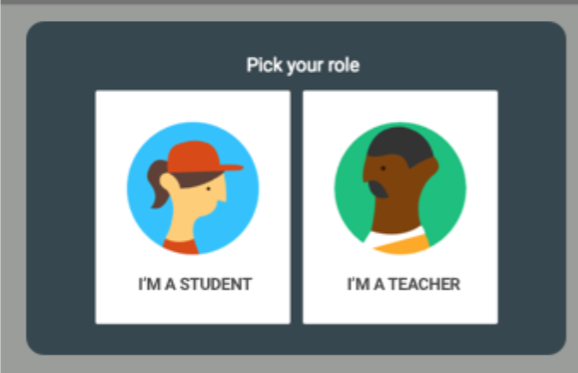
Step 4: If using a G Suite for Education account, you will be given the option to identify yourself as either a student or teacher. Personal Google accounts will not have this option and can skip to Step 5.
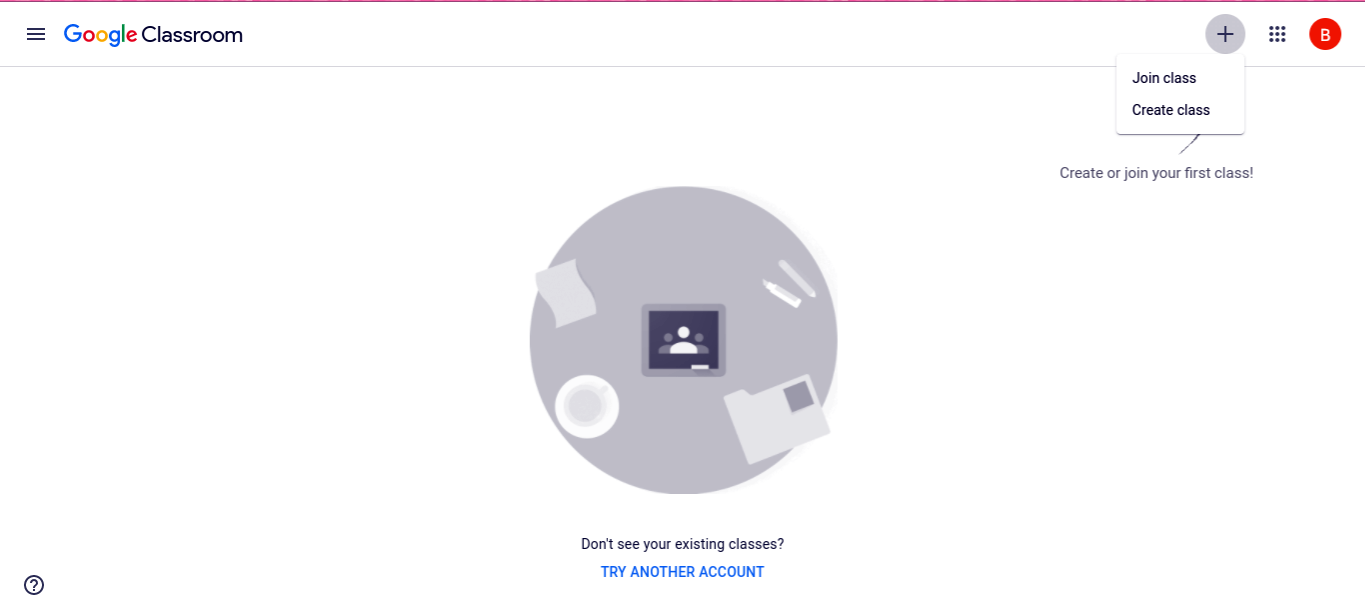
Step 5:  Click on the + sign in the right-hand corner and select Join class if you are a student, or Create Class if you are an educator. You are now ready to start using Google Classroom!
Previous Article

What is G Suite for Education?

Next Article

How Can Educators Utilize Google Classroom?

Matthew Lynch

Related articles More from author

  • Google Classroom Tips

    Google Classroom Tip #34: All About Quizzes

    December 4, 2018
    By Matthew Lynch
  • Google Classroom Tips

    Google Classroom Tip #4: After School Program Management

    November 12, 2018
    By Matthew Lynch
  • Google ClassroomGoogle Classroom Tips

    How Does Google Classroom Compare to Other Learning Management Systems?

    September 25, 2020
    By Matthew Lynch
  • Google Classroom Tips

    Google Classroom Tip #29: Boost Literacy Skills

    November 30, 2018
    By Matthew Lynch
  • Google Classroom Tips

    Google Classroom Tip #33: How to Manage Student Grades

    December 3, 2018
    By Matthew Lynch
  • Google Classroom Tips

    Google Classroom Tip #17: How to Boost Parental Involvement

    November 19, 2018
    By Matthew Lynch

Search

Login & Registration

  • Log in
  • Entries feed
  • Comments feed
  • WordPress.org

Newsletter

Signup for The Tech Edvocate Newsletter and have the latest in EdTech news and opinion delivered to your email address!

About Us

Since technology is not going anywhere and does more good than harm, adapting is the best course of action. That is where The Tech Edvocate comes in. We plan to cover the PreK-12 and Higher Education EdTech sectors and provide our readers with the latest news and opinion on the subject. From time to time, I will invite other voices to weigh in on important issues in EdTech. We hope to provide a well-rounded, multi-faceted look at the past, present, the future of EdTech in the US and internationally.

We started this journey back in June 2016, and we plan to continue it for many more years to come. I hope that you will join us in this discussion of the past, present and future of EdTech and lend your own insight to the issues that are discussed.

Newsletter

Signup for The Tech Edvocate Newsletter and have the latest in EdTech news and opinion delivered to your email address!

Contact Us

The Tech Edvocate
910 Goddin Street
Richmond, VA 23231
(601) 630-5238
[email protected]

Copyright © 2026 Matthew Lynch. All rights reserved.