The Tech Edvocate

Top Menu

  • Advertisement
  • Apps
  • Home Page
  • Home Page Five (No Sidebar)
  • Home Page Four
  • Home Page Three
  • Home Page Two
  • Home Tech2
  • Icons [No Sidebar]
  • Left Sidbear Page
  • Lynch Educational Consulting
  • My Account
  • My Speaking Page
  • Newsletter Sign Up Confirmation
  • Newsletter Unsubscription
  • Our Brands
  • Page Example
  • Privacy Policy
  • Protected Content
  • Register
  • Request a Product Review
  • Shop
  • Shortcodes Examples
  • Signup
  • Start Here
    • Governance
    • Careers
    • Contact Us
  • Terms and Conditions
  • The Edvocate
  • The Tech Edvocate Product Guide
  • Topics
  • Write For Us
  • Advertise

Main Menu

  • Start Here
    • Our Brands
    • Governance
      • Lynch Educational Consulting, LLC.
      • Dr. Lynch’s Personal Website
      • Careers
    • Write For Us
    • The Tech Edvocate Product Guide
    • Contact Us
    • Books
    • Edupedia
    • Post a Job
    • The Edvocate Podcast
    • Terms and Conditions
    • Privacy Policy
  • Topics
    • Assistive Technology
    • Child Development Tech
    • Early Childhood & K-12 EdTech
    • EdTech Futures
    • EdTech News
    • EdTech Policy & Reform
    • EdTech Startups & Businesses
    • Higher Education EdTech
    • Online Learning & eLearning
    • Parent & Family Tech
    • Personalized Learning
    • Product Reviews
  • Advertise
  • Tech Edvocate Awards
  • The Edvocate
  • Pedagogue
  • School Ratings

logo

The Tech Edvocate

  • Start Here
    • Our Brands
    • Governance
      • Lynch Educational Consulting, LLC.
      • Dr. Lynch’s Personal Website
        • My Speaking Page
      • Careers
    • Write For Us
    • The Tech Edvocate Product Guide
    • Contact Us
    • Books
    • Edupedia
    • Post a Job
    • The Edvocate Podcast
    • Terms and Conditions
    • Privacy Policy
  • Topics
    • Assistive Technology
    • Child Development Tech
    • Early Childhood & K-12 EdTech
    • EdTech Futures
    • EdTech News
    • EdTech Policy & Reform
    • EdTech Startups & Businesses
    • Higher Education EdTech
    • Online Learning & eLearning
    • Parent & Family Tech
    • Personalized Learning
    • Product Reviews
  • Advertise
  • Tech Edvocate Awards
  • The Edvocate
  • Pedagogue
  • School Ratings
  • A Visitor’s Guide to Fresno (CA), United States

  • A Visitors Guide to New Orleans (LA), United States

  • A Visitors Guide to Sacramento (CA), United States

  • A Visitors Guide to Lyon, France

  • JisuLife Ultra2 Portable Fan: A Powerful Multi-Function Cooling Solution

  • A Visitors Guide to Viña del Mar, Chile

  • A Visitors Guide to Århus, Denmark

  • A Visitors Guide to Bakersfield (CA), United States

  • A Visitors Guide to Aurora (CO), United States

  • A Visitor’s Guide to Toledo (OH), United States

Google ClassroomGoogle Classroom Tips
Home›Google Classroom›How Can Educators Utilize Google Classroom?

How Can Educators Utilize Google Classroom?

By Matthew Lynch
August 6, 2020
0
Spread the love

Because it is a fairly flexible app, educators utilize their features in a lot of different ways. With Google Classroom, educators can:

Streamline how they manage classes. The app integrates with Google’s other apps like Docs, Drive, and Calendar so there are lots of built-in “shortcuts” for classroom-management tasks. For instance, if you post an assignment with a due date, it is automatically added to the class calendar for your learners to see. Also, everything you create on Google Classroom is saved onto a Drive folder. Your assignments, any digital materials you uploaded, and completed student work will all be in one easy to find location. You can also create a new Google Doc, Sheet, Form, Slide, or Drawing by clicking “Create”. You can upload it to your Classroom once you are done. Or you have the option to upload an existing file from your computer or Drive when creating assignments for your students.
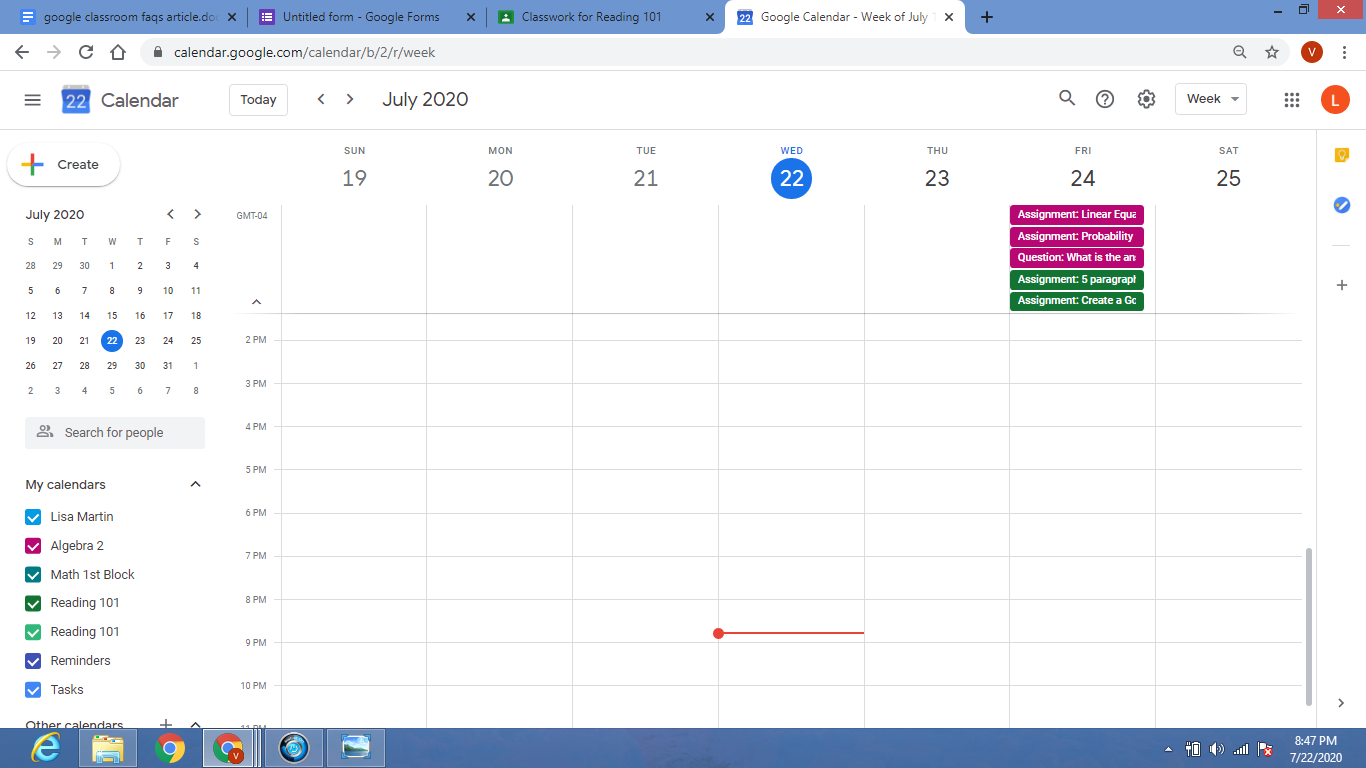
You can digitally organize, distribute, and collect assignments, course materials, and learner work. Educators can also post an assignment to several classes at once or modify and reuse assignments from year to year. If your learners have access to technology devices, Google can help you create a paperless classroom, and finally, have a chance to enjoy your free time. No more wasted time making copies in the copy room, dealing with a line of people, or a malfunctioning copy machine. With one click you have everything you need, and the learning material will be much more engaging for students as opposed to a boring worksheet.

Communicate with learners about their classwork. You can utilize the app to post important announcements and reminders about assignments, and it is obvious to see who has or has not finished their assignment. You can also check in with individual learners privately, answer their questions, and offer support. Effective teaching requires frequent communication between educators and learners. Luckily, Google Classroom provides a platform with many opportunities for regular communication and feedback. 
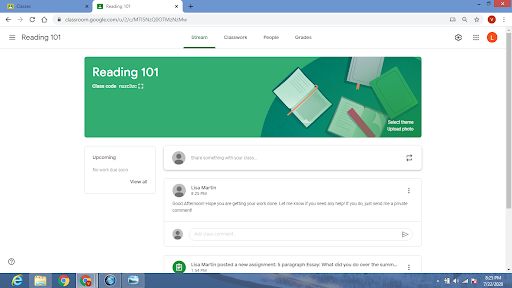
Give learners timely feedback on their assignments and assessments. Within Google Classroom, it is possible to utilize Google Forms to develop and share quizzes that are automatically graded as learners turn them in. You will not only spend less time grading, but your learners will get instant feedback on their work. You can use the private comment feature to explain errors or give praise.

Previous Article

How Do I Sign In to Google ...

Next Article

How Does Google Classroom Manage Student Data ...

Matthew Lynch

Related articles More from author

  • Google Classroom Tips

    Google Classroom Tip #23: Digital Annotation

    November 24, 2018
    By Matthew Lynch
  • Google Classroom Tips

    Google Classroom Tip #7: Appointment Book

    November 14, 2018
    By Matthew Lynch
  • Google Classroom Tips

    Google Classroom Tip #10: Create Authentic Assessments

    November 15, 2018
    By Matthew Lynch
  • Google ClassroomGoogle Classroom Tips

    Can I Use Slides Without Using Google Classroom?

    August 17, 2020
    By Matthew Lynch
  • Google ClassroomGoogle Classroom Tips

    How Do I Schedule Posts in Google Classroom?

    September 11, 2020
    By Matthew Lynch
  • Google ClassroomGoogle Classroom Tips

    What Types of Posts Can You Make in Google Classroom?

    September 28, 2020
    By Matthew Lynch

Search

Login & Registration

  • Register
  • Log in
  • Entries feed
  • Comments feed
  • WordPress.org

Newsletter

Signup for The Tech Edvocate Newsletter and have the latest in EdTech news and opinion delivered to your email address!

About Us

Since technology is not going anywhere and does more good than harm, adapting is the best course of action. That is where The Tech Edvocate comes in. We plan to cover the PreK-12 and Higher Education EdTech sectors and provide our readers with the latest news and opinion on the subject. From time to time, I will invite other voices to weigh in on important issues in EdTech. We hope to provide a well-rounded, multi-faceted look at the past, present, the future of EdTech in the US and internationally.

We started this journey back in June 2016, and we plan to continue it for many more years to come. I hope that you will join us in this discussion of the past, present and future of EdTech and lend your own insight to the issues that are discussed.

Newsletter

Signup for The Tech Edvocate Newsletter and have the latest in EdTech news and opinion delivered to your email address!

Contact Us

The Tech Edvocate
910 Goddin Street
Richmond, VA 23231
(601) 630-5238
[email protected]

Copyright © 2025 Matthew Lynch. All rights reserved.