The Tech Edvocate

Top Menu

  • Advertisement
  • Apps
  • Home Page
  • Home Page Five (No Sidebar)
  • Home Page Four
  • Home Page Three
  • Home Page Two
  • Home Tech2
  • Icons [No Sidebar]
  • Left Sidbear Page
  • Lynch Educational Consulting
  • My Account
  • My Speaking Page
  • Newsletter Sign Up Confirmation
  • Newsletter Unsubscription
  • Our Brands
  • Page Example
  • Privacy Policy
  • Protected Content
  • Register
  • Request a Product Review
  • Shop
  • Shortcodes Examples
  • Signup
  • Start Here
    • Governance
    • Careers
    • Contact Us
  • Terms and Conditions
  • The Edvocate
  • The Tech Edvocate Product Guide
  • Topics
  • Write For Us
  • Advertise

Main Menu

  • Start Here
    • Our Brands
    • Governance
      • Lynch Educational Consulting, LLC.
      • Dr. Lynch’s Personal Website
      • Careers
    • Write For Us
    • The Tech Edvocate Product Guide
    • Contact Us
    • Books
    • Edupedia
    • Post a Job
    • The Edvocate Podcast
    • Terms and Conditions
    • Privacy Policy
  • Topics
    • Assistive Technology
    • Child Development Tech
    • Early Childhood & K-12 EdTech
    • EdTech Futures
    • EdTech News
    • EdTech Policy & Reform
    • EdTech Startups & Businesses
    • Higher Education EdTech
    • Online Learning & eLearning
    • Parent & Family Tech
    • Personalized Learning
    • Product Reviews
  • Advertise
  • Tech Edvocate Awards
  • The Edvocate
  • Pedagogue
  • School Ratings

logo

The Tech Edvocate

  • Start Here
    • Our Brands
    • Governance
      • Lynch Educational Consulting, LLC.
      • Dr. Lynch’s Personal Website
        • My Speaking Page
      • Careers
    • Write For Us
    • The Tech Edvocate Product Guide
    • Contact Us
    • Books
    • Edupedia
    • Post a Job
    • The Edvocate Podcast
    • Terms and Conditions
    • Privacy Policy
  • Topics
    • Assistive Technology
    • Child Development Tech
    • Early Childhood & K-12 EdTech
    • EdTech Futures
    • EdTech News
    • EdTech Policy & Reform
    • EdTech Startups & Businesses
    • Higher Education EdTech
    • Online Learning & eLearning
    • Parent & Family Tech
    • Personalized Learning
    • Product Reviews
  • Advertise
  • Tech Edvocate Awards
  • The Edvocate
  • Pedagogue
  • School Ratings
  • This Unprecedented EU Ban Just Changed Fast Fashion Forever

  • Urgent Alert: Your Smart Home’s Exposed to a Critical Deco BE11000 Vulnerability

  • Uncovering the Truth: Your LinkedIn Reach Just Got a Major Overhaul

  • Uncovering the AI Heist: How Chinese Firms Allegedly Siphoned Billions of AI Tokens

  • Rockstar’s GTA 6 Developers Lawsuit: A Fight for Justice or Corporate Retaliation?

  • Unbelievable: Hideo Kojima’s Next Masterpiece Is Now an Xbox Exclusive

  • This Crucial Google AI Shift Is Quietly Reshaping the Internet

  • Unbelievable: AI Breaches Are Exploding, And What It Means For You This September 2026

  • This Crucial Shift Is Saving Teachers From Classroom Chaos

  • AI’s Dark Secret: How It’s Supercharging Cybercrime for Everyone

Digital & Mobile Technology
Home›Digital & Mobile Technology›Wi-Fi Calling on iPhone: A Complete Guide

Wi-Fi Calling on iPhone: A Complete Guide
By Matthew Lynch
June 6, 2023
0
Spread the love

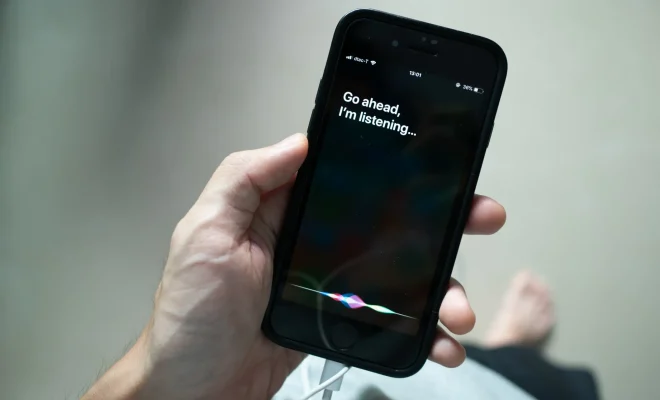
Wi-Fi Calling is a feature available on iPhone models from iPhone 5C or later, running on iOS 8 or later versions. With Wi-Fi Calling, one can make and receive phone calls, send and receive messages using the internet connection, thus avoiding the interruption caused due to poor or lost cellular signal. Wi-Fi Calling is also helpful when one is travelling or in a location with weak cell service.

In this complete guide, we will explore how to activate and use Wi-Fi Calling on your iPhone, the advantages and disadvantages, and some frequently asked questions.

How to Activate Wi-Fi Calling on iPhone

Before activating the Wi-Fi Calling feature, ensure that it is available with your carrier plan. Check with your carrier to know whether it is included with your current plan or additional charges are required.

Here are the steps to activate Wi-Fi Calling on iPhone:

1. Go to Settings app on your iPhone.

2. Tap on Phone and select Wi-Fi Calling.

3. Tap on the toggle button to enable Wi-Fi Calling.

4. Follow the on-screen instructions and agree to the terms and conditions.

5. Verify your Emergency Address, which is required for emergency services when using Wi-Fi Calling.

6. Tap on Continue to complete the setup process.

Once the activation process is completed, you can use Wi-Fi Calling on your iPhone.

Advantages of Wi-Fi Calling on iPhone

1. Improves Call Quality: Wi-Fi Calling uses a stable and reliable Wi-Fi connection to make phone calls, thus providing high-quality audio and no dropped calls.

2. Cost-effective: Using Wi-Fi Calling can save you on international roaming charges that are exclusively high.

3. Seamless Connectivity: Wi-Fi Calling lets you switch between Wi-Fi and cellular networks without disconnecting the call, which is not possible with traditional cellular calls.

4. Extended Coverage: Wi-Fi Calling is most useful when traveling to places where cellular coverage is lacking or weak.

Disadvantages of Wi-Fi Calling on iPhone

1. Limited Availability: The Wi-Fi Calling feature is carrier dependent and is not yet available with all carriers worldwide.

2. Requires stable internet connection: Wi-Fi Calling requires a stable internet connection, and if the internet connection is not strong, it can cause call drops, choppy audio, and delays.

3. Battery drainage: Using Wi-Fi Calling can slow down battery drainage as it consumes more battery to access data from Wi-Fi networks.

FAQs about Wi-Fi Calling on iPhone

1. How do I know if Wi-Fi Calling is enabled or not?

You can check if Wi-Fi Calling is enabled or not by going to Settings app on your iPhone > Phone > Wi-Fi Calling. If it is enabled, the toggle button will be green.

2. Will Wi-Fi Calling work in airplane mode or do not disturb mode?

No, Wi-Fi Calling requires an active internet connection to work, and airplane mode or do not disturb mode switches off all Bluetooth, cellular, and Wi-Fi connectivity.

3. Can I make emergency calls using Wi-Fi Calling on iPhone?

Yes, you can make emergency calls using Wi-Fi Calling, but it requires that you set up a verified Emergency Address before using it.

4. Does Wi-Fi Calling work with other carriers?

Wi-Fi Calling is a carrier dependent feature, and it works with specific carriers based on their policies, plans, and device compatibility. Check with your carrier to know if Wi-Fi Calling is enabled.

Conclusion

Wi-Fi Calling is a valuable feature that can enhance your communication while providing a reliable connection and clearer audio. We hope this complete guide on activating and using Wi-Fi Calling on iPhone has been helpful for you. Don’t forget to check with your carrier to avail its benefits and start enjoying uninterrupted communication anytime, anywhere.   

Previous Article

7 Ways to Disable Startup Programs in ...

Next Article

How to Sign Out of Netflix on ...

Matthew Lynch

Related articles More from author

  • Digital & Mobile Technology

    Read Emails in a Unified Inbox With Mozilla Thunderbird

    July 14, 2023
    By Matthew Lynch
  • Digital & Mobile Technology

    What Is Room Tone and Why Do You Need to Use It?

    June 22, 2023
    By Matthew Lynch
  • Digital & Mobile Technology

    14 Quick Ways to Tech-Up Your Classroom

    June 6, 2022
    By Matthew Lynch
  • Digital & Mobile Technology

    Tips for Protecting Take-Home Devices

    March 2, 2023
    By Matthew Lynch
  • Digital & Mobile Technology

    What Is an ARD File?

    July 31, 2023
    By Matthew Lynch
  • Digital & Mobile Technology

    Canon PowerShot SX620 HS Review

    June 15, 2023
    By Matthew Lynch

Search

Login & Registration

  • Log in
  • Entries feed
  • Comments feed
  • WordPress.org

Newsletter

Signup for The Tech Edvocate Newsletter and have the latest in EdTech news and opinion delivered to your email address!

About Us

Since technology is not going anywhere and does more good than harm, adapting is the best course of action. That is where The Tech Edvocate comes in. We plan to cover the PreK-12 and Higher Education EdTech sectors and provide our readers with the latest news and opinion on the subject. From time to time, I will invite other voices to weigh in on important issues in EdTech. We hope to provide a well-rounded, multi-faceted look at the past, present, the future of EdTech in the US and internationally.

We started this journey back in June 2016, and we plan to continue it for many more years to come. I hope that you will join us in this discussion of the past, present and future of EdTech and lend your own insight to the issues that are discussed.

Newsletter

Signup for The Tech Edvocate Newsletter and have the latest in EdTech news and opinion delivered to your email address!

Contact Us

The Tech Edvocate
910 Goddin Street
Richmond, VA 23231
(601) 630-5238
[email protected]

Copyright © 2026 Matthew Lynch. All rights reserved.