The Tech Edvocate

Top Menu

  • Advertisement
  • Apps
  • Home Page
  • Home Page Five (No Sidebar)
  • Home Page Four
  • Home Page Three
  • Home Page Two
  • Home Tech2
  • Icons [No Sidebar]
  • Left Sidbear Page
  • Lynch Educational Consulting
  • My Account
  • My Speaking Page
  • Newsletter Sign Up Confirmation
  • Newsletter Unsubscription
  • Our Brands
  • Page Example
  • Privacy Policy
  • Protected Content
  • Register
  • Request a Product Review
  • Shop
  • Shortcodes Examples
  • Signup
  • Start Here
    • Governance
    • Careers
    • Contact Us
  • Terms and Conditions
  • The Edvocate
  • The Tech Edvocate Product Guide
  • Topics
  • Write For Us
  • Advertise

Main Menu

  • Start Here
    • Our Brands
    • Governance
      • Lynch Educational Consulting, LLC.
      • Dr. Lynch’s Personal Website
      • Careers
    • Write For Us
    • The Tech Edvocate Product Guide
    • Contact Us
    • Books
    • Edupedia
    • Post a Job
    • The Edvocate Podcast
    • Terms and Conditions
    • Privacy Policy
  • Topics
    • Assistive Technology
    • Child Development Tech
    • Early Childhood & K-12 EdTech
    • EdTech Futures
    • EdTech News
    • EdTech Policy & Reform
    • EdTech Startups & Businesses
    • Higher Education EdTech
    • Online Learning & eLearning
    • Parent & Family Tech
    • Personalized Learning
    • Product Reviews
  • Advertise
  • Tech Edvocate Awards
  • The Edvocate
  • Pedagogue
  • School Ratings

logo

The Tech Edvocate

  • Start Here
    • Our Brands
    • Governance
      • Lynch Educational Consulting, LLC.
      • Dr. Lynch’s Personal Website
        • My Speaking Page
      • Careers
    • Write For Us
    • The Tech Edvocate Product Guide
    • Contact Us
    • Books
    • Edupedia
    • Post a Job
    • The Edvocate Podcast
    • Terms and Conditions
    • Privacy Policy
  • Topics
    • Assistive Technology
    • Child Development Tech
    • Early Childhood & K-12 EdTech
    • EdTech Futures
    • EdTech News
    • EdTech Policy & Reform
    • EdTech Startups & Businesses
    • Higher Education EdTech
    • Online Learning & eLearning
    • Parent & Family Tech
    • Personalized Learning
    • Product Reviews
  • Advertise
  • Tech Edvocate Awards
  • The Edvocate
  • Pedagogue
  • School Ratings
  • Urgent Warning: How AI is Fueling Rampant Skincare Scams Right Now

  • Urgent: This Skincare Trend Is Exploiting Children — And It’s Spreading Fast

  • Seattle Times sues Microsoft and OpenAI, alleging they trained their AI on its journalism

  • Astonishing: Anthropic Axed $6 Billion Deal for Decart — Why?

  • Sega cancelled its “risky” Super Game project as it “would have to grow enormously to match the scale of the service” | GamesIndustry.biz

  • Devastating: Don’t Nod’s €8M Cash Crisis Threatens Studio Future

  • OpenAI Accused of Shocking Attempt to Hijack Euler Proof — The Truth Revealed

  • Meta Child Sexual Abuse Ads: A Disturbing Investigation Unveils Shocking Truths

  • Unveiling the Quiet Crisis: Why Two Mega-Districts Just Banned AI in Education

  • Unveiling the Controversial New Texas Curriculum: A Battle Over History and Identity

Assistive Technology
Home›Assistive Technology›Ways to Improve the GPS Location Accuracy on Android Devices

Ways to Improve the GPS Location Accuracy on Android Devices
By Matthew Lynch
June 6, 2023
0
Spread the love

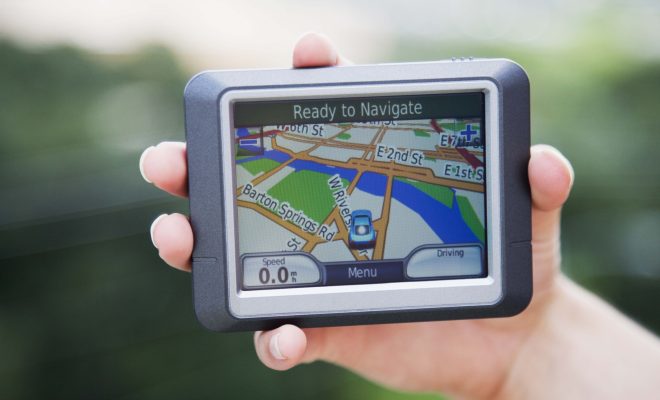
Global Positioning System, commonly known as GPS, is a technology that enables the tracking of any object or location on the earth’s surface using satellites. In recent years, smartphones have become the go-to devices for GPS navigation, but GPS accuracy can be a challenge, especially for Android devices. This is because Android phones use a combination of GPS and other positioning technologies, such as Wi-Fi and mobile networks, which can sometimes lead to inconsistent GPS readings. However, there are ways to improve the GPS location accuracy on Android devices.

1. Enable high-accuracy mode

Android devices allow users to choose between three location modes: Battery saving mode, High accuracy mode, and Device only mode. Enabling high accuracy mode will allow your device to use GPS, Wi-Fi, and mobile networks to pinpoint your location more accurately. To enable High accuracy mode, go to Settings > Location > Mode and select High accuracy mode.

2. Update your Android device and GPS software

Software updates often come with software enhancements, which can improve GPS accuracy. Ensure that your Android device’s software is up to date, as well as the GPS software on your device.

3. Clear the GPS cache

Over time, GPS cache can become cluttered with irrelevant information and outdated data, which can cause GPS inaccuracy. To clear the GPS cache, go to Settings > Apps > Google Maps and tap Storage. From the storage options, select Clear cache.

4. Disable battery-saving mode for GPS-related apps

Battery saving mode is very effective in extending battery life. However, this mode can cause some GPS apps to stop functioning optimally. Disabling battery saving mode for GPS-related apps can help improve GPS accuracy. Simply go to Settings > Battery > Battery optimization and select All apps. From there, select your GPS app and choose to Optimize the app or not.

5. Calibrate your device’s compass

The compass in your Android device is responsible for helping the GPS device determine which direction you are facing. Calibrating the compass can help improve the accuracy of the GPS readings. To calibrate your device’s compass, go to Settings > Location > Compass calibration > Calibrate.

In conclusion, GPS accuracy is essential, especially for outdoor navigation, and a few tips can help improve GPS accuracy on Android devices. By following these tips, you can get more accurate GPS readings, making it easier to navigate with your smartphone.   

Previous Article

What Is Shovelware in Gaming?

Next Article

Does Your Mouse Freeze or Lag in ...

Matthew Lynch

Related articles More from author

  • Assistive Technology

    How to Fix D3dx9_42.dll Not Found or Missing Errors

    June 10, 2023
    By Matthew Lynch
  • Assistive Technology

    How to Remove Connections on LinkedIn

    June 9, 2023
    By Matthew Lynch
  • Assistive Technology

    How to Use Your iPhone’s Silent Mode

    June 15, 2023
    By Matthew Lynch
  • Assistive Technology

    How to Fix ‘The File or Directory is Corrupted and Unreadable’ Errors

    June 10, 2023
    By Matthew Lynch
  • Assistive Technology

    How to Refriend Someone You Blocked on Facebook

    June 23, 2023
    By Matthew Lynch
  • Assistive Technology

    How to Share a Google Form

    June 23, 2023
    By Matthew Lynch

Search

Login & Registration

  • Log in
  • Entries feed
  • Comments feed
  • WordPress.org

Newsletter

Signup for The Tech Edvocate Newsletter and have the latest in EdTech news and opinion delivered to your email address!

About Us

Since technology is not going anywhere and does more good than harm, adapting is the best course of action. That is where The Tech Edvocate comes in. We plan to cover the PreK-12 and Higher Education EdTech sectors and provide our readers with the latest news and opinion on the subject. From time to time, I will invite other voices to weigh in on important issues in EdTech. We hope to provide a well-rounded, multi-faceted look at the past, present, the future of EdTech in the US and internationally.

We started this journey back in June 2016, and we plan to continue it for many more years to come. I hope that you will join us in this discussion of the past, present and future of EdTech and lend your own insight to the issues that are discussed.

Newsletter

Signup for The Tech Edvocate Newsletter and have the latest in EdTech news and opinion delivered to your email address!

Contact Us

The Tech Edvocate
910 Goddin Street
Richmond, VA 23231
(601) 630-5238
[email protected]

Copyright © 2026 Matthew Lynch. All rights reserved.