The Tech Edvocate

Top Menu

  • Advertisement
  • Apps
  • Home Page
  • Home Page Five (No Sidebar)
  • Home Page Four
  • Home Page Three
  • Home Page Two
  • Home Tech2
  • Icons [No Sidebar]
  • Left Sidbear Page
  • Lynch Educational Consulting
  • My Account
  • My Speaking Page
  • Newsletter Sign Up Confirmation
  • Newsletter Unsubscription
  • Our Brands
  • Page Example
  • Privacy Policy
  • Protected Content
  • Register
  • Request a Product Review
  • Shop
  • Shortcodes Examples
  • Signup
  • Start Here
    • Governance
    • Careers
    • Contact Us
  • Terms and Conditions
  • The Edvocate
  • The Tech Edvocate Product Guide
  • Topics
  • Write For Us
  • Advertise

Main Menu

  • Start Here
    • Our Brands
    • Governance
      • Lynch Educational Consulting, LLC.
      • Dr. Lynch’s Personal Website
      • Careers
    • Write For Us
    • The Tech Edvocate Product Guide
    • Contact Us
    • Books
    • Edupedia
    • Post a Job
    • The Edvocate Podcast
    • Terms and Conditions
    • Privacy Policy
  • Topics
    • Assistive Technology
    • Child Development Tech
    • Early Childhood & K-12 EdTech
    • EdTech Futures
    • EdTech News
    • EdTech Policy & Reform
    • EdTech Startups & Businesses
    • Higher Education EdTech
    • Online Learning & eLearning
    • Parent & Family Tech
    • Personalized Learning
    • Product Reviews
  • Advertise
  • Tech Edvocate Awards
  • The Edvocate
  • Pedagogue
  • School Ratings

logo

The Tech Edvocate

  • Start Here
    • Our Brands
    • Governance
      • Lynch Educational Consulting, LLC.
      • Dr. Lynch’s Personal Website
        • My Speaking Page
      • Careers
    • Write For Us
    • The Tech Edvocate Product Guide
    • Contact Us
    • Books
    • Edupedia
    • Post a Job
    • The Edvocate Podcast
    • Terms and Conditions
    • Privacy Policy
  • Topics
    • Assistive Technology
    • Child Development Tech
    • Early Childhood & K-12 EdTech
    • EdTech Futures
    • EdTech News
    • EdTech Policy & Reform
    • EdTech Startups & Businesses
    • Higher Education EdTech
    • Online Learning & eLearning
    • Parent & Family Tech
    • Personalized Learning
    • Product Reviews
  • Advertise
  • Tech Edvocate Awards
  • The Edvocate
  • Pedagogue
  • School Ratings
  • JisuLife Ultra2 Portable Fan: A Powerful Multi-Function Cooling Solution

  • A Visitors Guide to Viña del Mar, Chile

  • A Visitors Guide to Århus, Denmark

  • A Visitors Guide to Bakersfield (CA), United States

  • A Visitors Guide to Aurora (CO), United States

  • A Visitor’s Guide to Toledo (OH), United States

  • A Visitors Guide to Cincinnati (OH), United States

  • The MagicEagle Cam 5: Revolutionizing Wildlife Monitoring with Smart 4G Technology

  • A Visitors Guide to Pittsburgh (PA), United States

  • A Visitors Guide to Colorado Springs (CO), United States

Digital & Mobile Technology
Home›Digital & Mobile Technology›Visual Studio Code vs. Atom: Which Text Editor Is Right for You?

Visual Studio Code vs. Atom: Which Text Editor Is Right for You?
By Matthew Lynch
June 21, 2023
0
Spread the love

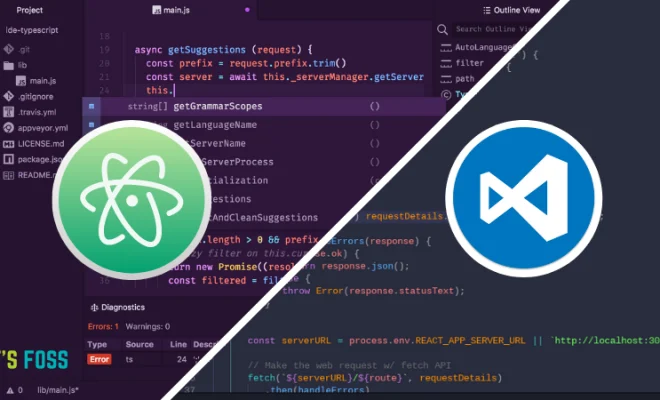
When it comes to finding the right text editor for your needs, two of the most popular choices are Visual Studio Code and Atom. Both of these editors offer a wide range of features and customization options, but they have their own unique strengths and weaknesses. So how do you know which one to choose? Let’s take a closer look at the differences between Visual Studio Code vs. Atom to help you decide.

User Interface

Perhaps the most obvious difference between Visual Studio Code and Atom is their user interface. Visual Studio Code has a more modern and streamlined interface that is designed to be easy to use and navigate. It offers a built-in terminal, source control integration, and a variety of extension options.

On the other hand, Atom has a more customizable interface that can be tailored to your preferences. It has a classic text editor layout with a sidebar for easy browsing of files and a customizable toolbar for quick access to commonly used features. Some users prefer this more traditional interface over Visual Studio Code’s.

Performance

Performance is a key factor to consider when choosing a text editor. Both Visual Studio Code and Atom are designed to be lightweight and fast, but Visual Studio Code has the edge in terms of performance. It is generally regarded as faster and more responsive, especially when dealing with larger files or projects.

However, Atom offers more customization options and is often preferred by developers for its flexibility. If you want more control over your editor’s performance, Atom may be the better choice for you.

Extensions

Both Visual Studio Code and Atom offer a wide range of extensions that can enhance your coding experience. Visual Studio Code has a larger library of extensions, with over 10,000 available at the time of writing. These include extensions for popular programming languages, linters, and debugging tools.

Atom offers its own library of extensions, with over 8,000 available. It also has a package manager that makes it easy to install and manage extensions. Some users prefer the package manager in Atom over Visual Studio Code’s extension marketplace.

Price

Finally, price is an important consideration. Both Visual Studio Code and Atom are free and open-source, making them accessible to all developers. However, Visual Studio Code is developed by Microsoft and is more tightly integrated with their suite of tools, which may be a factor if you’re already using other Microsoft products. Atom, on the other hand, is developed by GitHub, which may be more appealing if you use GitHub for version control.

Conclusion

So which text editor is right for you? Ultimately, it comes down to your personal preferences and needs. If you value a modern, streamlined user interface and fast performance, Visual Studio Code may be the better choice. However, if you prefer a more customizable interface and want more control over your editor’s performance, Atom may be the better option. Both editors offer a wide range of extensions and are free to use, so you can experiment with both to find the one that works best for you.


Previous Article

How to Convert a Legacy Deadbolt Into ...

Next Article

How to Install Mods for No Man’s ...

Matthew Lynch

Related articles More from author

  • Digital & Mobile Technology

    How to Sync a PS5 Controller

    June 1, 2023
    By Matthew Lynch
  • Digital & Mobile Technology

    Yandex Mail: A Full Review

    June 12, 2023
    By Matthew Lynch
  • Digital & Mobile Technology

    How to Take High-Resolution Photos

    July 24, 2023
    By Matthew Lynch
  • Digital & Mobile Technology

    The 6 Best Websites to Learn SEO

    July 31, 2023
    By Matthew Lynch
  • Digital & Mobile Technology

    What Is 4G Wireless?

    July 29, 2023
    By Matthew Lynch
  • Digital & Mobile Technology

    Best Weather Apps

    April 11, 2023
    By Matthew Lynch

Search

Login & Registration

  • Register
  • Log in
  • Entries feed
  • Comments feed
  • WordPress.org

Newsletter

Signup for The Tech Edvocate Newsletter and have the latest in EdTech news and opinion delivered to your email address!

About Us

Since technology is not going anywhere and does more good than harm, adapting is the best course of action. That is where The Tech Edvocate comes in. We plan to cover the PreK-12 and Higher Education EdTech sectors and provide our readers with the latest news and opinion on the subject. From time to time, I will invite other voices to weigh in on important issues in EdTech. We hope to provide a well-rounded, multi-faceted look at the past, present, the future of EdTech in the US and internationally.

We started this journey back in June 2016, and we plan to continue it for many more years to come. I hope that you will join us in this discussion of the past, present and future of EdTech and lend your own insight to the issues that are discussed.

Newsletter

Signup for The Tech Edvocate Newsletter and have the latest in EdTech news and opinion delivered to your email address!

Contact Us

The Tech Edvocate
910 Goddin Street
Richmond, VA 23231
(601) 630-5238
[email protected]

Copyright © 2025 Matthew Lynch. All rights reserved.