The Tech Edvocate

Top Menu

  • Advertisement
  • Apps
  • Home Page
  • Home Page Five (No Sidebar)
  • Home Page Four
  • Home Page Three
  • Home Page Two
  • Home Tech2
  • Icons [No Sidebar]
  • Left Sidbear Page
  • Lynch Educational Consulting
  • My Account
  • My Speaking Page
  • Newsletter Sign Up Confirmation
  • Newsletter Unsubscription
  • Our Brands
  • Page Example
  • Privacy Policy
  • Protected Content
  • Register
  • Request a Product Review
  • Shop
  • Shortcodes Examples
  • Signup
  • Start Here
    • Governance
    • Careers
    • Contact Us
  • Terms and Conditions
  • The Edvocate
  • The Tech Edvocate Product Guide
  • Topics
  • Write For Us
  • Advertise

Main Menu

  • Start Here
    • Our Brands
    • Governance
      • Lynch Educational Consulting, LLC.
      • Dr. Lynch’s Personal Website
      • Careers
    • Write For Us
    • The Tech Edvocate Product Guide
    • Contact Us
    • Books
    • Edupedia
    • Post a Job
    • The Edvocate Podcast
    • Terms and Conditions
    • Privacy Policy
  • Topics
    • Assistive Technology
    • Child Development Tech
    • Early Childhood & K-12 EdTech
    • EdTech Futures
    • EdTech News
    • EdTech Policy & Reform
    • EdTech Startups & Businesses
    • Higher Education EdTech
    • Online Learning & eLearning
    • Parent & Family Tech
    • Personalized Learning
    • Product Reviews
  • Advertise
  • Tech Edvocate Awards
  • The Edvocate
  • Pedagogue
  • School Ratings

logo

The Tech Edvocate

  • Start Here
    • Our Brands
    • Governance
      • Lynch Educational Consulting, LLC.
      • Dr. Lynch’s Personal Website
        • My Speaking Page
      • Careers
    • Write For Us
    • The Tech Edvocate Product Guide
    • Contact Us
    • Books
    • Edupedia
    • Post a Job
    • The Edvocate Podcast
    • Terms and Conditions
    • Privacy Policy
  • Topics
    • Assistive Technology
    • Child Development Tech
    • Early Childhood & K-12 EdTech
    • EdTech Futures
    • EdTech News
    • EdTech Policy & Reform
    • EdTech Startups & Businesses
    • Higher Education EdTech
    • Online Learning & eLearning
    • Parent & Family Tech
    • Personalized Learning
    • Product Reviews
  • Advertise
  • Tech Edvocate Awards
  • The Edvocate
  • Pedagogue
  • School Ratings
  • A Visitors Guide to Long Beach (CA), United States

  • A Visitor’s Guide to Fresno (CA), United States

  • A Visitors Guide to New Orleans (LA), United States

  • A Visitors Guide to Sacramento (CA), United States

  • A Visitors Guide to Lyon, France

  • JisuLife Ultra2 Portable Fan: A Powerful Multi-Function Cooling Solution

  • A Visitors Guide to Viña del Mar, Chile

  • A Visitors Guide to Århus, Denmark

  • A Visitors Guide to Bakersfield (CA), United States

  • A Visitors Guide to Aurora (CO), United States

Digital & Mobile Technology
Home›Digital & Mobile Technology›Tools to View Large Files on Windows Without Lag

Tools to View Large Files on Windows Without Lag
By Matthew Lynch
April 10, 2023
0
Spread the love

As technology continues to advance, so do the file sizes of the data we handle every day. From videos, photos and large data sets, our computers and systems are constantly exposed to large files that can cause lag and slow performance. However, with the right tools, you can view large files on Windows without any lag or slowdowns.

Here are some of the tools you can use to view large files on your Windows computer without sacrificing performance:

1. VLC Media Player:

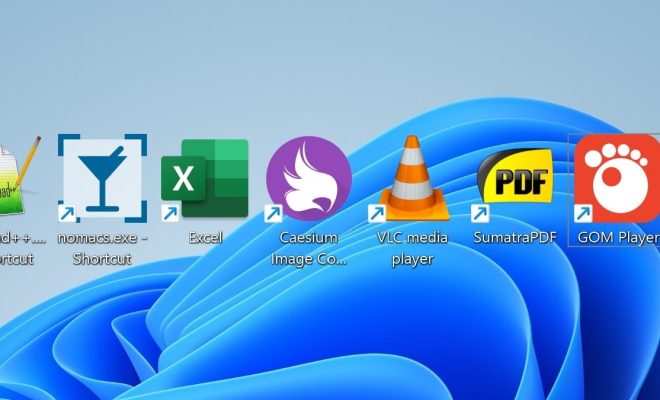
VLC media player is a great tool to use for watching large video files. It’s lightweight and can handle nearly any type of video file format. You can also use VLC’s built-in tools to adjust video playback speed, change the audio settings and add subtitles, making it a great all-round player to support your viewing experience.

2. IrfanView:

IrfanView is an excellent tool for viewing images that are too large for your default image viewer. This powerful software is designed with many built-in editing tools, such as cropping, resizing or adding filters to your pictures. It’s a fast and reliable software that can handle large file sizes while keeping your computer’s performance running smoothly.

3. Gimp:

Gimp is a powerful photo editing software that can handle high-resolution images and large file sizes. This open-source software offers a variety of tools such as layer masking, colour correction and retouching that allow you to achieve high-quality results. It’s especially great for graphic designers and photographers who often work with large image files.

4. Adobe Acrobat Reader:

For large PDF files, Adobe Acrobat Reader is the best tool to use for a smooth experience. It can handle documents of different sizes and give you the ability to edit, annotate and view content. This lightweight software doesn’t slow down your computer performance and offers features such as converting a document to PDF, password protection and commenting tools.

5. 7-Zip:

7-Zip is an effective compression tool that can handle files of all formats and sizes. It compresses files to a smaller size, making it easier to save and move large files while freeing up disk space. In addition to compressing files, 7-Zip can also unzip files quickly, making it ideal for managing archives, photos and video recordings.

In conclusion, these tools are known for providing optimal performance when viewing and handling large files on Windows without any lag. It’s important to ensure your computer is equipped with the necessary software to handle large files to ensure a smooth user experience. With these tools at your disposal, you should be able to view any files without sacrificing performance.


Previous Article

Tips to Customize the Call Background on ...

Next Article

Ways to Add an App Back to ...

Matthew Lynch

Related articles More from author

  • Digital & Mobile Technology

    Most Useful Alexa Skills of 2023

    July 4, 2023
    By Matthew Lynch
  • Digital & Mobile Technology

    Best Nintendo Switch Controller to Buy

    April 11, 2023
    By Matthew Lynch
  • Digital & Mobile Technology

    How to Fix: My iPad Is Zoomed in or Shows a Magnifying Glass

    July 27, 2023
    By Matthew Lynch
  • Digital & Mobile Technology

    How to Trade Steam Games

    June 4, 2023
    By Matthew Lynch
  • Digital & Mobile Technology

    How to Email a Website Link (URL)

    June 6, 2023
    By Matthew Lynch
  • Digital & Mobile Technology

    How to Get Animated GIFs in Image Searches on Chrome

    June 15, 2023
    By Matthew Lynch

Search

Login & Registration

  • Register
  • Log in
  • Entries feed
  • Comments feed
  • WordPress.org

Newsletter

Signup for The Tech Edvocate Newsletter and have the latest in EdTech news and opinion delivered to your email address!

About Us

Since technology is not going anywhere and does more good than harm, adapting is the best course of action. That is where The Tech Edvocate comes in. We plan to cover the PreK-12 and Higher Education EdTech sectors and provide our readers with the latest news and opinion on the subject. From time to time, I will invite other voices to weigh in on important issues in EdTech. We hope to provide a well-rounded, multi-faceted look at the past, present, the future of EdTech in the US and internationally.

We started this journey back in June 2016, and we plan to continue it for many more years to come. I hope that you will join us in this discussion of the past, present and future of EdTech and lend your own insight to the issues that are discussed.

Newsletter

Signup for The Tech Edvocate Newsletter and have the latest in EdTech news and opinion delivered to your email address!

Contact Us

The Tech Edvocate
910 Goddin Street
Richmond, VA 23231
(601) 630-5238
[email protected]

Copyright © 2025 Matthew Lynch. All rights reserved.