Premiere Rush vs CapCut comparison

“`html
In the bustling world of content creation, video editing has become less of an exclusive craft and more of a daily necessity. From TikToks to YouTube vlogs, Instagram Reels to professional marketing snippets, everyone, it seems, is cutting and stitching footage. This surge in demand has naturally led to a proliferation of editing tools, ranging from the complex and costly to the intuitive and, often, free. Among the most talked-about contenders in the accessible video editing arena are Adobe Premiere Rush and CapCut. While both aim to simplify video production for the masses, they approach this goal from distinctly different angles, making the choice between them a crucial one for creators. Understanding the nuances of Premiere Rush vs CapCut can genuinely make or break your workflow and the final polish of your content. (top AI agents)
Adobe, a titan in creative software, launched Premiere Rush as a streamlined, cross-device version of its professional powerhouse, Premiere Pro. The idea was to bridge the gap between casual mobile editing and desktop-grade precision, offering a consistent experience whether you’re on your phone, tablet, or computer. CapCut, on the other hand, burst onto the scene as a mobile-first application, gaining immense popularity, especially among short-form video creators, thanks to its association with ByteDance, the parent company of TikTok. It’s known for its user-friendliness, trending features, and, perhaps most appealingly, its price tag – free. So, which one is right for you? Let’s break down the essential aspects of Premiere Rush vs CapCut. There’s a fuller look at safety of the CapCut app.
1. Target Audience and Philosophy: Who Are They For?
Adobe Premiere Rush was conceived with the hybrid creator in mind. Think about the vlogger who shoots on their phone, starts editing a rough cut on their tablet during a commute, and then polishes it on their desktop. Rush is built for speed and consistency across platforms, aiming to give you enough power for polished, shareable content without the overwhelming complexity of a full-fledged professional editor like Premiere Pro. It’s designed for social media managers, small business owners, and amateur filmmakers who need to produce high-quality videos quickly and efficiently, often on the go. The philosophy here is about providing a robust, albeit simplified, professional toolset that integrates seamlessly within the Adobe ecosystem.
CapCut, conversely, is unapologetically mobile-first and deeply rooted in the culture of short-form video. Its primary audience is the vast demographic of TikTok and Instagram Reels creators, along with anyone looking for a quick, intuitive way to make engaging videos for social media. CapCut’s design prioritizes ease of use, trending effects, and rapid creation. It doesn’t pretend to be a professional desktop editor; instead, it focuses on empowering users to create viral-ready content directly from their smartphones. This fundamental difference in philosophy — professional-lite vs. social-media-native — shapes almost every other aspect of the Premiere Rush vs CapCut debate.
2. Cost and Accessibility: Free vs. Subscription
This is often the first and most significant differentiator for many users. CapCut is entirely free to download and use, offering a comprehensive suite of features without any hidden costs or premium subscriptions for its core functionalities. This zero-cost entry point has been a major factor in its explosive growth, especially among younger creators and those on a tight budget. You get access to a vast library of effects, transitions, music, and templates without ever opening your wallet. While it does offer some optional premium features, its free version is incredibly robust, making it accessible to virtually anyone with a smartphone.
Premiere Rush, being an Adobe product, operates on a different model. While there is a free starter plan that allows for unlimited exports and access to most features, it comes with limitations, particularly concerning cloud storage (2GB) and premium content. To unlock its full potential, including more cloud storage, all premium features, and integration with the wider Adobe Creative Cloud, you’ll need a paid subscription. This can be as a standalone Rush plan or as part of a larger Creative Cloud subscription (e.g., the Adobe Express plan or the full Creative Cloud All Apps plan). This subscription model reflects its position as a more professional-oriented tool, offering a deeper feature set and better integration for those willing to invest.
3. User Interface and Learning Curve: Getting Started
CapCut’s interface is a masterclass in mobile-first design. It’s clean, intuitive, and remarkably easy to navigate, even for complete beginners. The timeline is straightforward, and most tools are readily accessible with a tap. If you’ve ever used another mobile editing app, you’ll likely feel right at home with CapCut. The learning curve is almost non-existent; you can download it and start creating a presentable video within minutes. This simplicity is a huge draw for creators who prioritize speed and don’t want to get bogged down by complex menus or overwhelming options.
Premiere Rush, while significantly simpler than Premiere Pro, still carries some of Adobe’s professional DNA. Its interface is designed for cross-device consistency, which means it looks and feels similar whether you’re on a phone, tablet, or desktop. While it’s more guided than its professional counterpart, there’s a slightly steeper learning curve than with CapCut. You’ll find more advanced color correction tools, audio mixing options, and title templates, which, while powerful, might take a little more time to master for a complete novice. However, for anyone familiar with basic video editing concepts, Rush is still quite approachable, providing a good stepping stone to more advanced Adobe tools.
4. Cross-Platform Capabilities: Edit Anywhere, Anytime
This is where Premiere Rush truly shines and differentiates itself significantly in the Premiere Rush vs CapCut comparison. Rush offers a genuinely seamless cross-platform experience. You can start a project on your iPhone, pick it up on your Android tablet, continue on your Windows laptop, and finish it on your Mac desktop, all with your project files and assets synchronized via Adobe Creative Cloud. This flexibility is invaluable for creators who are constantly on the move or who prefer to switch between devices depending on the task. The interface and functionality remain largely consistent across all supported platforms, ensuring a smooth workflow.
CapCut, while available on various mobile platforms (iOS and Android) and now offering a desktop version, doesn’t provide the same level of integrated cloud-syncing for projects. While you can edit on both mobile and desktop, transferring projects between devices isn’t as seamless as with Rush. Typically, you’d export a finished video from one device to use it on another, rather than picking up an in-progress project exactly where you left off. The desktop version of CapCut aims to bring its mobile magic to larger screens, but the cohesive, cloud-powered workflow of Rush remains a distinct advantage for multi-device users.
5. Editing Features and Tools: What Can They Do?
Both tools offer the fundamental editing capabilities you’d expect: trimming, splitting, rearranging clips, adding music, text, and basic transitions. However, their depth and focus differ. CapCut excels in providing a vast array of trending effects, filters, stickers, and animated text templates that are perfectly suited for short-form social media content. Its auto-captioning feature is incredibly accurate and easy to use, and its keyframe animation capabilities allow for dynamic visual effects. You’ll also find popular features like speed ramping, body effects, and green screen capabilities that are simple to implement. (See: overview of video editing software.)
Premiere Rush, while perhaps not as overflowing with viral-ready effects as CapCut, offers a more robust set of core editing tools. It provides greater control over color correction with professional-grade presets and manual adjustments, more precise audio mixing with noise reduction and auto-ducking features, and customizable motion graphics templates from Adobe Stock. The ability to easily roundtrip projects to Premiere Pro for more advanced editing is also a significant advantage for those who might eventually need professional-level refinement. Rush focuses on quality and control, offering a more ‘mini-professional’ editing experience.
6. Audio Editing Capabilities: Sounding Good
Audio is half the video, and both tools understand this, though they approach it differently. CapCut provides a vast library of trending music and sound effects, making it easy to find the perfect audio track for your short videos. It also offers basic volume adjustments, fade-ins/outs, and voiceover recording. A standout feature is its ability to extract audio from videos and its robust auto-generated captions, which are incredibly useful for accessibility and engagement on social platforms.
Premiere Rush offers a more sophisticated audio toolkit. You get multi-track audio editing, allowing you to layer music, voiceovers, and sound effects with greater control. Rush includes essential audio cleanup tools like noise reduction and echo reduction, which can significantly improve the quality of your recorded audio. Its ‘Auto-Ducking’ feature intelligently lowers background music when dialogue is present, ensuring your spoken word remains clear and prominent. For those who care deeply about sound quality and mixing, Rush provides a more comprehensive set of controls.
7. Integration and Ecosystem: Part of a Bigger Picture
The Adobe ecosystem is a powerful draw for Premiere Rush. If you’re already using other Adobe products like Photoshop, Lightroom, or Premiere Pro, Rush fits seamlessly into your workflow. Projects started in Rush can be easily opened and further refined in Premiere Pro, leveraging the full power of professional editing. This integration means consistent color profiles, font access, and asset management across your creative suite. For freelancers, agencies, or serious content creators, being part of this ecosystem offers unparalleled flexibility and scalability.
CapCut, while not part of a vast creative suite like Adobe’s, has its own significant integration point: TikTok. Its close ties to the short-form video giant mean that features and trends often appear in CapCut first, making it the go-to app for creating viral content specifically for TikTok. This direct pipeline to the most popular short-video platform is a major advantage for its target demographic. While it doesn’t offer deep integration with other professional tools, its connection to TikTok means it’s always optimized for the latest social media trends and formats.
8. Performance and Stability: Smooth Sailing or Stuttering?
Performance can vary significantly based on your device and the complexity of your project. CapCut is generally well-optimized for mobile devices, offering smooth performance for most short-form video projects. Its desktop version also performs admirably for typical social media edits. Given its free nature and widespread use, the developers are quite responsive to bugs and release frequent updates, which helps maintain stability.
Premiere Rush, as a more feature-rich application, can sometimes demand a bit more from your device, especially on older smartphones or tablets. However, its desktop versions are generally very stable and perform well on modern computers. Adobe regularly updates Rush, bringing performance improvements and bug fixes. The cross-platform syncing, while incredibly convenient, relies on a stable internet connection for optimal performance, which is something to keep in mind if you’re frequently editing in areas with spotty Wi-Fi. In the Premiere Rush vs CapCut debate on stability, both are generally reliable, but Rush’s demands might be slightly higher due to its more advanced capabilities.
9. Export Options and Quality: Sharing Your Work
Both editors provide suitable export options for social media. CapCut offers straightforward export settings, allowing you to choose resolution (up to 4K, depending on your device) and frame rate. It also has direct sharing options to TikTok and other social platforms, streamlining the posting process. The quality of exported videos is generally very good, perfectly suitable for online consumption.
Premiere Rush offers more granular control over export settings, including custom resolution, frame rate, and bitrate, which can be important for maintaining specific quality standards or optimizing file size. It also includes presets for various social platforms like YouTube, Facebook, and Instagram, helping you optimize your video for each specific channel. While it also offers direct sharing, the added control gives creators more flexibility over their final output, ensuring the video meets precise technical requirements if needed.
10. Overall Verdict: Premiere Rush vs CapCut
So, after weighing all these points, which one should you choose in the Premiere Rush vs CapCut showdown? The answer, as is often the case in tech, depends entirely on your specific needs, budget, and workflow. If you’re a casual creator, a TikTok enthusiast, or someone who needs to churn out engaging short videos quickly and for free, CapCut is an undeniable powerhouse. Its intuitive interface, vast library of trendy effects, and zero-cost entry make it the undisputed champion for mobile-first, social media-driven content creation. You simply can’t beat the value and accessibility it offers.
However, if you’re looking for a more professional-leaning tool, value cross-platform continuity, need more precise control over color and audio, or are already invested in the Adobe ecosystem, Premiere Rush is the superior choice. It offers a more robust editing experience, a seamless workflow across devices, and the ability to scale up to Premiere Pro for truly advanced projects. While it comes with a subscription cost, the added features and integration often justify the expense for serious content creators, small businesses, and those who prioritize a more polished, consistent output. Ultimately, both are excellent tools, but they cater to different creative journeys, proving that the best editor isn’t always the most powerful, but the one that best fits your hands. See also top schools for cinematography.
11. Community and Resources: Learning and Growing
When you’re trying to master new software, the availability of learning resources and a supportive community can make a huge difference. Both Premiere Rush and CapCut have active user bases, but their resource landscapes look quite different. (See: importance of video editing tools.)
CapCut, thanks to its immense popularity among social media users, has a sprawling, organic community. You’ll find countless tutorials on TikTok, YouTube, and Instagram, often from other creators demonstrating how to achieve specific viral effects or editing styles. These tutorials are usually short, direct, and incredibly practical for social media trends. There are also many fan-made templates and sound libraries shared within the community. The learning is largely peer-to-peer, driven by the app’s dynamic, trend-focused nature.
Premiere Rush, on the other hand, benefits from Adobe’s extensive official support and a more structured learning environment. Adobe offers official tutorials, documentation, and a robust user forum. Because it’s part of a larger professional ecosystem, many resources for Premiere Pro also translate in some way to Rush, particularly regarding core editing concepts. There’s also a strong community of professional and semi-professional editors who share tips and tricks, often focusing on more technical aspects like color grading workflows or efficient audio mixing. If you prefer structured learning and official guidance, Rush offers a more traditional educational path.
12. Future Development and Trends: Staying Current
The world of video editing, especially for social media, moves at lightning speed. An editor’s ability to adapt and introduce new features can be a critical factor in its long-term utility.
CapCut, with its direct lineage to ByteDance and TikTok, is incredibly agile when it comes to adopting and even setting trends. New effects, sounds, and templates often appear in CapCut in sync with, or even ahead of, what’s trending on TikTok. This makes it an ideal tool for creators who need to stay on the cutting edge of social media aesthetics. You can expect frequent updates focused on new filters, AI-powered features (like background removal or style transfers), and integrations that enhance its social sharing capabilities.
Premiere Rush also receives regular updates, but its development trajectory is typically geared towards enhancing its ‘pro-lite’ capabilities and improving workflow efficiency within the Adobe Creative Cloud ecosystem. This means updates might focus on better performance, more refined audio tools, new professional-grade motion graphics templates, or deeper integration with other Adobe apps. While it won’t chase every fleeting social media trend, it aims to provide a stable, powerful, and evolving toolset for creators who prioritize quality and consistent branding across platforms.
13. Privacy and Data Handling: An Important Consideration
In our increasingly data-conscious world, it’s worth considering how these applications handle your data, especially since one is free and the other is subscription-based.
CapCut, being a free app from a Chinese company (ByteDance), has faced scrutiny regarding data privacy, similar to its sibling TikTok. While CapCut states it collects user data to improve services and for advertising, and that data is stored on servers in Singapore and the United States, concerns about data access by the Chinese government have been raised by some governments and privacy advocates. Users should review CapCut’s privacy policy carefully and consider their comfort level with these data practices, especially if working with sensitive content.
Adobe Premiere Rush, as part of the Adobe Creative Cloud suite, operates under Adobe’s privacy policy. Adobe is a US-based company with a long history of serving creative professionals, and its data handling practices are generally aligned with industry standards for paid software. User content is typically stored securely in the Adobe Creative Cloud, and Adobe emphasizes its commitment to user privacy and data security. For creators who prioritize robust privacy policies and operate within specific regulatory frameworks (like GDPR), Adobe’s established reputation might offer more peace of mind.
FAQ: Premiere Rush vs CapCut
Q1: Can I use Premiere Rush or CapCut for professional projects?
Premiere Rush: Yes, absolutely. While it’s a simplified version of Premiere Pro, Rush is designed for professional-looking output. Small businesses, vloggers, and social media managers often use it for marketing videos, quick explainers, and daily content. Its integration with Premiere Pro means you can start a project in Rush and move it to the full professional editor for advanced refinement.
CapCut: For professional social media content, yes, CapCut is widely used. Many influencers and brands use CapCut to create engaging, trending short-form videos for platforms like TikTok and Instagram Reels. However, for more traditional professional projects like documentaries, commercials, or feature films, CapCut lacks the depth of features, multi-camera editing, and advanced color grading tools found in professional desktop editors. (See: CapCut's rise in popularity.)
Q2: Which editor is better for beginners?
CapCut is generally considered much easier for complete beginners. Its mobile-first design, intuitive interface, and focus on trending, pre-built effects mean you can start creating presentable videos almost immediately without any prior editing experience. Premiere Rush is also beginner-friendly compared to full professional editors, but it has a slightly steeper learning curve and offers more manual controls that might initially overwhelm a total novice.
Q3: Do I need an internet connection to use them?
CapCut: You generally need an internet connection to download new effects, music, and templates, and to share your finished videos. However, basic editing (trimming, cutting, adding already downloaded assets) can often be done offline once the app and core assets are on your device.
Premiere Rush: An internet connection is crucial for cloud syncing projects across devices, accessing premium content, and for the initial download and license verification. While you can do some offline editing, the cross-platform advantage of Rush heavily relies on consistent internet access to keep your projects synchronized and accessible everywhere.
Q4: Can I remove watermarks from my videos?
CapCut: Yes, by default, CapCut includes an outro with its logo. However, before exporting, the app usually gives you an option to delete this outro. So, you can easily export videos without a CapCut watermark for free.
Premiere Rush: Premiere Rush videos do not have a watermark, even with the free starter plan. Your exports will be clean, reflecting Adobe’s more professional approach.
Q5: Is it possible to collaborate on projects with either tool?
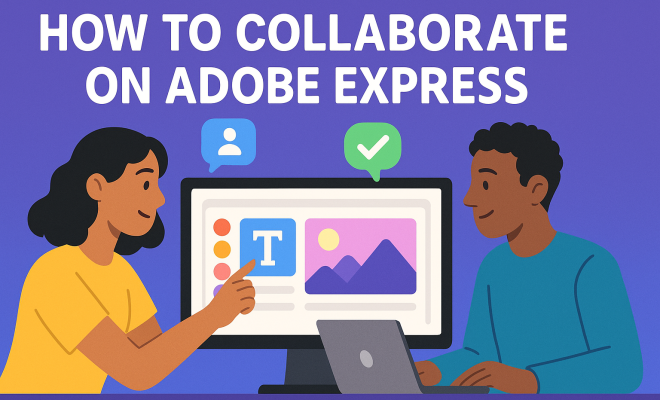
Neither Premiere Rush nor CapCut offers robust real-time collaborative editing features in the way professional tools like DaVinci Resolve Studio or some cloud-based platforms do. With Rush, you can share project files via the Creative Cloud, allowing team members to open and edit the same project sequentially on their own devices. For CapCut, collaboration is more about sharing exported videos or assets, rather than working on the same editable project file simultaneously.
Q6: Which one offers better stock media options?
CapCut: CapCut provides an extensive library of free music, sound effects, stickers, and video templates that are highly curated for social media trends. This built-in library is a huge advantage for quick content creation.
Premiere Rush: Rush offers access to a more professional-grade library of royalty-free audio and motion graphics templates through Adobe Stock, especially with a paid Creative Cloud subscription. While it might not be as “trendy” as CapCut’s offerings, it provides higher quality and more customizable options suitable for diverse projects. You can also easily import assets from other Adobe apps like Photoshop or Lightroom.
“`
Trending Now
Frequently Asked Questions
What is the difference between Premiere Rush and CapCut?
Premiere Rush is designed for hybrid creators with a focus on cross-device editing, while CapCut is a mobile-first app popular among short-form video creators. Rush offers a more professional editing experience, whereas CapCut is user-friendly and free, catering to casual users.
Is Adobe Premiere Rush worth it?
Adobe Premiere Rush is worth it for creators who need a versatile editing tool that works seamlessly across devices. It provides a streamlined experience that bridges mobile and desktop editing, making it ideal for vloggers and content creators on the go.
Why is CapCut so popular?
CapCut's popularity stems from its user-friendly interface, trendy features, and the fact that it is free to use. Its association with TikTok also boosts its appeal among short-form video creators looking for quick and efficient editing options.
Can you use Premiere Rush on mobile devices?
Yes, Adobe Premiere Rush is designed to be used on mobile devices. It offers a consistent editing experience across smartphones, tablets, and desktops, allowing creators to start editing on one device and continue on another without losing progress.
What types of videos is CapCut best for?
CapCut is best for creating short-form videos, such as TikToks and Instagram Reels. Its features are tailored to quick edits and trendy content, making it a favorite among users looking to produce engaging videos rapidly.
What's your take on this? Share your thoughts in the comments below — we read every one.