The Tech Edvocate

Top Menu

  • Advertisement
  • Apps
  • Home Page
  • Home Page Five (No Sidebar)
  • Home Page Four
  • Home Page Three
  • Home Page Two
  • Home Tech2
  • Icons [No Sidebar]
  • Left Sidbear Page
  • Lynch Educational Consulting
  • My Account
  • My Speaking Page
  • Newsletter Sign Up Confirmation
  • Newsletter Unsubscription
  • Our Brands
  • Page Example
  • Privacy Policy
  • Protected Content
  • Register
  • Request a Product Review
  • Shop
  • Shortcodes Examples
  • Signup
  • Start Here
    • Governance
    • Careers
    • Contact Us
  • Terms and Conditions
  • The Edvocate
  • The Tech Edvocate Product Guide
  • Topics
  • Write For Us
  • Advertise

Main Menu

  • Start Here
    • Our Brands
    • Governance
      • Lynch Educational Consulting, LLC.
      • Dr. Lynch’s Personal Website
      • Careers
    • Write For Us
    • The Tech Edvocate Product Guide
    • Contact Us
    • Books
    • Edupedia
    • Post a Job
    • The Edvocate Podcast
    • Terms and Conditions
    • Privacy Policy
  • Topics
    • Assistive Technology
    • Child Development Tech
    • Early Childhood & K-12 EdTech
    • EdTech Futures
    • EdTech News
    • EdTech Policy & Reform
    • EdTech Startups & Businesses
    • Higher Education EdTech
    • Online Learning & eLearning
    • Parent & Family Tech
    • Personalized Learning
    • Product Reviews
  • Advertise
  • Tech Edvocate Awards
  • The Edvocate
  • Pedagogue
  • School Ratings

logo

The Tech Edvocate

  • Start Here
    • Our Brands
    • Governance
      • Lynch Educational Consulting, LLC.
      • Dr. Lynch’s Personal Website
        • My Speaking Page
      • Careers
    • Write For Us
    • The Tech Edvocate Product Guide
    • Contact Us
    • Books
    • Edupedia
    • Post a Job
    • The Edvocate Podcast
    • Terms and Conditions
    • Privacy Policy
  • Topics
    • Assistive Technology
    • Child Development Tech
    • Early Childhood & K-12 EdTech
    • EdTech Futures
    • EdTech News
    • EdTech Policy & Reform
    • EdTech Startups & Businesses
    • Higher Education EdTech
    • Online Learning & eLearning
    • Parent & Family Tech
    • Personalized Learning
    • Product Reviews
  • Advertise
  • Tech Edvocate Awards
  • The Edvocate
  • Pedagogue
  • School Ratings
  • A Visitor’s Guide to Fresno (CA), United States

  • A Visitors Guide to New Orleans (LA), United States

  • A Visitors Guide to Sacramento (CA), United States

  • A Visitors Guide to Lyon, France

  • JisuLife Ultra2 Portable Fan: A Powerful Multi-Function Cooling Solution

  • A Visitors Guide to Viña del Mar, Chile

  • A Visitors Guide to Århus, Denmark

  • A Visitors Guide to Bakersfield (CA), United States

  • A Visitors Guide to Aurora (CO), United States

  • A Visitor’s Guide to Toledo (OH), United States

Digital & Mobile Technology
Home›Digital & Mobile Technology›PayPal for Beginners

PayPal for Beginners
By Matthew Lynch
June 10, 2023
0
Spread the love

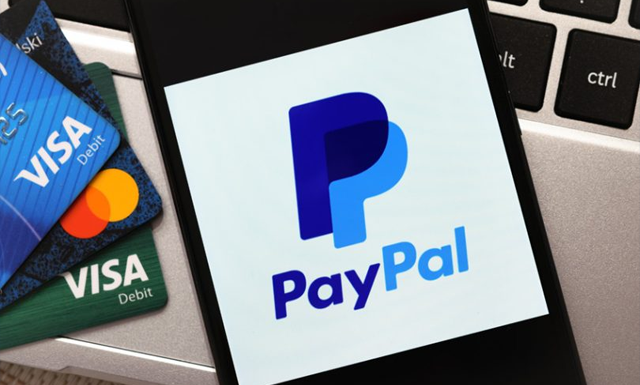
PayPal is one of the biggest online payment systems in the world. The platform allows businesses and individuals to send and receive payments online. With PayPal, transactions are done securely, and users can use their accounts to pay for goods and services at various merchants online. In this article, we will discuss PayPal for beginners and how to set up and use the platform.

How Does PayPal Work?

PayPal functions as a digital wallet, allowing users to store funds and link their bank cards, debit cards, and bank accounts to their profiles. You can add funds to your PayPal account, send money to friends or merchants, and withdraw funds to your bank account.

PayPal is free to use, and the platform charges a transaction fee for each transfer. The cost of the transaction will depend on the amount of money you’re sending, the currency of the transaction, and where the money is going.

How to Set Up a PayPal Account?

Setting up a PayPal account is quick and easy, and you can get started in a few simple steps:

1. Go to www.paypal.com and click on the sign-up button.

2. Select the account type – Personal or Business.

3. Fill out the account registration form with your name, address, phone number, and email address.

4. Verify your email address by clicking on the link that PayPal sends to you.

5. Link a funding source to your account, such as a bank account, debit/credit card.

6. After linking your funding source, PayPal will request additional information to verify your identity.

7. Once your account is verified, you’ll be ready to start using PayPal to send and receive payments online.

How to Use PayPal?

Using PayPal to send and receive payments is straightforward:

1. Log in to your PayPal account and click on the “Send & Request” tab.

2. Enter the recipient’s email address or phone number, the amount you want to send, and the currency.

3. Select the funding source – either your balance, bank account, or a linked card.

4. Add a note to your payment and click on the “Send” button.

Once you’ve sent the payment, the recipient will receive an email notification alerting them that the funds are available.

To receive payments, you need to provide the sender with your PayPal email address, and they can transfer the funds directly to your account.

Conclusion

PayPal is an excellent option for individuals and businesses seeking an easy and secure way to send and receive payments online. With a few simple steps, users can set up their accounts and start using the platform. Follow the guide above, and you’re on your way to participating in the ever-growing e-commerce world.

Previous Article

How to Use the Walmart Grocery App

Next Article

How to Use Files App to Manage ...

Matthew Lynch

Related articles More from author

  • Digital & Mobile Technology

    How to Fix Common Car Amp Problems

    June 23, 2023
    By Matthew Lynch
  • Digital & Mobile Technology

    Best 15-Inch Gaming and Work Laptop

    April 10, 2023
    By Matthew Lynch
  • Digital & Mobile Technology

    What Is Shareware?

    July 15, 2023
    By Matthew Lynch
  • Digital & Mobile Technology

    How to Install and Use HACS in Home Assistant

    June 12, 2023
    By Matthew Lynch
  • Digital & Mobile Technology

    My Mouse Won’t Work! How Do I Fix It?

    June 6, 2023
    By Matthew Lynch
  • Digital & Mobile Technology

    What is Garbage In, Garbage Out (GIGO)?

    May 21, 2023
    By Matthew Lynch

Search

Login & Registration

  • Register
  • Log in
  • Entries feed
  • Comments feed
  • WordPress.org

Newsletter

Signup for The Tech Edvocate Newsletter and have the latest in EdTech news and opinion delivered to your email address!

About Us

Since technology is not going anywhere and does more good than harm, adapting is the best course of action. That is where The Tech Edvocate comes in. We plan to cover the PreK-12 and Higher Education EdTech sectors and provide our readers with the latest news and opinion on the subject. From time to time, I will invite other voices to weigh in on important issues in EdTech. We hope to provide a well-rounded, multi-faceted look at the past, present, the future of EdTech in the US and internationally.

We started this journey back in June 2016, and we plan to continue it for many more years to come. I hope that you will join us in this discussion of the past, present and future of EdTech and lend your own insight to the issues that are discussed.

Newsletter

Signup for The Tech Edvocate Newsletter and have the latest in EdTech news and opinion delivered to your email address!

Contact Us

The Tech Edvocate
910 Goddin Street
Richmond, VA 23231
(601) 630-5238
[email protected]

Copyright © 2025 Matthew Lynch. All rights reserved.