The Tech Edvocate

Top Menu

  • Advertisement
  • Apps
  • Home Page
  • Home Page Five (No Sidebar)
  • Home Page Four
  • Home Page Three
  • Home Page Two
  • Home Tech2
  • Icons [No Sidebar]
  • Left Sidbear Page
  • Lynch Educational Consulting
  • My Account
  • My Speaking Page
  • Newsletter Sign Up Confirmation
  • Newsletter Unsubscription
  • Our Brands
  • Page Example
  • Privacy Policy
  • Protected Content
  • Register
  • Request a Product Review
  • Shop
  • Shortcodes Examples
  • Signup
  • Start Here
    • Governance
    • Careers
    • Contact Us
  • Terms and Conditions
  • The Edvocate
  • The Tech Edvocate Product Guide
  • Topics
  • Write For Us
  • Advertise

Main Menu

  • Start Here
    • Our Brands
    • Governance
      • Lynch Educational Consulting, LLC.
      • Dr. Lynch’s Personal Website
      • Careers
    • Write For Us
    • The Tech Edvocate Product Guide
    • Contact Us
    • Books
    • Edupedia
    • Post a Job
    • The Edvocate Podcast
    • Terms and Conditions
    • Privacy Policy
  • Topics
    • Assistive Technology
    • Child Development Tech
    • Early Childhood & K-12 EdTech
    • EdTech Futures
    • EdTech News
    • EdTech Policy & Reform
    • EdTech Startups & Businesses
    • Higher Education EdTech
    • Online Learning & eLearning
    • Parent & Family Tech
    • Personalized Learning
    • Product Reviews
  • Advertise
  • Tech Edvocate Awards
  • The Edvocate
  • Pedagogue
  • School Ratings

logo

The Tech Edvocate

  • Start Here
    • Our Brands
    • Governance
      • Lynch Educational Consulting, LLC.
      • Dr. Lynch’s Personal Website
        • My Speaking Page
      • Careers
    • Write For Us
    • The Tech Edvocate Product Guide
    • Contact Us
    • Books
    • Edupedia
    • Post a Job
    • The Edvocate Podcast
    • Terms and Conditions
    • Privacy Policy
  • Topics
    • Assistive Technology
    • Child Development Tech
    • Early Childhood & K-12 EdTech
    • EdTech Futures
    • EdTech News
    • EdTech Policy & Reform
    • EdTech Startups & Businesses
    • Higher Education EdTech
    • Online Learning & eLearning
    • Parent & Family Tech
    • Personalized Learning
    • Product Reviews
  • Advertise
  • Tech Edvocate Awards
  • The Edvocate
  • Pedagogue
  • School Ratings
  • The Brutal Truth: 8 Lies Scammers Tell About Your Student Loans

  • New Student Loan Rules: The Shocking Truth About 2026 Relief Programs

  • New Repayment Plan Changes Trigger Student Loan Scam Epidemic

  • Why Millions Are Ditching Degrees for This One Skill-Boosting Secret

  • The Quiet Revolution: How Micro-Credentials Are Reshaping Tech Careers

  • Why 96% of Employers Are Now Demanding Micro-Credentials

  • This One Incident Exposed How Vulnerable Your Student Data Really Is

  • The Brutal Truth About EdTech Security: 10 Solutions to Prevent Another Canvas LMS Disaster

  • The Billion-User Data Heist: Why Your Child’s School Data Is Under Attack

  • This Crucial Mistake Is Killing Your Tech Career (It’s Not What You Think)

Digital & Mobile Technology
Home›Digital & Mobile Technology›NTFS, FAT, exFAT: Windows 10 File Systems Explained

NTFS, FAT, exFAT: Windows 10 File Systems Explained
By Matthew Lynch
June 12, 2023
0
Spread the love

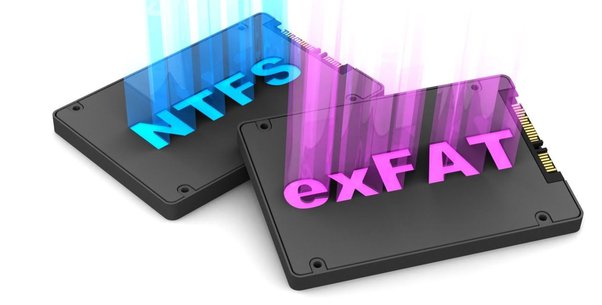
Windows 10 comes with three file systems namely NTFS, FAT, and exFAT. These file systems play a crucial role in the provision of file management in the operating system. Essentially, a file system is a technique that is used to organize, manage, and store files on a storage device. It is an underlying structure that connects the physical storage with the operating system.

NTFS (New Technology File System)

NTFS is the default file system used by Windows 10. It was created by Microsoft to replace FAT and HPFS file systems. NTFS is a high-performance file system that is known for its ability to enforce security policies, large file system support, and robustness. It also has recovery features and support for disk quotas. NTFS uses advanced data structures to organize data and files on a hard disk, making it more efficient and faster than other file systems.

One of the significant advantages of using NTFS is its support for encryption, enabling users to keep their data secure. The file system can encrypt individual files or entire folder trees. It also supports user account control and access control lists, preventing unauthorized access to files and folders.

FAT (File Allocation Table)

The FAT file system has been used in personal computers for decades. It was originally created in the 1970s to handle small floppy disks. The FAT file system has undergone several changes over the years, but it is still commonly used in removable storage devices such as USB drives and SD cards.

FAT is a simple file system that is compatible with multiple operating systems. It uses a file allocation table to organize files and folders on a disk. The file allocation table is a data structure that keeps track of the location of each file on the disk. However, FAT lacks some of the advanced features of NTFS, such as encryption, compression, and advanced security policies.

exFAT (Extended File Allocation Table)

Microsoft created exFAT specifically for use with Flash memory devices such as SD cards and USB drives. It has several benefits, including its ability to handle large files, compatibility with various operating systems, and fast performance. It also supports features such as timestamps, encryption, and object IDs.

exFAT’s primary advantage is its ability to handle large files. It can handle files larger than 4GB, which is the maximum size supported by the FAT file system. This makes exFAT suitable for use in situations where large files need to be stored, such as video editing and production workflows.

Conclusion

In conclusion, choosing the right file system is crucial for file management in Windows 10. NTFS is the default file system and offers advanced features such as encryption and security policies, making it an appropriate choice for business and professional use. FAT is simple and compatible with various operating systems, making it suitable for removable storage devices. exFAT is optimized for Flash memory devices and can handle large files efficiently. Understanding the differences between these file systems can help you make informed decisions when selecting the right file system for your storage needs.


Previous Article

How to Use For, While, and Do ...

Next Article

Alternatives to Amazon for Your Online Shopping

Matthew Lynch

Related articles More from author

  • Digital & Mobile Technology

    What Is a Lithophane and How Can You 3D Print One?

    June 6, 2023
    By Matthew Lynch
  • Digital & Mobile Technology

    How to Take Screenshots in Windows 11

    May 29, 2023
    By Matthew Lynch
  • Digital & Mobile Technology

    How to Install Custom Themes and Visual Styles in Windows

    April 27, 2023
    By Matthew Lynch
  • Digital & Mobile Technology

    How to Use the Firefox about:config Option browser.download.folderList

    May 31, 2023
    By Matthew Lynch
  • Digital & Mobile Technology

    Best Writing Apps of 2023

    June 10, 2023
    By Matthew Lynch
  • Digital & Mobile Technology

    Fix Gdiplus.dll Not Found or Missing Errors

    July 31, 2023
    By Matthew Lynch

Search

Login & Registration

  • Log in
  • Entries feed
  • Comments feed
  • WordPress.org

Newsletter

Signup for The Tech Edvocate Newsletter and have the latest in EdTech news and opinion delivered to your email address!

About Us

Since technology is not going anywhere and does more good than harm, adapting is the best course of action. That is where The Tech Edvocate comes in. We plan to cover the PreK-12 and Higher Education EdTech sectors and provide our readers with the latest news and opinion on the subject. From time to time, I will invite other voices to weigh in on important issues in EdTech. We hope to provide a well-rounded, multi-faceted look at the past, present, the future of EdTech in the US and internationally.

We started this journey back in June 2016, and we plan to continue it for many more years to come. I hope that you will join us in this discussion of the past, present and future of EdTech and lend your own insight to the issues that are discussed.

Newsletter

Signup for The Tech Edvocate Newsletter and have the latest in EdTech news and opinion delivered to your email address!

Contact Us

The Tech Edvocate
910 Goddin Street
Richmond, VA 23231
(601) 630-5238
[email protected]

Copyright © 2026 Matthew Lynch. All rights reserved.