The Tech Edvocate

Top Menu

  • Advertisement
  • Apps
  • Home Page
  • Home Page Five (No Sidebar)
  • Home Page Four
  • Home Page Three
  • Home Page Two
  • Home Tech2
  • Icons [No Sidebar]
  • Left Sidbear Page
  • Lynch Educational Consulting
  • My Account
  • My Speaking Page
  • Newsletter Sign Up Confirmation
  • Newsletter Unsubscription
  • Our Brands
  • Page Example
  • Privacy Policy
  • Protected Content
  • Register
  • Request a Product Review
  • Shop
  • Shortcodes Examples
  • Signup
  • Start Here
    • Governance
    • Careers
    • Contact Us
  • Terms and Conditions
  • The Edvocate
  • The Tech Edvocate Product Guide
  • Topics
  • Write For Us
  • Advertise

Main Menu

  • Start Here
    • Our Brands
    • Governance
      • Lynch Educational Consulting, LLC.
      • Dr. Lynch’s Personal Website
      • Careers
    • Write For Us
    • The Tech Edvocate Product Guide
    • Contact Us
    • Books
    • Edupedia
    • Post a Job
    • The Edvocate Podcast
    • Terms and Conditions
    • Privacy Policy
  • Topics
    • Assistive Technology
    • Child Development Tech
    • Early Childhood & K-12 EdTech
    • EdTech Futures
    • EdTech News
    • EdTech Policy & Reform
    • EdTech Startups & Businesses
    • Higher Education EdTech
    • Online Learning & eLearning
    • Parent & Family Tech
    • Personalized Learning
    • Product Reviews
  • Advertise
  • Tech Edvocate Awards
  • The Edvocate
  • Pedagogue
  • School Ratings

logo

The Tech Edvocate

  • Start Here
    • Our Brands
    • Governance
      • Lynch Educational Consulting, LLC.
      • Dr. Lynch’s Personal Website
        • My Speaking Page
      • Careers
    • Write For Us
    • The Tech Edvocate Product Guide
    • Contact Us
    • Books
    • Edupedia
    • Post a Job
    • The Edvocate Podcast
    • Terms and Conditions
    • Privacy Policy
  • Topics
    • Assistive Technology
    • Child Development Tech
    • Early Childhood & K-12 EdTech
    • EdTech Futures
    • EdTech News
    • EdTech Policy & Reform
    • EdTech Startups & Businesses
    • Higher Education EdTech
    • Online Learning & eLearning
    • Parent & Family Tech
    • Personalized Learning
    • Product Reviews
  • Advertise
  • Tech Edvocate Awards
  • The Edvocate
  • Pedagogue
  • School Ratings
  • A Visitors Guide to Long Beach (CA), United States

  • A Visitor’s Guide to Fresno (CA), United States

  • A Visitors Guide to New Orleans (LA), United States

  • A Visitors Guide to Sacramento (CA), United States

  • A Visitors Guide to Lyon, France

  • JisuLife Ultra2 Portable Fan: A Powerful Multi-Function Cooling Solution

  • A Visitors Guide to Viña del Mar, Chile

  • A Visitors Guide to Århus, Denmark

  • A Visitors Guide to Bakersfield (CA), United States

  • A Visitors Guide to Aurora (CO), United States

Digital & Mobile Technology
Home›Digital & Mobile Technology›Mac Browsers You Should Try for Better Productivity

Mac Browsers You Should Try for Better Productivity
By Matthew Lynch
June 23, 2023
0
Spread the love

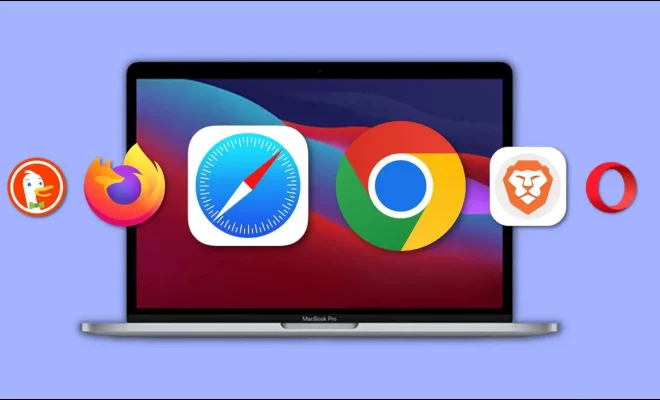
When it comes to browsing the internet on your MacBook, you’re spoilt for choice. Apple’s Safari browser comes as standard, but there’s also Google Chrome, Mozilla Firefox, and a host of lesser-known browsers to try. So, which Mac browsers are worth trying for better productivity? Let’s take a look.

1. Safari

As mentioned, Safari comes as standard on all Macs. It’s well-integrated with Apple’s other software, such as Siri, iCloud, and Apple Pay. Its privacy features are also strong, with Intelligent Tracking Prevention blocking third-party trackers. Safari also has a Reader Mode, which strips away clutter on a webpage and presents the text in an easy-to-read format. With Safari, you can also set up tab groups for better organization.

2. Google Chrome

Chrome is the most popular browser in the world, and for a good reason. It’s fast, versatile, and has a wealth of extensions available in the Chrome Web Store. If you use a lot of Google products, such as Gmail and Google Drive, Chrome’s integration with these services is seamless. Chrome’s Omnibox is also handy, letting you search Google and websites from the same address bar.

3. Mozilla Firefox

Firefox has made a comeback in recent years with a refreshed interface and focused privacy features. One of its standout features is Picture-in-Picture mode, which lets you play videos in a separate, smaller window while you browse other tabs. Firefox also has extensions to make your browsing experience more efficient, such as Pocket, which saves articles to read later, and Multi-Account Containers, which lets you separate tabs and logins for different tasks.

4. Brave

Brave is a relative newcomer to the browser scene but has gained popularity for its privacy-focused ethos. It blocks trackers and ads by default, and its built-in Brave Shields feature speeds up browsing by loading fewer resources. Brave also rewards users with its Basic Attention Token (BAT) for viewing ads, which you can then use to support your favorite websites.

5. Opera

Opera is a lesser-known browser but has some features worth checking out. Its sidebar allows you to access frequently-used tools, such as bookmarks and notes, without having to open a new tab. Opera also has a built-in VPN, which can be handy for secure browsing on public Wi-Fi. For those who like to customize their browser, Opera has a variety of themes to choose from, including dark mode options.

Previous Article

Where to Sell Used Computer Parts

Next Article

Best Free Ancestry Sites to Trace Your ...

Matthew Lynch

Related articles More from author

  • Digital & Mobile Technology

    How to Use Track Changes in Excel

    July 6, 2023
    By Matthew Lynch
  • Digital & Mobile Technology

    Want to change your YouTube channel name? Now you can, and it won’t affect your Gmail

    April 14, 2023
    By Matthew Lynch
  • Digital & Mobile Technology

    Most Common Audio Formats: Which One Should You Use?

    June 22, 2023
    By Matthew Lynch
  • Digital & Mobile Technology

    How to Split an HDMI Signal to Multiple Displays

    August 5, 2023
    By Matthew Lynch
  • Digital & Mobile Technology

    Apps to Lower the Screen Brightness on Your Mac Below the Minimum

    June 22, 2023
    By Matthew Lynch
  • Digital & Mobile Technology

    Is It Worth Grading Your Video Games Collection?

    June 23, 2023
    By Matthew Lynch

Search

Login & Registration

  • Register
  • Log in
  • Entries feed
  • Comments feed
  • WordPress.org

Newsletter

Signup for The Tech Edvocate Newsletter and have the latest in EdTech news and opinion delivered to your email address!

About Us

Since technology is not going anywhere and does more good than harm, adapting is the best course of action. That is where The Tech Edvocate comes in. We plan to cover the PreK-12 and Higher Education EdTech sectors and provide our readers with the latest news and opinion on the subject. From time to time, I will invite other voices to weigh in on important issues in EdTech. We hope to provide a well-rounded, multi-faceted look at the past, present, the future of EdTech in the US and internationally.

We started this journey back in June 2016, and we plan to continue it for many more years to come. I hope that you will join us in this discussion of the past, present and future of EdTech and lend your own insight to the issues that are discussed.

Newsletter

Signup for The Tech Edvocate Newsletter and have the latest in EdTech news and opinion delivered to your email address!

Contact Us

The Tech Edvocate
910 Goddin Street
Richmond, VA 23231
(601) 630-5238
[email protected]

Copyright © 2025 Matthew Lynch. All rights reserved.