The Tech Edvocate

Top Menu

  • Advertisement
  • Apps
  • Home Page
  • Home Page Five (No Sidebar)
  • Home Page Four
  • Home Page Three
  • Home Page Two
  • Home Tech2
  • Icons [No Sidebar]
  • Left Sidbear Page
  • Lynch Educational Consulting
  • My Account
  • My Speaking Page
  • Newsletter Sign Up Confirmation
  • Newsletter Unsubscription
  • Our Brands
  • Page Example
  • Privacy Policy
  • Protected Content
  • Register
  • Request a Product Review
  • Shop
  • Shortcodes Examples
  • Signup
  • Start Here
    • Governance
    • Careers
    • Contact Us
  • Terms and Conditions
  • The Edvocate
  • The Tech Edvocate Product Guide
  • Topics
  • Write For Us
  • Advertise

Main Menu

  • Start Here
    • Our Brands
    • Governance
      • Lynch Educational Consulting, LLC.
      • Dr. Lynch’s Personal Website
      • Careers
    • Write For Us
    • The Tech Edvocate Product Guide
    • Contact Us
    • Books
    • Edupedia
    • Post a Job
    • The Edvocate Podcast
    • Terms and Conditions
    • Privacy Policy
  • Topics
    • Assistive Technology
    • Child Development Tech
    • Early Childhood & K-12 EdTech
    • EdTech Futures
    • EdTech News
    • EdTech Policy & Reform
    • EdTech Startups & Businesses
    • Higher Education EdTech
    • Online Learning & eLearning
    • Parent & Family Tech
    • Personalized Learning
    • Product Reviews
  • Advertise
  • Tech Edvocate Awards
  • The Edvocate
  • Pedagogue
  • School Ratings

logo

The Tech Edvocate

  • Start Here
    • Our Brands
    • Governance
      • Lynch Educational Consulting, LLC.
      • Dr. Lynch’s Personal Website
        • My Speaking Page
      • Careers
    • Write For Us
    • The Tech Edvocate Product Guide
    • Contact Us
    • Books
    • Edupedia
    • Post a Job
    • The Edvocate Podcast
    • Terms and Conditions
    • Privacy Policy
  • Topics
    • Assistive Technology
    • Child Development Tech
    • Early Childhood & K-12 EdTech
    • EdTech Futures
    • EdTech News
    • EdTech Policy & Reform
    • EdTech Startups & Businesses
    • Higher Education EdTech
    • Online Learning & eLearning
    • Parent & Family Tech
    • Personalized Learning
    • Product Reviews
  • Advertise
  • Tech Edvocate Awards
  • The Edvocate
  • Pedagogue
  • School Ratings
  • Cybersecurity vs. Green Energy: Which Path Will Make You Richer in 2026?

  • Why These 10 Renewable Energy Certifications Are Quietly Reshaping Careers by 2026

  • Why Millions Are Rushing to Online Renewable Energy Certifications Right Now

  • August AI vs. USMLE: The Unsettling Future of Medical Licensing

  • One AI’s Perfect USMLE Score Just Blew Up Medical Education As We Know It

  • This AI Just Aced the USMLE: Why Your Medical Career Might Never Be the Same

  • The Quiet Exodus: Why Senior FinTech Developers Are Abandoning Corporate Life

  • The Quiet Revolution: Where Elite FinTech Developers Are Fleeing in 2026

  • The Quiet Exodus: Why Senior FinTech Developers Are Ditching Corporate Life

  • AI Governance Software: Pricing and Features Comparison

Assistive Technology
Home›Assistive Technology›Installing Mac OS Updates From Apple’s App Store

Installing Mac OS Updates From Apple’s App Store
By Matthew Lynch
June 10, 2023
0
Spread the love

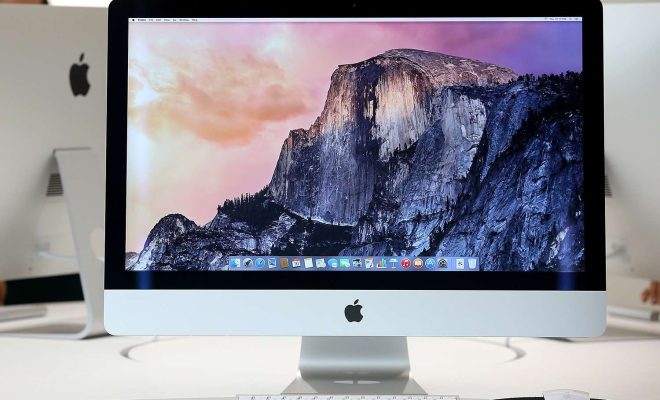
Mac OS updates are essential for maintaining the health and security of your device. Apple regularly releases new software updates for Mac systems via its App Store. These updates can improve your device’s overall functionality and enhance features like security, performance, and stability. This guide is designed to help you understand how to download and install these critical updates on your Mac device.

The first step to installing Mac OS updates from Apple’s App Store is to ensure your system is fully charged or plugged in. This guarantees that the update process will not be interrupted by any power issues that may arise during the update. Secondly, ensure that there is enough available space on your device to download and install the update. It is recommended that you have at least 10GB of free storage for the update to be installed.

To download the update, go to the App Store on your Mac device. You can access the App Store via the Dock or by searching for it in Spotlight Search. If there is an available update, you will see a notification on the App Store icon. Alternatively, you can search for the update by clicking on the “Updates” tab in the top left corner of the App Store.

Once you have found the update, click on the “Update” button. The update will begin to download, and this may take several minutes or even hours, depending on the size of the update and the speed of your internet connection.

After the download is complete, the installation process will start automatically. You will be prompted to agree to the terms and conditions of the update. Click on “Agree” and then follow the instructions provided to complete the installation process. Your Mac device may restart several times during the installation process, which is normal.

Once the installation process is complete, your Mac device will be updated with the latest software version. You can verify that the update was successful by going to the “About This Mac” option in the Apple menu. This will show you the current version of your operating system.

In summary, regularly installing Mac OS updates from the App Store is essential for the health and security of your device. Ensure that you have enough available storage and a stable power source before initiating the update process. To download and install the update, go to the App Store, download the update, and follow the installation instructions. Once the update is complete, you can enjoy the latest features, improved performance, and enhanced security of your Mac device.


Previous Article

How to Reset a Pixel Watch

Next Article

How to Get the Dell Military Discount

Matthew Lynch

Related articles More from author

  • Assistive Technology

    7 Signs It’s Time to Upgrade Your iPhone

    June 6, 2023
    By Matthew Lynch
  • Assistive Technology

    How to Create a Poll on WhatsApp

    June 14, 2023
    By Matthew Lynch
  • Assistive Technology

    How to Type Emojis

    June 11, 2023
    By Matthew Lynch
  • Assistive Technology

    How to Fix Hal.dll Errors in Windows 11, 10, 8, 7 & Vista

    June 23, 2023
    By Matthew Lynch
  • Assistive TechnologyTeachers

    Is a Learning Portal Different from an LMS?

    July 27, 2021
    By Matthew Lynch
  • Assistive Technology

    Ways to Open the Windows Memory Diagnostic Tool

    June 14, 2023
    By Matthew Lynch

Search

Login & Registration

  • Log in
  • Entries feed
  • Comments feed
  • WordPress.org

Newsletter

Signup for The Tech Edvocate Newsletter and have the latest in EdTech news and opinion delivered to your email address!

About Us

Since technology is not going anywhere and does more good than harm, adapting is the best course of action. That is where The Tech Edvocate comes in. We plan to cover the PreK-12 and Higher Education EdTech sectors and provide our readers with the latest news and opinion on the subject. From time to time, I will invite other voices to weigh in on important issues in EdTech. We hope to provide a well-rounded, multi-faceted look at the past, present, the future of EdTech in the US and internationally.

We started this journey back in June 2016, and we plan to continue it for many more years to come. I hope that you will join us in this discussion of the past, present and future of EdTech and lend your own insight to the issues that are discussed.

Newsletter

Signup for The Tech Edvocate Newsletter and have the latest in EdTech news and opinion delivered to your email address!

Contact Us

The Tech Edvocate
910 Goddin Street
Richmond, VA 23231
(601) 630-5238
[email protected]

Copyright © 2026 Matthew Lynch. All rights reserved.