How to verify Instagram account
“`html
In an era where social media presence is a crucial part of personal branding and business growth, the ability to verify your Instagram account can significantly enhance your credibility. But what does it really take to get that coveted blue checkmark? This comprehensive guide will walk you through everything you need to know about getting your Instagram account verified, why it matters, and the practical steps involved.
1. Understanding Instagram Verification
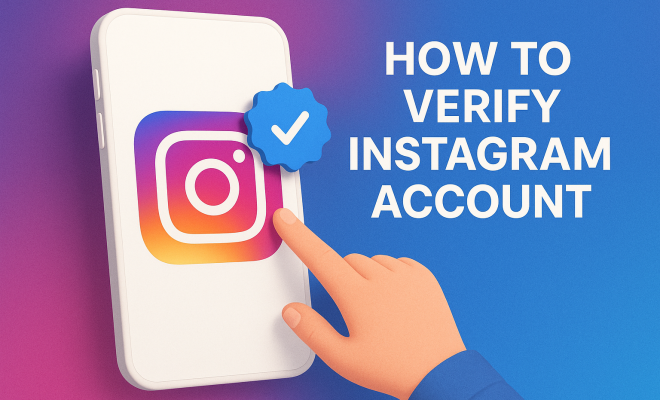
Instagram verification is a process that confirms the authenticity of an account. This is particularly important for public figures, celebrities, brands, and organizations that might be subject to impersonation. The blue badge next to your username signals to users that your account is genuine, thus instilling trust and encouraging engagement.
Verification was introduced to help users easily identify authentic accounts amidst a sea of impersonators. Without this verification, it can be challenging for users to discern the legitimacy of accounts claiming to represent popular figures or brands. Therefore, verifying your Instagram account not only boosts your credibility but can also enhance your visibility in search results.
2. Why Verification Matters
So, why should you bother with the verification process? First and foremost, it adds a layer of authenticity to your brand. For businesses, this can lead to increased trust from potential customers, while for public figures, it can help maintain a personal brand image. Moreover, verified accounts often receive priority in Instagram’s search and recommendation algorithms, which can be a significant advantage in gaining visibility.
Additionally, verified accounts can benefit from advanced features like access to Instagram Insights, which allows you to analyze the demographics and behaviors of your followers. This data can be invaluable for crafting targeted marketing strategies and improving engagement. Lastly, having that blue checkmark can deter impersonators, making it harder for others to misrepresent themselves as you.
3. Eligibility Criteria for Verification
Before you start the verification process, it’s essential to understand Instagram’s eligibility criteria. To qualify, your account must be:
- Authentic: It must represent a real person, registered business, or entity.
- Unique: Only one account per person or business can be verified, with exceptions for language-specific accounts.
- Public: Your account must be set to public and must include a bio, profile photo, and at least one post.
- Notable: Your account must represent a well-known person, brand, or entity. Instagram considers accounts that are featured in multiple news sources.
These criteria are set in place to ensure that verification remains exclusive to accounts that are of significant public interest. Therefore, if you’re a local business or a relatively unknown individual, you might find it challenging to meet the ‘notable’ criterion.
4. How to Prepare for Verification
Preparation is key when it comes to verifying your Instagram account. Start by ensuring your profile is complete and professional. Your bio should succinctly describe who you are or what your business does, and your profile picture should be recognizable. Regularly post high-quality content that engages your audience—this not only boosts your follower count but also your chances of being viewed as notable.
Next, make sure your account adheres to Instagram’s Terms of Service and Community Guidelines. Any violations could jeopardize your chances of verification. Additionally, consider building your online presence outside Instagram. If you have articles, interviews, or features in reputable media outlets, they can significantly bolster your verification application.
5. The Verification Application Process
Once you feel prepared, it’s time to submit your verification request. Here’s how you can do it: (See: Understanding social media verification.)
- Go to your profile and tap on the three horizontal lines in the top right corner.
- Navigate to Settings, then Account, and select Request Verification.
- Fill in the required fields: your account name, account category, and account type.
- Provide a scan of your government-issued ID (for individuals) or a business document (for brands).
- Submit your application.
After submitting, Instagram will review your application, which can take anywhere from a few days to a couple of weeks. During this time, it’s crucial not to submit multiple requests, as it may negatively affect your case.
6. Common Mistakes to Avoid
Getting your Instagram account verified isn’t easy, and there are common pitfalls that applicants often encounter. One of the most significant mistakes is not having a complete profile. An incomplete profile can lead to instant rejection, so ensure your bio, profile picture, and posts are polished and professional.
Another common error is applying too soon. If your account is relatively new or lacks a substantial following, it’s wise to wait until you’ve built a strong online presence. Remember, Instagram prioritizes notable accounts; if you don’t meet this requirement, your chances of approval are slim.
Lastly, if your account has received any violations in the past, it’s crucial to resolve those issues before applying. Any strikes against your account can severely hinder your verification chances.
7. What to Do If You’re Denied
Receiving a denial from Instagram can be disappointing, but it’s essential to understand that this is not the end of the road. First, take the time to evaluate why your request may have been denied. Instagram will provide a brief reason for the denial, which can offer insights into what you need to improve.
Common reasons for denial include not meeting the criteria for notability or having an incomplete profile. If your denial was based on these factors, focus on enhancing your account’s credibility and presence. Consider increasing your media coverage, engaging with followers, and growing your audience organically. You can reapply after 30 days, allowing you time to make the necessary improvements.
8. Alternative Verification Options for Businesses
For businesses, verification is just one aspect of establishing credibility on Instagram. If verification isn’t feasible, consider enhancing your presence through other means. Utilize Instagram Ads to reach a broader audience, collaborate with influencers, and engage in strategic content marketing.
Building partnerships with other reputable brands or establishing a strong customer service presence can also help bolster your brand’s credibility. Focus on creating engaging content that educates and entertains your audience, as authentic engagement can sometimes overshadow the need for verification.
9. Staying Updated on Instagram’s Policies
Instagram frequently updates its policies and procedures, including those related to account verification. It’s essential to stay informed about any changes that could affect your application. Follow official Instagram channels, such as their blog and social media accounts, to keep abreast of the latest news and tips.
Additionally, joining online communities or forums dedicated to Instagram marketing can provide valuable insights and support from others going through the verification process. Sharing experiences can help you learn from others’ successes and mistakes, ultimately making your verification journey smoother.
10. The Benefits of Verification Beyond Credibility
While the blue checkmark certainly adds credibility, there are several additional benefits. Verified accounts often enjoy improved algorithmic treatment, meaning their posts may appear more frequently in user feeds. This can lead to increased engagement rates, which is a crucial factor for brands looking to build a loyal audience. (See: Importance of social media authenticity.)
Moreover, having a verified account can enhance the chances of being featured in Instagram’s Explore section. This section is designed to showcase popular content, and being featured here can lead to a significant boost in visibility. For brands, this means potential new customers discovering your products or services.
If you’re running campaigns or collaborations, having a verified badge can make partnering with other brands easier, as they’re more likely to trust a verified account. This can lead to fruitful collaborations that help expand your reach and enhance brand recognition.
11. Statistics on Instagram Verification
Data shows that verified accounts tend to have higher engagement rates compared to unverified ones. According to a study conducted by a popular social media analytics firm, verified users generally receive 20-25% more engagement on their posts than their unverified counterparts. This underscores the importance of the blue checkmark in enhancing user interaction.
Additionally, a survey indicated that 85% of users are more likely to trust a brand or influencer that is verified, which can have a direct impact on purchasing decisions. As businesses increasingly rely on social media for sales, the trust that comes with verification cannot be overstated.
12. Expert Perspectives on Instagram Verification
Many social media experts emphasize the necessity of verification as part of a comprehensive branding strategy. According to Dr. Amy McCarty, a social media analyst, “Verification not only serves as a trust signal but also aligns with brand integrity. It’s about showing your audience that you are who you say you are and that they can rely on your content.” This insight emphasizes the role of verification in establishing a brand strategy that prioritizes authenticity.
On a similar note, social media strategist Ben Shapiro suggests that, “In today’s digital landscape, every little bit counts. Verification may seem like a minor badge, but it can significantly influence your audience’s perception and trustworthiness. It’s an essential step in the journey of building a strong online presence.”
13. Frequently Asked Questions (FAQ)
What are the main benefits of having a verified Instagram account?
The principal benefits include increased credibility, enhanced visibility in searches and recommendations, access to Instagram Insights, and reduced risk of impersonation. Verified accounts also tend to have higher engagement rates.
Can I apply for verification if my account is private?
No, your account must be set to public in order to apply for verification. This is to ensure that Instagram can assess your activity and authenticity effectively.
How long does the verification process take?
The review process can take anywhere from a few days to several weeks, depending on the volume of applications Instagram is processing. It’s important to be patient during this time. (See: Why Instagram verification matters.)
Can I apply for verification multiple times?
You can apply for verification again after 30 days if your request was denied. Use this time to improve your account and address any issues that led to the denial.
Are there any fees associated with the verification process?
There are no fees for applying for verification on Instagram. Be wary of any third-party services that offer to verify your account for a fee, as these are often scams.
What should I do if I think my account was wrongly denied?
If you believe your account was denied unfairly, take the time to review the reasons provided by Instagram. Ensure you meet all the eligibility criteria before reapplying, and consider gathering more media coverage or enhancing your online presence to strengthen your case.
14. Tips for Increasing Your Notability
Increasing your notability is crucial if you want to stand a better chance at getting verified. Here are some actionable tips:
- Engage with Your Audience: Regularly interacting with your followers can boost your visibility. Respond to comments, host Q&A sessions, and show genuine interest in your audience’s opinions.
- Leverage Other Platforms: Promote your Instagram account on your other social media profiles, websites, and newsletters. Cross-promotion can help you reach more people and build your notability.
- Participate in Events: Attend industry-related events, webinars, or trade shows. Networking can get you featured in articles or social media posts that can enhance your visibility.
- Utilize Hashtags Wisely: Use relevant and trending hashtags to increase the reach of your content. This helps in gaining new followers who may consider you notable.
By implementing these strategies, you can enhance your online presence, making it easier to meet Instagram’s criteria for verification.
15. Common Misconceptions About Instagram Verification
Many myths surround the verification process, and debunking them can help you approach your application more confidently:
- Only Celebrities Can Get Verified: While many verified accounts are celebrities, anyone who meets Instagram’s criteria can apply for verification. You don’t have to be famous to be eligible.
- Verification Equals Instant Fame: Verification doesn’t guarantee followers or engagement. It’s a tool for credibility, but the work still lies in engaging your audience and creating valuable content.
- You Need a Manager or Agent: You don’t need a publicist to get verified. However, they can help you build your online presence and manage your image, which could be beneficial.
- Once Verified, You Can’t Lose It: Verification can be revoked if you violate Instagram’s guidelines or change your account’s authenticity. Maintaining compliance is crucial to keeping the blue badge.
16. Final Thoughts on Instagram Verification
In summary, verifying your Instagram account can significantly bolster your online presence and credibility. By understanding the process, preparing adequately, and avoiding common pitfalls, you can increase your chances of obtaining that sought-after blue checkmark. Whether you’re a public figure or a brand, the benefits of verification can propel your social media strategy to new heights. Embrace the steps discussed, and equip yourself with the knowledge to navigate the verification landscape effectively.
“`
Trending Now
Frequently Asked Questions
What are the requirements to verify an Instagram account?
To verify your Instagram account, you need to have a complete profile, including a profile picture, bio, and at least one post. Your account must represent a real person, registered business, or entity. Instagram also looks for authenticity, uniqueness, completeness, and notability, which means your account should be well-known and frequently searched for.
How long does it take to get Instagram verified?
The verification process on Instagram can take anywhere from a few days to several weeks. After submitting your verification request, Instagram will review your account for authenticity and compliance with their guidelines. You'll receive a notification in your account settings once a decision has been made.
Why should I verify my Instagram account?
Verifying your Instagram account enhances your credibility and signals authenticity to users. It can increase trust among potential customers for businesses and help public figures maintain their brand image. Additionally, verified accounts often receive priority in search results and access to advanced features like Instagram Insights.
What does the blue checkmark mean on Instagram?
The blue checkmark on Instagram indicates that an account has been verified as authentic by the platform. This badge signifies that the account represents a notable public figure, brand, or organization, helping users easily identify genuine accounts amidst impersonators and enhancing trust.
Can anyone get verified on Instagram?
Not everyone can get verified on Instagram, as the platform has specific eligibility criteria. Accounts must be authentic, unique, complete, and notable. Instagram prioritizes verification for public figures, celebrities, brands, and organizations that are at risk of impersonation, making it more challenging for lesser-known users to obtain verification.
What did we miss? Let us know in the comments and join the conversation.