The Tech Edvocate

Top Menu

  • Advertisement
  • Apps
  • Home Page
  • Home Page Five (No Sidebar)
  • Home Page Four
  • Home Page Three
  • Home Page Two
  • Home Tech2
  • Icons [No Sidebar]
  • Left Sidbear Page
  • Lynch Educational Consulting
  • My Account
  • My Speaking Page
  • Newsletter Sign Up Confirmation
  • Newsletter Unsubscription
  • Our Brands
  • Page Example
  • Privacy Policy
  • Protected Content
  • Register
  • Request a Product Review
  • Shop
  • Shortcodes Examples
  • Signup
  • Start Here
    • Governance
    • Careers
    • Contact Us
  • Terms and Conditions
  • The Edvocate
  • The Tech Edvocate Product Guide
  • Topics
  • Write For Us
  • Advertise

Main Menu

  • Start Here
    • Our Brands
    • Governance
      • Lynch Educational Consulting, LLC.
      • Dr. Lynch’s Personal Website
      • Careers
    • Write For Us
    • The Tech Edvocate Product Guide
    • Contact Us
    • Books
    • Edupedia
    • Post a Job
    • The Edvocate Podcast
    • Terms and Conditions
    • Privacy Policy
  • Topics
    • Assistive Technology
    • Child Development Tech
    • Early Childhood & K-12 EdTech
    • EdTech Futures
    • EdTech News
    • EdTech Policy & Reform
    • EdTech Startups & Businesses
    • Higher Education EdTech
    • Online Learning & eLearning
    • Parent & Family Tech
    • Personalized Learning
    • Product Reviews
  • Advertise
  • Tech Edvocate Awards
  • The Edvocate
  • Pedagogue
  • School Ratings

logo

The Tech Edvocate

  • Start Here
    • Our Brands
    • Governance
      • Lynch Educational Consulting, LLC.
      • Dr. Lynch’s Personal Website
        • My Speaking Page
      • Careers
    • Write For Us
    • The Tech Edvocate Product Guide
    • Contact Us
    • Books
    • Edupedia
    • Post a Job
    • The Edvocate Podcast
    • Terms and Conditions
    • Privacy Policy
  • Topics
    • Assistive Technology
    • Child Development Tech
    • Early Childhood & K-12 EdTech
    • EdTech Futures
    • EdTech News
    • EdTech Policy & Reform
    • EdTech Startups & Businesses
    • Higher Education EdTech
    • Online Learning & eLearning
    • Parent & Family Tech
    • Personalized Learning
    • Product Reviews
  • Advertise
  • Tech Edvocate Awards
  • The Edvocate
  • Pedagogue
  • School Ratings
  • Viaim Opennote Review: The AI Note-Taker That Disappears Into Your Daily Routine

  • A Visitors Guide to Long Beach (CA), United States

  • A Visitor’s Guide to Fresno (CA), United States

  • A Visitors Guide to New Orleans (LA), United States

  • A Visitors Guide to Sacramento (CA), United States

  • A Visitors Guide to Lyon, France

  • JisuLife Ultra2 Portable Fan: A Powerful Multi-Function Cooling Solution

  • A Visitors Guide to Viña del Mar, Chile

  • A Visitors Guide to Århus, Denmark

  • A Visitors Guide to Bakersfield (CA), United States

Higher Education EdTechOnline Learning & eLearning
Home›Higher Education EdTech›How to Use the FTP Command on Linux

How to Use the FTP Command on Linux
By Matthew Lynch
March 25, 2023
0
FTP Command on Linux
Spread the love

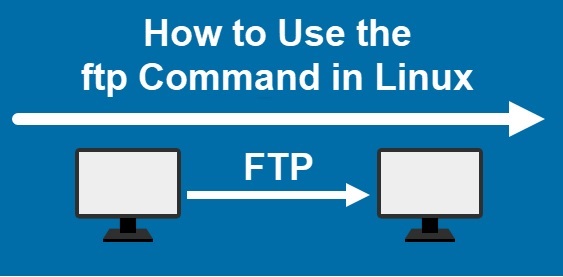
FTP (File Transfer Protocol) is a standard protocol used for transferring files across the internet. It is an efficient and reliable way to transfer files between computers, especially when working with large files or directories. Linux offers a command-line utility known as FTP, which allows users to access FTP servers and transfer files to or from their computers.

Here’s how to use the FTP command on Linux: 

  1. Open a Terminal Window

To use the FTP command, you need to open a terminal window. You can do this by clicking on the terminal icon on your desktop, or you can bring up the terminal window by pressing CTRL+ALT+T on your keyboard.

  1. Connect to an FTP server

To connect to an FTP server, use the command ftp followed by the host name or IP address of the server you want to connect to. For example, to connect to an FTP server with the hostname ftp.example.com, you would execute the following command:

ftp ftp.example.com

You will be prompted to enter a username and password for the FTP server. Enter your credentials to proceed.

  1. Navigate directories on the FTP server

After connecting to the FTP server, change to the directory you want to work with using the cd command. For example, to change to a directory named ‘data’ on the FTP server, you would execute the following command:

cd data

  1. List directories and files on the FTP server

To list directories and files on the FTP server, use the ls command. For example, to list all the files in the ‘data’ directory, you would execute the following command:

ls

  1. Download files from the FTP server

To download a file from the FTP server, use the get command followed by the name of the file you want to download. For example, to download a file named ‘file.txt’ in the ‘data’ directory, you would execute the following command:

get file.txt

This will download the file and save it to your current working directory on your Linux system.

  1. Upload files to the FTP server

To upload a file to the FTP server, use the put command followed by the name of the file you want to upload. For example, to upload a file named ‘file.txt’ to the ‘data’ directory on the FTP server, you would execute the following command:

put file.txt data/file.txt

This will upload the file to the ‘data’ directory on the FTP server.

  1. Disconnect from the FTP server

To disconnect from the FTP server, use the quit command. For example, to disconnect from the FTP server, you would execute the following command:

quit

 Conclusion

Using the FTP command on Linux is a simple and efficient way to transfer files between computers. By following these steps, you can connect to an FTP server, navigate directories, list directories and files, download files from the FTP server, upload files to the FTP server, and disconnect from the FTP server all from your Linux command line.


Previous Article

Voice Over Audio Script Format Tip: Save ...

Next Article

Most Effective Tracking Techniques In Online Learning

Matthew Lynch

Related articles More from author

  • Online Learning & eLearning

    What Is an eBike and How Far Can You Ride on One?

    June 23, 2023
    By Matthew Lynch
  • EdTech NewsHigher Education EdTech

    Explainer: what it will take to make computer science education available in all schools

    September 13, 2016
    By Matthew Lynch
  • Early Childhood & K-12 EdTechHigher Education EdTech

    Harnassing Edtech’s Disruptive Power

    May 29, 2019
    By Matthew Lynch
  • Online Learning & eLearning

    How Amazon’s Cashierless Grocery Stores Actually Work

    June 23, 2023
    By Matthew Lynch
  • Online Learning & eLearning

    What Are Vision Boards? 6 Reasons Why You Should Use One

    June 22, 2023
    By Matthew Lynch
  • Best of the Best ListsEarly Childhood & K-12 EdTechHigher Education EdTech

    The Tech Edvocate’s List of 11 School Communication Apps, Tools & Resources

    July 11, 2017
    By Matthew Lynch

Search

Login & Registration

  • Register
  • Log in
  • Entries feed
  • Comments feed
  • WordPress.org

Newsletter

Signup for The Tech Edvocate Newsletter and have the latest in EdTech news and opinion delivered to your email address!

About Us

Since technology is not going anywhere and does more good than harm, adapting is the best course of action. That is where The Tech Edvocate comes in. We plan to cover the PreK-12 and Higher Education EdTech sectors and provide our readers with the latest news and opinion on the subject. From time to time, I will invite other voices to weigh in on important issues in EdTech. We hope to provide a well-rounded, multi-faceted look at the past, present, the future of EdTech in the US and internationally.

We started this journey back in June 2016, and we plan to continue it for many more years to come. I hope that you will join us in this discussion of the past, present and future of EdTech and lend your own insight to the issues that are discussed.

Newsletter

Signup for The Tech Edvocate Newsletter and have the latest in EdTech news and opinion delivered to your email address!

Contact Us

The Tech Edvocate
910 Goddin Street
Richmond, VA 23231
(601) 630-5238
[email protected]

Copyright © 2025 Matthew Lynch. All rights reserved.