Master Speech-to-Text: Your Ultimate Guide to Voice Typing
“`html
1. Understanding Speech to Text Software
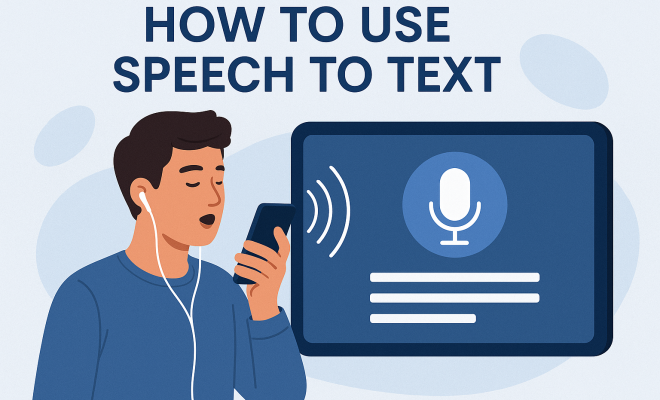
Speech to text software, often called voice recognition software, converts spoken language into written text. This technology has come a long way since its inception, with advancements in artificial intelligence and machine learning propelling its accuracy and usability. Applications range from transcription services to aiding those with disabilities, making it a powerful tool in various fields.
Essentially, this software listens to audio input—whether from a microphone, recording, or a live conversation—and processes it into text. Major players like Google, Microsoft, and Apple have integrated speech to text capabilities in their platforms, making it more accessible than ever. However, understanding its capabilities and limitations is crucial for anyone looking to harness its full potential.
Speech to text software has also seen a significant surge in usage due to the growing demand for remote working tools. As more people work from home, the ability to dictate documents, take notes during virtual meetings, or create content hands-free has made this technology more relevant and essential. Its applications are diverse, serving not just individual users but entire organizations looking to improve productivity and communication.
2. Choosing the Right Software
With numerous options available, selecting the right speech to text software can be daunting. You’ll find free applications like Google Docs Voice Typing, which is perfect for casual users, and more sophisticated platforms like Dragon NaturallySpeaking that cater to professionals requiring high accuracy and customization.
When making your choice, consider factors such as language support, accuracy, integration with other applications, and overall ease of use. Reading through user reviews and testing a few options can help you find the right fit for your needs.
It may also be beneficial to look for software that supports multiple languages and dialects if you work in a multicultural environment. Some programs even allow for regional accents which can enhance their utility in diverse settings.
Another aspect to consider is the pricing model. Some software operates on a subscription basis, while others may require a one-time purchase. Assessing your budget and usage frequency can aid in making a financially sound decision.
Lastly, take note of the customer service and support options that come with the software. Having access to responsive support can make a significant difference, especially if you encounter technical difficulties or have questions about features.
3. Setting Up Your Environment
To maximize the effectiveness of speech to text software, creating an optimal environment is essential. Background noise can significantly impact recognition accuracy. Therefore, choose a quiet space and consider using a high-quality microphone to capture your voice clearly.
Additionally, speaking clearly and at a moderate pace is crucial for the software to accurately transcribe your words. If possible, perform a test run to adjust settings and confirm that your microphone is working correctly before diving into larger dictation tasks.
Consider using soundproofing materials like acoustic panels or noise-canceling headsets to create a distraction-free setting. If you plan on using the software in a public space, be mindful of your surroundings, as this can greatly influence dictation quality.
Also, pay attention to your posture when speaking. Sitting up straight can help project your voice better, allowing the software to pick up nuances more effectively. If you’re standing, ensure your microphone is at an appropriate height to capture your voice without distortion.
4. Learning the Commands
Many speech to text applications come with built-in commands that can enhance productivity. Learning the specific commands can make your dictation process smoother and more efficient. For instance, commands like “new line,” “delete,” or “capitalize” can save you a significant amount of time during editing. (See: Wikipedia on Speech Recognition.)
Familiarize yourself with the software’s command list, as different platforms may have unique features or shortcuts. Many developers provide online resources, including tutorials and documentation, to help users get the most out of their products.
Joining online communities or forums dedicated to specific software can provide invaluable insights and tips from experienced users. This can help you discover hidden features and advanced commands you might not have encountered otherwise.
As you become more comfortable with the commands, try to challenge yourself by using more complex voice commands or even setting up macros that can execute a sequence of commands with a single phrase. This can greatly enhance productivity, especially during long dictation sessions.
5. Improving Accuracy Through Training
Most modern speech to text software includes a training feature that allows the application to learn your unique voice and speech patterns. This training process often involves reading predefined text aloud to the software, which then adapts to your vocal nuances.
Regular use of the software, combined with the training feature, can significantly enhance its accuracy over time. Additionally, if you often utilize specific jargon or phrases, make sure to incorporate those during training to improve the software’s recognition capabilities.
For professionals in specialized fields, using the software to dictate industry-specific terminology can lead to better transcription results. Some users have reported accuracy improvements of up to 98% after consistent practice and training with their software.
Another valuable strategy is to create a personal dictionary within the software. Many applications allow users to add custom words, such as technical terms or names, which can dramatically increase accuracy when dictating. You can also update this dictionary over time as your vocabulary evolves.
6. Utilizing Speech to Text for Productivity
The applications of speech to text software extend beyond simple transcription. Many professionals use it to streamline workflows, from drafting emails to creating extensive reports. Voice commands can enable users to navigate their devices and apps more efficiently, thereby saving time.
Consider employing the software for brainstorming sessions or when you’re experiencing writer’s block. Speaking your ideas aloud can unlock new avenues of creativity that may not arise through traditional typing. Furthermore, it’s a great way to document thoughts on the go, especially when inspiration strikes unexpectedly.
Some professionals use dictation software to manage their to-do lists or set reminders hands-free, which can be particularly helpful in busy or multitasking environments. The integration of speech to text software with productivity tools like project management apps can also enhance collaborative efforts.
Additionally, utilizing speech to text software can significantly benefit individuals with disabilities. For those who find it challenging to use traditional input methods, this technology provides a way to communicate effectively and participate fully in various activities, from academics to professional settings.
Lastly, consider using speech to text software for creating content across multiple platforms. For instance, you can dictate scripts for video content, podcasts, or even social media posts, allowing for a seamless flow of creativity that can enhance your overall output.
7. Staying Current: Trends and Future Developments
The field of speech to text technology is rapidly evolving, with continuous advancements in AI and natural language processing. Companies are working tirelessly to improve accuracy and reduce latency, making real-time transcription more seamless. As of now, industry trends indicate a move towards voice-activated systems that integrate with other smart technologies, making the user experience more intuitive.
Staying informed about these trends can help you leverage the most advanced features available in speech to text software. Subscribe to tech news outlets or follow industry leaders on social media to keep abreast of new developments and updates.
Additionally, machine learning algorithms are becoming increasingly sophisticated, allowing for better context understanding and error correction. This means that as users dictate, the software can anticipate and suggest corrections, leading to even faster and more accurate transcription. (See: NIH on Technology for Communication.)
Recent studies have also highlighted the potential for integration with other technologies, such as augmented reality (AR) and virtual reality (VR). This suggests that in the future, you might be able to interact with speech to text software in immersive environments, further enhancing usability and accessibility.
8. Troubleshooting Common Issues
Despite its benefits, users may encounter issues while using speech to text software. Common problems include poor recognition accuracy, software crashes, or difficulty in installation. To troubleshoot, ensure your microphone is properly configured and that the software is updated to the latest version.
If you’re struggling with accuracy, revisit your environment and try to minimize background noise. Additionally, check for specific settings in the software that may affect recognition, such as language preferences or speech model options. Online forums often provide valuable insights and solutions from other users who have faced similar challenges.
For persistent issues, consider reaching out to the software’s customer support for assistance. They can often provide specific guidance based on your unique setup and usage patterns.
Sometimes, the issue could be related to the hardware you’re using. If you experience consistent problems, testing with a different microphone or headset may yield better results. Don’t hesitate to invest in a quality microphone as it can vastly improve transcription accuracy.
9. Real-World Applications of Speech to Text Software
Speech to text software has countless applications across various sectors. In healthcare, for instance, doctors can record patient notes efficiently, allowing them to focus more on patient care rather than paperwork. In the legal field, transcription services help attorneys record depositions and interviews rapidly and accurately.
Moreover, educators are embracing this technology to assist students with disabilities, providing them with tools to access written content that they might struggle to produce. The versatility of this software continues to broaden as more industries recognize its potential to enhance productivity and accessibility.
In the realm of content creation, bloggers and journalists are utilizing speech to text software to quickly generate drafts for articles, saving them significant time during the writing process. Additionally, content creators can use it to generate captions for videos, making their content more accessible to a broader audience.
In the realm of journalism, for example, reporters can use speech to text software to quickly transcribe interviews, allowing them to focus on gathering information rather than getting bogged down in typing notes. This not only saves time but can also lead to more thorough reporting, as they’ll have more freedom to engage with their sources.
Ultimately, mastering speech to text software can transform how you communicate, create, and consume information. With the right strategies in place, you’ll find that this technology not only saves time but also enhances your overall productivity and creativity.
10. Frequently Asked Questions about Speech to Text Software
What is speech to text software?
Speech to text software is technology that converts spoken language into written text. It utilizes algorithms to analyze audio input and transcribe it accurately into text format.
Is speech to text software accurate?
Accuracy can vary based on several factors, including the quality of the microphone, the clarity of speech, background noise, and the specific software being used. Most modern speech to text applications boast high accuracy rates, often over 90% in ideal conditions.
Can speech to text software understand accents?
Many leading speech to text applications support various accents and dialects. However, the effectiveness can depend on the software’s training data and algorithms. It’s often helpful to select software that allows for accent training or customization. (See: CDC on Voice Recognition Technology.)
Is speech to text software suitable for all industries?
Yes, speech to text software can be beneficial across various industries, including healthcare, legal, education, and content creation. Its ability to increase efficiency and accessibility makes it a valuable tool for professionals in diverse fields.
What are the best speech to text software options available?
Some of the most popular options include Dragon NaturallySpeaking, Google Docs Voice Typing, Microsoft Dictate, and Otter.ai. The best choice often depends on your specific needs, including budget, required features, and accuracy levels.
Can I use speech to text software on mobile devices?
Yes, many speech to text applications are available for mobile devices. Smartphones and tablets often come with built-in voice recognition capabilities that can be utilized for dictation purposes.
How do I improve the accuracy of speech to text software?
Improving accuracy can be achieved by ensuring a quiet environment, using a high-quality microphone, and taking the time to train the software to recognize your voice and speech patterns. Regular practice and testing different settings can also help enhance performance.
What should I look for when choosing speech to text software?
Key factors to consider include accuracy, ease of use, language support, integration capabilities with other tools, and pricing. It’s also beneficial to check for customer reviews and possibly test a few options to find the one that suits your needs the best.
11. Future of Speech to Text Technology
The future of speech to text software is likely to be characterized by even more sophisticated technologies such as deep learning and contextual understanding. With advancements in AI, we can expect software to become more intuitive, learning not just from individual users but also from broader interaction trends across the globe.
We are already witnessing the emergence of features like real-time transcription in video conferencing tools, which indicates a trend toward seamless integration of voice recognition in everyday digital communication. As these technologies improve, they will likely reduce errors, enhance the ability to understand context, and provide personalized recommendations on vocabulary based on user habits.
Imagine a scenario where speech to text software understands the context of a conversation in real-time, adjusting its transcription based on specific jargon or topics being discussed. This level of sophistication could revolutionize industries such as customer service, where accurate transcripts and actionable insights could lead to enhanced user experiences.
Furthermore, as privacy concerns grow, developers are likely to focus on creating more secure speech to text solutions, ensuring that user data is protected while still delivering top-quality performance. This will be essential for businesses that handle sensitive information, providing them the reassurance they need to adopt these technologies confidently.
“`
Trending Now
Frequently Asked Questions
What is speech to text software?
Speech to text software, also known as voice recognition software, converts spoken language into written text. It processes audio input from various sources, turning it into text, and is widely used in applications like transcription, note-taking, and aiding those with disabilities.
How does speech to text technology work?
Speech to text technology uses advanced algorithms and machine learning to analyze spoken language. It listens to audio input—whether from a microphone or recording—and translates it into text, making communication and documentation more efficient.
What are the best speech to text software options?
Popular speech to text software options include Google Docs Voice Typing for casual users and Dragon NaturallySpeaking for professionals requiring high accuracy. Consider factors like language support, accuracy, and ease of use when selecting the best option for your needs.
Why is speech to text software important for remote work?
With the rise of remote work, speech to text software has become essential for dictating documents, taking notes during virtual meetings, and creating content hands-free. It enhances productivity and communication for individuals and organizations alike.
What should I consider when choosing speech to text software?
When choosing speech to text software, consider factors such as language support, accuracy, integration with other applications, and ease of use. Reading user reviews and testing multiple options can help you find the right software for your specific needs.
What did we miss? Let us know in the comments and join the conversation.