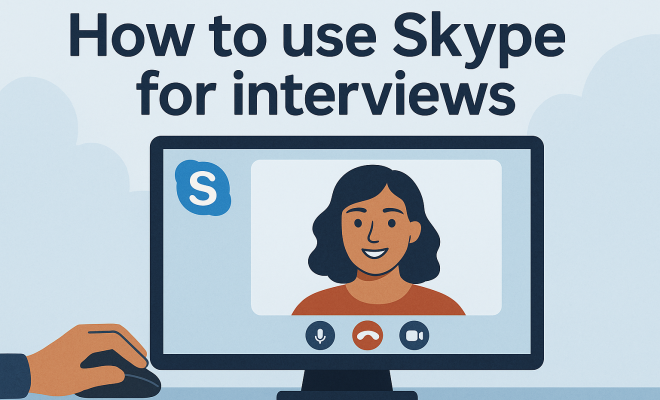
How to use Skype for interviews
“`html
In an increasingly digital world, Skype has emerged as a preferred platform for conducting interviews. Whether you’re a job seeker or an employer, knowing how to navigate a Skype interview can make all the difference in creating a positive first impression. This article will delve into Skype interview tips that will help you maximize your performance and minimize any potential pitfalls.
1. Test Your Technology Ahead of Time
One of the most critical Skype interview tips is to ensure your technology is functioning correctly before the big day. A stable internet connection is vital; you don’t want to be scrambling to fix connectivity issues just moments before your interview. Conducting a test call with a friend or family member can help you identify any audio or visual problems. Remember to check your microphone, webcam, and speakers.
Additionally, familiarize yourself with the Skype interface. Knowing how to mute your microphone, turn off your camera, and share your screen can save you time and embarrassment during the actual interview. Also, don’t forget to close unnecessary applications on your device to enhance performance and minimize distractions.
2. Create a Professional Environment
The environment in which you participate can significantly impact the overall impression you leave. Choose a quiet space with good lighting, preferably during the day when natural light is abundant. Make sure your background is tidy and free from distractions. You want the interviewer’s attention on you, not on clutter or movement happening behind you.
Consider your camera angle as well. Position your laptop or camera at eye level for the most flattering view. This not only enhances your appearance but also fosters a more personal connection with the interviewer, akin to an in-person meeting.
3. Dress Professionally
Even though you’re participating in a video interview from home, dressing as if you were meeting in person is crucial. Opt for professional attire that aligns with the company’s culture. Avoid loud patterns that might be distracting on camera. Instead, choose solid colors that contrast well with your background.
Your appearance plays a significant role in conveying your seriousness and professionalism. A neat, polished look will help instill confidence in your interviewer. Don’t forget to also groom yourself appropriately, as everything from hair to accessories contributes to your professional image.
4. Practice Active Listening
During a Skype interview, it’s essential to engage actively with the interviewer. This means not just hearing their words but also understanding their intent. Nodding, maintaining eye contact, and using verbal affirmations such as “I see” or “That makes sense” can convey attentiveness.
Be aware of the slight delay that can occur during video calls. It’s a good idea to pause briefly before responding to ensure the interviewer has finished speaking. This practice helps avoid talking over each other and can create a smoother conversational flow.
5. Prepare for Common Interview Questions
Just like any interview, preparation is key. Familiarize yourself with common interview questions such as “What are your strengths and weaknesses?” or “Why do you want to work for our company?” Craft thoughtful responses that highlight your experiences while aligning with the job’s requirements.
In addition to standard inquiries, consider how you can address role-specific questions. Research the company and the position, and be ready to discuss how your skills and experiences make you a strong fit. Tailoring your answers to the specific role showcases your interest and preparedness.
6. Use Body Language Effectively
Your body language speaks volumes during a Skype interview. Sit up straight, lean slightly forward, and maintain an open posture to convey confidence and enthusiasm. Avoid crossing your arms, as it can signal defensiveness or discomfort.
Additionally, remember to smile! A genuine smile can create a warm atmosphere that encourages rapport. It’s surprising how much a simple smile can transform the energy of the conversation, making both you and your interviewer feel more at ease. For more on this, see global citizenship with Skype.
7. Have Your Resume and Notes Handy
Unlike a traditional interview, you can have some notes in front of you during a Skype interview. Keep a copy of your resume and any other relevant documents readily accessible. This allows you to refer to specific points or accomplishments without losing your train of thought. (See: CDC guidelines on remote work.)
However, be careful not to appear overly reliant on your notes. Practice your responses to ensure you can discuss your experiences and skills naturally, without reading verbatim. The goal is to have these materials as a backup, not a crutch.
8. Prepare Questions for the Interviewer
A great way to demonstrate your interest in the role and employer is by preparing thoughtful questions for the interviewer. This could range from inquiries about the company culture to specifics about team dynamics and future projects.
Asking questions not only shows your enthusiasm but can also help you assess whether the company aligns with your values and career aspirations. Tailor your questions based on the research you’ve done about the organization and the interviewer’s background.
9. Follow Up After the Interview
Once the interview concludes, don’t forget to send a follow-up email thanking the interviewer for their time. This gesture reinforces your interest in the position and allows you to reiterate any key points that may have come up during the conversation.
In your follow-up, mention something specific that resonated with you during the interview, demonstrating your attentiveness and ability to reflect on the discussion. A well-crafted thank-you note can leave a lasting impression and set you apart from other candidates.
10. Be Yourself
Finally, one of the most important Skype interview tips is to simply be yourself. Authenticity is key. The interview is not just about assessing your skills but also about determining whether you would be a good fit for the company culture.
Let your personality shine through your responses. Be honest about your experiences and aspirations. When you feel comfortable being yourself, it comes across positively, making for a more engaging conversation.
11. Understanding the Company Culture
Before your interview, it’s essential to understand the company culture. Researching the organization’s values, mission statement, and work environment can significantly enhance your interview performance. For instance, if the company promotes teamwork and collaboration, you might want to highlight your experiences working in teams during your conversation.
Look at the company’s social media profiles and website to gain insights into their culture. LinkedIn can also be a great resource to see how employees describe their work environment. This knowledge will not only help you tailor your answers but also formulate questions that resonate with the interviewer about their culture.
12. Time Management and Punctuality
Being on time is crucial in any interview, and Skype is no exception. Aim to log into the platform at least five minutes early, allowing time to troubleshoot any last-minute technical issues. It also shows your interviewer that you respect their time.
On the other hand, manage the time allocated for your responses. While you want to provide detailed answers, be mindful of not rambling. Stick to the point, and keep your responses concise to maintain the interviewer’s attention.
13. Utilizing Skype Features Wisely
Skype offers several features that can enhance your interview experience. For example, the screen sharing function can be useful if you’re discussing a portfolio or a project. Familiarize yourself with how to use these features prior to the interview so you can use them effectively if the situation arises.
Be cautious, however. If you’re sharing your screen, ensure that your desktop is tidy and that you don’t have any personal information visible that could distract or cause embarrassment.
14. Handling Unexpected Interruptions
Even with the best planning, interruptions can happen. A pet might wander into the frame, or a family member might unknowingly make noise in the background. If an unexpected situation arises, stay calm and handle it gracefully. If a pet jumps onto your lap, you can say something light-hearted to ease the tension, like “Well, it looks like I’ve got some furry support for this interview!”
This shows your ability to adapt and maintain composure under pressure, both of which are attractive qualities in a candidate. (See: New York Times on remote interviews.)
15. Engage with the Interviewer
Engagement is vital during a Skype interview. Show that you’re interested in the conversation by responding appropriately to the interviewer’s cues. If they share something about the company or their experiences, acknowledge it and perhaps share a related story of your own.
This can create a more dynamic dialogue rather than a one-sided conversation, making the interaction more enjoyable for both you and the interviewer.
16. Stay Positive and Upbeat
Positivity is contagious. Approaching your Skype interview with an upbeat attitude can set an optimistic tone for the discussion. If you project enthusiasm about the role and the company, it can resonate with your interviewer. Even if you’re discussing challenging experiences, try to frame them in a way that highlights your growth and resilience.
Statistics show that employers often look for candidates who not only have the right skills but also exhibit a positive attitude. In fact, a survey by CareerBuilder found that 77% of employers consider a positive attitude to be an important factor in hiring decisions.
17. Practice Makes Perfect
While you may have rehearsed common questions, consider conducting mock interviews via Skype. This can help you become accustomed to the platform and develop your speaking style, timing, and body language. Ask a friend to pose as the interviewer and provide feedback after the session. This practice can help alleviate any anxiety you might feel before the actual interview.
In addition, recording your mock interview sessions can provide insights into your performance, allowing you to identify areas for improvement.
18. Being Aware of Time Zones
If you’re interviewing for a remote position or with a company located in a different time zone, be sure to confirm the interview time and the time zone it’s scheduled in. Double-checking this detail demonstrates professionalism and respect for the interviewer’s time.
Using online tools or apps can help you convert times accurately, ensuring that you don’t miss your interview. Also, if you’re in a different time zone, make sure you adjust your schedule to accommodate the interview time comfortably.
19. Common Mistakes to Avoid
Even with the best preparation, mistakes can happen. Here are some common pitfalls to avoid:
- Not Checking Your Equipment: Always ensure your webcam and microphone are working before the interview.
- Being Distracted: Close unnecessary tabs and apps to keep your focus on the interview.
- Neglecting Your Body Language: It’s easy to slouch or get too relaxed in a home setting; maintain a professional demeanor.
- Ignoring the Interviewer: Don’t get too caught up in your notes; maintain eye contact and engage actively.
20. Frequently Asked Questions (FAQ)
What should I do if I have technical issues during the interview?
If you encounter technical problems, stay calm and communicate clearly with the interviewer. Apologize for the inconvenience, and if possible, try to resolve the issue quickly. If it cannot be fixed in a reasonable time, suggest rescheduling the interview.
How should I handle a video distraction during the interview?
If something happens in your background that distracts you or the interviewer, acknowledge it briefly and refocus on the conversation. A light-hearted comment can help ease any tension.
Is it okay to use notes during a Skype interview?
Yes, having notes is acceptable. Just ensure that you don’t rely on them too heavily. They should serve as a guide, not a script. There’s a fuller look at Skype in the classroom tips.
How do I ensure good internet connection for my Skype interview?
Using a wired connection is generally more reliable than Wi-Fi. If you must use Wi-Fi, try to be as close to the router as possible. Additionally, inform others in your household of your interview time to minimize bandwidth competition.
Can I eat or drink during the interview?
Avoid eating during the interview, but drinking water is acceptable. If you need a sip of water, do so discreetly. However, try to keep any drinking to a minimum to avoid distractions.
What if I’m not familiar with Skype?
If you’re not well-versed in using Skype, take some time to create an account and explore the features. There are plenty of online tutorials available. Familiarizing yourself with the platform will ease your nerves and help you focus on the interview.
21. Understanding Different Interview Formats
Skype interviews can vary widely based on the organization’s preferences. Some companies may conduct one-on-one interviews, while others might hold panel interviews with multiple interviewers. Understanding the format can help you prepare effectively. If you’re facing a panel interview, make sure to direct your responses to all participants, not just the person who asked the question. This approach fosters engagement and shows you’re attentive to everyone in the room.
22. Utilize Visual Aids if Appropriate
If your interview involves discussing projects or results, consider using visual aids such as slides or charts. You can share your screen to present these materials. Make sure these aids are clear and to the point. Visuals can enhance your argument and make your points more memorable. Just remember to practice presenting them to ensure a smooth transition during the actual interview.
23. The Importance of Soft Skills
In a virtual interview, soft skills like communication, adaptability, and empathy can be highlighted through your responses and demeanor. Employers often look for candidates who can connect well with others, especially in a remote setting where teamwork might depend on effective virtual collaboration. Share examples from past experiences where your soft skills have made a difference, even if it’s about resolving a conflict or leading a team project. This helps the interviewer see the human side of your professional capabilities.
24. Preparing for Different Types of Questions
Besides the typical behavioral questions, be prepared for situational questions that assess how you would handle hypothetical situations. For example, “How would you deal with a tight deadline?” Preparing for these types of questions can demonstrate your problem-solving and critical-thinking skills. Consider using the STAR method (Situation, Task, Action, Result) for structuring your responses. This method helps you present concise yet comprehensive answers that showcase your abilities effectively.
25. Engage with Your Surroundings
While it’s important to minimize distractions in your environment, engaging with your surroundings can also be beneficial. If you’re interviewing for a job at a start-up known for its casual, creative environment, feel free to subtly reference your unique workspace, or even a piece of artwork in the background that reflects your personality. This can help create rapport and demonstrate a connection to the company culture.
26. Final Thoughts on the Importance of Preparation
Preparation is more than just rehearsing your answers and testing your technology. It encompasses researching the company, understanding the role, and anticipating questions. The more informed you are, the more confidently you’ll approach the interview.
Statistics show that candidates who conduct thorough research and prepare extensively have a higher chance of success. A survey by Jobvite found that candidates who engage with the company’s social media or reach out to current employees are more likely to make a lasting impression during interviews.
By implementing these Skype interview tips, you can enhance your chances of success in securing that coveted job position. Remember, preparation is essential, but so is being genuine. With the right approach, your next Skype interview could lead you to your dream job.
“`
Trending Now
Frequently Asked Questions
What are the best tips for a Skype interview?
To excel in a Skype interview, test your technology beforehand, create a professional environment, and dress appropriately. Ensure your internet connection is stable, your background is tidy, and your camera is positioned at eye level. Familiarize yourself with the Skype interface and minimize distractions to leave a positive impression.
How do I prepare for a Skype interview?
Preparing for a Skype interview involves checking your technology, choosing a quiet and well-lit space, and dressing professionally. Conduct a test call to troubleshoot any issues, and make sure your background is free of distractions to maintain focus during the interview.
What should I wear for a Skype interview?
For a Skype interview, dress as if you were meeting in person. Opt for professional attire that reflects the company's culture. Avoid overly casual clothing, and ensure your outfit is neat and appropriate to create a positive impression on the interviewer.
How can I improve my Skype interview performance?
To improve your Skype interview performance, ensure your technology works smoothly, create a distraction-free environment, and maintain eye contact by positioning the camera at eye level. Practice common interview questions and responses to boost your confidence and clarity.
What common mistakes should I avoid in a Skype interview?
Common mistakes to avoid in a Skype interview include poor technology setup, a cluttered or distracting background, and inappropriate attire. Additionally, failing to maintain eye contact or not testing your equipment beforehand can hinder your performance and impact the interviewer’s perception.
What did we miss? Let us know in the comments and join the conversation.