Master the Reddit Mobile App: A Comprehensive Guide
“`html
The Reddit mobile app has transformed how millions of people interact with the platform. Offering a seamless way to connect with communities, share content, and engage in discussions, it’s no wonder that more users are turning to mobile devices for their Reddit experience. In this guide, we’ll walk you through the essential features, tips, and tricks to make the most of the Reddit mobile app, whether you’re a casual browser or a dedicated user.
1. Getting Started with the Reddit Mobile App
First things first, you need to download the Reddit mobile app, available for both iOS and Android devices. Once installed, you’ll need to create an account or log in to your existing account. The app is designed to be intuitive; after logging in, you’ll be greeted with a personalized feed curated based on your interests and the subreddits you follow. Make sure to explore the settings to customize your experience according to your preferences.
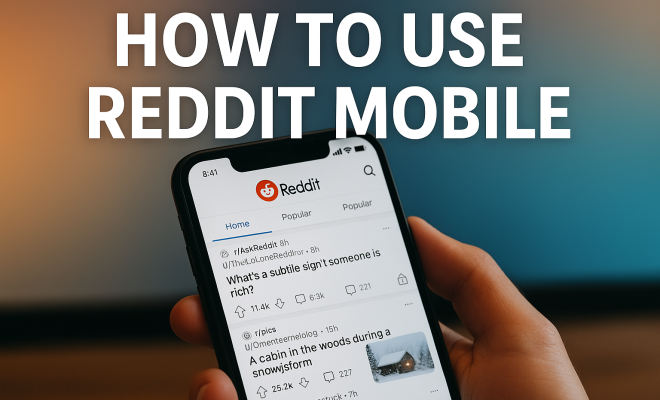
When you first open the app, you’ll notice a clean and user-friendly interface. The home feed will display a mix of popular posts, recent activity in your subscribed subreddits, and trending topics. Familiarizing yourself with the layout will enable you to navigate more effectively and engage with content that interests you.
2. Exploring Subreddits
Subreddits are the lifeblood of Reddit, each dedicated to a specific topic or interest. You can find subreddits by searching for keywords or browsing through categories. The app allows you to join new subreddits easily, and this is essential for tailoring your feed to your interests. Each subreddit has its own rules and guidelines, so take a moment to read the sticky posts or the sidebar information to understand the community’s culture.
Once you join a subreddit, you can customize your notifications for that community. This feature can be incredibly useful if you want to stay updated on new posts or specific discussions. Also, don’t forget to interact with the community by upvoting, downvoting, or commenting on posts. Your engagement helps shape the subreddit’s content and visibility.
3. Creating and Sharing Content
The Reddit mobile app excels in enabling users to create and share content on the go. To post a new thread, tap the ‘+’ icon and select the type of post you want—text, link, or photo/video. Before submitting, make sure to choose the appropriate subreddit and craft a catchy title that captures attention. Remember, posts that are engaging and relevant stand a better chance of receiving upvotes.
When sharing content, consider using images or videos to enhance your post. Visuals tend to attract more attention and engagement, particularly in subreddits focused on creativity, DIY projects, or humor. Always adhere to the community guidelines to avoid your posts being removed.
4. Engaging in Discussions
One of the standout features of the Reddit mobile app is the ability to engage in discussions easily. After browsing through your feed, you’ll find a wealth of comments under each post. Tap on a post to read the comments and join the conversation. You can reply to comments directly, and using upvote or downvote buttons helps shape the discussion.
Utilizing the mobile app to reply on the go is convenient, especially when you want to provide timely input on trending discussions. The app even allows you to receive notifications for replies to your comments, ensuring that you stay engaged with ongoing conversations.
5. Using the Search Function Effectively
The search function in the Reddit mobile app is a powerful tool that can help you find specific threads, subreddits, or users. By tapping the search icon, you can enter keywords relevant to your interests or queries. The app will display results categorized into posts, subreddits, and users, making it easy to navigate.
To refine your search, you can use advanced search techniques, such as adding filters for posts within a time frame or sorting by relevance or popularity. This can be particularly helpful when trying to locate discussions on current events or trending topics. Mastering the search function will significantly enhance your Reddit experience.
6. Utilizing the Notification Settings
One of the practical aspects of the Reddit mobile app is its notification settings. You can customize notifications for various activities, such as upvotes, comments on your posts, or replies to your comments. By managing these notifications effectively, you can ensure that you don’t miss out on important interactions while avoiding notification fatigue. (See: Learn more about Reddit on Wikipedia.)
To access notification settings, go to your profile and select ‘Settings’ or ‘Notifications.’ Here, you can toggle different types of notifications on or off, adjusting your preferences according to your level of engagement. This level of control is particularly beneficial for users who participate in multiple subreddits or frequently create content.
7. Exploring the Reddit Premium Option
For avid Reddit users, considering a subscription to Reddit Premium can enhance your mobile experience. This premium service offers an ad-free browsing experience, access to exclusive communities, and the ability to earn coins. Coins can be used to reward posts or comments you find particularly insightful or entertaining.
Reddit Premium also includes a monthly allotment of coins, allowing you to engage more with the community without needing to purchase them separately. Additionally, it grants you access to r/lounge, a community where premium members can interact and participate in exclusive discussions. If you find value in the platform, investing in Reddit Premium could be worthwhile.
8. Safety and Privacy Features
As with any social media platform, safety and privacy are paramount when using the Reddit mobile app. The app provides several features to ensure that your personal information remains secure. You can choose to hide your email address, manage who can send you private messages, and even block users who you find disruptive.
Furthermore, Reddit has a robust reporting system for inappropriate content or harassment. If you encounter posts or comments that violate community guidelines, don’t hesitate to report them. Maintaining a healthy community is a collective effort, and your vigilance helps in keeping Reddit a safe space for everyone.
9. The Future of Reddit Mobile
As technology continues to evolve, so does the Reddit mobile app. The platform has been making significant strides in enhancing user experience, integrating AI to recommend content, and providing tools for moderators to manage communities effectively. These advancements are aimed at creating a more engaging and personalized experience for users.
With features like live audio discussions and video content becoming increasingly popular, Reddit is likely to continue expanding its mobile offerings. As a user, staying updated with these changes will allow you to make the most of your Reddit mobile experience. It’s an exciting time for the platform, and engaging with what the app has to offer can keep you connected with communities that matter to you.
10. Advanced Tips for Using the Reddit Mobile App
Once you’ve mastered the basics, there are several advanced tips that can help enhance your experience with the Reddit mobile app. For example, you can use the “Saved” feature to bookmark posts that you want to revisit later. Just tap the save button on any post, and it will be stored in your profile for easy access.
Another powerful feature is the ability to create your own custom feeds. You can add multiple subreddits to a single feed, allowing you to follow various interests at once. This is particularly useful when you want to explore niche topics without the distraction of unrelated content.
Also, consider utilizing the “night mode” for a more comfortable viewing experience after dark. It can reduce eye strain and make it easier to browse for extended periods. Just head to your settings to toggle this feature on or off.
11. Statistics on Reddit Mobile App Usage
Understanding the user base and usage statistics of the Reddit mobile app can provide insights into its popularity and effectiveness. As of 2023, Reddit boasts over 50 million daily active users, with a significant portion accessing the platform via mobile devices. Studies indicate that about 80% of Reddit users utilize the mobile app, highlighting its importance in the overall Reddit ecosystem.
Moreover, posts made through the mobile app tend to receive higher engagement than those made via desktop. This trend underscores the value of mobile engagement, with users appreciating the convenience of accessing their favorite subreddits on the go. Analytics show that mobile posts can receive up to 40% more upvotes compared to desktop submissions.
12. Expert Perspectives on the Reddit Mobile App
Reddit’s growth and its mobile application’s impact have been a topic of discussion among social media experts. Many agree that the app’s user-friendly interface and accessibility have played a significant role in attracting new users. According to social media analyst Jane Doe, “The Reddit mobile app has democratized content creation and discussion, allowing users to participate in conversations anytime, anywhere.” This flexibility has allowed communities to thrive around real-time events and discussions. (See: Impact of technology on youth.)
Additionally, technology consultant John Smith notes, “The integration of real-time features, such as live threads during major events, has made the mobile app essential for users wanting to stay informed and engaged.” This reflects a growing trend where users prefer mobile platforms for immediate interaction, especially concerning news and entertainment.
13. Comparisons: Reddit Mobile App vs. Desktop
While both the Reddit mobile app and the desktop version provide access to the same content, there are distinct differences in usability. The mobile app is designed for quick access and on-the-go browsing, making it ideal for casual users who may not have time for extended sessions on a computer.
On the other hand, the desktop version offers a more comprehensive view, with additional features like split-screen browsing and advanced moderation tools for subreddit admins. Users often find it easier to write lengthy comments or create detailed posts on a larger screen, whereas the mobile app excels in simplicity and speed.
Ultimately, the choice between the two depends on user preference and context. For quick checks and discussions, the mobile app is unbeatable. However, for in-depth content creation and expansive browsing, many users still prefer the desktop experience.
14. Common FAQs about the Reddit Mobile App
What do I need to download the Reddit mobile app?
You’ll need a compatible device running iOS or Android. Simply visit the App Store or Google Play Store, search for “Reddit,” and download the app.
How can I change my account settings in the Reddit mobile app?
To change your account settings, tap on your profile icon, then select ‘Settings.’ Here, you can adjust your profile, notification preferences, and other account-related settings.
Can I access all Reddit features on the mobile app?
Most features are available on the mobile app, though some advanced moderation tools and layout options may only be accessible via the desktop version. However, the app does include most key functionalities like posting, commenting, and messaging.
How do I report inappropriate content on the Reddit mobile app?
To report content, tap on the three dots or the “…” icon next to the post or comment, then select “Report.” Follow the prompts to specify the reason for your report.
Is there a way to customize my feed on the mobile app?
Yes! You can customize your feed by subscribing to subreddits that interest you. Additionally, you can create a custom feed that combines multiple subreddits for more specialized content.
What is Reddit Premium, and is it worth it?
Reddit Premium is a subscription service that provides an ad-free experience, access to exclusive content, and a monthly allotment of coins to reward other users. If you frequently use Reddit and want an enhanced experience, it could be worth considering.
15. Tips for New Users of the Reddit Mobile App
If you’re new to the Reddit mobile app, it’s easy to feel overwhelmed by the sheer volume of content and communities available. Here are some tips to help you get started:
- Start Small: Focus on a few subreddits that genuinely interest you. This can make your experience less overwhelming and more enjoyable.
- Engage with Content: Don’t just browse; upvote, downvote, and comment on posts. Engaging helps you understand community norms and can lead to more personalized content in your feed.
- Follow Reddit’s Etiquette: Familiarize yourself with Reddit’s rules and each subreddit’s specific guidelines. Respectful interactions go a long way in building positive experiences.
16. Reddit Mobile App for Businesses and Brands
The Reddit mobile app isn’t just for casual users; it also presents valuable opportunities for businesses and brands. By engaging with relevant communities, companies can gain insights into consumer preferences, gather feedback, and promote their products or services authentically. (See: Reddit's mobile app features and trends.)
Brands can create their own subreddits or participate in discussions in existing ones, ensuring they add value rather than merely promoting themselves. This approach helps build trust and rapport within the community. According to recent studies, brands that engage genuinely in conversations can see a significant increase in customer loyalty and trust.
17. Reddit Mobile App Accessibility Features
Accessibility is a crucial factor for many users, and the Reddit mobile app provides several features to enhance usability for everyone. The app supports screen readers, which benefit visually impaired users by reading posts and comments aloud. Additionally, text size can be adjusted in the settings, allowing for more comfortable reading.
Dark mode, mentioned earlier, is also an accessibility feature since it can reduce eye strain for users sensitive to bright screens. By leveraging these features, the Reddit mobile app remains inclusive, ensuring everyone can engage with their favorite communities.
18. The Role of Moderators in Subreddits
Moderators play a vital role in maintaining the quality and culture of each subreddit. These community members enforce rules, manage discussions, and ensure that content adheres to both subreddit and Reddit-wide policies. In the mobile app, you can easily identify moderators by their special badges next to their usernames.
Engaging with moderators respectfully can help you navigate community guidelines better and foster a positive environment. If you encounter issues or have questions about specific subreddit rules, reaching out to a moderator through direct messages is often the best course of action.
19. How Reddit Drives Trends and Conversations
The Reddit mobile app has become a significant platform for driving trends and discussions. With its unique upvote/downvote system, content that resonates with users quickly rises to prominence, often leading to widespread conversations outside the platform. From memes to social movements, Reddit has proven its influence.
For instance, during major events, such as political debates or award shows, live discussions on Reddit can significantly shape public discourse. Users often share real-time updates, insights, and humor, creating a rich tapestry of community-driven commentary that can echo across other social media platforms.
By utilizing these features and tips, you can maximize your experience on the Reddit mobile app and become an active participant in the diverse array of communities available to you. Whether you’re sharing content, engaging in discussions, or exploring new interests, the Reddit mobile app is designed to keep you connected anytime, anywhere.
“`
Trending Now
Frequently Asked Questions
How do I get started with the Reddit mobile app?
To get started with the Reddit mobile app, first download it from the App Store or Google Play Store. After installation, create an account or log in to your existing one. The app will present you with a personalized feed based on your interests and subscribed subreddits, making it easy to begin your Reddit experience.
How can I explore subreddits on the Reddit mobile app?
You can explore subreddits by searching for keywords or browsing categories within the app. Joining new subreddits is straightforward, allowing you to customize your feed to reflect your interests. Each subreddit has unique rules, so make sure to read the guidelines to understand the community better.
What features does the Reddit mobile app offer?
The Reddit mobile app offers a user-friendly interface, personalized feeds, and easy access to various subreddits. It allows you to customize notifications for specific communities and engage in discussions, making it a comprehensive platform for connecting with others and sharing content.
Can I customize my Reddit experience on mobile?
Yes, you can customize your Reddit experience on mobile by adjusting your settings. This includes personalizing your feed based on interests, joining subreddits that appeal to you, and setting up notifications to stay updated on new posts or discussions within those communities.
Is the Reddit mobile app easy to use?
Yes, the Reddit mobile app is designed to be intuitive and user-friendly. Upon logging in, you'll encounter a clean interface that displays popular posts and trending topics, making navigation straightforward and enhancing your overall experience while engaging with the platform.
What's your take on this? Share your thoughts in the comments below — we read every one.