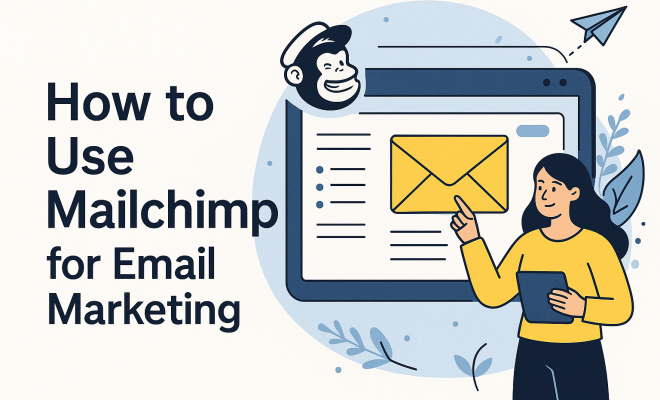
How to use Mailchimp for email marketing
“`html
When you’re running a business, whether it’s a fledgling startup or an established enterprise, getting your message out efficiently and effectively is paramount. And in the digital age, few tools are as powerful and enduring as email marketing. It’s not just about sending a few newsletters; it’s about building relationships, nurturing leads, and driving conversions directly into your audience’s inboxes. For many, the name that immediately springs to mind for this crucial task is Mailchimp. Why? Because for years, Mailchimp email marketing has been the go-to platform, offering a blend of robust features and user-friendliness that makes it accessible for everyone from solo entrepreneurs to large marketing teams.
But what exactly makes Mailchimp such a powerhouse, and how do you truly leverage its capabilities to supercharge your email marketing efforts? It’s more than just drafting an email and hitting send. It involves understanding your audience, segmenting your lists, crafting compelling content, and analyzing your performance to continually improve. This isn’t just a guide; it’s a dive into the strategic world of Mailchimp, showing you how to transform your email campaigns from simple messages into a dynamic, revenue-generating engine. Let’s explore the nine essential aspects of mastering Mailchimp email marketing.
1. Getting Started: Setting Up Your Mailchimp Account and Audience
The first step in your Mailchimp email marketing journey is, naturally, setting up your account. It’s a straightforward process, but getting it right from the beginning lays a solid foundation. You’ll need to provide some basic information about yourself or your business, including your contact details and, importantly, your website. Mailchimp requires this to ensure compliance with anti-spam laws, specifically CAN-SPAM in the US and GDPR in Europe. Don’t skip these details or try to fudge them; transparency builds trust with your subscribers and keeps you on the right side of the law.
Once your account is active, the next critical step is creating your ‘Audience,’ which Mailchimp used to call a ‘List.’ Think of your audience as your central database of contacts. While it might be tempting to create multiple audiences for different segments, Mailchimp generally recommends using a single primary audience and then using tags and segments to organize your contacts within it. This approach simplifies management, avoids duplicate contacts across lists, and helps you keep your data clean. You can import existing contacts from a CSV file, copy and paste them, or integrate with other platforms you use, like your e-commerce store or CRM. Always ensure you have explicit permission from everyone you add; unsolicited emails are the quickest way to damage your sender reputation.
2. Designing Captivating Emails with Mailchimp’s Builder
After you’ve got your audience in place, it’s time to think about what you’re actually going to send them. Mailchimp’s email builder is incredibly intuitive, even for those without design experience. You start by choosing a template. Mailchimp offers a wide array of pre-designed templates, ranging from basic layouts to more elaborate, industry-specific designs. You can also opt for a blank canvas if you prefer to build from scratch, or choose a saved template if you’ve already created something you love. The key here is to select a template that aligns with your brand’s aesthetic and the specific goal of your email.
Customization is where the magic happens. Mailchimp uses a drag-and-drop interface, allowing you to easily add content blocks like text boxes, images, buttons, videos, and social share icons. You can adjust colors, fonts, and spacing to match your brand guidelines. Remember, clarity and readability are paramount. Use concise language, break up long paragraphs, and incorporate visuals to make your emails engaging. Always preview your email on both desktop and mobile devices before sending, as a significant portion of your audience will likely open your emails on their phones. A poorly formatted mobile email is a quick way to lose a subscriber’s attention.
3. Building Your Subscriber Base with Forms and Landing Pages
Having a fantastic email doesn’t do much good if you don’t have anyone to send it to, right? Growing your subscriber list is an ongoing effort, and Mailchimp provides excellent tools to help. The most common method is using signup forms. Mailchimp lets you create embedded forms that you can place directly on your website, pop-up forms that appear when visitors browse your site, and even hosted forms that live on a Mailchimp URL. These forms are fully customizable, allowing you to collect the information you need, such as name, email address, and even custom fields like birthdate or preferences.
Beyond simple forms, Mailchimp also offers landing page functionality. Landing pages are standalone web pages designed with a single purpose: to capture leads. You might use a landing page to promote a specific offer, host a webinar registration, or give away a free ebook in exchange for an email address. These pages are typically stripped of distractions like navigation menus, focusing the visitor’s attention entirely on the call to action. By integrating your Mailchimp email marketing with these lead-capture tools, you create a seamless funnel for attracting new subscribers and expanding your reach.
4. Segmenting Your Audience for Targeted Mailchimp Email Marketing
This is where Mailchimp email marketing truly shines, allowing you to move beyond mass emails to highly personalized communication. Sending the same message to everyone on your list is often inefficient and can lead to lower engagement. Why? Because not all your subscribers are the same. They have different interests, have interacted with your brand in different ways, and are at various stages of their customer journey. Segmentation allows you to divide your main audience into smaller, more specific groups based on shared characteristics or behaviors. (See: importance of effective communication.)
You can segment your audience based on a multitude of criteria: demographic data (age, location), past purchase history, engagement level (did they open your last email? Click a link?), source of signup, or even custom fields you’ve collected. For instance, an e-commerce store might segment customers who purchased a specific product category, or those who haven’t made a purchase in 90 days. A content creator might segment based on which topics subscribers show interest in. By sending highly relevant content to specific segments, you dramatically increase open rates, click-through rates, and ultimately, conversions. It feels personal, and that connection is invaluable.
5. Automating Your Campaigns: The Power of Mailchimp Journeys
Imagine sending the right email, to the right person, at the right time, without lifting a finger after the initial setup. That’s the power of automation, and Mailchimp calls these ‘Journeys.’ Journeys are automated email sequences triggered by specific actions or events. They are absolute game-changers for saving time and ensuring consistent communication.
Common automation journeys include a welcome series for new subscribers, which can introduce your brand, offer a discount, and set expectations. You might also set up an abandoned cart reminder for e-commerce, prompting customers to complete their purchase. Other powerful automations include birthday greetings, re-engagement campaigns for inactive subscribers, or post-purchase follow-ups that recommend related products. Mailchimp’s journey builder is visual and easy to use, allowing you to map out complex flows with conditional logic (e.g., “if they open this email, send them X; if not, send them Y”). Leveraging journeys is essential for scalable and effective Mailchimp email marketing, ensuring your audience is always engaged, even when you’re focused on other tasks.
6. Analyzing Performance and Optimizing for Success
Sending emails is only half the battle; understanding how they perform is crucial for continuous improvement. Mailchimp provides robust reporting and analytics tools that give you deep insights into your campaign’s effectiveness. Key metrics to watch include open rate (the percentage of recipients who opened your email), click-through rate (CTR – the percentage who clicked a link within the email), bounce rate (emails that couldn’t be delivered), and unsubscribe rate.
Beyond these basic metrics, Mailchimp also shows you who opened your email, what links they clicked, and even where they’re located. For e-commerce businesses, integration with your online store can provide revenue tracking, showing you exactly how much sales were generated from a specific email campaign. Don’t just glance at these numbers; dig into them. A low open rate might indicate a weak subject line, while a low CTR suggests your content isn’t compelling or your call to action is unclear. Use these insights to A/B test different elements (subject lines, content, send times) and iteratively refine your Mailchimp email marketing strategy. This data-driven approach is what separates good marketers from great ones.
7. A/B Testing: Homing in on What Works Best
Speaking of A/B testing, this is a feature you absolutely should be using with Mailchimp email marketing. It’s a scientific approach to understanding what resonates most with your audience. Instead of guessing whether a certain subject line or call-to-action will perform better, you can test it directly. Mailchimp allows you to create two (or more) variations of an email and send them to a small segment of your audience. The variation that performs better (based on your chosen metric, like open rate or click-through rate) is then automatically sent to the rest of your audience.
What can you A/B test? Almost anything! Common elements include subject lines, sender names, content blocks (e.g., different images or paragraph text), calls to action (button text, button color), and even send times. For instance, you might test two different subject lines to see which one generates a higher open rate. Or, you could test two different product images to see which leads to more clicks. The beauty of A/B testing is that it provides concrete data, taking the guesswork out of your decisions and allowing you to continually optimize your campaigns for maximum impact and engagement. It’s an indispensable tool for refining your Mailchimp email marketing.
8. Integrating Mailchimp with Your Ecosystem
Mailchimp isn’t just a standalone email tool; it’s designed to be a central hub for your marketing efforts, playing nicely with hundreds of other applications and services you probably already use. These integrations are crucial for creating a seamless workflow and ensuring your data is always synchronized. Think about your website platform (WordPress, Shopify, Squarespace), your CRM (Salesforce, HubSpot), your social media channels, or even event management tools.
For e-commerce businesses, integrating Mailchimp with Shopify, for example, allows for automated abandoned cart emails, personalized product recommendations, and segmented campaigns based on purchase history. If you’re using WordPress, the Mailchimp for WordPress plugin makes it easy to add signup forms to your site and sync your blog posts. These integrations eliminate manual data entry, reduce errors, and ensure that your Mailchimp audience is always up-to-date with the latest information from your other systems. This interconnectedness is a huge advantage, making your Mailchimp email marketing efforts far more efficient and powerful. (See: Mailchimp's role in email marketing.)
9. Compliance and Best Practices for Ethical Email Marketing
Finally, and perhaps most importantly, is the commitment to ethical email marketing. It’s not just about avoiding legal trouble; it’s about building a trustworthy relationship with your subscribers. The two major regulatory frameworks you need to be aware of are CAN-SPAM in the United States and GDPR (General Data Protection Regulation) in the European Union. While they have differences, both emphasize consent, transparency, and the right for recipients to easily unsubscribe.
Mailchimp helps you stay compliant by providing features like double opt-in (where subscribers confirm their subscription via email), clear unsubscribe links in every email, and the ability to manage subscriber preferences. Your responsibility, however, is to ensure you only send emails to people who have explicitly given you permission. Never purchase email lists. Always include your physical address in your emails, clearly identify who you are, and make sure your subject lines accurately reflect the content. Adhering to these best practices not only keeps you compliant but also fosters a positive reputation, leading to higher deliverability rates and a more engaged, loyal audience. Your Mailchimp email marketing success hinges on trust.
10. Crafting Compelling Content: Beyond the Basics
You’ve set up your account, built your audience, and mastered segmentation and automation. Now, let’s talk about the heart of your Mailchimp email marketing: the content itself. It’s not enough to just fill your emails with text; you need to create messages that truly resonate. Think about your audience’s needs, pain points, and desires. What value can you provide?
Start with a strong subject line. It’s your first impression, and it needs to be intriguing enough to encourage an open. Use emojis sparingly but effectively, personalize where appropriate, and create a sense of urgency or curiosity. Inside the email, focus on clear, concise copy. Long blocks of text are intimidating on screens, especially mobile ones. Break up your content with headings, bullet points, and short paragraphs. Incorporate high-quality images or GIFs that complement your message and brand identity. Videos, when embedded or linked, can also significantly boost engagement. Don’t forget a clear, singular call to action (CTA). What do you want your subscribers to do next? “Shop Now,” “Read More,” “Download Your Free Guide” – make it obvious and easy to click. Experiment with different types of content, like behind-the-scenes glimpses, customer testimonials, educational tips, or exclusive offers, to keep your audience engaged and looking forward to your next email.
11. Understanding Deliverability and Sender Reputation
Even the most perfectly crafted email is useless if it doesn’t land in the inbox. This brings us to a critical, often overlooked aspect of Mailchimp email marketing: deliverability and sender reputation. Your sender reputation is essentially a trust score that Internet Service Providers (ISPs) like Gmail, Outlook, and Yahoo assign to your sending domain and IP address. A good reputation means your emails are more likely to reach the inbox; a poor one means they’ll end up in the spam folder, or worse, be blocked entirely.
Several factors influence your sender reputation. High engagement rates (opens, clicks) improve it, while high bounce rates, spam complaints, and unsubscribes hurt it. Mailchimp automatically handles some of the technical aspects, like DKIM and SPF authentication, which help verify that your emails are legitimate. However, you play a huge role in maintaining a healthy reputation. Always send to permission-based lists, clean your lists regularly to remove inactive or invalid email addresses, and avoid sending too many emails too quickly, especially to a new list. Monitor your Mailchimp reports for high bounce rates or spam complaints and address any issues promptly. A strong sender reputation is the backbone of successful email marketing, ensuring your valuable messages actually get seen.
12. Exploring Advanced Mailchimp Features: Beyond Campaigns
While we’ve covered the core aspects, Mailchimp offers a deeper array of features that can further elevate your marketing efforts. For example, Mailchimp’s website builder allows you to create simple, elegant websites that integrate directly with your email audience and e-commerce functionalities. This is particularly useful for small businesses or those just starting out who need a quick online presence.
Another powerful feature is the ability to manage ads directly within Mailchimp. You can create social media ads for platforms like Facebook and Instagram, or even Google remarketing ads, all using your Mailchimp audience data. This allows for hyper-targeted advertising, reaching people who have already interacted with your brand via email. Additionally, Mailchimp offers robust reporting on these ads, giving you a unified view of your campaign performance across channels. Don’t forget about survey tools; collecting feedback directly from your subscribers through Mailchimp surveys can provide invaluable insights for improving your products, services, and overall customer experience. These advanced features demonstrate Mailchimp’s evolution from a simple email tool to a comprehensive marketing platform. (See: strategies for effective email marketing.)
Frequently Asked Questions About Mailchimp Email Marketing
Q1: Is Mailchimp truly free, and what are the limitations of the free plan?
Mailchimp offers a “Free” plan, which is excellent for individuals and small businesses just starting out. This plan typically allows you to have up to 500 contacts and send up to 1,000 emails per month. It includes essential features like email builder, basic templates, marketing CRM, forms, and landing pages. However, the free plan usually doesn’t include advanced segmentation, A/B testing, or most automation journeys. You also won’t get access to 24/7 support. It’s a great way to test the waters and grow your list before committing to a paid plan.
Q2: How does Mailchimp handle GDPR and CAN-SPAM compliance?
Mailchimp is designed with compliance in mind. For GDPR, it provides features like double opt-in signup forms, clear consent checkboxes, and tools to help subscribers manage their preferences or request data deletion. For CAN-SPAM, Mailchimp automatically includes an unsubscribe link in every email, requires a physical address in your footer, and helps ensure your subject lines aren’t misleading. While Mailchimp provides the tools, it’s ultimately your responsibility to use them correctly and ensure you’re only sending emails to people who have given explicit permission.
Q3: Can I use Mailchimp to sell products directly?
Yes, absolutely! Mailchimp has integrated e-commerce features. You can connect your existing online store (like Shopify, WooCommerce, or BigCommerce) to Mailchimp to sync customer data, track purchases, and set up abandoned cart automations. Mailchimp also offers its own e-commerce functionality, allowing you to create a simple online store directly within the platform. This means you can manage your products, process payments, and run your email marketing all from one place, making it a very convenient option for smaller retailers.
Q4: What’s the best way to clean my Mailchimp audience list?
Regular list cleaning is vital for maintaining a good sender reputation and ensuring high deliverability. Mailchimp automatically handles hard bounces (emails that permanently failed to deliver) by removing them from your active audience. For soft bounces (temporary delivery issues), Mailchimp will retry sending. Beyond that, you should periodically identify and remove inactive subscribers – those who haven’t opened or clicked your emails in a long time (e.g., 6 months to a year). You can segment these subscribers and try a re-engagement campaign first, but if they still don’t respond, removing them can significantly improve your overall engagement rates and save you money on paid plans by not paying for unresponsive contacts.
Q5: How often should I send emails with Mailchimp?
There’s no single “magic number” for email frequency; it largely depends on your audience, industry, and the value you provide. The most important thing is consistency and providing value. If you send too often without valuable content, you’ll see unsubscribes. If you send too infrequently, your audience might forget about you. Many businesses find success sending once or twice a week. You can use Mailchimp’s analytics to test different frequencies and monitor open rates and unsubscribes to find what works best for your specific audience. Also, consider letting your subscribers choose their preferred frequency or content types through preference centers.
Mailchimp email marketing offers a comprehensive suite of tools that, when used strategically, can transform how you connect with your audience. From the initial setup of your audience to the nuanced art of automation and the critical analysis of your campaigns, each step builds upon the last, creating a robust and effective communication strategy. It’s about more than just sending emails; it’s about nurturing relationships, providing value, and ultimately, growing your business. So, dive in, experiment, learn from your data, and watch your email marketing efforts flourish.
“`
Trending Now
Frequently Asked Questions
How do I get started with Mailchimp for email marketing?
To get started with Mailchimp, create an account by providing basic information about yourself or your business, including your contact details and website. This ensures compliance with anti-spam laws like CAN-SPAM and GDPR, which is crucial for building trust with your subscribers.
What are the benefits of using Mailchimp for email marketing?
Mailchimp offers a user-friendly interface and robust features that make it accessible for businesses of all sizes. It helps in building relationships, nurturing leads, and driving conversions through effective email campaigns, making it a powerful tool for digital marketing.
How can I segment my audience in Mailchimp?
Mailchimp allows you to segment your audience based on various criteria such as demographics, purchase history, and engagement levels. This enables you to send targeted messages that resonate with specific groups, improving your campaign effectiveness and engagement rates.
What should I include in my Mailchimp email campaigns?
In your Mailchimp email campaigns, include compelling content that resonates with your audience, clear calls-to-action, and personalized elements. Additionally, ensure your emails are visually appealing and mobile-friendly to enhance user experience and engagement.
How can I analyze my Mailchimp email campaign performance?
Mailchimp provides analytics tools that allow you to track open rates, click-through rates, and conversions. By analyzing this data, you can assess the effectiveness of your campaigns, identify areas for improvement, and make data-driven decisions for future emails.
For more on this, see the impact of video emails.
Have you experienced this yourself? We'd love to hear your story in the comments.