The Tech Edvocate

Top Menu

  • Advertisement
  • Apps
  • Home Page
  • Home Page Five (No Sidebar)
  • Home Page Four
  • Home Page Three
  • Home Page Two
  • Home Tech2
  • Icons [No Sidebar]
  • Left Sidbear Page
  • Lynch Educational Consulting
  • My Account
  • My Speaking Page
  • Newsletter Sign Up Confirmation
  • Newsletter Unsubscription
  • Our Brands
  • Page Example
  • Privacy Policy
  • Protected Content
  • Register
  • Request a Product Review
  • Shop
  • Shortcodes Examples
  • Signup
  • Start Here
    • Governance
    • Careers
    • Contact Us
  • Terms and Conditions
  • The Edvocate
  • The Tech Edvocate Product Guide
  • Topics
  • Write For Us
  • Advertise

Main Menu

  • Start Here
    • Our Brands
    • Governance
      • Lynch Educational Consulting, LLC.
      • Dr. Lynch’s Personal Website
      • Careers
    • Write For Us
    • The Tech Edvocate Product Guide
    • Contact Us
    • Books
    • Edupedia
    • Post a Job
    • The Edvocate Podcast
    • Terms and Conditions
    • Privacy Policy
  • Topics
    • Assistive Technology
    • Child Development Tech
    • Early Childhood & K-12 EdTech
    • EdTech Futures
    • EdTech News
    • EdTech Policy & Reform
    • EdTech Startups & Businesses
    • Higher Education EdTech
    • Online Learning & eLearning
    • Parent & Family Tech
    • Personalized Learning
    • Product Reviews
  • Advertise
  • Tech Edvocate Awards
  • The Edvocate
  • Pedagogue
  • School Ratings

logo

The Tech Edvocate

  • Start Here
    • Our Brands
    • Governance
      • Lynch Educational Consulting, LLC.
      • Dr. Lynch’s Personal Website
        • My Speaking Page
      • Careers
    • Write For Us
    • The Tech Edvocate Product Guide
    • Contact Us
    • Books
    • Edupedia
    • Post a Job
    • The Edvocate Podcast
    • Terms and Conditions
    • Privacy Policy
  • Topics
    • Assistive Technology
    • Child Development Tech
    • Early Childhood & K-12 EdTech
    • EdTech Futures
    • EdTech News
    • EdTech Policy & Reform
    • EdTech Startups & Businesses
    • Higher Education EdTech
    • Online Learning & eLearning
    • Parent & Family Tech
    • Personalized Learning
    • Product Reviews
  • Advertise
  • Tech Edvocate Awards
  • The Edvocate
  • Pedagogue
  • School Ratings
  • U.S. Census Bureau Unveils Business Trends and Outlook Survey Insights for 2026

  • Market Turmoil: Stocks Decline as Oil Prices Surge Amid Geopolitical Tensions

  • Transforming AI Infrastructure: IREN’s $3.6 Billion GPU Financing and Applied Digital’s Revenue Goals

  • CoreWeave’s $66 Billion AI Compute Backlog: A Game-Changer in the Cloud Infrastructure Space

  • NVIDIA’s $2 Billion Bet on AI: A Game-Changer with Nebius and the Launch of Nemotron 3

  • Legal Showdown: Utah’s Anti-Gambling Stance Challenges Prediction Markets Kalshi and Polymarket

  • Court Orders Restoration of Billions in Disaster Mitigation Funding Amid Legal Battle

  • Supreme Court Weighs Key Fourth Amendment Case Amid Confusion Over Traffic Stops

  • Understanding the Decline: How Embracing Lower Birthrates Can Benefit Society

  • Navigating the Complex Landscape of Working Motherhood in America

Digital & Mobile Technology
Home›Digital & Mobile Technology›How to Use iPhone DFU Mode

How to Use iPhone DFU Mode
By Matthew Lynch
July 5, 2023
0
Spread the love

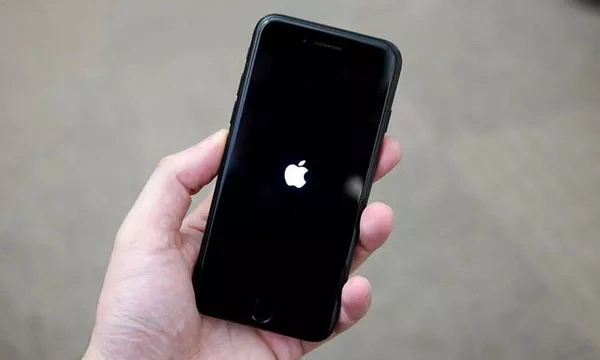
DFU (Device Firmware Update) mode is a state that your iPhone can be put into to allow it to communicate with iTunes on your computer, even when the operating system on your phone is not functioning properly. This mode can be helpful in situations where the iPhone is stuck in a loop or won’t turn on. This article will guide you through the process of entering and exiting DFU mode on your iPhone.

Step 1: Make sure iTunes is up to date

Before starting the DFU mode process, make sure you have the latest version of iTunes installed on your computer. You can download the latest version of iTunes from the Apple website or update it from inside the application.

Step 2: Connect your iPhone to your computer

Connect your iPhone to your computer using a USB cable.

Step 3: Put your iPhone into DFU mode

To enter DFU mode on your iPhone, follow these steps:

  1. Press and hold the power button and home button for 10 seconds.
  2. Release the power button while continuing to hold the home button.
  3. Keep holding the home button until you see a message in iTunes that says “iTunes has detected an iPhone in recovery mode.”

Your iPhone screen should be blank during this process. This means that it is in DFU mode and ready to be restored or updated through iTunes.

Step 4: Restore or update your iPhone

You can now restore or update your iPhone through iTunes. Follow the on-screen instructions to complete the process. If you restore your iPhone, all data on the device will be erased and replaced with the most recent backup.

Step 5: Exit DFU mode

To exit DFU mode on your iPhone, simply hold down the power button and home button until the Apple logo appears on the screen. Your iPhone will then restart normally.

Conclusion

DFU mode can be a helpful tool when dealing with issues relating to the operating system on your iPhone. It allows you to connect to iTunes and restore or update your device even when it is not functioning properly. By following the steps outlined in this article, you can easily enter and exit DFU mode on your iPhone.


Previous Article

The Full Rundown of Instant Messaging or ...

Next Article

What Is an Immersive Experience?

Matthew Lynch

Related articles More from author

  • Digital & Mobile Technology

    Is RCN Down… Or Is It Just You?

    August 5, 2023
    By Matthew Lynch
  • Digital & Mobile Technology

    The Best Places to Stake Cosmos (ATOM)

    July 20, 2023
    By Matthew Lynch
  • Digital & Mobile Technology

    What Is a Compressed File?

    June 10, 2023
    By Matthew Lynch
  • Digital & Mobile Technology

    Why Does Google Chrome Keep Crashing, Freezing, or Not Responding?

    September 8, 2023
    By Matthew Lynch
  • Digital & Mobile Technology

    How to Find The TV Device Code For Your Cable Remote

    May 28, 2023
    By Matthew Lynch
  • Digital & Mobile Technology

    Browser Slow? How to Make Google Chrome Fast Again

    April 3, 2023
    By Matthew Lynch

Search

Login & Registration

  • Register
  • Log in
  • Entries feed
  • Comments feed
  • WordPress.org

Newsletter

Signup for The Tech Edvocate Newsletter and have the latest in EdTech news and opinion delivered to your email address!

About Us

Since technology is not going anywhere and does more good than harm, adapting is the best course of action. That is where The Tech Edvocate comes in. We plan to cover the PreK-12 and Higher Education EdTech sectors and provide our readers with the latest news and opinion on the subject. From time to time, I will invite other voices to weigh in on important issues in EdTech. We hope to provide a well-rounded, multi-faceted look at the past, present, the future of EdTech in the US and internationally.

We started this journey back in June 2016, and we plan to continue it for many more years to come. I hope that you will join us in this discussion of the past, present and future of EdTech and lend your own insight to the issues that are discussed.

Newsletter

Signup for The Tech Edvocate Newsletter and have the latest in EdTech news and opinion delivered to your email address!

Contact Us

The Tech Edvocate
910 Goddin Street
Richmond, VA 23231
(601) 630-5238
[email protected]

Copyright © 2025 Matthew Lynch. All rights reserved.