The Tech Edvocate

Top Menu

  • Advertisement
  • Apps
  • Home Page
  • Home Page Five (No Sidebar)
  • Home Page Four
  • Home Page Three
  • Home Page Two
  • Home Tech2
  • Icons [No Sidebar]
  • Left Sidbear Page
  • Lynch Educational Consulting
  • My Account
  • My Speaking Page
  • Newsletter Sign Up Confirmation
  • Newsletter Unsubscription
  • Our Brands
  • Page Example
  • Privacy Policy
  • Protected Content
  • Register
  • Request a Product Review
  • Shop
  • Shortcodes Examples
  • Signup
  • Start Here
    • Governance
    • Careers
    • Contact Us
  • Terms and Conditions
  • The Edvocate
  • The Tech Edvocate Product Guide
  • Topics
  • Write For Us
  • Advertise

Main Menu

  • Start Here
    • Our Brands
    • Governance
      • Lynch Educational Consulting, LLC.
      • Dr. Lynch’s Personal Website
      • Careers
    • Write For Us
    • The Tech Edvocate Product Guide
    • Contact Us
    • Books
    • Edupedia
    • Post a Job
    • The Edvocate Podcast
    • Terms and Conditions
    • Privacy Policy
  • Topics
    • Assistive Technology
    • Child Development Tech
    • Early Childhood & K-12 EdTech
    • EdTech Futures
    • EdTech News
    • EdTech Policy & Reform
    • EdTech Startups & Businesses
    • Higher Education EdTech
    • Online Learning & eLearning
    • Parent & Family Tech
    • Personalized Learning
    • Product Reviews
  • Advertise
  • Tech Edvocate Awards
  • The Edvocate
  • Pedagogue
  • School Ratings

logo

The Tech Edvocate

  • Start Here
    • Our Brands
    • Governance
      • Lynch Educational Consulting, LLC.
      • Dr. Lynch’s Personal Website
        • My Speaking Page
      • Careers
    • Write For Us
    • The Tech Edvocate Product Guide
    • Contact Us
    • Books
    • Edupedia
    • Post a Job
    • The Edvocate Podcast
    • Terms and Conditions
    • Privacy Policy
  • Topics
    • Assistive Technology
    • Child Development Tech
    • Early Childhood & K-12 EdTech
    • EdTech Futures
    • EdTech News
    • EdTech Policy & Reform
    • EdTech Startups & Businesses
    • Higher Education EdTech
    • Online Learning & eLearning
    • Parent & Family Tech
    • Personalized Learning
    • Product Reviews
  • Advertise
  • Tech Edvocate Awards
  • The Edvocate
  • Pedagogue
  • School Ratings
  • A Visitors Guide to Santa Maria, Brazil

  • Uncovering the Truth: This Salmonella Outbreak Sprouts Warning You Can’t Ignore

  • This One Flaw Just Melted an RTX 5090 — What Happens Next?

  • This Startup Just Raised $40 Million to Revolutionize Women’s Health

  • This AI Coding Startup Just Tripled Its Value to $5 Billion Overnight

  • The Blood Of Dawnwalker: 10 Burning Questions After Its Console Demo Scandal

  • Gamers vs. Critics: Why Wolverine Game Reviews Are Sparking a Culture War

  • AI-Generated Content Is Flooding Social Media, Research Shows

  • Florida’s Latest Education Scandal: The Climate Change Curriculum You Won’t Believe

  • Millions Face a Brutal Student Loan Payment Hike — What You MUST Do Now

Digital & Mobile Technology
Home›Digital & Mobile Technology›How to Use iMessage on Android With AirMessage and a Mac

How to Use iMessage on Android With AirMessage and a Mac
By Matthew Lynch
June 22, 2023
0
Spread the love

For those who have switched from an iPhone to an Android device, there is always one feature they miss – the iMessage. The messaging app is exclusive to iOS devices and offers a seamless chatting experience with end-to-end encryption. However, if you have a Mac and an Android device, there is a workaround to use iMessage on Android with AirMessage.

AirMessage is a third-party app that allows Mac users to send and receive iMessages on their Android devices. The app works by creating a server on the Mac that connects to the iMessage network and forwards messages to the Android device. Here’s how to set it up.

Step 1: Get AirMessage

First, download the AirMessage app on your Mac from the official website. The app is free to download, but to use all of its features, you need to purchase a license that costs $5. After downloading, install the app, and open it.

Step 2: Set Up Port Forwarding

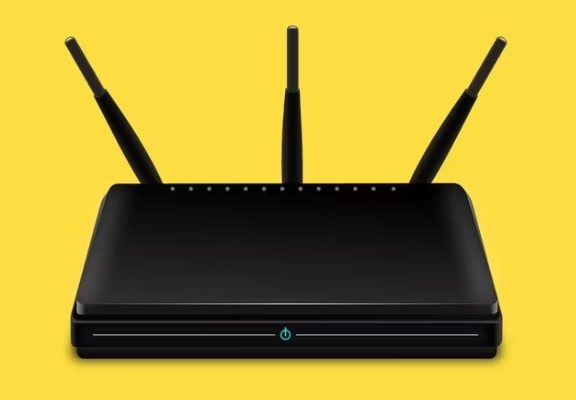
To connect your Android device to the Mac server, you need to set up port forwarding on your router. Port forwarding allows external devices to access your network by assigning specific ports to specific IP addresses. In this case, you need to forward port 1359 to your Mac’s IP address.

To do this, you need to access your router’s admin page. The process may vary depending on the router you have, but the general steps are as follows:

– Type your router’s IP address in the browser’s address bar.
– Log in with your admin username and password.
– Locate the Port Forwarding or NAT (Network Address Translation) section.
– Add a new port forwarding rule that assigns port 1359 to your Mac’s IP address.

If you’re not familiar with port forwarding, you can search for your router’s model and “port forwarding” on Google to find a tutorial.

Step 3: Install AirMessage on Android

After setting up port forwarding, you need to install the AirMessage app on your Android device from the Google Play Store. The app is free to download and install.

Step 4: Connect to the Mac Server

Before you can start using iMessage on your Android device, you need to connect to the Mac server. Launch the AirMessage app and fill in your Mac’s IP address (you can find it by going to System Preferences -> Network on your Mac) and the port number (1359) you forwarded earlier. You also need to enter your iMessage account credentials, which will be stored securely on your Mac.

Once you’ve entered the required information, tap Connect. The app will connect to the Mac server, and you’ll be able to see your iMessage conversations on your Android device.

Step 5: Use iMessage on Android

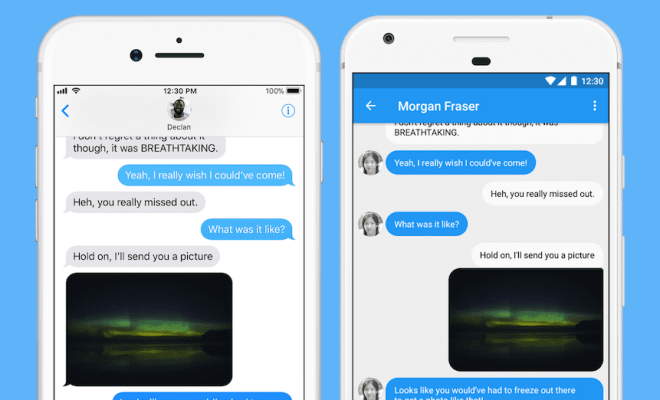
After connecting to the Mac server, you can use iMessage on your Android device just like you would on an iPhone. You can send and receive messages, share photos and videos, and even use emojis and stickers. The app also supports group chats and read receipts.

One thing to note is that AirMessage is not an official Apple app, so it may not work perfectly all the time. Also, it relies on your Mac to be turned on and connected to the internet, so if your computer is off or disconnected, you won’t be able to use iMessage on Android.

In conclusion, if you have a Mac and an Android device and miss the iMessage experience, AirMessage is a great workaround to use iMessage on Android. It’s easy to set up and use and doesn’t require any complicated hacks or tweaks. Give it a try and let us know how it works for you.

Previous Article

Reasons Why CollaNote Should Be Your iPad ...

Next Article

How to Use the Microsoft Windows Update ...

Matthew Lynch

Related articles More from author

  • Digital & Mobile Technology

    Does a Factory Reset Remove Viruses From Your Phone?

    July 15, 2023
    By Matthew Lynch
  • Digital & Mobile Technology

    Best Budget Graphics Cards for Cheap Gaming

    June 21, 2023
    By Matthew Lynch
  • Digital & Mobile Technology

    How to Fix It When a PS5 Won’t Take, Read, or Eject a Disc

    June 9, 2023
    By Matthew Lynch
  • Digital & Mobile Technology

    Is Minecraft Safe for Kids? Minecraft Age Rating Explained for Parents

    June 12, 2023
    By Matthew Lynch
  • Digital & Mobile Technology

    What Is a Worm and How Does It Get on Your Computer?

    June 11, 2023
    By Matthew Lynch
  • Digital & Mobile Technology

    Things to Check Before Buying a Second-Hand iPhone Online

    June 23, 2023
    By Matthew Lynch

Search

Login & Registration

  • Log in
  • Entries feed
  • Comments feed
  • WordPress.org

Newsletter

Signup for The Tech Edvocate Newsletter and have the latest in EdTech news and opinion delivered to your email address!

About Us

Since technology is not going anywhere and does more good than harm, adapting is the best course of action. That is where The Tech Edvocate comes in. We plan to cover the PreK-12 and Higher Education EdTech sectors and provide our readers with the latest news and opinion on the subject. From time to time, I will invite other voices to weigh in on important issues in EdTech. We hope to provide a well-rounded, multi-faceted look at the past, present, the future of EdTech in the US and internationally.

We started this journey back in June 2016, and we plan to continue it for many more years to come. I hope that you will join us in this discussion of the past, present and future of EdTech and lend your own insight to the issues that are discussed.

Newsletter

Signup for The Tech Edvocate Newsletter and have the latest in EdTech news and opinion delivered to your email address!

Contact Us

The Tech Edvocate
910 Goddin Street
Richmond, VA 23231
(601) 630-5238
[email protected]

Copyright © 2026 Matthew Lynch. All rights reserved.