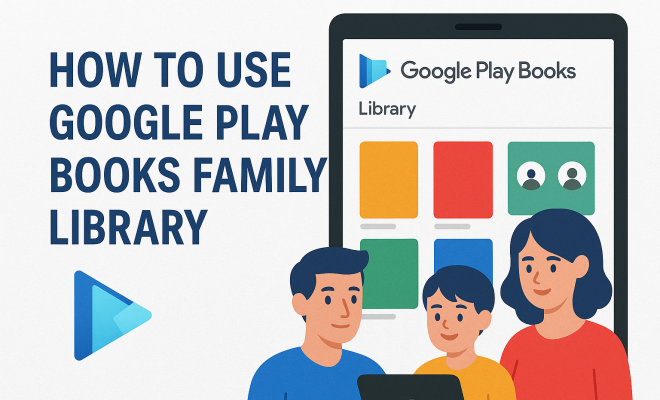
How to use Google Play Books family library
“`html
The digital age has transformed how we consume literature, and with platforms like Google Play Books, access to a vast library is just a click away. But did you know you can also share your favorite reads with your family? The Google Play Books family library is a feature that allows users to share their purchased books with family members, creating a communal experience around reading. In this comprehensive guide, we’ll explore how to utilize this feature effectively, its benefits, and some practical tips to maximize your experience.
1. Understanding the Google Play Books Family Library
The Google Play Books Family Library is designed to allow sharing of digital book purchases among family members. Essentially, a primary account holder can set up a family group that includes up to five family members. Everyone in the group can access and enjoy the shared library, making it a great option for parents wanting to share books with their children, or for siblings wanting to dive into the same stories together.
This system not only enables sharing of eBooks but also audiobooks, expanding the reading experience for all members of the family. With this feature, you don’t have to purchase multiple copies of the same book — a huge financial benefit. However, it’s essential to note that not all books are eligible for sharing, so always check the details before making a purchase.
2. Setting Up Your Family Library
Getting started with the Google Play Books Family Library is straightforward. First, you need a Google Account. If you already have one, follow these steps:
- Open the Google Play Store app on your device.
- Tap on the menu icon (three horizontal lines) and select “Account.”
- Choose “Family” and then “Sign up for Family Library.”
During the setup, you’ll be prompted to create a family group. You can invite up to five family members, and all they need is a Google Account as well. Once they accept the invitation, you can start sharing your purchased books with them. It’s as simple as that!
3. Selecting Books to Share
After setting up your family group, you can choose which books to share within your Google Play Books family library. Not every book you purchase is automatically eligible for sharing, so you must do a bit of curation. Here’s how you can select books:
- Access your Google Play Books app and go to your library.
- Look for the books you want to share; eligible books will have a “Family Library” icon next to them.
- Select the book, tap on the options menu, and choose “Add to Family Library.”
This flexibility allows you to curate a personalized library for your family, ensuring that everyone has access to content that interests them. Plus, it can spark discussions and joint reading sessions, enhancing the overall experience.
4. How to Manage Your Family Library
Managing your shared library is key to ensuring that everyone is benefiting from the Google Play Books family library. You can easily manage which books are shared and how many you have. To do this:
- Open the Google Play Books app.
- Tap on the menu, then go to “Family Library.”
- Here, you can view all the books shared and remove any that you no longer want to share.
Additionally, if a family member purchases a book that you haven’t added to the library, it will not automatically become available to others. Each member should actively manage their selections to maximize what’s available to the entire family. (See: Google Play Books overview.)
5. Benefits of Using Google Play Books Family Library
Utilizing the Google Play Books Family Library offers several advantages. First and foremost, it promotes reading within families, encouraging children to explore various genres and topics. When parents share their favorite books, it can create a bonding experience and even instill a love for reading in younger family members.
Moreover, it’s cost-effective. Instead of buying multiple copies of the same book for different family members, you can simply share one purchase. This not only saves money but also reduces clutter. Families can enjoy a wide variety of books without worrying about accumulating numerous physical copies. It’s a win-win situation!
6. Exploring Audiobooks in the Family Library
The Google Play Books Family Library isn’t limited to just eBooks — it includes audiobooks too! This makes it an excellent resource for families who enjoy listening to stories together, whether during long car rides or cozy evenings at home. Audiobooks can offer a different experience than traditional reading, and sharing them can enhance family discussions and engagement.
To share audiobooks, the process is similar to sharing eBooks. You can browse your library, select an audiobook, and add it to the Family Library. Just like that, family members can enjoy listening to the same stories, making it perfect for encouraging shared experiences and dialogue about the content.
7. Tips for Maximizing Your Family Library Experience
To fully enjoy the Google Play Books Family Library, consider these tips:
- Curate regularly: Keep your library fresh by regularly adding new purchases and removing older titles that may not be of interest anymore.
- Engage with family: Discuss the books and audiobooks you share. This can lead to lively conversations and shared insights about the stories.
- Explore new genres: Encourage family members to step out of their comfort zones and try books they wouldn’t typically choose. This can spark new interests and discussions.
These strategies will help foster a rich reading environment, enhancing the overall enjoyment of the library. Engaging with family regarding what they’re reading can also make the experience much more rewarding.
8. Potential Limitations and Considerations
While the Google Play Books family library offers numerous benefits, it’s essential to be aware of its limitations. Not all books are available for sharing, which can restrict your choices. It’s also worth noting that once a book is added to the Family Library, it can only be removed by the primary account holder. Related reading: free ebook options for kids.
Another consideration is that the Family Library is tied to your Google Account. If you change your Google Account or if the primary account holder disbands the family group, access to shared books and audiobooks will be lost. It’s crucial to keep these factors in mind to ensure a smooth experience.
9. Common Questions About Google Play Books Family Library
What types of content can be shared in the Google Play Books Family Library?
You can share eBooks, audiobooks, and even some comics through the Google Play Books Family Library. It’s a convenient way to make sure that everyone in your family has access to the same content. (See: impact of technology on reading.)
Are all books eligible for sharing?
No, not all books are eligible for sharing. When you purchase a book, look for the “Family Library” icon to see if it can be shared. It’s a good practice to check eligibility before making a purchase. For more on this, see benefits of audiobooks for students.
Can I share books with friends outside of my family?
Unfortunately, the Family Library feature is designed specifically for family sharing. If you want to share books with friends, you would need to do so individually and not through the Family Library.
How many family members can I add to my Family Library?
You can add up to five family members to your Family Library. Each member must have their own Google Account in order to access the shared library.
What happens if I leave a family group?
If you leave a family group, you will lose access to any books that were shared with you through the Family Library. You will still retain access to any books you purchased with your own account.
Can I remove books from the Family Library?
Yes, the primary account holder can remove books from the Family Library. However, individual family members cannot remove books added by the primary account holder.
10. Real-Life Examples of Family Library Success
Many families have found creative ways to utilize the Google Play Books Family Library to enhance their reading experience. For instance, the Johnson family, consisting of two parents and three children, has a dedicated family reading night every Thursday. They take turns picking a book from their shared library, which has led to spirited discussions and even role-playing sessions based on the stories. Their children have become more engaged in reading, and the parents love that they can share age-appropriate books with them.
Another example is the Martinez family, who use audiobooks during their road trips. By sharing audiobooks through their Family Library, they can listen to the same story together, which makes long drives more enjoyable. After finishing a book, they often hold open discussions about the plot, which has sparked interest in reading among the younger family members.
11. The Future of Family Libraries in Digital Reading
As technology continues to evolve, the way we interact with books and each other will also change. The concept of a family library could extend beyond just sharing books. With advancements in augmented reality (AR) and virtual reality (VR), future iterations of digital libraries may allow families to not only read and listen to stories together but also experience them in immersive ways. Imagine stepping into a story where family members can collectively explore the world of a book, interact with characters, and engage with the narrative on a deeper level. (See: latest technology news.)
Furthermore, as digital content grows, so does the potential for educational resources. Families could use a shared library to access educational content together, reinforcing learning at home. By incorporating interactive books or gamified reading experiences, parents could make learning more enjoyable and effective.
12. Maximizing Your Family Library with Google Play Books Features
To get the most from the Google Play Books Family Library, consider utilizing additional features offered by the platform. Here are some ideas:
- Personalized Recommendations: Google Play Books uses algorithms to recommend books based on your reading history. This feature can help family members discover new books that match their tastes, making it easier to find something everyone enjoys.
- Reading Progress Sync: When family members share books, their reading progress is synced across devices. This means that if one family member is reading a book and gets a few chapters in, another family member can pick up right where they left off. This can be especially useful for families with varying schedules.
- Notes and Highlighting: Encourage family members to use the notes and highlighting features. This allows readers to annotate books and share thoughts or favorite quotes with each other. It creates an interactive reading experience where everyone can contribute their insights.
- Reading Challenges: Set up family reading challenges! Choose a genre or theme and see who can read the most books within a specific timeframe. This can spur friendly competition and motivate family members to read more.
13. Tips for Encouraging Young Readers in the Family
When it comes to fostering a love for reading in children, the Google Play Books Family Library can be a game-changer. Here are some strategies to encourage young readers:
- Incorporate Interactive Books: Choose books that have interactive elements or activities included. These can make reading more engaging for children and keep their interest piqued.
- Establish a Reading Routine: Set aside dedicated reading time each day. This could be before bedtime or during quiet afternoons. Consistency helps build habits, and children will come to look forward to this time.
- Discuss the Stories: After finishing a book, create a space for discussion. Ask open-ended questions about the characters, plot, and what they liked most. This encourages critical thinking and enhances comprehension skills.
- Utilize Audiobooks for Engagement: Sometimes children may find audiobooks more appealing than traditional reading. Encourage them to listen and then read the book afterward to reinforce the connection between spoken and written language.
14. Additional Resources for Family Reading
If you’re looking for more resources to enhance your family reading experience, consider exploring the following:
- Book Clubs: Join or start a family book club. This could involve discussing a book monthly and perhaps even hosting themed activities based on the story.
- Online Reading Communities: Platforms like Goodreads allow families to connect with others who share similar reading interests. This can provide external motivation and inspire new reading adventures.
- Reading Apps for Kids: Explore other apps designed to promote literacy among children. Some apps offer engaging stories and learning activities that complement your shared library.
- Local Libraries: Don’t forget to utilize your local library! Many libraries offer digital loans for eBooks and audiobooks that can complement your Google Play Books Family Library.
15. Final Thoughts on the Google Play Books Family Library
The Google Play Books Family Library is a fantastic tool for families looking to share their love of literature. By understanding how to set it up, manage it, and make the most of its features, you can create a wonderful communal reading experience that brings everyone closer together. With just a few clicks, you’ll be able to pass along your favorite stories, discover new genres, and promote a family culture of reading and learning.
So, gather your family members, set up your library, and dive into the world of shared reading. You’ll not only enrich your own lives but also foster meaningful connections through the simple act of sharing a book. Enjoy the journey of exploration together, and watch as literature becomes a shared passion that brings your family closer than ever.
“`
Trending Now
Frequently Asked Questions
What is Google Play Books Family Library?
Google Play Books Family Library is a feature that allows users to share their purchased eBooks and audiobooks with family members. A primary account holder can create a family group of up to five members, enabling everyone in the group to access and enjoy the shared library.
How do I set up a Family Library on Google Play Books?
To set up a Family Library, open the Google Play Store app, tap on the menu icon, select 'Account,' then 'Family,' and choose 'Sign up for Family Library.' You can create a family group and invite up to five family members who also need Google Accounts.
Can I share audiobooks with my family using Google Play Books?
Yes, you can share both eBooks and audiobooks with your family through Google Play Books Family Library. This feature enhances the reading experience by allowing all family members to enjoy the same titles without needing to purchase multiple copies.
Are all books eligible for sharing in the Family Library?
No, not all books are eligible for sharing in the Google Play Books Family Library. It is important to check the eligibility of each title before making a purchase to ensure it can be shared with family members.
What are the benefits of using Google Play Books Family Library?
The main benefits of using Google Play Books Family Library include the ability to share purchased eBooks and audiobooks without buying multiple copies, fostering a communal reading experience, and saving money on digital literature for families.
What's your take on this? Share your thoughts in the comments below — we read every one.