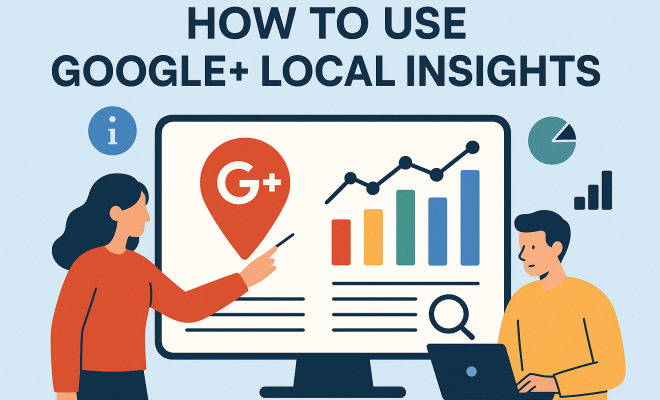
How to use Google+ Local insights
“`html
In the digital marketing landscape, the importance of local search cannot be overstated. Businesses that want to thrive in their communities must understand how to leverage tools like Google My Business (GMB). Among the many features GMB offers, Google My Business insights stands out as a powerful resource for optimizing local presence and driving customer engagement. In this article, we’ll explore what Google My Business insights is, how to use it effectively, and the benefits it brings to your business.
1. Understanding Google My Business Insights
Google My Business insights is an analytical tool that helps businesses track customer interactions across their GMB listing. It provides valuable data on how customers find your business, what actions they take after finding it, and how often they interact with your information. Insights include metrics on searches, views, and engagement, giving you a comprehensive picture of your local visibility on Google.
The insights dashboard is divided into several sections, each providing unique information. These sections include how customers searched for your business (direct vs. discovery searches), customer actions (visits, calls, website clicks), and user engagement with your photos. This level of detail allows businesses to tailor their local SEO strategies effectively.
2. Accessing Your Google My Business Insights
To access your Google My Business insights, you need to have a verified GMB account. Once you log into your account, navigate to the “Insights” tab on the menu. Here, you will find various metrics displayed in an easy-to-understand format. The dashboard is user-friendly, making it accessible even for those new to digital marketing.
As you explore the insights, take note of the different graphs and charts that illustrate your data over time. Google My Business allows you to filter metrics by date ranges, enabling you to analyze performance trends and adjust your marketing strategies accordingly. (top digital marketing courses)
3. Analyzing Customer Searches
One of the most critical features of Google My Business insights is the breakdown of how customers are searching for your business. The distinction between direct and discovery searches provides profound insights into how your business is perceived. Direct searches occur when customers search for your business by name, while discovery searches happen when potential customers look for a category, product, or service that you offer.
Understanding the balance between these two types of searches can inform your marketing strategy. If you notice a higher number of discovery searches, it might be time to enhance your SEO efforts to improve visibility. Conversely, a strong showing in direct searches indicates brand loyalty and recognition in your community.
4. Tracking Customer Actions
Beyond search metrics, Google My Business insights also tracks how customers interact with your listing. This includes actions such as visits to your website, requests for directions, and phone calls. Tracking these interactions is essential for understanding customer behavior and preferences.
For instance, if you see a spike in phone calls but few website visits, it might suggest that customers prefer to inquire directly rather than researching online. This insight can guide you on how to optimize both your online content and your in-store experience.
5. Evaluating User Engagement with Photos
Images play a significant role in attracting customers, and Google My Business insights allows you to analyze engagement with your photos. You can see which images capture the most views and how they influence customer actions. This data can help direct your visual marketing efforts.
For example, if your exterior photos receive high engagement, consider investing in professional photography to enhance that aspect of your listing further. On the other hand, if customers are not engaging with certain images, it may be beneficial to refresh your visuals to better represent your brand. (See: Google My Business overview.)
6. Improving Your Google My Business Listing
Using Google My Business insights effectively means taking actionable steps based on the data you gather. For one, ensure your business information is complete and accurate, as this can influence customer perceptions and trust. Regularly update your listing with new photos, offers, and announcements to keep your audience engaged.
Furthermore, consider implementing local SEO strategies that align with the insights you’ve collected. If you notice a trend in customer search behavior, adjust your keywords, content, and social media marketing to resonate more with your target demographic. Remember, the data is only valuable if you act on it.
7. Utilizing Reviews and Ratings
Customer reviews are a crucial aspect of your Google My Business profile, and insights can help you gauge their impact on your business. The insights dashboard doesn’t directly show reviews, but analyzing the correlation between customer reviews and search activity can provide valuable information on how your reputation influences customer interactions.
Responding to reviews—both positive and negative—can significantly affect your local SEO. Engaging with customers shows that you value their feedback, which can encourage others to leave reviews. Positive reviews can boost your business’s visibility, while negative feedback, when handled correctly, can provide opportunities for improvement and show prospective customers how you handle customer service.
8. Staying Updated with Google My Business Features
Google frequently updates its services, including Google My Business. Staying informed about new features and changes is critical for maximizing your insights strategy. New updates can introduce enhanced analytics, better engagement tools, or improved user interfaces.
For instance, Google has integrated features that allow businesses to post updates directly in their GMB profiles, providing real-time engagement opportunities. These updates can further influence the insights you gather, making it essential to stay current with these developments to leverage them effectively.
9. The Future of Google My Business Insights
As digital marketing evolves, the role of tools like Google My Business insights is likely to expand. Future updates may provide even deeper insights into customer behavior and preferences. Businesses that adapt to these changes and continue to leverage the wealth of data available through GMB will likely see significant advantages in their local marketing strategies.
In conclusion, Google My Business insights is more than just an analytics tool; it’s a vital resource for businesses aiming to enhance their local presence and customer engagement. By understanding how to utilize this feature effectively, you can make informed decisions that drive growth and success in your community.
10. Advanced Features of Google My Business Insights
Google My Business has introduced several advanced features over the years that can enrich your local marketing efforts. Understanding these features can provide even more in-depth insights into your customers’ behaviors and preferences. For example, the Q&A section allows customers to ask questions directly on your GMB profile. Monitoring these questions can help you understand what potential customers are curious about, allowing you to address common concerns or misconceptions.
Additionally, the Posts feature enables you to share updates, events, and promotions directly from your GMB profile. Analyzing how these posts perform can provide insights into what type of content resonates most with your audience. Are they more interested in promotions, or do they engage more with event announcements? Tracking this can help you refine your content strategy.
11. Integrating Google My Business with Other Tools
To maximize the benefits of Google My Business insights, consider integrating it with other digital marketing tools. For example, linking your GMB profile with Google Analytics can give you a more comprehensive understanding of your website traffic and customer behavior. This integration allows you to track how GMB impacts your website visits and conversion rates.
Moreover, utilizing social media management tools can help you schedule posts on your GMB profile and other platforms simultaneously. This synchronization ensures a consistent message across all platforms, improving your overall digital presence. (See: CDC Youth Risk Behavior Survey.)
12. Case Studies: Success Stories with Google My Business Insights
Many businesses have successfully leveraged Google My Business insights to enhance their visibility and customer engagement. For example, a local coffee shop began utilizing GMB insights to analyze peak hours for customer visits. By understanding when their busiest times were, the shop adjusted staff schedules and offered special promotions during slower hours, effectively increasing sales.
Another success story is a landscaping company that invested in professional photography after analyzing their photo engagement metrics. They found that images of completed projects attracted more customers than generic images. Consequently, by showcasing their best work, they saw a significant increase in requests for quotes through their GMB profile.
13. Statistics to Consider
Understanding the impact of Google My Business insights on local businesses can be further highlighted through statistics. According to a study conducted by Google, around 76% of people who search for something nearby visit a business within a day. Furthermore, businesses that verify their GMB listing are 2.7 times more likely to be considered reputable by consumers.
Moreover, research shows that businesses that regularly update their GMB profiles see a 42% increase in requests for directions and a 32% increase in click-through rates to their website. These statistics underline the importance of actively managing and optimizing your Google My Business profile through insights.
14. Common Challenges with Google My Business Insights
While Google My Business insights offer valuable data, many businesses face challenges in interpreting and utilizing this information effectively. A common issue is data overload. With numerous metrics available, it can be overwhelming for business owners to determine which insights are most relevant to their goals. To combat this, it’s essential to focus on key performance indicators (KPIs) that align with your business objectives.
Another challenge is understanding the correlation between online and offline behavior. While GMB insights provide data on digital interactions, it can be tough to connect these metrics to actual foot traffic or sales in a physical location. Implementing systems to track conversions and customer feedback can help bridge this gap.
15. Frequently Asked Questions about Google My Business Insights
What is the difference between direct and discovery searches?
Direct searches are when customers search for your business by name, while discovery searches occur when they look for a product or service you offer without knowing your business name. Understanding this difference helps you tailor your local SEO efforts.
How often should I check my Google My Business insights?
Ideally, you should review your GMB insights at least once a month. Regular checks allow you to see trends and make timely adjustments to your marketing strategies.
Can I improve my Google My Business insights data?
Yes! By optimizing your GMB listing, regularly posting updates, responding to reviews, and engaging with your audience, you can positively impact the insights you receive.
Are Google My Business insights real-time?
While some metrics update in real-time, others may take a short while to reflect the latest data. Generally, insights are updated within a few days. (See: New York Times on Google My Business.)
What actions can I take based on my insights data?
You can adjust your marketing strategies, focus on enhancing your online presence, optimize content, and implement local SEO tactics based on the trends and findings from your insights data.
16. Best Practices for Utilizing Google My Business Insights
Maximizing the effectiveness of Google My Business insights requires a strategic approach. Here are some best practices you can follow:
- Set Clear Goals: Identify what you want to achieve with your GMB profile. Whether it’s increasing website traffic, boosting foot traffic, or enhancing customer engagement, defining your goals will guide your actions based on insights.
- Regularly Update Your Information: Keep your business hours, services, and products updated. If your hours change during holidays or special events, make sure your GMB profile reflects this to avoid customer frustration.
- Leverage Customer Feedback: Use insights from customer reviews and questions to refine your services. This not only improves customer satisfaction but can also enhance your GMB ranking.
- Experiment with Posts: Use the Posts feature to share promotions, news, or events. Monitor which types of posts receive the most engagement, and adjust your strategy accordingly.
- Compare Performance Over Time: Use the date range filters to compare insights across different periods. This can help you identify seasonal trends and adjust your marketing strategies to align with peak times.
17. The Role of Google My Business Insights in Local SEO
Google My Business insights play a crucial role in local SEO. The data you gather can inform your strategy and improve your visibility in local search results. By understanding customer behavior, businesses can enhance their online presence and increase the likelihood of appearing in the coveted local pack results.
For instance, businesses that see a high number of discovery searches can focus on optimizing their website and content with local keywords. This ensures that when potential customers search for services in their area, your business appears prominently in search results.
Furthermore, the data on customer interactions can guide your content marketing efforts. If you find that users are more likely to call your business after viewing a specific type of post or image, consider creating more of that content to drive engagement.
18. Innovative Ways to Use Google My Business Insights
Beyond the traditional methods of data utilization, consider some innovative approaches to using Google My Business insights. Here are a few ideas:
- Customer Personas: Use insights to develop customer personas based on the demographics and behaviors of your audience. This can help in tailoring your marketing strategies to better resonate with your target customers.
- Seasonal Campaigns: By analyzing data over different seasons, businesses can create seasonal marketing campaigns that align with customer behavior. For instance, if you notice increased searches for “ice cream” in summer, a targeted promotion during that period can boost sales.
- Collaborate with Local Influencers: Identify patterns in customer searches and engagements that relate to products or services promoted by local influencers. Building partnerships with these influencers can amplify your reach based on the insights gathered from GMB.
- Local Events: If you notice a surge in local event-related searches, consider hosting events or promotions that align with these interests. Insights can help you time these events effectively for maximum customer engagement.
19. Conclusion: Embracing Google My Business Insights
The landscape of local business has changed dramatically with the rise of digital marketing, and tools like Google My Business insights are essential for staying competitive. By leveraging the data provided, businesses can not only enhance their visibility but also engage more effectively with their customers. Embracing these insights means taking the time to analyze, experiment, and adapt your strategies to meet the needs of your audience. As you embrace this data-driven approach, your business can thrive in the local marketplace.
“`
Trending Now
Frequently Asked Questions
What are Google My Business insights?
Google My Business insights is an analytical tool that provides businesses with data on customer interactions with their GMB listing. It tracks how customers find your business, the actions they take, and engagement metrics, offering a clear view of local visibility on Google.
How do I access Google My Business insights?
To access Google My Business insights, log into your verified GMB account and navigate to the 'Insights' tab. The dashboard presents various metrics in an easy-to-understand format, allowing you to analyze customer interactions and engagement.
What metrics can I find in Google My Business insights?
Google My Business insights provides metrics on how customers searched for your business, including direct vs. discovery searches, customer actions like visits and calls, and engagement with your photos. This data helps optimize your local SEO strategies.
How can Google My Business insights help my business?
Google My Business insights helps businesses understand customer behavior and interactions, enabling them to tailor their local SEO strategies. By analyzing these insights, businesses can improve their visibility and engagement within their local community.
Can I filter Google My Business insights by date?
Yes, Google My Business insights allows you to filter metrics by date ranges. This feature helps you analyze performance trends over time, enabling you to make informed adjustments to your marketing strategies based on historical data. For more on this, see essential SEO strategies for rentals.
Have you experienced this yourself? We'd love to hear your story in the comments.