How to customize Google Now cards
“`html
Google Now was launched as a feature of Google Search in 2012, designed to provide personalized information at a glance. Over the years, it has evolved into a more sophisticated personal assistant, now integrated into Google Assistant. However, many users still aren’t fully aware of how to customize Google Now cards to enhance their daily productivity. In this article, we’ll delve into ten essential ways you can tailor your Google Now experience to suit your needs, making it a powerful tool in your digital arsenal.
1. Understanding Google Now Cards
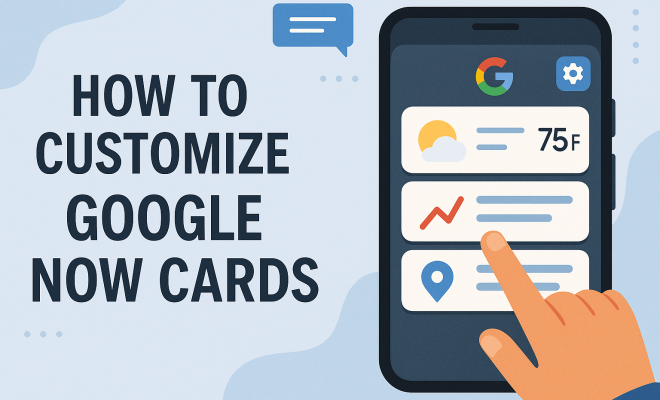
Before you can effectively customize Google Now cards, it’s vital to understand what they are. Google Now cards are snippets of information curated to fit your preferences and habits; they range from weather updates to sports scores, flight statuses to calendar reminders. Each card is designed to provide timely and relevant content, based on your location, searches, and personal interests.
These cards appear in Google Now, which is accessible on both Android and iOS devices. The content is dynamic and changes throughout the day, adapting to your activities and inquiries. The beauty of Google Now lies in its ability to aggregate this information and present it in a visually appealing format, making it easy for users to access their most critical data all in one place.
2. Personalizing Your Interests
The first step to customize Google Now cards is to personalize your interests. By doing this, you can ensure that the cards presented to you reflect your preferences. Open the Google app, tap on the ‘More’ option located at the bottom right, and select ‘Settings.’ From there, navigate to ‘Interests’ and choose the topics that resonate with you the most. You can select categories such as technology, sports, entertainment, and more.
Personalizing interests not only influences the cards you see but also enhances the relevance of the information displayed. For instance, if you’re a sports fan, selecting your favorite teams will yield game scores and news tailored to your liking. This level of customization transforms Google Now into a personalized content hub, ensuring you’re always in the loop. For more on this, see favorite productivity apps.
3. Location Settings for Local Updates
Your location plays a significant role in how Google Now customizes cards for you. By allowing the app to access your location, you can receive localized updates, such as traffic conditions, nearby events, and weather alerts. To manage your location settings, go to the ‘Settings’ in the Google app, tap on ‘Location’ and ensure that location services are enabled.
Moreover, you can specify different locations for various cards, allowing you to stay informed about updates in other cities. This is particularly useful if you travel frequently or have family and friends living in different areas. With precise location settings, you can easily get alerts on local happenings, ensuring you never miss a beat wherever you are.
4. Integrating Your Calendar
Your calendar is a vital component of your daily routine, so integrating it with Google Now is a no-brainer. By syncing your Google Calendar, you can receive timely reminders about important events, meetings, and appointments. To customize Google Now cards related to your calendar, head to the ‘Settings’ and select ‘Accounts.’ Make sure your Google account is connected and synchronized.
Once synced, Google Now will generate cards that provide information about your upcoming events. This feature ensures that you are always prepared and aware of your schedule, thus enhancing productivity. Additionally, you can set reminders for specific tasks, and Google Now will alert you at the designated time, making it easier to stay organized throughout the day.
5. Customizing News Sources
Staying informed is crucial, and Google Now allows you to customize the news sources from which you receive updates. This feature ensures that you are presented with news articles and updates that are not only interesting but also credible. To customize your news sources, go to the ‘Settings’ menu, select ‘General,’ and then ‘News.’ Here, you can manage your sources by adding or removing specific publications that you trust.
By selecting your preferred news outlets, you can curate a personalized news feed that covers topics you care about, from politics to tech innovations. This feature maximizes the utility of Google Now, enabling you to stay informed without sifting through irrelevant content. (See: Overview of Google Now.)
6. Utilizing Reminders and To-Do Lists
One of the standout features of Google Now is its ability to create reminders and manage to-do lists. You can easily set reminders for specific tasks, whether it’s picking up groceries or preparing for an important meeting. To create a reminder, simply say, “Ok Google, remind me to…” followed by your request.
Additionally, Google Now allows you to view and manage these reminders directly from your cards. You can check off tasks as you complete them, ensuring you never miss important deadlines. Integrating reminders into your Google Now cards not only helps with time management but also increases efficiency, providing a seamless experience as you navigate your daily tasks.
7. Controlling Notification Settings
The effectiveness of Google Now can be significantly impacted by how you manage your notification settings. You can customize which notifications you want to receive based on your preferences. To do this, navigate to ‘Settings’ in the Google app, then select ‘Notifications.’ Here, you can toggle various notifications on or off, choosing to receive alerts for specific categories like weather, traffic, or sports.
By controlling your notification settings, you can avoid information overload while still staying updated on the topics that matter most to you. This level of control ensures that Google Now remains an efficient tool rather than a source of distraction, helping maintain your focus throughout the day.
8. Customizing Google Assistant Integration
Google Now has evolved to integrate seamlessly with Google Assistant, which allows for even deeper customization. By leveraging voice commands, you can set preferences, ask questions, and retrieve information without needing to manually search. To enhance this experience, you can customize Google Assistant’s settings by accessing the ‘Settings’ in the Google app, then selecting ‘Google Assistant.’
This area allows you to adjust voice match settings, personalize routines, and even connect smart devices. The more you customize your Google Assistant, the more tailored your Google Now experience will become. The integration elevates convenience, allowing you to access information and perform tasks through simple voice commands.
9. Using Third-Party Apps for Enhanced Functionality
Customization doesn’t stop with Google’s built-in features. You can enhance Google Now’s functionality by integrating third-party apps. Many applications, such as fitness trackers, social media platforms, and productivity tools, offer the ability to sync with Google Now. This integration can result in a more connected experience, where information flows seamlessly across various platforms.
For instance, fitness apps can provide updates on your daily activity progress, while travel apps can offer flight updates and itineraries. By linking these apps to your Google account, you can create a centralized hub of information, making it easier to stay organized and informed.
10. Regularly Reviewing and Updating Preferences
Lastly, it’s essential to regularly review and update your preferences within Google Now. Your interests, location, and daily routine may change over time, and ensuring that your settings reflect these changes is vital for optimal performance. Take a few minutes each month to revisit your settings in the Google app and make adjustments as needed.
This proactive approach not only keeps your Google Now cards relevant but also enhances your overall user experience. An up-to-date setup means you’re always getting the most pertinent information, allowing Google Now to continue being a valuable resource for your daily life.
11. Exploring Advanced Customization Options
If you’re looking to take your customization a step further, consider exploring the advanced features that Google Now offers. These can include creating custom routines and utilizing the power of Google Assistant to automate tasks based on your preferences.
For example, you can set up a morning routine that triggers various Google Now cards to show relevant information. When you say, “Good morning,” you can receive cards that display the day’s weather, upcoming calendar events, and news updates, all tailored to your interests. This level of automation not only saves time but also streamlines your mornings, allowing you to kickstart your day efficiently.
12. The Importance of Privacy in Customization
When customizing Google Now cards, it’s crucial to remain aware of your privacy settings. Google collects data to tailor your experience, but you have control over what information you share. Regularly review your privacy settings to ensure you’re comfortable with the data being used. You can adjust these settings in your Google account under ‘Data & Personalization.’ (See: Using technology for personalized information.)
For instance, you might choose to disable location tracking if you feel it compromises your privacy. Understanding what data is collected and how it’s used can enhance your comfort level with the service. You can also manage your ad settings to reduce targeted advertising based on your activity.
13. Utilizing Google Now for Travel Planning
Google Now can be a game-changer when it comes to travel planning. By integrating your travel itineraries from Google Flights or Gmail, you can receive cards that keep you updated on flight statuses, gate changes, and even weather conditions at your destination. To ensure you’re getting the most out of this feature, make sure your travel-related emails are linked to your Google account.
Additionally, if you’re traveling to a new city, you can customize Google Now to provide you with local recommendations, such as restaurants, attractions, and events. These tailored suggestions can make your travel experience smoother and more enjoyable, allowing you to explore new places with confidence.
14. Understanding the Learning Curve
As with any technology, there can be a learning curve when it comes to fully customizing Google Now cards. Don’t be discouraged if it takes a while to get accustomed to all the features available. Spend some time experimenting with various settings and features to discover what works best for you. Familiarizing yourself with the app will yield greater benefits over time, and you may even uncover new features you weren’t aware of initially. There’s a fuller look at essential tools for parents.
15. Frequently Asked Questions (FAQ)
What types of information can Google Now cards display?
Google Now cards can display a wide range of information, including weather forecasts, sports scores, traffic updates, flight statuses, news articles, and reminders from your calendar. The content is personalized based on your preferences and location.
Can I remove specific cards from my Google Now feed?
Yes, you can easily remove specific cards by tapping on the three-dot menu on the card and selecting ‘Not interested’ or ‘Hide.’ This allows you to curate your feed further and ensure you only see the most relevant information.
How does Google Now know my interests?
Google Now learns your interests based on your search history, location data, and the topics you’ve selected in the interests section of the Google app. Regularly updating your interests can help Google Now provide more accurate cards.
Is Google Now available on all devices?
Google Now is primarily integrated into the Google app, which is available on both Android and iOS devices. However, the functionality may vary based on the device and operating system version.
Can I customize Google Now cards for a specific event or occasion?
Yes, you can temporarily customize Google Now cards for specific events. For instance, if you have a concert or a vacation planned, you can manage your calendar and reminders to include these events, allowing Google Now to generate relevant cards leading up to and during the occasion.
16. Enhancing Productivity with Google Now
One of the primary benefits of customizing Google Now cards is the ability to enhance your productivity. By tailoring the information you receive, you can streamline your day-to-day activities. For instance, if you’re managing a project at work, you can create dedicated cards that keep track of deadlines, team updates, and relevant resources.
Statistics show that personalized productivity tools can increase efficiency by up to 30%. By integrating Google Now with your daily tasks and responsibilities, you can harness this power. Consider utilizing the reminders feature for work-related tasks or setting aside time in your calendar for focused work sessions. Customizing your cards to reflect your professional obligations ensures you stay on top of important tasks, contributing to a more productive work environment. (See: Google Assistant and its features.)
17. Google Now for Health and Wellness
Many users overlook the potential of Google Now as a health and wellness companion. By integrating fitness apps and tracking your health data, you can customize cards that remind you to exercise, drink water, or take medication. For instance, you might set reminders for your daily workouts or receive motivational quotes to keep you inspired.
According to a study from the American Journal of Preventive Medicine, individuals who utilized digital tools to track their health showed significant improvements in adherence to their wellness plans. By personalizing Google Now to support your fitness journey, you can create a more holistic approach to your overall well-being.
18. Engaging with Smart Home Features
If you have a smart home setup, you can further customize Google Now to control your devices. For example, you can create cards that display the status of your smart lights, thermostat, or security system. By integrating these features, you can receive alerts when a door is unlocked or when your home reaches a certain temperature. You can also issue voice commands through Google Assistant to control your devices without lifting a finger.
As smart home technology continues to advance, users can expect more seamless integration between Google Now and their devices, making home management easier and more efficient.
19. Staying Updated on Current Events
In an age where information is constantly changing, keeping up with current events can feel overwhelming. By customizing Google Now cards to focus on specific news topics or sources, you can stay informed without getting lost in the noise. Some users even choose to follow specific journalists or industry experts, allowing them to receive tailored updates directly from those they trust.
Recent studies have shown that people who curate their news sources experience less stress related to information overload. By fine-tuning your Google Now cards to reflect your interests, you can create a balanced news feed that keeps you informed while avoiding unnecessary distractions.
20. Tips for New Users
If you’re new to Google Now or haven’t explored its features deeply, here are a few quick tips to get started:
- Explore the Settings: Spend some time in the settings to familiarize yourself with the options available. You’ll find many features that you may not have known existed.
- Try Voice Commands: Use voice commands to quickly set reminders or find information. It’s a hands-free way to manage your tasks.
- Experiment with Interests: Don’t hesitate to try out different interests. You can always adjust them based on what you find most useful.
- Keep an Eye on Updates: Google frequently updates its apps, so keep an eye out for new features that can enhance your Google Now experience.
By implementing these ten strategies and exploring additional features, you can truly customize Google Now cards to fit your lifestyle, making the app a powerful ally in staying informed and organized. Whether you’re looking to streamline your daily tasks, stay updated on current events, or manage your calendar effectively, customizing Google Now cards offers a personalized experience that can enhance both productivity and enjoyment in your digital life. (teacher productivity strategies)
“`
Trending Now
Frequently Asked Questions
How do I customize my Google Now cards?
To customize your Google Now cards, open the Google app, tap 'More' at the bottom right, then select 'Settings.' Navigate to 'Interests' to choose topics that reflect your preferences, such as sports, technology, or entertainment. This personalization ensures the cards displayed align with your interests.
What are Google Now cards?
Google Now cards are snippets of personalized information that provide timely updates based on your location, searches, and interests. They can include weather updates, sports scores, and calendar reminders, all designed to present relevant content in a visually appealing format.
Can I change the topics in Google Now?
Yes, you can change the topics in Google Now by going to the Google app, tapping 'More,' selecting 'Settings,' and then 'Interests.' From there, you can add or remove topics to better tailor the information you receive on your cards.
How often do Google Now cards update?
Google Now cards update dynamically throughout the day, adapting to your activities and inquiries. This means the information displayed can change based on your current location, recent searches, and personalized interests for timely and relevant content.
Is Google Now still available?
Google Now has evolved and is now integrated into Google Assistant. While the standalone Google Now feature may not be as prominent, its functionalities continue to be available through Google Assistant, providing personalized information and updates.
Have you experienced this yourself? We'd love to hear your story in the comments.