The Tech Edvocate

Top Menu

  • Advertisement
  • Apps
  • Home Page
  • Home Page Five (No Sidebar)
  • Home Page Four
  • Home Page Three
  • Home Page Two
  • Home Tech2
  • Icons [No Sidebar]
  • Left Sidbear Page
  • Lynch Educational Consulting
  • My Account
  • My Speaking Page
  • Newsletter Sign Up Confirmation
  • Newsletter Unsubscription
  • Our Brands
  • Page Example
  • Privacy Policy
  • Protected Content
  • Register
  • Request a Product Review
  • Shop
  • Shortcodes Examples
  • Signup
  • Start Here
    • Governance
    • Careers
    • Contact Us
  • Terms and Conditions
  • The Edvocate
  • The Tech Edvocate Product Guide
  • Topics
  • Write For Us
  • Advertise

Main Menu

  • Start Here
    • Our Brands
    • Governance
      • Lynch Educational Consulting, LLC.
      • Dr. Lynch’s Personal Website
      • Careers
    • Write For Us
    • The Tech Edvocate Product Guide
    • Contact Us
    • Books
    • Edupedia
    • Post a Job
    • The Edvocate Podcast
    • Terms and Conditions
    • Privacy Policy
  • Topics
    • Assistive Technology
    • Child Development Tech
    • Early Childhood & K-12 EdTech
    • EdTech Futures
    • EdTech News
    • EdTech Policy & Reform
    • EdTech Startups & Businesses
    • Higher Education EdTech
    • Online Learning & eLearning
    • Parent & Family Tech
    • Personalized Learning
    • Product Reviews
  • Advertise
  • Tech Edvocate Awards
  • The Edvocate
  • Pedagogue
  • School Ratings

logo

The Tech Edvocate

  • Start Here
    • Our Brands
    • Governance
      • Lynch Educational Consulting, LLC.
      • Dr. Lynch’s Personal Website
        • My Speaking Page
      • Careers
    • Write For Us
    • The Tech Edvocate Product Guide
    • Contact Us
    • Books
    • Edupedia
    • Post a Job
    • The Edvocate Podcast
    • Terms and Conditions
    • Privacy Policy
  • Topics
    • Assistive Technology
    • Child Development Tech
    • Early Childhood & K-12 EdTech
    • EdTech Futures
    • EdTech News
    • EdTech Policy & Reform
    • EdTech Startups & Businesses
    • Higher Education EdTech
    • Online Learning & eLearning
    • Parent & Family Tech
    • Personalized Learning
    • Product Reviews
  • Advertise
  • Tech Edvocate Awards
  • The Edvocate
  • Pedagogue
  • School Ratings
  • Toxic Pills: This Supplement Scandal Puts Millions at Risk

  • Urgent Dog Supplement Recall: This Stealthy Threat Could Be Hiding in Your Pantry!

  • Staggering: Climate Tech Fundraising Collapses — Is AI to Blame?

  • Global AI stocks tumble as industry’s biggest names sound alarm – The Straits Times

  • Sony’s Controversial Move: Why the Last of Us Part II Multiplayer Mod Got Axed

  • Trump’s Wild AI Claims: Is There a ‘Sick Conspiracy’ Against Tech?

  • This One Thing Is Turning Classrooms Into Culture War Battlegrounds

  • Your AI Detector Is Useless: Why Universities Are Scrapping ‘Catch & Ban’ for This

  • Terrifying: AI Is About to Break Cybersecurity – And No One Is Ready

  • Volkswagen’s Staggering Miscalculation: 50,000 Jobs Vanish as EV Dream Sours

Google Classroom
Home›Google Classroom›How to Use Google Classroom to Create the Perfect Digital Learning Environment

How to Use Google Classroom to Create the Perfect Digital Learning Environment
By Matthew Lynch
September 18, 2018
0
Spread the love

A digital learning environment should provide equal access, foster collaboration and communication, and promote critical thinking and creativity. It should also present opportunities for differentiation in order to meet the needs of all students, encourage active learning, and increase student engagement. In addition, digital learning environments must allow teachers and students to evaluate learning and provide feedback. Google Classroom provides teachers with tools to do each of these and more.

Collaboration and Communication

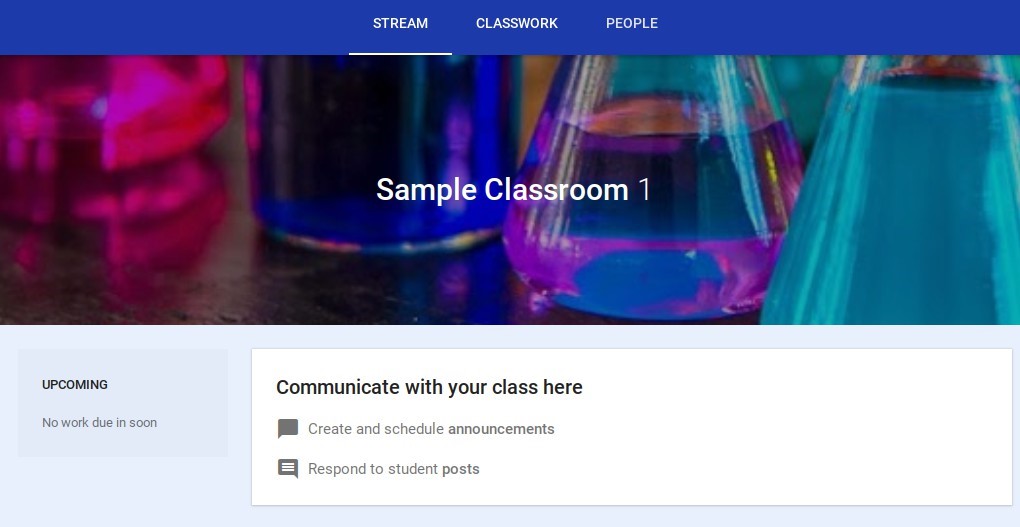
Google Classroom contains built-in communication and collaboration tools which enable teachers to communicate with students at any time. Teachers and students can send and receive emails using the integrated Gmail application in Classroom. Communication is also available through posting to the Stream, sending private comments on assignments, and providing comments on student work in the grading tool.

There are multiple ways for students to collaborate within Google Classroom. Online discussions via the Stream enable students to carry open conversations with peers and the teacher. Students can also collaborate on group assignments created by the teacher through shared documents.
Active Learning and Engagement

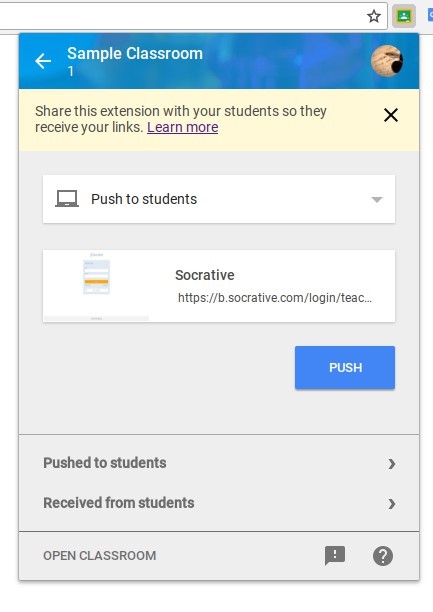
Active learning and engagement are critical components of any digital learning environment. Although most students are comfortable with technology, the teacher must make it a priority to use strategies which will increase student ownership in learning. Classroom offers several ways to make learning interactive in order to increase engagement. Within Classroom, teachers have the ability to include links, videos, interactive games, and collaborative assignments within lessons and assignments. There are hundreds of apps and extensions which integrate with Google Classroom, literally making the possibilities for increasing engagement limitless. With the Share to Classroom extension for Google Chrome, nearly all websites can now be shared to Google Classroom.
Differentiation

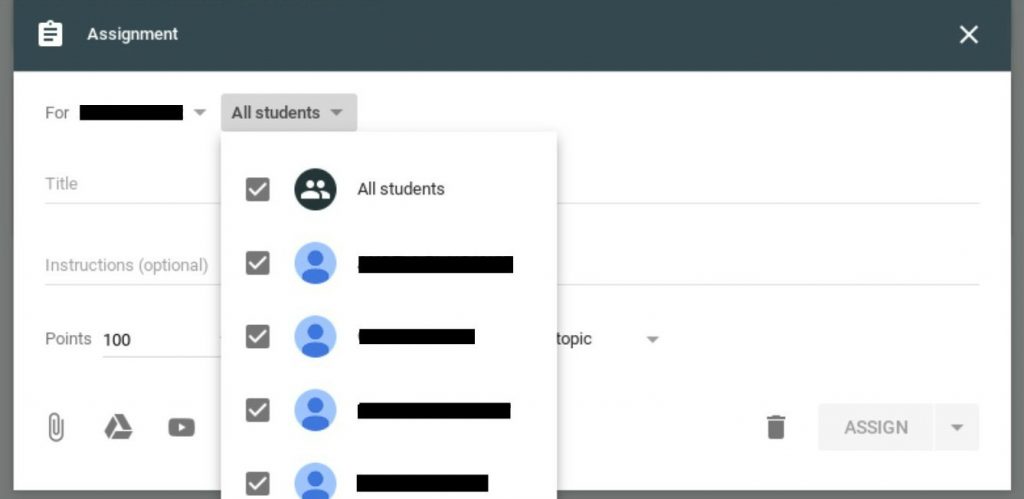
Google Classroom makes differentiation of lessons and assignments a breeze. Teachers can assign lessons to the whole class, individual students, or groups of students on the Classwork tab in Classroom. Assigning work to individual students in a regular classroom setting is often time-consuming and extremely difficult, but Google Classroom removes the difficulty level. Teachers simply have to create a new assignment, choose the checkbox next to the student(s) who are to receive the assignment, and repeat the process as needed for other individuals or groups of students.
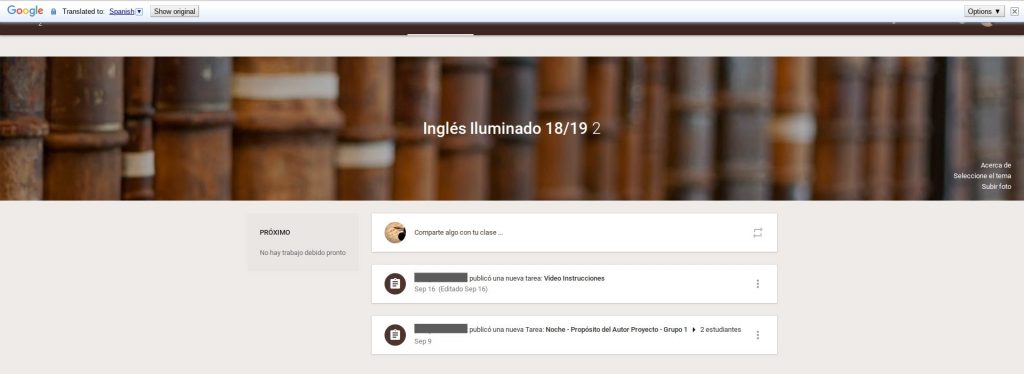
Teachers are also able to provide accommodations for English Language Learners within Classroom. The Google Translate extension for Classroom allows students to translate an entire webpage or document. There is also a Translate feature embedded in Google Docs in the Tools menu.
Assessment and Feedback

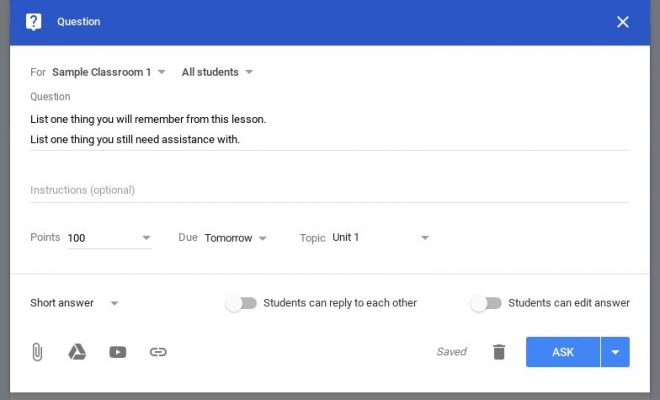
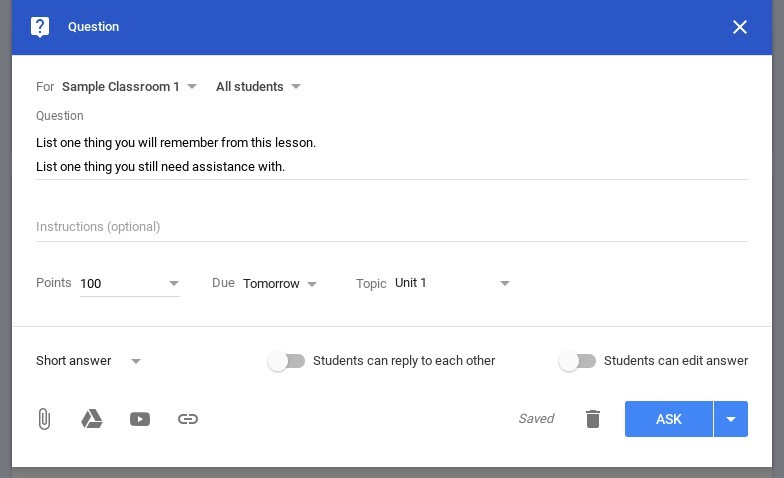
Assessing student learning and providing feedback can be done in a number of ways through Google Classroom. Teachers can create a Google Form to use as a quiz or as a check for understanding. These are automatically graded, and the results are saved to Classroom. Results can also be exported to Sheets for data analysis. Teachers can also use the question feature when creating an assignment to create an exit ticket or ask thought-provoking questions during class. The Classroom grading tool provides another method for assessing student work, making comments, and submitting graded assignments with feedback to students.


Previous Article

What are the Long-Term Effects of Edtech ...

Next Article

How to Integrate Google Classroom with the ...

Matthew Lynch

Related articles More from author

  • Google ClassroomGoogle Classroom Tips

    Why Should We Use Google Classroom?

    September 22, 2020
    By Matthew Lynch
  • Early Childhood & K-12 EdTechGoogle ClassroomHigher Education EdTech

    Google Classroom Integrated Similarity Detector

    September 18, 2018
    By Matthew Lynch
  • Google ClassroomGoogle Classroom Tips

    How Do I Delete a Google Classroom I Am No Longer Using or Made By Mistake?

    October 6, 2020
    By Matthew Lynch
  • Google ClassroomSocial Media & Education

    10 Ways to Use Google in Your Classroom

    September 11, 2017
    By Matthew Lynch
  • Educational LeadershipGoogle Classroom

    4 Ways for K–12 Administrators to Master Google Classroom

    November 30, 2020
    By Matthew Lynch
  • Early Childhood & K-12 EdTechGoogle Classroom

    Google Classroom in the School Library

    March 19, 2018
    By Matthew Lynch

Search

Login & Registration

  • Log in
  • Entries feed
  • Comments feed
  • WordPress.org

Newsletter

Signup for The Tech Edvocate Newsletter and have the latest in EdTech news and opinion delivered to your email address!

About Us

Since technology is not going anywhere and does more good than harm, adapting is the best course of action. That is where The Tech Edvocate comes in. We plan to cover the PreK-12 and Higher Education EdTech sectors and provide our readers with the latest news and opinion on the subject. From time to time, I will invite other voices to weigh in on important issues in EdTech. We hope to provide a well-rounded, multi-faceted look at the past, present, the future of EdTech in the US and internationally.

We started this journey back in June 2016, and we plan to continue it for many more years to come. I hope that you will join us in this discussion of the past, present and future of EdTech and lend your own insight to the issues that are discussed.

Newsletter

Signup for The Tech Edvocate Newsletter and have the latest in EdTech news and opinion delivered to your email address!

Contact Us

The Tech Edvocate
910 Goddin Street
Richmond, VA 23231
(601) 630-5238
[email protected]

Copyright © 2026 Matthew Lynch. All rights reserved.