Master CapCut Transitions: Elevate Your Video Editing Skills
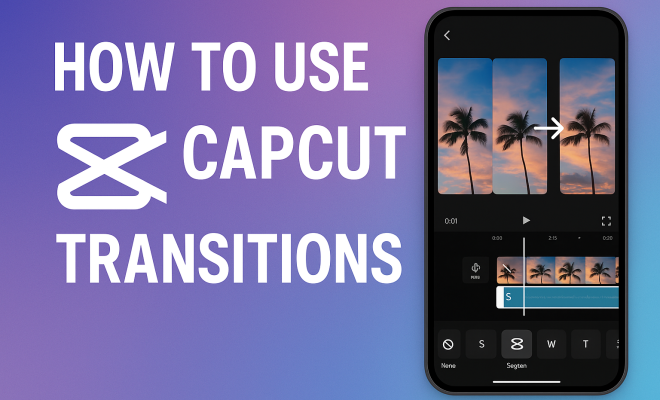
“`html
In the ever-evolving world of video editing, CapCut transitions have emerged as a vital tool for content creators. Whether you’re a budding filmmaker, a social media influencer, or just someone who loves to edit videos for fun, knowing how to effectively use transitions can elevate your projects dramatically. This article delves into the nuances of CapCut transitions, guiding you through their types, how to implement them, and tips for making your videos stand out.
1. Understanding CapCut and Its Popularity
CapCut, developed by ByteDance, the creators of TikTok, has rapidly gained traction due to its user-friendly interface and robust editing features. Launched in 2020, it allows users to create high-quality videos directly from their mobile devices without needing extensive editing experience. With over 200 million downloads on Google Play alone, it’s clear that CapCut fills a significant gap for accessible video editing tools.
What sets CapCut apart is its blend of powerful editing capabilities and simplicity. You can trim, cut, and merge clips, add audio, and incorporate text overlays all in one app. However, it’s the transition effects that really give your videos that professional flair, making them visually appealing and more engaging to audiences.
2. The Importance of Transitions in Video Editing
Transitions play a crucial role in video editing by creating a seamless flow between scenes. They help maintain the viewer’s attention and can evoke specific emotions depending on the type used. For instance, a dramatic fade might enhance the mood of a tense scene, while a quick jump cut can inject excitement into a fast-paced action sequence.
Beyond aesthetics, transitions also serve a practical purpose. They can signal changes in time, location, or perspective, guiding the audience through the narrative of the video. Consequently, choosing the right transition can significantly enhance storytelling, making it an essential aspect of the editing process.
3. Types of Transitions in CapCut
CapCut offers a variety of transitions, each contributing a unique effect to your video. Here are some of the most commonly used types:
- Cut: The most straightforward transition, where one clip ends and another begins without any effects. This type maintains the pacing and can be very effective in fast-paced videos.
- Fade: A gradual transition that either fades to or from black or white. It’s often used to signify a change in time or mood.
- Slide: This effect makes one clip slide off the screen while the next slides in. It adds a dynamic visual element and is great for fast-paced edits.
- Zoom: A transition that zooms in on a clip before transitioning to the next. This can create an engaging effect, drawing the viewer’s eye to specific details.
- 3D Flip: For a more dramatic impact, the 3D flip transition rotates the clip in three-dimensional space. This is perfect for attention-grabbing moments.
Understanding these transitions and their intended effects can help you choose the right ones for your videos.
4. How to Add Transitions in CapCut
Adding transitions in CapCut is a straightforward process. Here’s a step-by-step guide to help you get started: For more on this, see safety of CapCut.
- Open CapCut: Launch the app on your device and create a new project by tapping the ‘+’ icon.
- Import Your Clips: Select the videos you want to edit from your gallery and add them to the timeline.
- Select the Transition Point: Tap the small white icon between two clips on your timeline. This will open the transition menu.
- Choose Your Transition: Browse the various transition options available. You can preview how each transition will look by tapping on them.
- Adjust Duration: Once you’ve selected a transition, you can adjust its duration to make it quicker or slower, depending on the effect you want.
- Save and Export: After you’re satisfied with the transitions, save your project and export it to your desired format.
This simple process allows anyone to experiment with transitions, enhancing their videos without an extensive learning curve. (See: Video editing overview on Wikipedia.)
5. Tips for Using CapCut Transitions Effectively
While adding transitions might seem easy, using them effectively requires a bit of finesse. Here are some tips to ensure your transitions enhance rather than detract from your video:
- Keep It Simple: Overusing transitions can overwhelm your audience. Stick to one or two types per video to maintain a clean aesthetic.
- Match the Transition to the Mood: Ensure the transition complements the tone of the scenes. For example, use quick cuts for energetic segments and soft fades for emotional moments.
- Test Different Durations: Experiment with different transition lengths to see what feels right for your video. Sometimes a faster transition can maintain momentum better than a slow one.
- Use Sound Effects: Pairing transitions with sound effects can amplify their impact. For instance, a whoosh sound can make a slide transition feel more dynamic.
These tips will help you refine your technique, ensuring that each transition serves a purpose in your storytelling.
6. Current Trends in Video Editing with CapCut
As of 2023, trends in video editing continue to evolve, and CapCut is at the forefront of these changes. One key trend is the integration of TikTok-style editing techniques, which emphasizes quick edits, engaging transitions, and creative storytelling.
Another trend is the growing demand for vertical video formats, particularly for platforms like Instagram Reels and TikTok. CapCut is well-suited for this style of editing, offering specific tools and transitions that cater to vertical video, enabling creators to maximize their reach on these platforms.
Additionally, the rise of user-generated content has pushed creators to explore bold and unique transitions, fostering a sense of individuality in their projects. As you edit, consider how your transitions can reflect your personal style while still appealing to your audience.
7. Common Mistakes to Avoid with Transitions
Even seasoned editors can fall into traps when it comes to transitions. Here are some common mistakes to watch out for:
- Using Inconsistent Styles: Mixing too many types of transitions can confuse viewers. Stick to a coherent style that matches your video’s theme.
- Neglecting the Pace: Ensure that transitions don’t disrupt the video’s pacing. A jarring transition can pull viewers out of the experience.
- Ignoring Audio: Transitions aren’t just visual; they also have audio elements. Neglecting sound can make transitions feel incomplete.
- Overcomplicating Simple Scenes: When transitioning between simple scenes, a simple cut may be more effective than a flashy transition.
Being aware of these pitfalls can help you create cleaner, more professional-looking videos.
8. Advanced Techniques with CapCut Transitions
For those looking to take their editing to the next level, there are advanced techniques to explore with CapCut transitions. Here are a few ideas:
- Layering Transitions: Combine different types of transitions for a unique effect. For example, start with a fade and then add a zoom effect for a dramatic reveal.
- Using Keyframes: Keyframing allows you to control the timing of transitions more precisely, enabling you to create custom effects that are not available in the default settings.
- Incorporating Motion Elements: Add motion graphics or animated text to transition moments to enhance the visual storytelling.
- Utilizing Color Grading: Transitioning scenes with a consistent color palette can create a cohesive look across your video. Experiment with color grading to enhance this effect.
These advanced techniques can elevate your videos, making them not only visually stunning but also unique to your style.
9. Where to Find Inspiration for Your Transitions
Finding inspiration for your transitions can significantly enhance your editing style. Here are a few sources to consider: (See: CDC tips on video editing.)
- YouTube Tutorials: Countless video tutorials focus on CapCut and its transition capabilities. Watching others can give you insights into techniques and styles you might not have considered.
- Social Media Platforms: Platforms like TikTok, Instagram, and YouTube Shorts showcase trendy editing styles and transitions. Following popular creators can spark ideas for your projects.
- Editing Communities: Joining forums and groups dedicated to video editing can provide valuable feedback and inspiration from like-minded individuals.
- Film and Videography: Analyzing professional films and videos can teach you about sophisticated transitions and when to use them effectively.
By continuously seeking inspiration, you can stay ahead of trends and refine your editing skills.
10. The Future of Video Editing and CapCut Transitions
With technology advancing at an unprecedented pace, the future of video editing will likely see even more innovative uses of transitions in CapCut. One area to watch is AI integration, which could allow for automatic transition suggestions based on the content and style of your footage. This means that even novice editors could create polished videos with minimal effort.
Additionally, as more creators move towards immersive content, such as virtual reality (VR) and augmented reality (AR), the demand for unique transitions that engage viewers in new ways will grow. CapCut may introduce features that allow for 3D transitions or interactive elements that respond to user interaction.
Another exciting prospect is the potential for enhanced collaboration tools within the app. As remote editing becomes more common, features that enable multiple users to work on a project simultaneously could revolutionize how transitions and overall content is created.
11. Frequently Asked Questions About CapCut Transitions
As you embark on your journey with CapCut transitions, you might have some questions. Here are answers to some frequently asked ones:
- Can I customize the transitions in CapCut?
Yes, CapCut allows you to adjust the duration of transitions, and you can also layer transitions for a unique effect. This can help you achieve a style that fits your video perfectly. - Are there any limitations to using transitions in CapCut?
While CapCut offers a robust selection of transitions, some complex effects might not be available. However, you can use creative editing techniques to replicate or approximate desired effects. - How do transitions affect the overall video quality?
Well-executed transitions enhance the flow and engagement of a video but used improperly can distract or confuse viewers. Always aim for transitions that support the story rather than overshadow it. - Is there a limit to how many transitions I can use in a video?
There’s no strict limit, but using too many can overwhelm the viewer. It’s best to stick to a few well-placed transitions to maintain clarity and focus. - Can I use transitions with audio tracks in CapCut?
Absolutely! You can add transitions that synchronize with audio elements, enhancing the overall impact of your edits. Just ensure the audio matches the mood of the visuals for cohesiveness.
12. Tips for Creating Your Own Custom Transitions
If you’re ready to push your creativity further, consider creating your own custom transitions. Here’s how you can go about it:
- Experiment with Video Layering: You can overlay different clips and use opacity settings to create unique transitions. For example, you might superimpose a clip over another and gradually reduce its opacity while introducing the next scene.
- Use Motion Graphics: If you have access to graphic design software, create motion graphics that you can import into CapCut. These can serve as animated transitions that stand out in your videos.
- Combine Audio and Visuals: To enhance your custom transitions, think about how audio can complement visuals. A sound cue that matches a visual effect can significantly increase the impact of the transition.
- Test and Refine: After creating your custom transition, test it in different video contexts to see how it works. Make adjustments based on what feels right for the pacing and mood of your content.
Creating custom transitions not only shows your personal style but also allows you to stand out in a crowded content landscape.
13. Analyzing Successful CapCut Transitions
To understand what makes a transition successful, it’s helpful to analyze examples from popular creators. Look for videos that have gone viral or are well-received and pay attention to their transition choices:
- Seamless Cuts: Many successful edits use seamless cuts, where transitions feel natural and effortless. This technique keeps the viewer engaged without drawing attention away from the content.
- Dynamic Changes: Observing how creators use quick transitions to match the beat of the music can inspire your editing style. Syncing transitions with audio can create a rhythm that keeps viewers invested.
- Storytelling Through Transitions: Notice how certain transitions are used to signify shifts in narrative or emotional tone. For instance, a dramatic zoom-in might be used to emphasize a crucial moment, enhancing the overall storytelling aspect.
By analyzing these examples, you can gain insights into effective transition techniques that resonate with audiences. (See: New York Times article on CapCut.)
14. CapCut Transitions in Different Genres of Content
The choice of transitions can vary significantly across different content genres. Here’s a breakdown of how transitions can be tailored to suit various styles:
- Vlogs: For vlogs, quick cuts and fades are often effective, allowing for a lively and engaging viewing experience. Transitions should maintain a fast pace to keep viewers interested.
- Music Videos: These often utilize rhythmic transitions that sync with the beat of the music, such as quick fades or slides that match the song’s tempo, creating a cohesive audio-visual experience.
- Documentaries: Here, transitions are more subdued and should support the narrative without drawing attention. Simple fades or cross dissolves can allow the viewer to absorb the content without distraction.
- Promotional Videos: These can benefit from dynamic transitions that highlight key points or features of a product. Zooms or flashy slides can create excitement and draw attention to important information.
Understanding how different genres utilize transitions can help you choose the most effective styles for your projects.
15. Resources for Learning CapCut Transitions
If you’re looking to enhance your skills further, numerous resources can help you master CapCut transitions:
- Online Courses: Websites like Udemy or Skillshare offer comprehensive courses specifically on mobile video editing, including sections dedicated to CapCut.
- CapCut Community Forums: Engaging with other CapCut users through forums can provide tips, tricks, and suggestions from those who have mastered the tool.
- Instagram and TikTok Creators: Following creators who specialize in CapCut can expose you to new techniques and styles, helping you stay updated on current trends.
- Books and E-Books: There are various resources available in digital format that focus on video editing principles, including chapters on transitions and their impact.
By taking advantage of these resources, you can continuously grow your editing skills and make the most of CapCut transitions in your videos.
16. Conclusion: Mastering CapCut Transitions
Mastering CapCut transitions is a journey worth taking. They can significantly enhance the quality of your videos and improve storytelling. As you experiment with various types and techniques, remember that the key is to keep it relevant to your story and audience.
With practice, the integration of transitions will become second nature, allowing you to create engaging, professional-looking videos in no time. So, grab your phone, start editing, and let your creativity flow as you harness the power of CapCut transitions to elevate your content.
“`
Trending Now
Frequently Asked Questions
What are CapCut transitions?
CapCut transitions are visual effects that create seamless changes between video clips. They enhance the flow of a video, making it more engaging and visually appealing. By using various transition types, creators can evoke different emotions and maintain viewer interest throughout the video.
How do I add transitions in CapCut?
To add transitions in CapCut, select the clip you want to transition from, then tap on the 'Transition' option in the toolbar. Choose your desired transition effect from the available options and adjust its duration as needed. Preview the transition to ensure it fits well with your video.
Why are transitions important in video editing?
Transitions are important in video editing because they create a smooth flow between scenes, maintaining viewer attention and enhancing storytelling. They can also evoke specific emotions and signal changes in time, location, or perspective, making them essential for effective video narratives.
What types of transitions are available in CapCut?
CapCut offers a variety of transitions, including fades, dissolves, slides, and more dynamic effects. Each type serves a different purpose, allowing creators to match the transition style with the video's mood and pacing, thereby enhancing the overall viewing experience.
Can I customize transitions in CapCut?
Yes, you can customize transitions in CapCut! After selecting a transition, you can adjust its duration and sometimes its style to better fit your video. This customization allows for greater creativity and ensures the transitions align perfectly with the content and flow of your project.
Have you experienced this yourself? We'd love to hear your story in the comments.