How to read aloud on Google Play Books
“`html
Have you ever found yourself yearning for a way to enjoy your favorite books without straining your eyes? If so, you’re in luck! Google Play Books offers a fantastic feature that allows you to read aloud Google Play Books, making reading accessible and enjoyable for everyone. This comprehensive guide will walk you through the steps, features, and benefits of the read-aloud function on Google Play Books, ensuring you get the most out of your reading experience.
1. Understanding Google Play Books
Google Play Books is a versatile digital platform that allows users to purchase, download, and read eBooks and audiobooks. Launched in 2010, it has become a go-to service for book lovers and casual readers alike. What sets it apart from other eBook platforms is its integration with Google services, seamless sync across devices, and the read-aloud feature that enhances the reading experience.
This service caters to a diverse audience, offering a wide range of genres from fiction to non-fiction, academic texts, and even graphic novels. The platform is accessible on various devices, including smartphones, tablets, and computers, making it easy for users to engage with their favorite books anytime, anywhere.
2. Why Choose the Read Aloud Feature?
Reading aloud has numerous benefits that extend beyond mere enjoyment. For many, it serves as a powerful learning tool. Studies have shown that hearing text can improve comprehension, especially for younger audiences and those with learning disabilities. By utilizing the read aloud Google Play Books feature, users can absorb information more effectively while still enjoying the narrative flow of a book.
This feature is particularly beneficial for multitaskers. For instance, if you’re cooking, exercising, or commuting, you can still engage with your favorite stories without needing to focus on the screen. It’s also an excellent way for those with visual impairments or reading difficulties to access literature in a more inclusive manner.
3. How to Enable Read Aloud on Google Play Books
Enabling the read-aloud feature on Google Play Books is a straightforward process. Here’s a step-by-step guide to help you get started:
- Download Google Play Books: If you haven’t already, download the app from the Google Play Store or access it through your web browser.
- Open Your Book: Select an eBook that you’d like to listen to from your library.
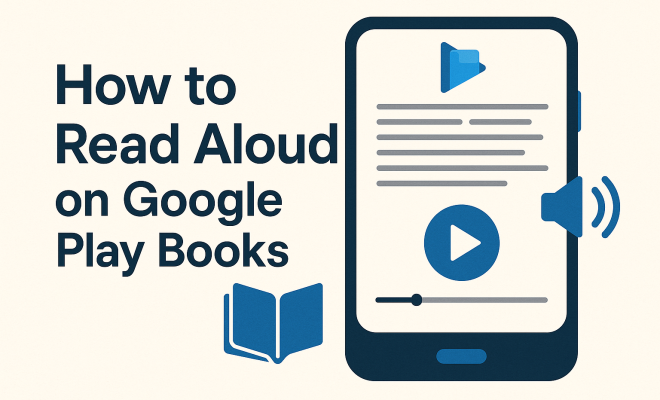
- Access the Read Aloud Feature: Tap on the screen to bring up the reading options. Look for the icon that resembles a speaker or a text-to-speech option. This will initiate the read-aloud function.
- Adjust Settings (Optional): You can customize the voice settings, including pitch and speed, to suit your preference. Make sure your volume is at a comfortable level.
Once you’ve completed these steps, sit back and enjoy the immersive experience of having your favorite book read aloud to you! Activating text-to-speech on Kindle offers useful background here.
4. Customizing Your Listening Experience
One of the standout features of the read aloud Google Play Books functionality is its customizability. Users can tweak various settings to enhance their listening experience:
- Voice Options: Google Play Books allows you to choose from different text-to-speech voices, including male and female options. Depending on your device, you can even use different accents, which can add a unique touch to your storytelling experience.
- Speed Control: Some readers prefer a slower pace, while others like a faster read. Adjust the speech speed according to your comfort level.
- Pitch Adjustment: For some, a higher pitch can make the experience more engaging, while others may prefer a deeper voice. This feature allows you to personalize your listening.
By customizing these factors, you can create an auditory experience that resonates with you, making it easier to absorb and enjoy the content.
5. Accessibility Features for All Users
Google Play Books is committed to inclusivity, which is evident in its various accessibility features. The read-aloud function is primarily designed to cater to users with different needs, ensuring everyone can enjoy literature. Here are a few aspects to consider:
- Support for Screen Readers: Google Play Books is compatible with popular screen reading software, allowing visually impaired users to navigate the app effectively.
- Text-to-Speech Options: The read-aloud feature itself utilizes advanced text-to-speech technology to deliver clear and engaging narration.
- Adjustable Text Size and Background Color: Users can change the font size and background color of the text, making it easier for those with dyslexia or visual impairments to read.
These features are essential for creating an inclusive reading environment, ensuring that everyone has access to the joys of reading.
6. Exploring the Library of Available Titles
Google Play Books boasts an extensive library filled with millions of titles, making it a treasure trove for readers. The read-aloud feature enhances the value of this collection, allowing you to experience diverse genres and authors in a new way. From classic literature to contemporary bestsellers, there’s something for everyone. (See: reading aloud helps children learn.)
When looking for books to utilize the read-aloud feature, consider exploring these genres:
- Children’s Literature: Many children’s books are designed to be read aloud, making them perfect candidates for this feature.
- Educational Texts: Academic and non-fiction books often benefit from auditory learning, helping students grasp complex concepts.
- Fiction and Novels: Immerse yourself in stories and narratives that come alive through read-aloud, adding a new dimension to your reading experience.
With millions of titles at your fingertips, you’re bound to find something that captures your interest and enhances your learning experience.
7. Integration with Other Google Services
One of the standout aspects of Google Play Books is its seamless integration with other Google services, enriching the overall experience. For example, if you own a Google Home device, you can ask it to read aloud your latest book or chapter, enhancing accessibility and convenience.
Additionally, the synchronization across devices ensures that you can start reading on one device and pick up right where you left off on another. This continuity is particularly beneficial when using the read-aloud function, as you don’t lose your place whether you switch from a phone to a tablet or a computer. This builds on Enhancing learning accessibility.
This interconnectivity makes it easier than ever to stay immersed in your reading, regardless of your location or device.
8. Tips for Maximizing Your Read Aloud Experience
To truly get the most out of the read aloud Google Play Books feature, consider implementing a few of these practical tips:
- Choose the Right Environment: Find a quiet space free from distractions to enhance your listening experience. Whether it’s a cozy corner of your home or a peaceful park, the right setting can make all the difference.
- Engage with the Content: Take notes or highlight passages while listening to reinforce your learning. This active engagement can help you retain information more effectively.
- Explore Different Genres: Don’t hesitate to step out of your comfort zone. Try listening to different genres to discover new interests or authors.
By incorporating these tips, you can elevate your reading experience and truly immerse yourself in the stories and information presented in your chosen titles.
9. The Future of Reading with Google Play Books
The evolution of technology continues to shape the reading landscape, and Google Play Books is at the forefront of this transformation. As AI technology advances, we can expect even more refined text-to-speech features that offer greater personalization and a more lifelike reading experience. Enhanced voice options and improved comprehension algorithms are just a few of the potential upgrades that could be on the horizon.
Moreover, as more users embrace digital reading, the integration of social features could become a reality. Imagine sharing your favorite passages with friends or joining book clubs directly within the app, turning solitary reading into a more social activity.
Ultimately, the future of reading with Google Play Books remains bright. By combining innovative technology with a commitment to accessibility and user engagement, Google is set to redefine how we consume literature in the years to come.
10. Real User Feedback: What Readers Are Saying
Understanding how the read-aloud feature affects real users can provide valuable insights. Many readers have shared their experiences and highlighted how this feature has transformed their reading habits.
One user, Sarah, a busy working mother, explains how the read-aloud function allows her to enjoy stories while juggling family responsibilities. “I can put on my favorite novel while I cook or clean, and it feels like I’m still indulging in my passion for reading,” she says.
Another user, Mark, who has a visual impairment, notes, “The text-to-speech feature has opened up a whole new world for me. I can access books independently and enjoy stories that I previously couldn’t read.” This sentiment echoes the testimonies of many who find freedom and enjoyment through auditory literature. (See: benefits of reading aloud.)
Communities on social media platforms also discuss their favorite titles and how the read-aloud function enhances their experience, creating a sense of camaraderie among readers.
11. Statistics on Reading Aloud
Numerous studies illustrate the benefits of reading aloud, especially with technological advancements like Google Play Books. For instance, research from the National Literacy Trust indicates that children who are read to regularly are more likely to develop a love for reading and better literacy skills. In fact, 85% of children who are read to daily display higher reading skills compared to those who are not.
Additionally, a survey by the Pew Research Center shows that 68% of adults find audiobooks, which utilize similar technology to read-aloud features, to be an effective way to consume literature. This statistic further reinforces the idea that auditory reading is not just a trend but a growing preference among diverse audiences.
12. Common Issues and Troubleshooting
While using the read-aloud feature on Google Play Books is generally smooth, some users might face issues. Here are a few common problems and their solutions:
- Audio Not Working: If the audio isn’t playing, check your device’s volume settings and ensure that other apps produce sound. Restarting the app might also resolve this.
- Voice Options Not Appearing: Make sure that your device’s text-to-speech settings are correctly configured. You can access these settings through your device’s accessibility options.
- Books Not Supported: Not all eBooks support the read-aloud feature, especially if they contain complex formats like graphic novels. Check if your chosen title has this feature available.
- Sync Issues: If your progress isn’t syncing across devices, ensure that you’re logged into the same Google account and that your internet connection is stable.
If problems persist, consulting the Google Play Books support page can provide further assistance and updates on known issues. Related reading: Top back-to-school read-alouds.
13. Comparison to Other Audiobook Services
While Google Play Books offers a compelling read-aloud feature, it’s essential to consider how it stacks up against dedicated audiobook services like Audible or Libby. Below is a comparison of key features:
| Feature | Google Play Books | Audible | Libby |
|---|---|---|---|
| Read Aloud Feature | Available for eBooks | Exclusively audiobooks | Available for eBooks and audiobooks |
| Library Size | Millions of titles | Over 500,000 audiobooks | Varies by library |
| Subscription Model | No subscription required | Subscription-based | Free with library membership |
| Integration | Google services | Amazon ecosystem | Library systems |
Google Play Books excels in providing a seamless experience across various devices and formats, while Audible focuses more on high-quality audio content. Libby stands out for users who prefer accessing their local library’s collection. Depending on your reading habits and preferences, each service has unique advantages.
14. Frequently Asked Questions (FAQs)
If you’re new to the read-aloud feature or have specific questions, you might find these FAQs helpful:
1. Can I use the read-aloud feature on all books?
No, not all books support the read-aloud feature. It’s generally available for most eBooks, but some formats, especially those heavily illustrated or in graphic novel format, may not have this feature.
2. How do I change the voice settings?
You can change the voice settings by accessing your device’s text-to-speech settings. This option allows you to select different voices, adjust speed, and change pitch.
3. Is the read-aloud feature available offline?
Yes, as long as you’ve downloaded the eBook to your device, you can use the read-aloud feature offline.
4. Can I highlight text while using read-aloud?
Yes, you can still highlight text and take notes while the book is being read aloud. This dual engagement can enhance your understanding and retention of the material. (See: reading aloud improves comprehension.)
5. What devices support Google Play Books?
Google Play Books is available on Android and iOS devices, as well as on web browsers on desktop computers. This wide compatibility allows you to access your library from almost any device.
15. Exploring Collaborative and Social Features
As the reading experience evolves, there are growing expectations for collaborative and social engagements within platforms like Google Play Books. Users increasingly seek ways to share their reading experiences and insights. Imagine a feature where you could share your favorite passages with friends or start discussions about the themes and characters in a book that you both read.
Platforms like Goodreads have pioneered this social aspect in reading, allowing users to create virtual bookshelves and share recommendations. By integrating similar features, Google Play Books could enhance community engagement and foster connections among readers. The potential for book clubs or reading groups to form around shared interests could lead to a more interactive and vibrant reading culture.
16. The Role of AI in Enhancing Read Aloud Features
Artificial Intelligence (AI) is revolutionizing many aspects of technology, and reading apps are no exception. The use of AI in Google Play Books could significantly enhance the read-aloud feature. For instance, AI could analyze user preferences and suggest voice options that align with their listening habits or even adjust the speed and tone based on the type of content being read.
Additionally, AI could provide contextual summaries or explanations for complex concepts, making the reading experience even richer. As machine learning continues to improve, the potential for personalized reading experiences tailored to individual user needs becomes more attainable.
17. Looking at Long-Term Trends in Digital Reading
The rise of digital reading platforms like Google Play Books reflects broader societal changes in how people consume content. With the advent of smartphones and tablets, readers are increasingly favoring convenience and accessibility. This trend shows no signs of slowing down, as more people appreciate the ability to carry entire libraries in their pockets. (Benefits of reading aloud in high school)
Furthermore, the growth of eBooks and audiobooks aligns with busy lifestyles where multitasking is commonplace. For instance, a report by the Audio Publishers Association revealed that 55% of audiobook listeners prefer to consume audiobooks while driving or doing household chores. This indicates a shift towards more flexible reading formats that fit into everyday life.
18. Conclusion: Embracing the Read-Aloud Revolution
The read-aloud feature on Google Play Books is more than just a convenience; it represents a shift in how we consume literature in an increasingly digital world. Whether it’s for enhancing comprehension, multitasking, or simply enjoying a good story, this feature offers something for everyone. As technology continues to evolve, we can look forward to even more innovative ways to engage with our favorite books. So grab your device, explore the vast library, and start enjoying the world of literature in a whole new way!
“`
Trending Now
Frequently Asked Questions
How do you read aloud on Google Play Books?
To read aloud on Google Play Books, open the app, select your desired book, and tap on the screen to reveal the menu. Look for the read-aloud option, which may be labeled as 'Read Aloud' or 'Text-to-Speech'. Once activated, the app will read the text aloud, allowing you to enjoy your book without straining your eyes.
What are the benefits of the read aloud feature in Google Play Books?
The read aloud feature in Google Play Books enhances comprehension, especially for younger readers and those with learning disabilities. It allows multitasking, enabling users to listen while cooking, exercising, or commuting. Additionally, it provides access to literature for those with visual impairments or reading difficulties.
Can I use Google Play Books on multiple devices?
Yes, Google Play Books is designed for seamless sync across devices. You can access your purchased eBooks and audiobooks on smartphones, tablets, and computers, allowing you to read or listen to your favorite titles anytime and anywhere without losing your place.
Is Google Play Books suitable for all types of readers?
Absolutely! Google Play Books caters to a diverse audience, offering a wide range of genres, including fiction, non-fiction, academic texts, and graphic novels. Whether you are a casual reader or a book lover, you will find something that suits your interests on this platform.
How does reading aloud improve comprehension?
Reading aloud can significantly improve comprehension by engaging multiple senses. Hearing the text helps reinforce understanding, especially for younger audiences and individuals with learning disabilities. This auditory experience allows readers to absorb information more effectively while enjoying the narrative flow.
Agree or disagree? Drop a comment and tell us what you think.