Create a Spotify Blend: Merge Music Tastes with Friends
“`html
Spotify has revolutionized the way we discover and enjoy music. One of its most engaging features is the ability to create personalized playlists that cater to your unique taste. Among these features, the Spotify Blend stands out as a fun way to share musical experiences with friends. If you’re wondering how to create Spotify Blend and make your listening sessions even more enjoyable, you’re in the right place. Let’s dive into the details to help you get started!
1. What is Spotify Blend?
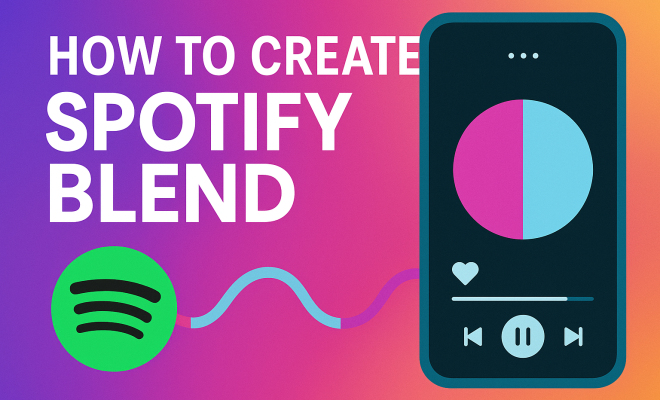
Spotify Blend is a collaborative playlist feature that allows two Spotify users to merge their musical tastes into one shared playlist. When you create a Spotify Blend, Spotify analyzes both users’ listening habits to curate a mix of tracks that blend their unique musical preferences. This feature not only showcases the tracks you both enjoy but also introduces you to new songs that you might not have discovered otherwise.
The concept of blending music preferences isn’t entirely new, but Spotify has made it more accessible and user-friendly. By utilizing advanced algorithms and data analysis, the platform creates a personalized listening experience that feels tailored to both participants. It’s a fantastic way to bond with friends or family over music, offering a unique glimpse into each other’s tastes.
2. Getting Started: Setting Up Your Spotify Blend
To create a Spotify Blend, you’ll first need to ensure that you and your friend both have Spotify accounts. The process is straightforward and user-friendly. Start by launching the Spotify app on your mobile device or desktop. Navigate to the ‘Search’ tab, and you should see a section dedicated to Blends. Tap or click on ‘Create a Blend’ to start the process.
Next, you’ll be prompted to invite a friend. You can do this by selecting one of your existing Spotify contacts or by sharing a link directly. Once your friend accepts the invitation, Spotify will combine your music preferences, and voila! Your new playlist will be created. The beauty of this feature is that it evolves over time; as you and your friend continue to listen to different songs, the blend will update to reflect those changes.
3. Exploring the Features of a Spotify Blend
After you’ve created your Spotify Blend, you’ll find that it comes with a variety of features designed to enhance your experience. Each Blend has its own unique cover art which reflects both users’ musical tastes. This visual aspect adds a fun and personal touch to the playlist. Furthermore, Spotify provides a Blend score, which indicates how well your musical tastes align. This can be a quirky way to see how compatible your music preferences are!
As you listen to the Blend, Spotify will frequently update it to include new tracks that resonate with both of you. This dynamic nature of the playlist ensures that it doesn’t become stagnant, keeping your listening experience fresh and exciting. Additionally, you can share your Blend with others, allowing them to listen to your curated mix or invite them to join your musical journey.
4. Why Create a Spotify Blend?
The reasons to create a Spotify Blend are as varied as musical tastes themselves. One major advantage is the opportunity for discovery. Blending with a friend often introduces you to genres and artists that you may not typically explore. This can lead to an enriched listening experience and broaden your musical horizons.
Moreover, creating a Blend strengthens relationships. Music is known to bring people together, and sharing your favorite tracks is a great way to bond. Whether you’re looking to connect with a long-distance friend or simply want to enjoy music with someone close, the Blend feature facilitates shared moments through music. It’s an innovative way to stay connected while enjoying each other’s tastes.
5. Tips for a Successful Spotify Blend
To make the most out of your Spotify Blend, consider these practical tips. First, choose a friend whose musical taste complements yours but also diverges in interesting ways. This will create a more diverse Mix that’s enjoyable for both parties. If you often listen to the same genres, try inviting someone who has different preferences; you might be pleasantly surprised by what you discover! (See: Learn more about Spotify's features.)
Next, be open to new music. Embrace the unexpected tracks that Spotify includes in your Blend. The algorithm is designed to help you discover songs that resonate with both of you, so don’t shy away from taking a chance on something unfamiliar. Lastly, engage in discussions about the music you’re discovering together. This not only enhances the experience but also deepens your connection and understanding of each other’s tastes.
6. How to Share Your Spotify Blend
Sharing your Spotify Blend with others is a seamless process. Once your Blend is created, you can find sharing options directly in the playlist settings. You can share it via social media platforms, text messages, or even email. This allows you to invite others into your musical journey, enabling them to enjoy your carefully curated tracks.
Moreover, consider creating a social listening event with friends where everyone can join in on the Blend experience. You can set a time to listen together, discuss the tracks, and even suggest songs to add to the playlist. Such events can transform music listening into a social affair, making it a fun and interactive experience.
7. Tracking Your Spotify Blend’s Performance
As your Blend evolves, it’s interesting to track how the playlist changes over time. Spotify offers insights on how frequently each song is played, which tracks are favored, and how your listening habits evolve. Monitoring these changes can provide fascinating insights into how your tastes align and shift over time.
Additionally, you can keep an eye on your Blend score. This metric shows how well your musical preferences mesh with your friend’s, and it can change as you both introduce new songs into your listening repertoire. This enables a dynamic experience that keeps you engaged and encourages exploration of new musical styles.
8. Exploring the Future of Spotify Blends
With the rapid evolution of technology, the future of Spotify Blends looks promising. Spotify is known for its continuous updates and improvements, so we can expect even more features and enhancements to the Blend functionality. This might include better algorithms to refine track selections or more intricate social sharing options.
Moreover, as music consumption habits evolve, the demand for personalized experiences will only grow. This places Spotify in a unique position to cater to diverse audiences, ensuring that every user can find a musical experience that resonates with them. The Blend feature may expand to include more collaborative elements, further enhancing social interaction through music.
9. How Spotify Uses Data to Enhance Your Blend
One of the key innovations behind Spotify Blends is the sophisticated data analysis that powers the feature. Spotify collects and processes vast amounts of data from its millions of users. This data helps the platform understand listening habits, genre preferences, and even mood-based selections. For example, if you often listen to upbeat pop songs in the morning, Spotify may prioritize similar tracks when generating your Blend playlist in the morning hours. See also explore free audiobooks on Spotify.
Moreover, Spotify’s use of machine learning algorithms allows it to continually refine its recommendations. Every time you listen to a song within the Blend, it learns from your choices, adjusting future recommendations accordingly. This creates a playlist that not only reflects your current tastes but evolves with you over time.
Data privacy is paramount, and Spotify ensures that your listening habits are anonymized and protected. Users can feel secure knowing that their data is used to enhance their musical experience without compromising personal information.
10. Real-Life Examples of Spotify Blends
To give you a better sense of how Spotify Blends can enhance your music experience, let’s look at some real-life examples. Imagine two friends, Alex and Jamie. Alex is an indie rock enthusiast, while Jamie leans towards hip-hop and R&B. When they create a Spotify Blend, they not only get to enjoy a mix of The xx and Tame Impala, but they may also find themselves vibing to Kendrick Lamar and SZA, bridging the gap between their musical worlds. (See: Article on Spotify Blend feature.) We covered classroom playlists and artist tips in more detail.
This blending of genres can lead to unexpected discoveries. Perhaps Alex discovers a new love for the storytelling in hip-hop, while Jamie finds a new favorite indie track that inspires a whole new listening direction. It’s not just about sharing music; it’s about exploring new avenues together.
Another example could involve a family. A parent and teenager might create a Blend that combines classic rock with contemporary pop hits. The parents might introduce their kids to Fleetwood Mac, while the kids share the latest hits from Dua Lipa. This not only keeps the family connected but also creates a shared musical history that they can reminisce about together.
11. Frequently Asked Questions (FAQ) about Spotify Blend
What happens if my friend doesn’t have a Spotify account?
To create a Spotify Blend, both users need to have a Spotify account. If your friend doesn’t have one, they can easily sign up for a free account to participate in the Blend.
Can I create multiple Blends with different friends?
Absolutely! You can create and manage multiple Blends with different friends. Each Blend will be unique to the musical preferences of the participants, allowing for a variety of listening experiences.
How often does my Spotify Blend update?
Your Blend will update regularly based on your listening habits. The more you listen to songs in the playlist, the more the algorithm learns about your preferences, thus refreshing the Blend with new tracks that align with your tastes.
Can I remove songs from my Blend?
Yes, you can remove songs from your Blend just like you would with any other playlist. Simply find the track you want to remove and select the appropriate option. This helps ensure that your playlist remains tailored to your preferences.
Is there a limit to how many songs can be in a Spotify Blend?
While there’s no strict limit on the number of songs in a Spotify Blend, the playlist typically contains a curated selection based on your listening habits. This means it will generally have a balanced mix of tracks from both users.
Can I make my Blend private?
By default, Blends are shareable with others, but you can manage your sharing settings. If you want to keep your Blend private, you can choose not to share it with others and enjoy your personalized playlist just between you and your friend.
12. Creating a Spotify Blend for Different Occasions
Spotify Blends can be tailored to fit various occasions and moods, making them versatile for different listening experiences. Whether you’re hosting a party, working out, or just chilling at home, you can create a Blend that suits the vibe. (See: Research on music streaming behaviors.)
For a party atmosphere, consider blending with a friend who has a knack for upbeat dance tracks. This could lead to a playlist filled with energetic songs that keep the energy high throughout the night. On the flip side, if you’re looking for a more relaxed setting, invite a friend who enjoys acoustic or indie music. Together, you can curate a soothing backdrop for a cozy gathering or a quiet evening.
Additionally, creating themed Blends for special events like birthdays or holidays can be a fun way to celebrate. For instance, during the holiday season, you and a friend can mix your favorite festive songs, resulting in a Blend that gets everyone in the holiday spirit. Themed playlists add a personal touch and can serve as a keepsake for the memories made during those times.
13. Common Issues and Troubleshooting Tips
While creating a Spotify Blend is generally a smooth process, you may encounter some issues along the way. Here are a few common problems and their solutions:
- Issue: Can’t See the Blend Option – If you’re unable to find the Blend feature, ensure that your Spotify app is updated to the latest version. Sometimes, features roll out gradually, so check back if it’s not yet visible.
- Issue: Friend Can’t Join the Blend – Make sure your friend has accepted the invitation. If they’re still having trouble, suggest that they log out and back in or reinstall the app.
- Issue: Blend Playlist Not Updating – If your Blend seems stagnant, check if both users are actively listening to songs from the playlist. The algorithm relies on consistent engagement to refresh the selection.
- Issue: Songs I Don’t Like Keep Appearing – If certain tracks aren’t to your liking, you can remove them. Spotify will take note of your preferences over time and adjust the playlist accordingly.
14. Spotify Blend vs. Regular Playlists
While both Spotify Blends and regular playlists allow for music curation, they offer distinctly different experiences. Regular playlists are typically created by an individual, reflecting only their personal preferences. In contrast, a Spotify Blend merges the tastes of two users, resulting in a unique compilation that may feature songs neither person would have picked alone.
This collaborative aspect of Blends fosters a sense of shared experience and can lead to musical discoveries that broaden each participant’s horizons. For example, a regular playlist could include only the songs you typically enjoy, while a Blend might introduce you to an artist your friend loves but you’ve never listened to before. This dynamic nature is what sets Blends apart and makes them a fun way to explore music together.
15. Conclusion: Your Musical Journey Awaits
Creating a Spotify Blend is more than just a fun activity; it’s a way to explore music, deepen friendships, and enjoy the art of listening together. With a few simple steps, you can easily create a playlist that reflects your unique tastes alongside those of a friend. It’s a beautiful way to celebrate diversity in music while sharing joyful listening experiences.
So, why not give it a try today? Gather your friends, explore new genres, and enjoy the journey that this innovative feature offers. As you create your Spotify Blend, remember that the music is just as much about the connections you make as it is about the tracks you discover.
“`
Trending Now
Frequently Asked Questions
What is Spotify Blend?
Spotify Blend is a collaborative playlist feature that allows two Spotify users to merge their musical tastes into one shared playlist. It curates a mix of tracks based on both users' listening habits, showcasing songs they enjoy while introducing new music they might not have discovered.
How do I create a Spotify Blend?
To create a Spotify Blend, both users need Spotify accounts. Open the Spotify app, go to the 'Search' tab, and find the 'Blends' section. Tap 'Create a Blend,' invite a friend, and once they accept, Spotify will combine your music preferences into a shared playlist.
Can I invite anyone to my Spotify Blend?
Yes, you can invite any friend who has a Spotify account to join your Blend. You can either select them from your existing Spotify contacts or share a link directly for them to accept the invitation.
What type of music does Spotify Blend include?
Spotify Blend includes a mix of songs based on the musical preferences of both users. It combines tracks you both enjoy while also introducing new songs tailored to your shared tastes, providing a unique listening experience.
Is Spotify Blend available on all devices?
Yes, Spotify Blend is accessible on both mobile devices and desktop. You can create and manage your Blend playlists from the Spotify app or website, making it easy to enjoy shared music experiences wherever you are.
What's your take on this? Share your thoughts in the comments below — we read every one.