How to turn off restricted mode YouTube
“`html
YouTube is one of the most popular platforms for video sharing, offering a vast range of content from educational videos to entertainment and everything in between. However, if you’ve stumbled upon the dreaded restricted mode, you might feel limited in your viewing options. This guide will detail how to turn off restricted mode on YouTube, helping you regain full access to the platform’s features and content. Whether you’re using a mobile device, a web browser, or a smart TV, we’ll explore all the necessary steps to ensure your experience is both enjoyable and unrestricted.
1. Understanding YouTube’s Restricted Mode
Before diving into the how-to aspect, it’s crucial to grasp what restricted mode is and why it exists. Restricted mode is a setting that helps filter out potentially inappropriate content on YouTube. This feature is particularly popular in environments like schools and workplaces, where administrators want to ensure that users aren’t exposed to content that might be deemed unsuitable.
When restricted mode is enabled, certain videos that contain adult themes, violence, or inappropriate language might not appear in search results or recommended videos. While this can be helpful in controlled environments, it can be frustrating for users wanting to explore the full range of content available on the platform.
2. Why You Might Want to Turn Off Restricted Mode
There are several reasons why you might want to turn off restricted mode on YouTube. Most notably, if you’re using the platform for personal use and not in a school or office setting, you might find the restrictions too limiting. Turning off restricted mode can provide access to a broader array of videos that offer further information, diverse perspectives, and entertainment that align with your interests.
Additionally, if you believe that the restricted mode is blocking videos unnecessarily—such as educational content or artistic expressions—you may feel empowered to adjust your settings accordingly. Maintaining control over your viewing experience is essential in a platform as vast as YouTube.
3. How to Turn Off Restricted Mode on Desktop
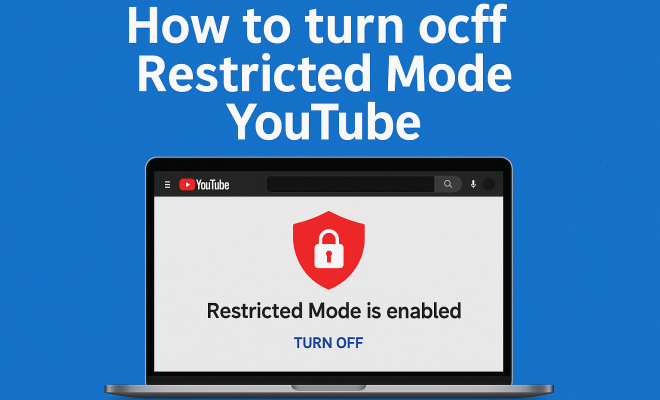
If you’re using YouTube on a desktop, turning off restricted mode is a straightforward process. First, you’ll want to ensure you’re logged into your YouTube account. Next, navigate to the bottom of the YouTube homepage where you’ll see the option for restricted mode. Click on this option to open a new menu.
In the menu, you can toggle the restricted mode setting off. Be sure to save your changes if prompted. If you’re using a shared computer, please note that you’ll need to log into your account each time to access your customized settings, as restricted mode might be enabled by default for other users.
4. Turning Off Restricted Mode on Mobile Devices
For users who primarily access YouTube via mobile devices, the process to turn off restricted mode is slightly different but just as simple. Open the YouTube app and tap on your profile icon in the top right corner of the screen. Scroll down to the settings menu, where you’ll find the option for restricted mode.
Similar to the desktop version, you can toggle the setting off. Keep in mind that some mobile devices might have additional parental controls set up, which could prevent you from changing this setting without the correct permissions.
5. Turning Off Restricted Mode on Smart TVs
If you’re watching YouTube on a smart TV, the process can vary based on the brand and model of your device. Generally, you will need to open the YouTube app, navigate to your account settings, and look for the restricted mode option. Accessing the settings might require using your remote control to scroll through menus. Once you find the restricted mode setting, simply toggle it off.
It’s worth noting that some smart TVs may not support all of YouTube’s features, so the restricted mode option might look different or be located in a different section. Always consult your device’s manual if you face challenges in adjusting these settings.
6. What to Do If You Can’t Turn Off Restricted Mode
There are occasions when users might encounter difficulties in turning off restricted mode. If you find that the option is grayed out or inaccessible, it may be due to parental control settings imposed by your device or network administrator. In schools and workplaces, network settings might restrict changes to this feature. (See: YouTube overview and features.)
If you believe this is the case, it’s advisable to contact your network administrator or the individual who manages the devices in your environment. They may be able to assist in lifting the restrictions so you can enjoy the content you desire.
7. Understanding the Consequences of Turning Off Restricted Mode
While turning off restricted mode can enhance your viewing experience, it’s essential to understand the implications. By disabling this feature, you might be exposed to content that could be considered inappropriate or offensive. Depending on your viewing preferences and sensitivity to such content, this decision might be more significant than it seems.
Moreover, if you share your account or device with others, it’s a good idea to communicate your choice to turn off restricted mode. This way, you can avoid any potential discomfort or misunderstandings regarding the types of videos that might show up in searches or recommendations.
8. Alternatives to Restricted Mode
If you’re looking for safer viewing options without entirely disabling restricted mode, consider using YouTube Kids. This app is designed specifically for younger audiences and offers a curated selection of content that aligns with age-appropriate viewing. It filters out inappropriate content automatically and is a great alternative for families.
Another option is to create playlists with videos you feel comfortable sharing, ensuring that your viewing experience aligns with your values while still enjoying the broader range of content available on YouTube.
9. Staying Informed on YouTube’s Policy Changes
YouTube frequently updates its policies and features, which can affect how restricted mode operates. Staying informed about these changes can help users understand when new content restrictions may arise or how to adjust settings more effectively. Following YouTube’s official blog or subscribing to their updates can provide valuable insights into the platform’s evolving landscape.
Ultimately, turning off restricted mode on YouTube can be a liberating step towards a more enriched viewing experience. Whether you’re after specific content types or simply want to explore the diversity of videos available, knowing how to adjust your settings effectively can empower you in your YouTube journey.
10. Common Myths About Restricted Mode
Many misconceptions surround restricted mode on YouTube, leading users to misunderstand its purpose and functioning. One prevalent myth is that restricted mode is always enabled by default. While some devices, particularly those in educational or corporate settings, may have it turned on, many personal accounts do not have restricted mode activated unless the user specifically chooses to enable it.
Another myth is that restricted mode is foolproof in filtering inappropriate content. While it does employ algorithms to block certain videos, it can still miss content that some might consider unsuitable. Conversely, it may also block educational videos that contain discussions of sensitive topics.
Understanding these myths can help users make more informed decisions about their viewing experience and how they choose to navigate YouTube’s content landscape.
11. Statistics on YouTube Usage
YouTube is a colossal platform, boasting over 2 billion logged-in monthly users globally. A staggering 1 billion hours of video are watched every day on the platform, highlighting its role as a primary source of video content for many. Among these users, a significant portion accesses YouTube through mobile devices, which account for over 70% of watch time.
In terms of content, YouTube hosts over 31 million channels, and this number continues to grow. With such a diverse range of creators and topics, it’s easy to see why many users seek to turn off restricted mode to access a wider array of content.
Additionally, studies show that many educators and researchers utilize YouTube for instructional purposes, making the ability to access unrestricted content crucial for their needs. In a 2022 survey, 60% of users indicated they would prefer fewer restrictions on educational content. (See: media safety and content filtering.)
12. Expert Opinions on Restricted Mode
Experts in the field of digital media often emphasize the importance of balanced content moderation, particularly on platforms like YouTube. Dr. Emily Thompson, a digital media researcher, states, “While restricted mode serves a purpose, it can inadvertently stifle valuable content that contributes to learning or cultural understanding.” Her perspective highlights the need for users to exercise discretion when using restricted mode.
On the other hand, child psychologists recommend monitoring younger users’ engagement with online content. Dr. Michael Lewis advises parents to utilize restricted mode in conjunction with discussions about media consumption. “It’s not just about filtering content but fostering critical thinking about what they watch,” he suggests.
This balanced approach to content moderation can empower users, especially parents, to navigate YouTube in a way that aligns with their values while still taking advantage of the platform’s vast resources.
13. FAQ: Turning Off Restricted Mode on YouTube
Q1: Can I turn off restricted mode if I’m on a school or work network?
A1: It depends on the network settings enforced by your institution. If restricted mode is enabled by the network administrator, you may not have the ability to turn it off without their permission.
Q2: Does turning off restricted mode affect my account settings?
A2: No, turning off restricted mode only changes how content is filtered when you are logged into your account. Your overall account settings and preferences remain unchanged.
Q3: What should I do if I find content I consider inappropriate after turning off restricted mode?
A3: You can report inappropriate content to YouTube directly. Use the reporting feature under the video options to alert YouTube, allowing them to review the content and take any necessary action.
Q4: Is there a way to turn off restricted mode for family members on shared devices?
A4: Yes, if you have administrative access to the device, you can turn off restricted mode for your account. However, be sure to communicate this change to other users to avoid any misunderstandings.
Q5: Can restricted mode be turned off on YouTube Kids?
A5: YouTube Kids does not have a restricted mode like the main platform. The app is designed to provide a safe viewing experience for children, filtering out inappropriate content automatically.
Q6: Will turning off restricted mode affect the ads I see?
A6: The type of ads displayed is not directly influenced by restricted mode. Ads are determined by YouTube’s algorithm based on your viewing habits, interests, and the demographics associated with your account.
14. Turning Off Restricted Mode for Different Account Types
It’s essential to note that different types of YouTube accounts might have variations in how restricted mode is handled. For instance, YouTube Premium members generally enjoy fewer ads and enhanced features, but restricted mode is still applicable. If you have a Premium account and find restricted mode limits your access, follow the same steps mentioned earlier to toggle it off.
For business accounts, especially those linked to organizations, network restrictions may play a significant role. Always check with your IT department or administrator if you encounter issues with restricted mode on a business account. (See: impact of YouTube's restricted mode.)
15. Understanding the Algorithm Behind Restricted Mode
YouTube’s restricted mode is driven by an automatic algorithm that analyzes numerous factors to determine what content is appropriate or not. This algorithm considers video titles, descriptions, tags, and even user feedback to assess whether a video should be filtered out. You might be surprised to know that even videos that are educational or artistic can sometimes be caught in the restrictive net. This is because the algorithm can misinterpret context, leading to misleading restrictions.
For example, a video discussing sensitive topics might be tagged as inappropriate due to keywords even if the content is educational. Understanding how this algorithm works might help you better navigate your viewing experience and advocate for content that aligns with your interests.
16. Impact of Restricted Mode on Content Creators
Content creators on YouTube often express concerns about how restricted mode affects their visibility and reach. Many creators, especially those discussing important social issues or producing artistic content, find that their videos may be hidden from potential viewers because of automatic filtering. This can have significant implications for creators who rely on viewer engagement for income and growth.
In a survey conducted among YouTube creators, approximately 45% reported feeling that their content was unfairly limited due to restricted mode. Such constraints can stifle creativity and reduce the diversity of voices on the platform. For viewers, this means that important discussions and unique perspectives might be inaccessible due to the restrictive nature of this feature.
17. Future of Restricted Mode on YouTube
As YouTube continues to evolve, so does the conversation around restricted mode. There are calls from users and content creators alike for a more nuanced approach to content moderation that allows for greater access while still protecting viewers from genuinely harmful material. Future updates may see improvements in the algorithm to reduce the number of innocent videos caught in the restricted mode filter.
Moreover, YouTube might explore user-driven options whereby viewers can customize their own content filters based on their preferences. This could present a more tailored experience that balances safety with freedom of exploration. Stay tuned for updates as YouTube seeks to refine its platform in response to user feedback and societal trends.
18. Final Tips for Navigating YouTube’s Content Filters
When navigating YouTube, especially if you’re considering turning off restricted mode, here are some final tips to enhance your experience:
- Stay Curious: Explore different genres and channels that you wouldn’t typically watch. You may discover valuable content that broadens your horizons.
- Utilize Playlists: Create playlists of your favorite videos or channels, making it easier to access content that resonates with you.
- Engage with Content Creators: Leave comments and provide feedback. Engaging with creators can help build a community around shared interests.
- Report Inappropriate Content: If you encounter content that you believe shouldn’t be on the platform, use the reporting features to help improve the community standards.
- Educate Others: If you have friends or family who may be confused about restricted mode, take some time to explain how it works and how they can adjust their settings.
19. Conclusion
Turning off restricted mode on YouTube is a simple yet powerful way to enhance your viewing experience. Whether for personal discovery, research, or entertainment, having the freedom to explore the vast array of content on the platform can be highly rewarding. Remember to stay informed about the implications of your settings and always communicate with others who may share your device. Enjoy your YouTube journey without the restrictions!
“`
Trending Now
Frequently Asked Questions
How do I turn off restricted mode on YouTube?
To turn off restricted mode on YouTube, go to your account settings. Click on 'Settings,' then select 'General.' Scroll down to find 'Restricted Mode' and toggle it off. This will allow you to access all available content on the platform.
What is restricted mode on YouTube?
Restricted mode on YouTube is a setting designed to filter out potentially inappropriate content. It is often used in environments like schools and workplaces to limit access to videos that may not be suitable for all audiences.
Why can't I turn off restricted mode on YouTube?
If you can't turn off restricted mode, it may be due to administrative settings on a network, such as in schools or workplaces. In such cases, you may need to contact the network administrator to change the restrictions.
Is restricted mode effective on YouTube?
Yes, restricted mode can effectively filter out a significant amount of inappropriate content on YouTube. However, it is not foolproof and may still allow some unsuitable videos to appear while blocking others that are educational or artistic.
Can I disable restricted mode on YouTube mobile app?
Yes, you can disable restricted mode on the YouTube mobile app by tapping on your profile icon, selecting 'Settings,' then 'General,' and toggling off the 'Restricted Mode' option. This will restore full access to all videos.
What’s your take on this? Share your thoughts in the comments below — we read every one.