How to stream on Twitch
“`html
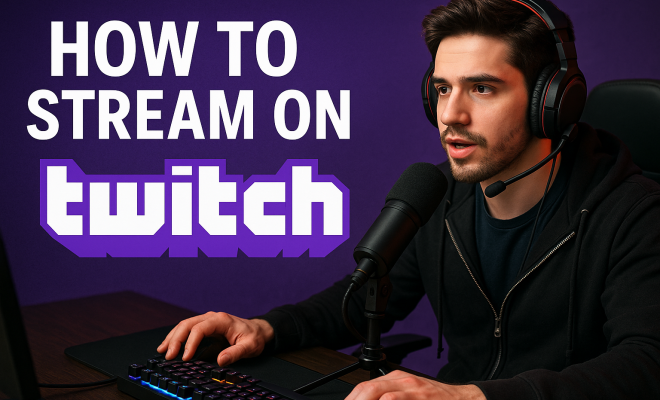
Are you interested in sharing your gaming skills with the world or engaging with a community that shares your passions? Streaming on Twitch has become a popular way for creators to connect with audiences while showcasing their talents. Knowing how to stream on Twitch can set you on a path toward building a following and even monetizing your content. In this article, we’ll explore seven essential steps to get you started on your Twitch streaming journey.
1. Understanding Twitch: A Quick Overview
Twitch is a live streaming platform that primarily caters to gamers, although it has expanded to include various content types, such as music, art, and talk shows. Founded in 2011, it quickly gained traction and was acquired by Amazon in 2014 for nearly $1 billion. Today, it serves millions of users, with hundreds of thousands of channels broadcasting every day. For anyone curious about how to stream on Twitch, it’s crucial to understand the platform’s unique community dynamics and features.
The platform features various categories, enabling streamers to select their niche, from competitive gaming to casual chats. Additionally, Twitch provides tools for audience interaction, such as chat rooms, donation options, and subscription services, creating a vibrant community where viewers can support and engage with their favorite streamers.
2. Setting Up Your Twitch Account
The first step in learning how to stream on Twitch is to create your account. Head over to Twitch.tv and click on the “Sign Up” button. You’ll need to provide an email address, username, and password. Choose a username that reflects your brand or gaming persona to make it memorable. Keep in mind that a good username can significantly affect your discoverability on the platform.
After signing up, verify your account through the email link sent by Twitch. Once verified, you can personalize your channel by adding a profile picture and a bio that describes who you are and what kind of content you will be streaming. This is your chance to make a strong first impression on potential followers.
3. Choosing Your Streaming Equipment
Your streaming setup can significantly impact the quality of your content. To effectively learn how to stream on Twitch, you’ll need a few essential pieces of equipment:
- Computer or Console: A decent gaming PC or console is crucial for smooth gameplay and streaming. For PC gamers, a robust GPU and CPU will enhance performance. Console gamers can use capture cards to stream their gameplay.
- Microphone: Good audio quality can make or break a stream. Invest in a quality USB microphone or audio interface to ensure clear sound for your commentary.
- Camera: While not mandatory, a webcam can help you connect with your audience by showing your reactions. A 1080p camera is typically recommended for clear visuals.
- Lighting: Proper lighting can enhance your video quality dramatically. Natural light works, but investing in softbox lights or ring lights can make your stream look more professional.
While you don’t need the most expensive equipment to start, having decent gear lays a good foundation for your streams.
4. Selecting Streaming Software
Once you have the hardware sorted, the next step is picking the right software to stream. The two most popular options are OBS Studio and Streamlabs OBS. Both programs are free and offer various features to help you manage your stream.
OBS Studio is a powerful open-source tool that allows for extensive customization. It may have a steeper learning curve, but it offers flexibility in settings and layout. Alternatively, Streamlabs OBS is designed for ease of use, with built-in features for alerts, overlays, and chat management, making it an excellent choice for beginners.
Regardless of the software you choose, familiarize yourself with its features before going live. This includes setting up scenes for different layouts, adding sources (like your game display, webcam, and alerts), and configuring audio settings to ensure everything runs smoothly during your stream.
5. Creating Engaging Content
Understanding your audience is a crucial aspect of how to stream on Twitch. Before you go live, think about the type of content you want to create. Are you focusing on gameplay, tutorials, or entertaining commentary? Tailor your streams to provide value and engage viewers. Consistency is key; establish a schedule and stick to it so your audience knows when to tune in.
Engagement is crucial in building a community. Interacting with viewers in chat, responding to comments, and acknowledging donations can help foster a sense of connection. Use polls and viewer feedback to inform future content. Remember, while your gameplay is vital, the experience you create around it can be equally important. (See: Overview of Twitch streaming platform.)
6. Promoting Your Stream
Knowing how to stream on Twitch is just the beginning; promoting your stream is essential for growth. Utilize social media platforms like Twitter, Instagram, and TikTok to share clips and updates about your streaming schedule. Engaging with relevant hashtags can help you reach a broader audience.
Consider joining Twitch communities or Discord servers that align with your interests. Engaging with others in your niche can lead to collaboration opportunities that expose you to new viewers. Additionally, networking with other streamers can provide valuable insights and support.
Don’t underestimate the power of word of mouth. Encourage your viewers to share your stream with their friends and followers. Building a community takes time, but the more effort you put into promotion, the more visibility you’ll gain.
7. Monetizing Your Twitch Channel
Once you’ve built a solid following, you might consider monetizing your Twitch channel. This can be done through various avenues, including subscriptions, donations, and sponsorships. Twitch provides streamers with the opportunity to become an affiliate or partner, unlocking additional revenue streams.
Affiliates can earn money through subscriptions, which allow viewers to support their favorite streamers for a monthly fee. Twitch takes a small cut, while the rest goes directly to the streamer. Partners have access to more features, including ad revenue and game sales. However, reaching partner status requires meeting specific criteria, including a minimum number of followers and concurrent viewers.
Additionally, many streamers utilize platforms like Patreon to create a steady income stream from their most dedicated fans. This flexibility in monetization opportunities is one of the most attractive aspects of how to stream on Twitch.
8. Staying Informed on Trends and Updates
The streaming landscape is constantly evolving, and keeping up with the latest trends on Twitch can give you an edge. Follow industry news, attend events, and participate in forums to stay informed about changes in algorithms, features, and audience preferences. Networking with other streamers can also help you stay ahead of the curve.
Engaging with your audience about what they want to see can also guide your content direction. Viewer preferences can shift rapidly, especially in gaming and trends. Take the time to understand your audience’s interests and adapt your content accordingly.
9. Managing Mental Health and Burnout
Streaming can be both rewarding and challenging, and it’s vital to prioritize your mental health. The pressure to perform, grow your audience, and constantly create content can lead to burnout. Learning how to stream on Twitch also includes knowing when to take breaks, step back, and recharge.
Establish a healthy work-life balance by setting boundaries around your streaming hours. Schedule regular breaks, maintain hobbies outside of streaming, and connect with friends and family to ensure you don’t lose touch with real-life interactions. Remember, your audience wants to see you at your best, so take care of yourself to keep your passion alive.
10. Understanding Twitch’s Community Guidelines and Policies
Before diving into streaming on Twitch, it’s crucial to familiarize yourself with the platform’s community guidelines. Twitch has specific rules regarding content moderation, harassment, hate speech, and copyright issues. Violating these guidelines can lead to bans or suspensions, which can be detrimental to your budding channel.
For instance, hate speech and harassment are strictly prohibited. Twitch has a zero-tolerance policy towards any form of discrimination, and using offensive language can get you banned. Always strive to create a welcoming environment for all viewers, and be mindful of your language and behavior during streams. Regularly review the community guidelines available on the Twitch website to ensure compliance.
Additionally, copyright infringement is a significant concern on Twitch. Be cautious when using music, videos, or any content that isn’t yours. Twitch employs content recognition technology to prevent copyright violations, and you could face penalties if you use copyrighted material without permission. Consider using royalty-free music or Twitch’s Soundtrack feature to avoid these issues.
11. Building a Brand on Twitch
As you learn how to stream on Twitch, developing your brand is essential for standing out in a crowded marketplace. Your brand encompasses your personality, the type of content you create, and the visual elements associated with your channel. Think about what makes you unique as a streamer and how you can convey that through your branding. (See: Impact of media on youth engagement.)
Start by creating a consistent look for your channel. This includes your logo, banner, and overlays. Use tools like Canva or Adobe Spark to design these elements if you don’t have graphic design skills. A professional-looking channel can help attract viewers and create a memorable first impression.
Additionally, define your streaming personality and stick to it. Whether you’re going for a comedic approach or a serious gaming style, consistency in your demeanor will help viewers connect with you. Your chat interactions, game commentary, and even your social media posts should reflect your unique personality to build a loyal following.
12. Frequently Asked Questions (FAQ)
As you navigate the world of streaming on Twitch, you might have some common questions. Here are some answers to help you along your journey:
1. What are the requirements to start streaming on Twitch?
To stream on Twitch, you need a Twitch account, streaming software, and a stable internet connection. While there are no strict hardware requirements, a decent computer or console, microphone, and webcam will enhance your stream’s quality.
2. Can I stream without a webcam?
Yes, streaming without a webcam is entirely possible. Many successful streamers focus solely on their gameplay and commentary. However, using a webcam can create a more personal connection with your audience.
3. How do I grow my viewer base on Twitch?
Growing your viewer base takes time and consistency. Promote your streams on social media, collaborate with other streamers, engage with your audience during streams, and create quality content that resonates with viewers to help increase your following.
4. What is Twitch Affiliate and Partner status?
Twitch Affiliate status allows you to earn revenue through subscriptions and bits, while Twitch Partner status offers additional income opportunities such as ad revenue and game sales. To become an Affiliate, you need to meet specific criteria, including having at least 50 followers and streaming for a minimum of 500 minutes over a 30-day period. Partner requirements are higher and include more stringent metrics.
5. How can I handle negative comments or trolls during my streams?
It’s crucial to remain calm and professional when dealing with negative comments or trolls. Use moderation tools available on Twitch, such as banning or timing out users who violate chat rules. Setting clear chat guidelines can help maintain a positive environment.
6. Do I need to stream every day to be successful?
No, you don’t need to stream every day to be successful. Consistency is important, but the quality of your streams matters more than the quantity. Choose a schedule that works for you and stick to it, whether it’s a few times a week or once a week.
7. How can I keep my content fresh and interesting?
To keep your content fresh, consider trying new games, incorporating different types of content (like Q&A sessions or collaborations), and staying updated on gaming trends. Engaging with your audience and asking for their input can also help you generate new ideas.
13. Setting Goals and Tracking Progress
As you embark on your streaming journey, it’s crucial to set clear and achievable goals. Consider what you want to accomplish in the short term and long term. Are you aiming for a specific number of followers, a certain amount of revenue, or perhaps becoming a Twitch Partner? Documenting your goals can help keep you focused and motivated. (See: Twitch's rise in the streaming landscape.)
Moreover, tracking your progress is equally important. Utilize analytics tools provided by Twitch, such as the Creator Dashboard, to monitor your viewer counts, follower growth, and engagement metrics. By reviewing this data regularly, you can adjust your strategies and content to better meet your audience’s interests and needs.
Celebrating milestones, no matter how small, can also boost your morale. Whether it’s hitting your first 100 followers or achieving your first subscription, take the time to acknowledge your accomplishments and share them with your audience.
14. Learning from Others: Analyze Successful Streamers
A great way to improve your streaming skills is to analyze successful streamers. Take notes on what they do well, how they interact with their audience, and the types of content they produce. Look into their streaming schedules, branding, and promotional strategies. You can also observe their chat moderation techniques and how they handle viewer engagement.
Many streamers engage in self-promotion during their streams, so pay attention to how they incorporate this into their content without being overly aggressive. You can also check out their social media platforms for ideas on how to market and present themselves off-platform.
Don’t hesitate to reach out to these streamers, as many are open to sharing their experiences and may offer valuable advice. Networking with those who have been in the game longer can provide insight that can save you time and help you avoid common pitfalls.
15. Utilizing Twitch Extensions and Tools
Twitch offers a plethora of extensions and tools designed to enhance your streaming experience and audience engagement. Extensions can be added to your channel to provide additional features, such as interactive overlays, viewer games, and social media integrations. These tools can help keep your content dynamic and entertaining.
Some popular extensions include:
- Streamlabs: This tool offers alerts, overlays, and donation management, making it easier to connect with your audience and manage your stream.
- Twitch Chat Bot: Bots can help moderate your chat, offer automatic responses, and even conduct polls to boost engagement.
- Viewer Polls: This extension allows you to create interactive polls that your audience can participate in during your stream, helping to keep them engaged and involved in your content.
Exploring and experimenting with different extensions can add a unique flair to your streams and make the experience more enjoyable for your viewers.
Learning how to stream on Twitch involves more than just pressing the ‘go live’ button. It requires understanding the platform, investing in the right equipment, creating engaging content, effectively promoting your channel, and navigating the ins and outs of community guidelines. By following these steps and maintaining a focus on community connection and personal well-being, you can build a successful streaming career that not only entertains but also enriches your life.
“`
Trending Now
Frequently Asked Questions
What do I need to start streaming on Twitch?
To start streaming on Twitch, you'll need a Twitch account, a reliable internet connection, and streaming software such as OBS or Streamlabs. Additionally, a good microphone and webcam can enhance your stream quality, making it more engaging for viewers.
How do I create a Twitch account?
To create a Twitch account, visit Twitch.tv and click on the 'Sign Up' button. You'll need to provide an email address, choose a memorable username, and set a password. After signing up, verify your account through the email link sent by Twitch.
What types of content can I stream on Twitch?
While Twitch is primarily known for gaming, it has expanded to include various content types such as music, art, cooking, and talk shows. Streamers can select their niche and engage with a community that shares similar interests.
How can I grow my audience on Twitch?
To grow your audience on Twitch, focus on engaging with your viewers through chat, create a consistent streaming schedule, and promote your channel on social media. Additionally, collaborating with other streamers can help you reach new audiences and build your following.
What features does Twitch offer for streamers?
Twitch offers various features for streamers, including live chat rooms for audience interaction, donation options, subscription services, and tools for customizing your channel. These features help create a vibrant community where viewers can support their favorite streamers.
Have you experienced this yourself? We’d love to hear your story in the comments.