The Tech Edvocate

Top Menu

  • Advertisement
  • Apps
  • Home Page
  • Home Page Five (No Sidebar)
  • Home Page Four
  • Home Page Three
  • Home Page Two
  • Home Tech2
  • Icons [No Sidebar]
  • Left Sidbear Page
  • Lynch Educational Consulting
  • My Account
  • My Speaking Page
  • Newsletter Sign Up Confirmation
  • Newsletter Unsubscription
  • Our Brands
  • Page Example
  • Privacy Policy
  • Protected Content
  • Register
  • Request a Product Review
  • Shop
  • Shortcodes Examples
  • Signup
  • Start Here
    • Governance
    • Careers
    • Contact Us
  • Terms and Conditions
  • The Edvocate
  • The Tech Edvocate Product Guide
  • Topics
  • Write For Us
  • Advertise

Main Menu

  • Start Here
    • Our Brands
    • Governance
      • Lynch Educational Consulting, LLC.
      • Dr. Lynch’s Personal Website
      • Careers
    • Write For Us
    • The Tech Edvocate Product Guide
    • Contact Us
    • Books
    • Edupedia
    • Post a Job
    • The Edvocate Podcast
    • Terms and Conditions
    • Privacy Policy
  • Topics
    • Assistive Technology
    • Child Development Tech
    • Early Childhood & K-12 EdTech
    • EdTech Futures
    • EdTech News
    • EdTech Policy & Reform
    • EdTech Startups & Businesses
    • Higher Education EdTech
    • Online Learning & eLearning
    • Parent & Family Tech
    • Personalized Learning
    • Product Reviews
  • Advertise
  • Tech Edvocate Awards
  • The Edvocate
  • Pedagogue
  • School Ratings

logo

The Tech Edvocate

  • Start Here
    • Our Brands
    • Governance
      • Lynch Educational Consulting, LLC.
      • Dr. Lynch’s Personal Website
        • My Speaking Page
      • Careers
    • Write For Us
    • The Tech Edvocate Product Guide
    • Contact Us
    • Books
    • Edupedia
    • Post a Job
    • The Edvocate Podcast
    • Terms and Conditions
    • Privacy Policy
  • Topics
    • Assistive Technology
    • Child Development Tech
    • Early Childhood & K-12 EdTech
    • EdTech Futures
    • EdTech News
    • EdTech Policy & Reform
    • EdTech Startups & Businesses
    • Higher Education EdTech
    • Online Learning & eLearning
    • Parent & Family Tech
    • Personalized Learning
    • Product Reviews
  • Advertise
  • Tech Edvocate Awards
  • The Edvocate
  • Pedagogue
  • School Ratings
  • A Visitors Guide to Oklahoma City (OK), United States

  • A Visitor’s Guide to Tucson, Arizona, United States

  • A Visitor’s Guide to Hamilton, Canada

  • Beware of Fiverr: You Might Get Scammed

  • The Future of Artificial Intelligence: Navigating the Next Frontier

  • Best Home Backup Generators for 2026

  • Online Learning Platforms: Transforming Education in the Digital Age

  • Fastest Growing Sectors of the EdTech Market: Exploring Emerging Trends

  • The Best Video Games of All Time

  • What is the Best Gaming Platform on the Market?

Digital & Mobile Technology
Home›Digital & Mobile Technology›How to Stop the iPhone from Dimming Its Screen

How to Stop the iPhone from Dimming Its Screen
By Matthew Lynch
July 5, 2023
0
Spread the love

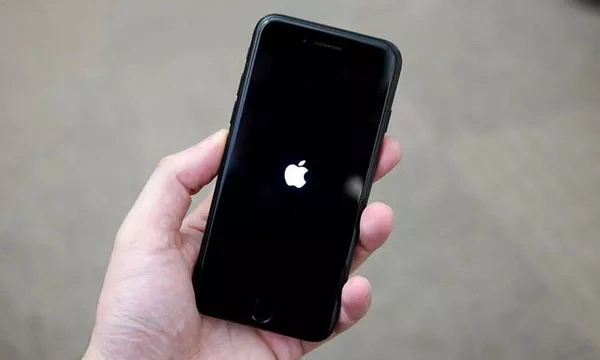
Have you ever been reading an article or watching a video on your iPhone, only to have the screen dim or turn off right in the middle? It can be frustrating to constantly have to adjust the screen brightness or tap the screen to keep it awake. Luckily, there are a few simple solutions to prevent your iPhone from dimming its screen.

1. Disable Auto-Lock

Auto-Lock is a feature on your iPhone that automatically locks the screen after a set amount of time to save battery life. By default, it is set to 30 seconds, which can be too short for some users. You can change this setting to prevent your iPhone from locking the screen while you’re using it.

To disable Auto-Lock, go to Settings > Display & Brightness > Auto-Lock, and select “Never”. Keep in mind that your iPhone will use more battery power if you leave the screen on for an extended period of time, so it’s important to balance your desire for a bright, awake screen with your battery life.

2. Keep Your iPhone Plugged In

If you’re using your iPhone while it’s plugged in, it won’t automatically dim the screen or go to sleep. This is because the power supply from the charger overrides the Auto-Lock setting. So if you’re planning on using your iPhone for an extended period of time, it’s helpful to have it plugged in to your charger.

3. Use the Accessibility Shortcut

The Accessibility Shortcut is a feature on your iPhone that allows you to quickly access certain settings or features with a triple-click of the home button. You can use this shortcut to enable or disable the “Reduce White Point” setting, which makes the screen less bright and can prevent it from dimming.

To enable the Accessibility Shortcut, go to Settings > General > Accessibility > Accessibility Shortcut, and select “Reduce White Point”. Now, when you triple-click the home button, you can quickly enable or disable this setting.

4. Adjust the Screen Brightness

If none of the above solutions work for you, you can always manually adjust the screen brightness to keep it bright and awake. To do this, swipe up from the bottom of the screen to open the Control Center, and drag the brightness slider to the right. You can also go to Settings > Display & Brightness, and adjust the brightness slider.

In conclusion, there are several ways to prevent your iPhone from dimming its screen. Whether it’s disabling Auto-Lock, keeping your iPhone plugged in, using the Accessibility Shortcut, or adjusting the screen brightness, find the solution that works best for you and enjoy a brighter, more awake iPhone experience.


Previous Article

How to Find Out Which Kindle You ...

Next Article

How to Replace a Motherboard

Matthew Lynch

Related articles More from author

  • Digital & Mobile Technology

    The 10 Best Android TV Apps for 2023

    June 4, 2023
    By Matthew Lynch
  • Digital & Mobile Technology

    How to Use Nodes in DaVinci Resolve: A Tutorial for Beginners

    September 8, 2023
    By Matthew Lynch
  • Digital & Mobile Technology

    How to Stop Blocked Numbers Leaving Voicemail on Android

    June 1, 2023
    By Matthew Lynch
  • Digital & Mobile Technology

    Windows 11 Search Not Working? Try These Fixes

    June 3, 2023
    By Matthew Lynch
  • Digital & Mobile Technology

    Is Linux Lite the Simple, Fast, and Lightweight Linux Distro You Need?

    August 2, 2023
    By Matthew Lynch
  • Digital & Mobile Technology

    How to Control the CPU Fan on Windows 10

    June 2, 2023
    By Matthew Lynch

Search

Login & Registration

  • Register
  • Log in
  • Entries feed
  • Comments feed
  • WordPress.org

Newsletter

Signup for The Tech Edvocate Newsletter and have the latest in EdTech news and opinion delivered to your email address!

About Us

Since technology is not going anywhere and does more good than harm, adapting is the best course of action. That is where The Tech Edvocate comes in. We plan to cover the PreK-12 and Higher Education EdTech sectors and provide our readers with the latest news and opinion on the subject. From time to time, I will invite other voices to weigh in on important issues in EdTech. We hope to provide a well-rounded, multi-faceted look at the past, present, the future of EdTech in the US and internationally.

We started this journey back in June 2016, and we plan to continue it for many more years to come. I hope that you will join us in this discussion of the past, present and future of EdTech and lend your own insight to the issues that are discussed.

Newsletter

Signup for The Tech Edvocate Newsletter and have the latest in EdTech news and opinion delivered to your email address!

Contact Us

The Tech Edvocate
910 Goddin Street
Richmond, VA 23231
(601) 630-5238
[email protected]

Copyright © 2025 Matthew Lynch. All rights reserved.