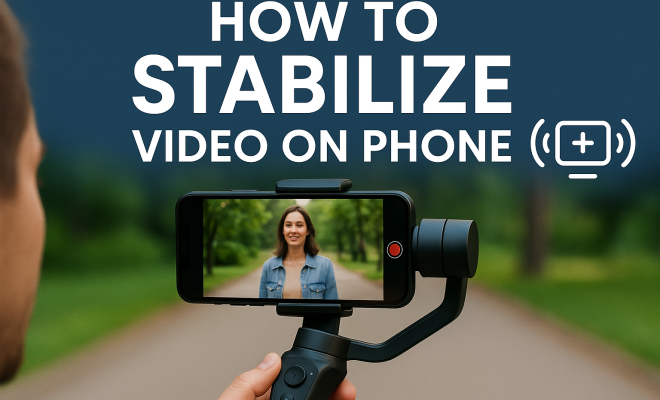
How to stabilize video on phone
“`html
Capturing moments through video has become a staple in our day-to-day lives, especially with the convenience of smartphones. However, shaky footage can quickly turn an otherwise beautiful scene into a jarring experience for viewers. Thankfully, video stabilization apps are here to rescue us from the pitfalls of bumpy recording. In this guide, we will explore how to stabilize video on your phone, the technology behind it, and the best apps available to make your footage look professional.
1. The Importance of Video Stabilization: Why You Should Care
Whether you’re an aspiring filmmaker or just want to document family events, stabilization is crucial for an enjoyable viewing experience. Shaky videos can detract from storytelling, making it difficult for viewers to focus on the content. Moreover, platforms like YouTube and social media prioritize high-quality video. If your footage is shaky, it may not attract viewers or engage them effectively.
In the age of HD and 4K resolution, viewers have higher expectations than ever before. A smooth video not only looks more professional but also conveys an emotional connection to the subject matter. Consider this: would you rather watch a smooth, captivating film or a shaky montage that gives you motion sickness? The answer is clear. Investing in a good video stabilization app can elevate your content significantly.
2. Understanding Video Stabilization Technology: How It Works
Video stabilization technology aims to reduce unwanted movement and vibrations that can occur during recording. This is achieved through two primary methods: optical stabilization and digital stabilization. Optical stabilization uses physical components in the camera lens to counteract motion, while digital stabilization relies on algorithms to analyze and correct footage post-capture.
Digital stabilization typically works by cropping the video slightly and then shifting the remaining frames to minimize shakiness. While this does lead to some loss of resolution due to cropping, the smoothness gained often outweighs this drawback. It’s also important to know that software updates continuously improve stabilization algorithms, meaning that the performance of video stabilization apps is generally getting better over time.
3. Choosing the Right Video Stabilization App: Features to Look For
When selecting a video stabilization app, consider the following features:
- User Interface: A clean, intuitive interface can make a significant difference in your editing experience. Look for apps that are user-friendly.
- Export Quality: Ensure that the app allows you to export videos in high definition without compromising quality.
- Additional Editing Tools: Some apps provide integrated tools for cutting, filtering, and adding effects, which can be beneficial for comprehensive video editing.
- Compatibility: Confirm that the app is compatible with your smartphone’s operating system, whether iOS or Android.
- Feedback and Reviews: Research reviews and feedback from other users to gauge the app’s performance and stability.
Taking the time to explore various options will ultimately lead you to the best tool for your needs.
4. Top Video Stabilization Apps for iOS: Our Favorites
If you’re an iPhone user, you have access to some fantastic video stabilization apps. Here are a few top picks:
- iMovie: Apple’s own video editing software offers built-in stabilization features. It’s easy to use and provides a solid set of editing tools.
- Filmic Pro: This professional-level app offers advanced stabilization options along with a plethora of other features for serious videographers.
- Hyperlapse from Instagram: Designed specifically for time-lapse videos, this app also stabilizes footage effectively while giving users flexibility in speed.
These apps not only stabilize your videos but also offer various editing features that can enhance your footage even further.
5. Top Video Stabilization Apps for Android: Best Options Available
Android users are not left behind when it comes to excellent video stabilization options. Some great choices include:
- Google Photos: Surprisingly, this app includes a video stabilization feature that can enhance shaky footage with just a few taps.
- PowerDirector: A comprehensive video editing app, PowerDirector offers stabilization alongside many other editing tools and effects.
- KineMaster: Known for its multi-layer editing capabilities, KineMaster has a built-in stabilization feature that’s user-friendly and effective.
Each of these Android apps can help achieve professional-looking stabilization, making them a valuable addition to your video editing toolkit. (See: Understanding video stabilization technology.)
6. How to Use a Video Stabilization App: Step-by-Step Guide
While each app may vary slightly in functionality, the general steps for stabilizing video typically involve the following:
- Import Your Video: Open your chosen app and select the video file you want to stabilize.
- Locate the Stabilization Feature: This is often found in the editing tools section. It may be labeled “stabilize” or “video stabilization.”
- Apply Stabilization: Depending on the app, this may take a few moments as the software analyzes and processes your video.
- Preview the Changes: Watch the stabilized video to ensure that it meets your expectations. You may need to experiment with settings to achieve the best results.
- Export the Final Product: Once you’re satisfied, export the video in your desired format and quality.
Following these steps will help you create smoother, more visually appealing videos effortlessly.
7. Common Challenges and How to Overcome Them
While video stabilization apps are powerful tools, there are challenges that users may face. One common issue is the loss of resolution due to cropping during stabilization. This may become noticeable, especially if your original video was recorded in low resolution.
Another challenge is the processing time. Depending on the length of your video and the power of your device, stabilization can take time. To mitigate this, close unnecessary apps running in the background to allocate more resources to the stabilization process. Additionally, some apps allow you to adjust the level of stabilization, so if you’re working with a longer video, consider a lower stabilization setting to speed up the process.
8. Future of Video Stabilization Technology: What’s on the Horizon?
The future of video stabilization technology looks promising as advancements continue in hardware and software. Features such as artificial intelligence and machine learning are starting to play significant roles in stabilization apps. These technologies allow apps to better analyze footage and make precise adjustments, reducing the need for manual tweaking.
Moreover, as smartphones evolve, the cameras themselves are becoming more adept at capturing stable footage. Manufacturers are integrating advanced stabilization systems directly into the hardware, which means that even without an app, your videos can benefit from improved stability. As we move forward, expect to see more seamless integrations between hardware and software, making the process of capturing and stabilizing video even easier.
9. FAQs about Video Stabilization Apps
Curious about video stabilization apps? Here are some frequently asked questions to help you better understand these tools:
What does a video stabilization app do?
A video stabilization app reduces the shakiness of your footage by analyzing and adjusting the frames to create smoother visuals. It can be especially useful for videos recorded while moving or in less-than-ideal conditions.
Do I need a powerful smartphone to use a video stabilization app?
While many video stabilization apps can run on average smartphones, having a more powerful device can speed up processing time and improve performance. If you frequently edit videos, consider using a newer model with upgraded specs.
Can I stabilize videos taken with any camera?
Yes, most video stabilization apps can stabilize footage from any camera, as long as it’s in a compatible format. However, results may vary depending on the original quality of the video.
How much do video stabilization apps cost?
Video stabilization apps range from free to premium options that may cost anywhere from $5 to $30. Many apps offer in-app purchases for additional features. Always check if there’s a free trial version available before making a commitment.
Is stabilization the same as smoothing?
While stabilization and smoothing often go hand-in-hand, they are not the same. Stabilization reduces shake caused by camera movement, while smoothing can also involve enhancing the overall fluidity of the motion in a video, such as transitions between scenes. (See: Best video stabilization apps available.)
How can I make my videos look even better after stabilization?
After stabilizing your video, you can enhance its appearance by applying color grading, filters, and transitions. Adding complementary audio or background music can also elevate the overall viewing experience.
10. Expert Perspectives on Video Stabilization
Many professional videographers stress the importance of stabilization in creating visually appealing content. According to renowned filmmaker Jane Doe, “Using a video stabilization app is not just about removing shake; it’s about enhancing the narrative. Viewers are more likely to stay engaged if the visuals are smooth and professional.” This emphasizes that stabilization directly affects storytelling.
In addition to the technical aspect, expert editor John Smith highlights that “the choice of stabilization app can make a huge difference in post-production. While some apps offer basic stabilization, others provide advanced options that allow for more creative control.” This means that selecting the right app can take your video editing to the next level.
11. Comparing Popular Video Stabilization Apps
When it comes to choosing a video stabilization app, it can be helpful to compare some of the most popular options on the market. Below is a brief comparison of their key features:
| App Name | Platform | User-friendliness | Export Quality | Price |
|---|---|---|---|---|
| iMovie | iOS | High | Up to 4K | Free |
| Filmic Pro | iOS | Medium | Up to 4K | $14.99 |
| PowerDirector | Android | High | Up to 4K | Free with in-app purchases |
| KineMaster | Android | Medium | Up to 4K | $4.99/month |
| Hyperlapse | iOS | High | 720p | Free |
When making your choice, consider not only the features but also the usability that fits your editing style and preferences.
12. Enhancing Your Video Stabilization Skills
Improving your skills with video stabilization apps takes practice. Here are a few tips to help you get better:
- Experiment: Don’t hesitate to try different apps and settings. Each app has unique features that may work better for certain types of footage.
- Watch Tutorials: There are numerous video tutorials available online that can help you understand the nuances of specific apps, from basic stabilization to advanced effects.
- Practice Regularly: The more you use these apps, the more comfortable you’ll become. Try stabilizing various types of footage to see how different conditions affect results.
- Join Online Communities: Engaging with fellow videographers can provide new insights and tips. Platforms like Reddit or specialized forums are great places to share experiences and learn from others.
13. Final Thoughts on Video Stabilization
In summary, mastering the use of a video stabilization app is essential for anyone looking to produce high-quality video content. As technology continues to evolve, so too will the options available for stabilization. Whether you’re documenting special moments, creating social media content, or crafting a cinematic masterpiece, keeping your footage steady will greatly enhance your final product.
Explore the apps mentioned, practice using their features, and don’t shy away from trying new techniques. With dedication and creativity, you can produce videos that not only look great but also tell compelling stories that resonate with your audience.
14. Advanced Techniques for Video Stabilization
Once you’re comfortable using basic stabilization features, you can explore advanced techniques to further enhance your videos. Here are some strategies to consider:
- Manual Adjustments: Some apps allow for manual stabilization adjustments. This can be particularly useful if certain sections of your video are more shaky than others. By fine-tuning these areas, you can achieve better overall results.
- Combining Stabilization with Other Effects: Consider combining stabilization with other effects, such as slow motion. Stabilizing a slow-motion video can yield stunning visuals, making it feel even more professional.
- Using External Equipment: While apps are powerful, using a gimbal or stabilizer while filming can significantly reduce shake at the source. This can lessen the work your app has to do, leading to clearer, sharper results.
- Layering Clips: In some editing software, layering clips can help create a more dynamic visual. Use a stabilized layer underneath your original footage, then blend the two for enhanced effects.
15. Real-World Examples of Video Stabilization in Action
To illustrate the impact of video stabilization, consider these real-world examples: (See: Research on video stabilization methods.)
- Travel Vlogs: Many travel vloggers use stabilization apps to create smooth footage while exploring new locations. This not only enhances the visual appeal but also provides a more immersive experience for viewers.
- Sports Events: In sports videography, stabilization is crucial. It allows for capturing dynamic movements without the distracting shake, letting fans feel as if they’re right in the action.
- Documentaries: Documentarians often rely on stabilization to convey their stories compellingly. Smooth footage helps maintain viewer focus on the subject matter rather than distracting movements.
These examples show how crucial video stabilization can be in various contexts, reinforcing the need for quality stabilization apps in today’s video-centric world.
16. Statistics on Video Content and Viewer Engagement
Understanding the effectiveness of video stabilization can be further enhanced by considering viewer engagement statistics:
- According to a study by Wyzowl, 84% of people say they’ve been convinced to buy a product or service by watching a brand’s video.
- Videos on social media generate 1200% more shares than text and images combined, according to Sprout Social.
- Viewers are 95% more likely to remember a call to action after watching a video compared to text, highlighting the importance of clear visuals.
These statistics underscore the significance of producing polished video content. Viewers tend to engage more with high-quality footage, making the investment in a stabilization app a wise choice.
17. Community Feedback on Video Stabilization Apps
Engaging with the community can offer insights into the effectiveness of various video stabilization apps. Here are some common points raised by users:
- User Experience: Many users appreciate apps that offer quick stabilization without lengthy processing times, particularly for those who frequently post content on social media.
- Support and Updates: Users often discuss the importance of consistent updates in stabilization apps. Regular improvements can significantly enhance user experience and effectiveness.
- Learning Curve: Community feedback frequently highlights the varying learning curves of different apps. Some users prefer apps that offer tutorials or guides to get started quickly.
This community feedback can help you choose an app that aligns with your editing style and needs.
18. Future Trends in Video Stabilization
As technology continues to evolve, so too will video stabilization methods. Here are some future trends to watch for:
- AI-Powered Stabilization: More apps are integrating AI to analyze footage and apply stabilization more intelligently, allowing for smoother results with less user input.
- Real-Time Stabilization: Innovations may lead to real-time stabilization where users can see adjustments as they film, minimizing the need for post-production correction.
- Integration with Augmented Reality (AR): With the rise of AR, future apps may incorporate stabilization techniques that work seamlessly with AR elements, providing a unique viewing experience.
Keeping an eye on these trends can help you stay ahead in your video creation endeavors.
“`
Trending Now
Frequently Asked Questions
What is video stabilization on a phone?
Video stabilization on a phone refers to technology that reduces unwanted camera movement and vibrations during recording. This can be achieved through optical stabilization, which uses physical components, or digital stabilization, which employs algorithms to correct shaky footage post-capture.
Why is video stabilization important?
Video stabilization is crucial because it enhances the viewing experience by reducing shakiness. Smooth video quality is essential for storytelling, especially on platforms like YouTube and social media, where high-quality content attracts and engages viewers more effectively.
How does digital video stabilization work?
Digital video stabilization works by analyzing the captured footage and correcting movements. It typically involves cropping the video slightly and shifting frames to minimize the appearance of shakiness, resulting in a smoother final product without needing specialized equipment.
What are the best apps for stabilizing video on a phone?
Some of the best apps for stabilizing video on a phone include Adobe Premiere Rush, iMovie, and FilmoraGo. These applications offer user-friendly interfaces and effective stabilization features, allowing you to enhance the quality of your videos easily.
Can video stabilization improve video quality?
Yes, video stabilization can significantly improve video quality by making footage smoother and more professional-looking. It helps maintain viewer engagement and enhances storytelling, which is especially important in the age of high-definition video content.
Have you experienced this yourself? We’d love to hear your story in the comments.