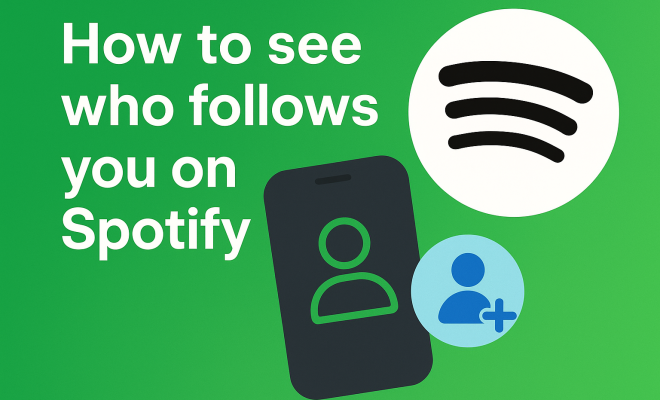
How to see who follows you on Spotify
“`html
Spotify is more than just a music streaming platform; it’s a robust social network where artists and fans interact. Understanding how to see followers on Spotify can enhance your experience, whether you’re an artist looking to engage with your audience or a casual listener wanting to connect with friends. In this comprehensive guide, we’ll explore everything you need to know about Spotify followers, from basic features to advanced options.
1. Understanding Spotify’s Social Features
Spotify’s primary function is to provide access to millions of songs, but it also integrates social networking elements. The platform enables users to follow each other, share playlists, and collaborate on music. The concept of followers on Spotify is similar to social media platforms like Instagram or Twitter, where following someone allows you to see their activity, including the music they listen to and their playlists.
When you follow someone on Spotify, you’ll be updated on their listening habits, new playlists, and even the music they create if they are an artist. This aspect fosters a sense of community among users, making it easier to discover new music through friends or favorite artists.
2. How to See Your Followers on Spotify
Seeing your followers on Spotify is straightforward. Follow these steps:
- Open the Spotify app on your device or log into the Spotify Web Player.
- Navigate to your profile by clicking on your name or profile picture in the top-right corner.
- Select the ‘Followers’ tab on your profile page, which lists all the users following you.
If you’re using the mobile app, the process is similar: tap on ‘Home’, select ‘Your Library’, then find your profile. The Followers section will display the number of users who follow you. However, keep in mind that while you can see the number of followers, the visibility of individual followers may depend on their privacy settings.
3. Privacy Settings: What You Need to Know
Spotify offers privacy settings that allow users to control their visibility. If you wish to keep your listening habits private, you can adjust your settings accordingly. By default, your profile is public, meaning anyone can see your followers and the music you listen to. Here’s how to change your privacy settings:
- Go to ‘Settings’ within the app.
- Scroll down to ‘Social’ and disable ‘Private Session’ to keep your current listening activity private.
- Alternatively, toggle ‘Make My Profile Private’ to restrict who can see your followers and playlists.
Understanding these settings is crucial, especially for artists who want to maintain a certain level of privacy while still engaging with their fans.
4. Why Knowing Your Followers Matters
For artists and influencers, knowing who follows you on Spotify can provide valuable insights. Understanding your audience lets you tailor your music and marketing strategies. For musicians, it’s an opportunity to engage directly with their fan base. By recognizing who their followers are, they can better serve their audience with targeted releases, exclusive content, and personalized interactions.
For regular users, knowing your followers can enhance your listening experience. You can discover music that resonates with your friends’ tastes or even collaborate on playlists. This shared experience can deepen your connections with others who share similar musical interests.
5. Engaging with Your Followers
Once you know how to see followers on Spotify and understand their importance, the next step is engagement. Here are a few ways to interact with your followers: (See: Wikipedia page on Spotify.)
- Share Playlists: Create and share playlists with your followers to encourage interaction. This not only increases your visibility but also fosters a sense of community.
- Use Spotify Stories: Similar to social media stories, Spotify allows artists to share short updates or behind-the-scenes content with their followers.
- Host Listening Parties: Consider scheduling live listening events where you can engage with your fans in real-time.
Engaging with your followers not only helps solidify your connection but also can result in increased loyalty and support for your music.
6. Exploring Followers’ Playlists
One of the exciting aspects of having followers on Spotify is the ability to explore their playlists. If you follow someone, you can see their public playlists, which can introduce you to new music and artists you might not have discovered otherwise. Here’s how:
- Visit the profile of the user you want to explore.
- Click on the ‘Playlists’ tab to see their public playlists.
- Take time to listen and perhaps even collaborate on a playlist!
This feature is particularly useful for discovering niche genres or underground artists that your friends may be into. Following someone with different musical tastes can significantly broaden your listening experience.
7. Connecting with Artists and Influencers
Spotify allows users to follow their favorite artists, gaining insights into new releases and behind-the-scenes content. Artists may share exclusive updates, upcoming tour information, or new releases directly with their followers. To follow an artist, simply go to their profile and click the ‘Follow’ button.
Additionally, many artists use Spotify to connect with their followers through social media platforms. They often encourage listeners to follow them not only on Spotify but also across platforms like Instagram and Twitter, creating a more expansive interaction beyond just music. Engaging with fans on multiple platforms can boost an artist’s presence and deepen their relationship with followers.
8. Using Spotify for Promotion
If you’re an artist or a creator, knowing how to see followers on Spotify can be instrumental for your promotional efforts. With a clearer understanding of your audience, you can leverage your follower base for promotions. Consider these suggestions:
- Exclusive Releases: Offer followers exclusive content, such as early access to new singles or music videos.
- Merchandise Discounts: Provide special discounts on merchandise for your Spotify followers as a thank-you for their support.
- Fan Contests: Organize contests or giveaways that encourage followers to engage more actively with your music.
Utilizing your follower list for promotions not only enhances your relationship with existing fans but also attracts potential new listeners who see the added value of following you on the platform.
9. The Future of Social Interaction on Spotify
As Spotify continues to evolve, the platform is increasingly integrating social features into its interface. There’s speculation that Spotify may introduce more interactive features, such as live-streaming concerts or enhanced social sharing tools. Keeping an eye on these developments is crucial for artists and users alike.
Moreover, understanding user preferences and trends can lead to more personalized experiences on Spotify. As the music industry continues to shift towards digital, the ability to see and engage with followers may become an even more pivotal aspect of how artists and listeners connect.
10. How to Find Followers on Spotify: Tips and Tricks
Aside from just viewing your followers, you may also want to find new ones. Here are some strategies you can use:
- Collaborative Playlists: Create collaborative playlists that other users can add to. This will encourage them to follow you if they like your taste in music.
- Social Media Cross-Promotion: Use your other social media platforms to promote your Spotify account. Share links to your Spotify profile or playlists to attract followers from different channels.
- Participate in Music Communities: Engage with music forums or communities where you can share your Spotify profile. Consider platforms like Reddit or Facebook groups dedicated to music sharing.
Additionally, always be authentic and genuine in your interactions. People are more likely to follow you if they feel a personal connection to your musical journey. (See: BBC article on Spotify's social features.)
11. Understanding Follower Analytics
If you’re using Spotify for Artists, you have access to analytics that provide insights into your follower demographics and behaviors. This data can be invaluable for shaping your music and promotional strategies. Here are some key metrics to look at:
- Gender and Age Demographics: Knowing the age and gender of your audience helps you tailor your marketing strategies and music style accordingly.
- Listening Habits: Find out which songs or playlists your followers engage with the most. This can guide your music production and release strategies.
- Location Data: Understanding where your followers are located can help you plan tours or release local content.
Incorporating this data into your strategy can foster a deeper connection with your audience and potentially lead to higher engagement rates.
12. Utilizing Spotify for Community Building
Beyond simple follower counts, Spotify can be the foundation for building a loyal community around your music. Engaging with followers through various features can help solidify this community. Here are some ways to foster community:
- Regular Updates: Keep your followers informed about your new releases, tours, and personal insights. Regular communication can create a sense of involvement among your fans.
- Engagement through Comments: While Spotify doesn’t have a direct commenting feature like some other platforms, you can encourage engagement through social media discussions about your Spotify content.
- Listener Feedback: Ask for feedback on your playlists or music directly from your followers. This not only makes them feel valued but also gives you insight into what they enjoy.
Creating a community doesn’t just involve broadcasting your music; it’s about cultivating relationships that lead to long-term engagement and support.
13. Statistics on Spotify Usage
Spotify has grown exponentially since its launch, boasting millions of users worldwide. Here are some compelling statistics that highlight its impact:
- As of 2023, Spotify has over 500 million active users, with approximately 220 million of those being premium subscribers.
- Spotify users create an average of 3 billion playlists every year, showcasing the platform’s emphasis on personalization.
- According to reports, artists who engage with their followers via Spotify can see a 20% increase in streaming rates compared to those who don’t.
- In 2022, Spotify reported that people spend an average of 30 hours a month listening to music on the platform.
These statistics underscore the importance of not only having followers but also actively engaging them to maximize your reach and influence on Spotify.
14. Challenges of Growing Your Follower Base
While gaining followers on Spotify can significantly benefit artists, it comes with its challenges. Understanding these can prepare you for a strategic approach to your growth:
- Algorithm Changes: Spotify’s algorithm frequently changes, which can affect how music is promoted to users. Staying updated on best practices is critical for maintaining visibility.
- Competition Among Artists: With millions of creators on the platform, standing out can be a significant hurdle. Unique branding and consistent quality in music production are essential.
- Follower Engagement: Attracting followers is only half the battle; keeping them engaged requires continuous effort and creativity.
By being aware of these challenges, you can prepare strategies that not only attract followers but also keep them interested in your music.
15. Frequently Asked Questions (FAQ)
1. Can I see who follows me on Spotify?
Yes, you can see your followers by visiting your profile and selecting the ‘Followers’ tab. However, individual visibility will depend on their privacy settings.
2. How can I hide my followers on Spotify?
You can make your profile private by going to your settings and toggling ‘Make My Profile Private’. This will limit who can see your followers and the music you listen to. (See: New York Times article on Spotify.)
3. Can I follow someone back on Spotify?
Yes, if someone follows you and you wish to return the favor, simply visit their profile and click the ‘Follow’ button.
4. Does Spotify notify users when someone follows them?
Spotify does not send notifications when someone follows or unfollows you. However, you can check followers manually through your profile.
5. How often should I engage with my followers?
Engagement frequency can vary but consider interacting at least once a week. Whether it’s sharing playlists, posting updates, or responding to comments, maintaining consistent communication is key.
6. Are there any benefits to having more followers on Spotify?
Yes, having more followers can enhance your visibility, increase your chances of playlist placements, and create more opportunities for fan interaction, which can be beneficial for your musical career.
7. Can I see how many followers my favorite artists have?
Yes, you can view the number of followers an artist has on their profile page. This can give you an idea of their popularity.
8. What impact do followers have on music streaming?
Followers can influence the algorithms that determine how often your music is suggested to users. More followers generally lead to more streams and greater visibility within the Spotify ecosystem.
In summary, knowing how to see followers on Spotify not only enriches your experience but also opens doors for meaningful connections and interactions in the music realm. Whether you’re an artist or a casual listener, engaging with followers can significantly enhance your Spotify journey.
“`
Trending Now
Frequently Asked Questions
How can I see who follows me on Spotify?
To see your followers on Spotify, open the app or log into the Web Player. Click on your name or profile picture, then select the 'Followers' tab to view all users following you.
Can I see my followers on Spotify mobile?
Yes, you can see your followers on the Spotify mobile app. Tap 'Home', select 'Your Library', then find your profile. The Followers section will show the number of users who follow you.
What are Spotify's social features?
Spotify integrates social networking by allowing users to follow each other, share playlists, and collaborate on music. Following someone lets you see their listening habits and playlists, enhancing community engagement.
Do I need to adjust privacy settings to see my followers on Spotify?
You may not need to adjust your privacy settings to see your followers, but individual follower visibility can depend on their own privacy settings. Check the Followers tab to see who follows you.
What happens when I follow someone on Spotify?
When you follow someone on Spotify, you can see their listening activity, new playlists, and any music they create if they are an artist, enhancing your music discovery experience.
What’s your take on this? Share your thoughts in the comments below — we read every one.