The Tech Edvocate

Top Menu

  • Advertisement
  • Apps
  • Home Page
  • Home Page Five (No Sidebar)
  • Home Page Four
  • Home Page Three
  • Home Page Two
  • Home Tech2
  • Icons [No Sidebar]
  • Left Sidbear Page
  • Lynch Educational Consulting
  • My Account
  • My Speaking Page
  • Newsletter Sign Up Confirmation
  • Newsletter Unsubscription
  • Our Brands
  • Page Example
  • Privacy Policy
  • Protected Content
  • Register
  • Request a Product Review
  • Shop
  • Shortcodes Examples
  • Signup
  • Start Here
    • Governance
    • Careers
    • Contact Us
  • Terms and Conditions
  • The Edvocate
  • The Tech Edvocate Product Guide
  • Topics
  • Write For Us
  • Advertise

Main Menu

  • Start Here
    • Our Brands
    • Governance
      • Lynch Educational Consulting, LLC.
      • Dr. Lynch’s Personal Website
      • Careers
    • Write For Us
    • The Tech Edvocate Product Guide
    • Contact Us
    • Books
    • Edupedia
    • Post a Job
    • The Edvocate Podcast
    • Terms and Conditions
    • Privacy Policy
  • Topics
    • Assistive Technology
    • Child Development Tech
    • Early Childhood & K-12 EdTech
    • EdTech Futures
    • EdTech News
    • EdTech Policy & Reform
    • EdTech Startups & Businesses
    • Higher Education EdTech
    • Online Learning & eLearning
    • Parent & Family Tech
    • Personalized Learning
    • Product Reviews
  • Advertise
  • Tech Edvocate Awards
  • The Edvocate
  • Pedagogue
  • School Ratings

logo

The Tech Edvocate

  • Start Here
    • Our Brands
    • Governance
      • Lynch Educational Consulting, LLC.
      • Dr. Lynch’s Personal Website
        • My Speaking Page
      • Careers
    • Write For Us
    • The Tech Edvocate Product Guide
    • Contact Us
    • Books
    • Edupedia
    • Post a Job
    • The Edvocate Podcast
    • Terms and Conditions
    • Privacy Policy
  • Topics
    • Assistive Technology
    • Child Development Tech
    • Early Childhood & K-12 EdTech
    • EdTech Futures
    • EdTech News
    • EdTech Policy & Reform
    • EdTech Startups & Businesses
    • Higher Education EdTech
    • Online Learning & eLearning
    • Parent & Family Tech
    • Personalized Learning
    • Product Reviews
  • Advertise
  • Tech Edvocate Awards
  • The Edvocate
  • Pedagogue
  • School Ratings
  • The Shocking Truth: ESG Training Programs Are Quietly Reshaping Your Career Path

  • Why Millions of People Are Switching to These Green Energy Certifications Right Now

  • The green skills gap in 2026: How to address this growing problem

  • The Shocking Truth: Your Degree Won’t Land You the Best IT Jobs in 2026

  • The Brutal Truth About Degrees: Why Micro-Credentials Are Quietly Dominating Careers by 2026

  • Why 96% of Employers Now Prefer Skills Over Degrees: The Micro-Credential Revolution

  • This Crucial Mistake With AI Is Stunting Student Minds: Here’s How to Fix It

  • The AI ‘Cognitive Surrender’ Crisis: 7 Tools Every Educator Needs NOW

  • This Crucial Mistake Is Quietly Killing Students’ Brains, Says MIT

  • The Sneaky Truth About RTO: How to Negotiate Flexible Work Without Losing Your Job

Digital & Mobile Technology
Home›Digital & Mobile Technology›How to Recover Permanently Deleted Photos From iCloud

How to Recover Permanently Deleted Photos From iCloud
By Matthew Lynch
June 1, 2023
0
Spread the love

iCloud is a cloud-based service provided by Apple, which allows users to store and synchronize data across all their Apple devices. This includes photos, videos, documents, and more. However, despite its usefulness, there may be times when you accidentally delete some data, including your photos. Fortunately, iCloud provides an option to recover permanently deleted photos. Here’s a step-by-step guide on how to recover permanently deleted photos from iCloud.

Step 1: Check If The Photos Are Still In The Recently Deleted Folder

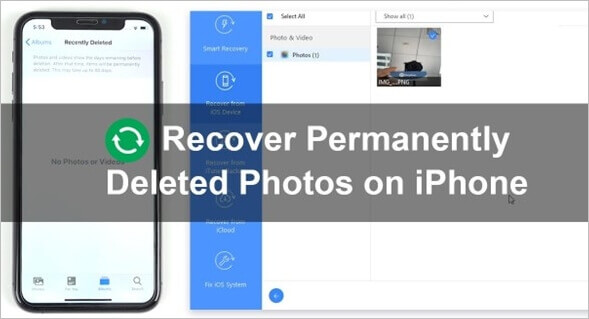
The first step is to check if the photos are still in the Recently Deleted folder. Apple offers a feature where deleted photos and videos are moved to the Recently Deleted folder for 30 days before they are permanently deleted. To check if the photos are still in this folder, follow these steps:

1. Open the Photos app on your iPhone, iPad or Mac.
2. Tap on the Recently Deleted album.
3. Look for the photos you want to recover.
4. Tap on the photo(s) and select Recover.

If the photos are still in the Recently Deleted folder, you can easily restore them to your iCloud account.

Step 2: Recover Permanently Deleted Photos Using iCloud.com

If the photos are no longer in the Recently Deleted folder, you can still recover them using iCloud.com. Here’s how:

1. Open a web browser on your computer and go to iCloud.com.
2. Sign in to your iCloud account using your Apple ID and password.
3. Click on Photos.
4. Select the Recently Deleted album on the left side of the screen.
5. Look for the photos you want to recover.
6. Click on the photo(s) and select Recover.

The photos will be restored to your iCloud account and will be available on all your Apple devices.

Step 3: Use iCloud Photo Library To Recover Permanently Deleted Photos

Another way to recover permanently deleted photos is to use iCloud Photo Library. This feature syncs your photos across all your Apple devices, and even if you delete a photo from one device, it will still be available on other devices. Here’s how to use iCloud Photo Library to recover permanently deleted photos:

1. Open the Photos app on your iPhone, iPad or Mac.
2. Go to Settings > [Your Name] > iCloud > Photos.
3. Turn on iCloud Photo Library.
4. Wait for the photos to sync across all your devices.
5. Go to Recently Deleted and look for the photos you want to recover.
6. Tap on the photo(s) and select Recover.

The photos will be restored to your iCloud account and will be available on all your Apple devices.

Conclusion:

Losing your photos can be a painful experience, but fortunately, iCloud offers several options to recover permanently deleted photos. By checking the Recently Deleted folder, using iCloud.com, and utilizing iCloud Photo Library, you can easily restore your photos and keep your memories safe. Keep in mind that it’s always a good idea to regularly back up your photos to prevent the loss of important memories.


Previous Article

Google Pixel Watch: Release Date, Price, Specs, ...

Next Article

How to Get Wi-Fi in Your Car

Matthew Lynch

Related articles More from author

  • Digital & Mobile Technology

    Beta Accessibility Mode on iPhone: A Game-Changer for Accessibility

    June 21, 2023
    By Matthew Lynch
  • Digital & Mobile Technology

    Amazon Music Unlimited vs. Amazon Prime Music: What’s the Difference?

    July 24, 2023
    By Matthew Lynch
  • Digital & Mobile Technology

    The 4 Best Google Play Alternatives for Downloading Android Apps

    July 31, 2023
    By Matthew Lynch
  • Digital & Mobile Technology

    What is the Nintendo DSi?

    June 23, 2023
    By Matthew Lynch
  • Digital & Mobile Technology

    How to Hide and Unhide Songs on Spotify

    August 4, 2023
    By Matthew Lynch
  • Digital & Mobile Technology

    Is Hibernate Mode Bad for Your PC?

    June 12, 2023
    By Matthew Lynch

Search

Login & Registration

  • Log in
  • Entries feed
  • Comments feed
  • WordPress.org

Newsletter

Signup for The Tech Edvocate Newsletter and have the latest in EdTech news and opinion delivered to your email address!

About Us

Since technology is not going anywhere and does more good than harm, adapting is the best course of action. That is where The Tech Edvocate comes in. We plan to cover the PreK-12 and Higher Education EdTech sectors and provide our readers with the latest news and opinion on the subject. From time to time, I will invite other voices to weigh in on important issues in EdTech. We hope to provide a well-rounded, multi-faceted look at the past, present, the future of EdTech in the US and internationally.

We started this journey back in June 2016, and we plan to continue it for many more years to come. I hope that you will join us in this discussion of the past, present and future of EdTech and lend your own insight to the issues that are discussed.

Newsletter

Signup for The Tech Edvocate Newsletter and have the latest in EdTech news and opinion delivered to your email address!

Contact Us

The Tech Edvocate
910 Goddin Street
Richmond, VA 23231
(601) 630-5238
[email protected]

Copyright © 2026 Matthew Lynch. All rights reserved.