The Tech Edvocate

Top Menu

  • Advertisement
  • Apps
  • Home Page
  • Home Page Five (No Sidebar)
  • Home Page Four
  • Home Page Three
  • Home Page Two
  • Home Tech2
  • Icons [No Sidebar]
  • Left Sidbear Page
  • Lynch Educational Consulting
  • My Account
  • My Speaking Page
  • Newsletter Sign Up Confirmation
  • Newsletter Unsubscription
  • Our Brands
  • Page Example
  • Privacy Policy
  • Protected Content
  • Register
  • Request a Product Review
  • Shop
  • Shortcodes Examples
  • Signup
  • Start Here
    • Governance
    • Careers
    • Contact Us
  • Terms and Conditions
  • The Edvocate
  • The Tech Edvocate Product Guide
  • Topics
  • Write For Us
  • Advertise

Main Menu

  • Start Here
    • Our Brands
    • Governance
      • Lynch Educational Consulting, LLC.
      • Dr. Lynch’s Personal Website
      • Careers
    • Write For Us
    • The Tech Edvocate Product Guide
    • Contact Us
    • Books
    • Edupedia
    • Post a Job
    • The Edvocate Podcast
    • Terms and Conditions
    • Privacy Policy
  • Topics
    • Assistive Technology
    • Child Development Tech
    • Early Childhood & K-12 EdTech
    • EdTech Futures
    • EdTech News
    • EdTech Policy & Reform
    • EdTech Startups & Businesses
    • Higher Education EdTech
    • Online Learning & eLearning
    • Parent & Family Tech
    • Personalized Learning
    • Product Reviews
  • Advertise
  • Tech Edvocate Awards
  • The Edvocate
  • Pedagogue
  • School Ratings

logo

The Tech Edvocate

  • Start Here
    • Our Brands
    • Governance
      • Lynch Educational Consulting, LLC.
      • Dr. Lynch’s Personal Website
        • My Speaking Page
      • Careers
    • Write For Us
    • The Tech Edvocate Product Guide
    • Contact Us
    • Books
    • Edupedia
    • Post a Job
    • The Edvocate Podcast
    • Terms and Conditions
    • Privacy Policy
  • Topics
    • Assistive Technology
    • Child Development Tech
    • Early Childhood & K-12 EdTech
    • EdTech Futures
    • EdTech News
    • EdTech Policy & Reform
    • EdTech Startups & Businesses
    • Higher Education EdTech
    • Online Learning & eLearning
    • Parent & Family Tech
    • Personalized Learning
    • Product Reviews
  • Advertise
  • Tech Edvocate Awards
  • The Edvocate
  • Pedagogue
  • School Ratings
  • A Visitor’s Guide to Fresno (CA), United States

  • A Visitors Guide to New Orleans (LA), United States

  • A Visitors Guide to Sacramento (CA), United States

  • A Visitors Guide to Lyon, France

  • JisuLife Ultra2 Portable Fan: A Powerful Multi-Function Cooling Solution

  • A Visitors Guide to Viña del Mar, Chile

  • A Visitors Guide to Århus, Denmark

  • A Visitors Guide to Bakersfield (CA), United States

  • A Visitors Guide to Aurora (CO), United States

  • A Visitor’s Guide to Toledo (OH), United States

Digital & Mobile Technology
Home›Digital & Mobile Technology›How to Make Android Devices Friendly for Seniors

How to Make Android Devices Friendly for Seniors

By Matthew Lynch
August 1, 2023
0
Spread the love

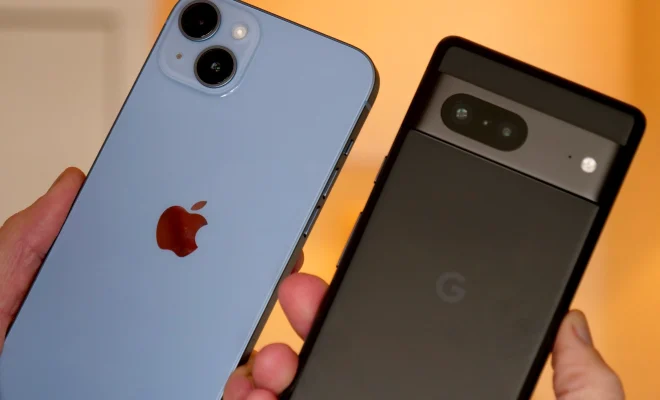
As smartphones and tablets have become ubiquitous, a growing proportion of older adults are embracing these new technologies. According to a 2019 survey, 42% of people aged 65 and above now own a smartphone, up from just 18% in 2013. However, many seniors find smartphones and tablets difficult to use due to small screens, confusing menus, and complex interfaces. Here are some tips on how to make Android devices more user-friendly for seniors.

1. Enlarge text and icons

The first thing to do is to increase the size of the text and icons on the device. This can be done by going to Settings, then Display, and choosing Font size and Display size. There are also third-party apps that can help with this, such as Big Launcher and EasyHome, which will replace the phone’s default launcher and create a simplified interface with larger icons and fewer options.

2. Use voice commands

Voice commands are a great way to make using a smartphone more accessible for seniors who may struggle with typing or swiping. Google Assistant is built into most Android devices, and can be activated by saying “Hey Google” or pressing and holding the home button. Users can then ask the Assistant to make phone calls, send texts, set reminders, and perform other tasks.

3. Simplify the home screen

The home screen is the first thing that users see when they turn on their phone, so it’s important to make it as simple as possible. Only the most essential apps should be displayed, such as the dialer, messages, and camera. Widgets can also be used to display information like the time and weather without the need to open an app.

4. Use accessibility features

Android devices come with a range of accessibility features that can help users with visual, auditory, or physical impairments. These include TalkBack, a screen reader that provides spoken feedback for everything that is displayed on the screen, and Magnification gestures, which allows users to zoom in on parts of the screen by triple-tapping. There are also options for adjusting the touch sensitivity of the screen and using single-tap mode instead of double-tap.

5. Provide training and support

Finally, it’s important to provide seniors with training and support to help them become more comfortable using their device. This could involve one-on-one instruction, group classes, or online tutorials. There are also many community organizations that offer technology classes for seniors, such as senior centers, libraries, and schools.

In conclusion, making Android devices more senior-friendly requires a combination of software settings, hardware modifications, and education. By following the above tips, seniors can enjoy all the benefits of a smartphone or tablet without feeling intimidated or frustrated.

Previous Article

How to Watch Free Live TV Channels ...

Next Article

How to Play Music With an Amazon ...

Matthew Lynch

Related articles More from author

  • Digital & Mobile Technology

    How to Know Which Fitbit Versa Model You Own

    June 5, 2023
    By Matthew Lynch
  • Digital & Mobile Technology

    Best YouTube Channels You Should Watch Next

    August 5, 2023
    By Matthew Lynch
  • Digital & Mobile Technology

    Digital Video 101: Understanding How Digital Video Works

    March 20, 2023
    By Matthew Lynch
  • Digital & Mobile Technology

    Is It Safe to Buy Games From Steam?

    June 13, 2023
    By Matthew Lynch
  • Digital & Mobile Technology

    How to Access and Use Samsung Apps on Samsung Smart TVs

    June 9, 2023
    By Matthew Lynch
  • Digital & Mobile Technology

    How to Use Dual Messenger on Samsung Galaxy Phones

    May 30, 2023
    By Matthew Lynch

Search

Login & Registration

  • Register
  • Log in
  • Entries feed
  • Comments feed
  • WordPress.org

Newsletter

Signup for The Tech Edvocate Newsletter and have the latest in EdTech news and opinion delivered to your email address!

About Us

Since technology is not going anywhere and does more good than harm, adapting is the best course of action. That is where The Tech Edvocate comes in. We plan to cover the PreK-12 and Higher Education EdTech sectors and provide our readers with the latest news and opinion on the subject. From time to time, I will invite other voices to weigh in on important issues in EdTech. We hope to provide a well-rounded, multi-faceted look at the past, present, the future of EdTech in the US and internationally.

We started this journey back in June 2016, and we plan to continue it for many more years to come. I hope that you will join us in this discussion of the past, present and future of EdTech and lend your own insight to the issues that are discussed.

Newsletter

Signup for The Tech Edvocate Newsletter and have the latest in EdTech news and opinion delivered to your email address!

Contact Us

The Tech Edvocate
910 Goddin Street
Richmond, VA 23231
(601) 630-5238
[email protected]

Copyright © 2025 Matthew Lynch. All rights reserved.