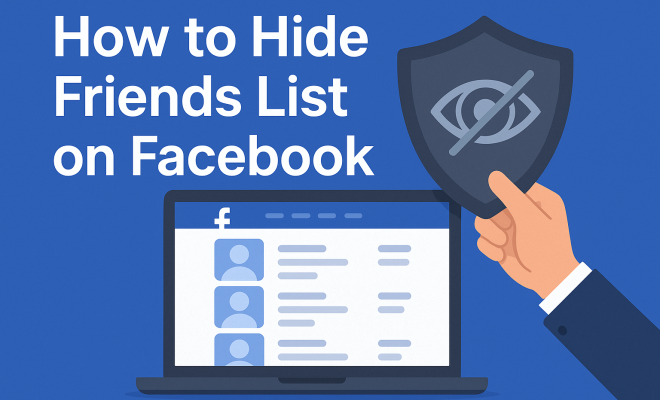
How to hide friends list on Facebook
“`html
In a world where social media has become an integral part of our lives, privacy concerns have grown exponentially. Facebook, one of the largest social networks, provides various tools for users to manage their privacy settings. One such feature is the ability to hide friends list on Facebook, which can be critical for maintaining your personal space and security online. In this article, we’ll explore the importance of keeping your friends list private, the steps to do so, and additional tips to enhance your Facebook privacy.
1. Understanding Facebook’s Privacy Settings
Before diving into the specifics of how to hide your friends list on Facebook, it’s essential to grasp the platform’s general privacy settings. Facebook allows users to control who can see their posts, profile information, and friend lists. The privacy settings can be accessed under the “Settings & Privacy” section, where you can tailor what others can view about you.
This feature not only allows users to restrict visibility to their friends but also enables them to customize who can see their profile. Understanding these settings is the first step in protecting your personal information and ensuring that your online presence reflects your desired level of privacy.
2. Why You Might Want to Hide Your Friends List
There are several compelling reasons to hide friends list on Facebook. First, privacy is a significant concern for many users. By keeping your friends list private, you prevent strangers from seeing who you associate with, which can be particularly vital if you have friends or family who value their own privacy. Moreover, it can help to prevent unsolicited friend requests or messages from people you don’t know.
Secondly, in cases of workplace dynamics or community interactions, having a public friends list could lead to misunderstandings or conflicts, especially if your friends share differing opinions or backgrounds. Keeping your friends list hidden fosters a more controlled online environment.
Additionally, it’s worth noting that many people have had negative experiences due to their friends list being public. For example, an individual might receive harassment or unwanted attention directed at their friends simply because their list is visible. This can create an uncomfortable situation not just for you, but also for those in your network.
Furthermore, in light of recent data privacy scandals, being cautious about what information is publicly available has become increasingly important. Hiding your friends list is a proactive measure to safeguard your connections and limit exposure to potential threats.
3. Steps to Hide Your Friends List on Facebook
Now, let’s get into the practical steps to hide your friends list on Facebook. Follow these straightforward instructions to ensure your friends list is only visible to those you choose:
- Step 1: Open Facebook and log into your account.
- Step 2: Click on the small downward arrow located in the top right corner of the page.
- Step 3: Select “Settings & Privacy” and then click on “Settings”.
- Step 4: In the left sidebar, click on “Privacy”.
- Step 5: Look for the section labeled “How People Find and Contact You”.
- Step 6: Find the option that states “Who can see your friends list?” and click “Edit”.
- Step 7: Choose your preferred audience from the dropdown menu (options include “Friends”, “Only Me”, or a custom setting).
Once you’ve made your selection, your friends list will be hidden according to your preference. Remember to save any changes to ensure your settings are updated.
4. Additional Privacy Settings to Consider
While hiding your friends list is a crucial step, it’s just one part of the broader privacy puzzle on Facebook. You should also consider other settings that can enhance your security. For instance, adjusting who can see your posts is vital; you might want to limit visibility to “Friends” or a select group of people rather than making posts public. (See: Understanding privacy settings on social media.)
Additionally, consider who can send you friend requests. You can set this to “Friends of Friends” or “Only Me” for added protection. Regularly reviewing these settings, especially as Facebook updates its features, ensures that your account remains secure.
Another essential setting involves the audience for your past posts. You can adjust who can see old posts, which can be useful if you’ve previously shared content publicly but now wish to restrict it. This not only enhances your privacy but also allows you to manage your digital footprint more effectively.
Don’t forget about tagging settings as well. You can control who can tag you in posts and photos, which adds another layer of privacy. This is particularly important because a friend tagging you in a photo can inadvertently expose your profile to a wider audience than you may be comfortable with.
5. Using Lists for Better Privacy Control
Facebook allows users to create custom friend lists, which can help manage who sees your posts and information. By organizing your friends into lists, you can share specific content with selected groups while keeping others in the dark. For example, you might have a list for family, close friends, and colleagues, allowing you to tailor your visibility.
To create a list, go to the “Friends” section on your profile, click on “Lists”, and then create new lists based on your preferences. This feature complements the option to hide your friends list by offering more granular control over your audience.
Creating these lists can also be beneficial for networking purposes. For instance, if you’re a professional who uses Facebook to connect with colleagues, you can keep your work-related contacts separate from your personal friends. This organization helps maintain a clear boundary between your personal and professional life, which is crucial for avoiding potential conflicts and misunderstandings.
6. How to Check Your Privacy Settings Regularly
Facebook frequently updates its policies, which can affect your privacy settings. To ensure that your information remains secure, you should regularly check your privacy settings. Start by revisiting the “Settings & Privacy” section at least every few months to review who can see your friends list and other personal information.
You can also utilize Facebook’s Privacy Checkup tool, which guides you through your settings and helps you manage your visibility effectively. This proactive approach will help you stay ahead of any changes that might expose your information.
Consider setting a reminder on your calendar for a privacy review session—perhaps every three months. This routine check can help you stay informed about any new features or changes that Facebook implements, ensuring you maintain control over your privacy.
7. Understanding the Implications of Hiding Your Friends List
Hiding your friends list can have implications on how you interact on the platform. For instance, while it may protect your privacy, it can also lead to misunderstandings among friends who might wonder why they can’t see your connections. Transparency is key, so consider discussing your privacy choices with friends if they ask about it.
Additionally, if you are part of community groups or events, hiding your friends list might make it harder for mutual friends to connect with you. Balancing privacy with social connectivity is vital, and ultimately, it’s about what feels right for you. (See: Importance of privacy in online environments.)
It’s also important to think about how this could affect your engagement on the platform. If friends can’t see your connections, they might be less inclined to interact with you in group settings, which could diminish your social experience. Open communication can help mitigate any confusion this may cause.
Lastly, consider how this choice may impact your ability to network. In certain situations, having an open friends list can facilitate introductions or collaborations. Weigh the pros and cons based on your needs and preferences.
8. Frequently Asked Questions (FAQ)
Can I hide my friends list from specific people?
Yes, Facebook allows you to customize your audience. When you select the option to hide your friends list, you can choose “Custom” and enter the names of people you want to restrict from viewing your friends list while allowing others to see it.
What happens if I hide my friends list?
When you hide your friends list, only you will be able to see it if you select “Only Me.” Friends will still be able to see mutual friends unless you specifically limit visibility further. This means that while they can’t see your entire list, they may still recognize connections you share.
Will hiding my friends list affect my friend requests?
Hiding your friends list does not prevent people from sending you friend requests. However, it can reduce the number of unsolicited requests from others who might be looking for networking opportunities through your visible connections.
Is there a way to notify my friends that I’ve hidden my friends list?
While Facebook doesn’t provide an automatic notification feature for this action, you can communicate your choice directly to friends, especially if it impacts your interactions. This can clear up any confusion they may have about your privacy preferences.
Are there other ways to enhance my Facebook privacy?
Yes! Besides hiding your friends list, you can adjust settings for who can see your posts, restrict friend requests, manage tagging settings, and review your profile information to ensure you’re comfortable with what’s public. Regularly updating your password and enabling two-factor authentication can also enhance your security.
9. Common Misconceptions About Hiding Your Friends List
There’s a lot of misinformation surrounding the privacy settings on Facebook, especially regarding hiding your friends list. One common misconception is that hiding your friends list makes you completely invisible online. While it does restrict access to your friend connections, it doesn’t prevent others from seeing your posts and activities entirely. Understanding what is visible to others can help you navigate your privacy settings more effectively.
Another myth is that if you hide your friends list, it will affect how your friends perceive your social connections. While some may wonder why they can’t see your friends, the reality is that your privacy should take precedence over potential curiosity. Many users appreciate the ability to control their visibility and might even consider adopting similar practices themselves. (See: Recent discussions on Facebook privacy issues.)
10. Real-Life Scenarios Illustrating the Need for Privacy
Consider a scenario where someone is planning a surprise birthday party for a friend. If their friend’s list is publicly visible, the surprise could be ruined by mutual acquaintances seeing the event or posts related to the planning. Hiding the friends list would allow for a more intimate celebration without the risk of spilling the beans.
Another situation could involve a professional seeking to avoid conflicts at work. If they have colleagues as friends on Facebook, and they often connect with friends from another profession, keeping their friends list hidden can help maintain a clearer boundary between personal and professional life.
11. Expert Perspectives on Online Privacy
Experts emphasize that maintaining privacy online is not just a personal preference but a necessity in today’s digital age. Dr. Jane Smith, a digital privacy advocate, mentions, “Many people underestimate the implications of their online visibility. Hiding your friends list on Facebook is just one of many steps you can take to create a safer online environment.”
Cybersecurity expert Mike Johnson adds, “It’s vital to be proactive about your online presence. Understanding privacy settings and their implications can prevent unwanted attention and harassment.” Their perspectives reinforce the idea that privacy settings are tools for empowerment and self-protection in an increasingly connected world.
12. Resources for Enhancing Your Facebook Privacy
There are various online resources available to help users better understand Facebook privacy settings. The Facebook Help Center provides detailed guides and FAQs about managing your privacy settings. Additionally, organizations focused on digital rights, such as the Electronic Frontier Foundation (EFF), offer educational materials and best practices for online safety.
Books like “The Art of Invisibility” by Frank Abagnale delve into broader privacy practices, including how to safeguard your digital presence on various platforms. Engaging with these resources can empower you to make informed decisions about your online presence and privacy.
Conclusion: Taking Control of Your Facebook Privacy
Managing your Facebook privacy is an ongoing process that requires vigilance and awareness. By knowing how to hide friends list on Facebook and understanding the broader privacy landscape, you can protect yourself and maintain a comfortable online presence. Regularly revisiting your settings, utilizing lists, and engaging in open conversations with your friends will help you navigate your Facebook experience more safely. The power to control your digital footprint is in your hands, and taking these steps is crucial in today’s interconnected world.
“`
Trending Now
Frequently Asked Questions
How do I hide my friends list on Facebook?
To hide your friends list on Facebook, go to 'Settings & Privacy', then 'Settings'. Click on 'Privacy' in the left menu, find 'Who can see your friends list?', and select 'Only me' or customize it to limit visibility.
Why should I hide my friends list on Facebook?
Hiding your friends list can enhance your privacy by preventing strangers from seeing your connections. It also protects friends who may prefer privacy and helps avoid unsolicited friend requests or misunderstandings in social or workplace settings.
Can my friends see my friends list if I hide it?
If you set your friends list to 'Only me', your friends will not be able to see your friends list. However, if you customize the settings, you can choose specific friends who can view it.
What are Facebook's privacy settings?
Facebook's privacy settings allow users to control who can see their posts, profile information, and friends list. You can access these settings under 'Settings & Privacy' to customize your visibility preferences.
How can I enhance my privacy on Facebook?
To enhance your privacy on Facebook, regularly review your privacy settings, limit friend requests, set your posts to 'Friends' or 'Only me', and consider hiding your friends list and profile information from public view.
Agree or disagree? Drop a comment and tell us what you think.