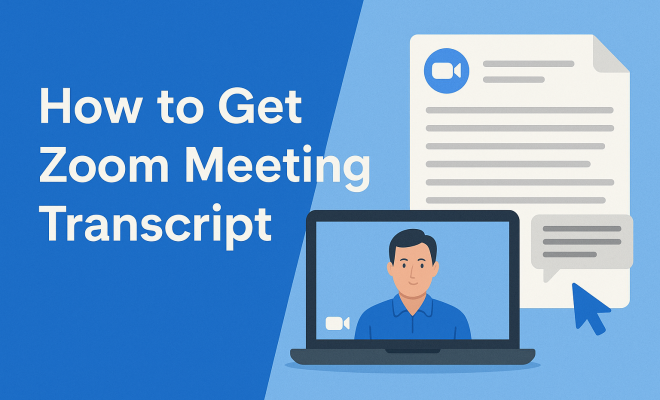
How to get Zoom meeting transcript
“`html
In today’s remote work environment, effective communication tools are more important than ever. One such tool that has taken the world by storm is Zoom. As virtual meetings become the norm for businesses, educators, and social gatherings, having a reliable record of these discussions can be invaluable. This is where the Zoom meeting transcript comes into play. In this comprehensive guide, we’ll explore everything you need to know about obtaining and utilizing Zoom meeting transcripts, including the process, benefits, and best practices.
1. What is a Zoom Meeting Transcript?
A Zoom meeting transcript is a written record of everything said during a Zoom meeting. It captures dialogue in a textual format, making it easier to reference discussions without needing to replay the entire video recording. Transcripts can be particularly beneficial for those who may have missed the meeting, as they offer a way to catch up on key points and decisions made.
Zoom provides an automatic transcription feature for its recorded meetings, which utilizes voice recognition technology to convert spoken words into text. This feature is especially useful for those who want to ensure they don’t miss any important information shared during the meeting, as well as for improving accessibility for individuals who may have difficulty hearing.
2. Why are Transcripts Important?
The significance of Zoom meeting transcripts lies in their ability to enhance productivity and accountability. With a transcript at hand, participants can easily refer back to discussions and decisions, ensuring that everyone is on the same page. This can prevent misunderstandings and help in tracking action items assigned during the meeting.
Additionally, transcripts can serve as a legal record if necessary. In sectors like law or finance, having a documented account of conversations can be crucial for compliance and auditing purposes. Moreover, for educators conducting virtual classes, transcripts can assist students in revisiting complex discussions or topics covered in lectures.
3. How to Enable Transcripts in Zoom
Before you can access a Zoom meeting transcript, you need to enable the transcription feature in your Zoom settings. Follow these steps:
- Log in to your Zoom account.
- Navigate to Settings in the left sidebar.
- Select the Recording tab.
- Scroll down to find the option labeled Cloud Recording and ensure it is enabled.
- Check the box next to Audio Transcript to enable automatic transcription.
Once you’ve enabled this feature, all future cloud recordings will automatically generate a transcript after the meeting ends. This means you won’t have to worry about manually transcribing your meetings, saving you time and effort.
4. Accessing Your Zoom Meeting Transcript
After a meeting has concluded and the recording is processed, you can access the transcript through your Zoom account. Here’s how:
- Log in to your Zoom account and go to the My Account page.
- Select Recordings from the left sidebar.
- Click on the meeting for which you wish to view the transcript.
- You will see options for the video, audio, and transcript. Click on Transcript.
The transcript will open in a new window, displaying the text along with timestamps. This makes it easy to find specific sections of the conversation.
5. Editing and Downloading Your Transcript
While Zoom’s automatic transcription feature is incredibly useful, it’s important to note that the accuracy of the transcription can vary based on factors like audio quality and the clarity of speech. Therefore, reviewing and editing the transcript is a good practice. You can make necessary changes directly within the transcript interface.
To download the transcript, simply look for the download option available on the transcript page. You can choose to save it in formats such as .txt or .vtt, allowing you to keep an offline record of the conversation. (See: importance of transcripts in communication.)
6. Best Practices for Using Zoom Meeting Transcripts
Now that you know how to get your Zoom meeting transcript, here are some best practices to keep in mind:
- Review Immediately: Always review your transcripts as soon as they are available. This will help you catch any inaccuracies while the meeting is still fresh in your mind.
- Share with Participants: Distributing the transcript to all meeting participants can foster transparency and ensure that everyone is aligned on action items.
- Organize by Topic: If you frequently hold meetings on various topics, consider categorizing your transcripts for easier retrieval.
- Use Keywords: When reviewing the transcript, highlight key points or actions to make future reference easier.
Implementing these practices can significantly enhance the effectiveness of your meetings.
7. Integrating Zoom Transcripts with Other Tools
To maximize the utility of your Zoom meeting transcripts, consider integrating them with other productivity tools. For instance, if you use project management software like Asana or Trello, you can link action items from the transcript directly into your project boards.
Moreover, using cloud storage services like Google Drive or Dropbox to store your transcripts ensures you have a secure backup. You can also share these links with your team, making collaboration easier. Integrating with note-taking apps like Notion or Evernote can also streamline your workflow, allowing you to reference meeting notes alongside other relevant documents.
8. Challenges and Limitations of Zoom Meeting Transcripts
While Zoom meeting transcripts are a powerful tool, they do come with challenges. One major limitation is the reliance on voice recognition technology, which may misinterpret words or phrases, especially in meetings with multiple speakers or heavy accents. This can lead to discrepancies that might confuse participants during follow-ups.
Additionally, automatic transcripts may not capture non-verbal cues or contextual nuances, which can be crucial in understanding the full scope of a conversation. As such, it’s advisable to use transcripts as supplementary documentation rather than a comprehensive account of the meeting.
9. Staying Compliant with Privacy Regulations
When using Zoom meeting transcripts, it’s essential to be aware of privacy concerns and regulations. Depending on your location and the nature of your meetings, you may need to inform participants that the meeting will be recorded and transcribed.
Compliance with laws like the General Data Protection Regulation (GDPR) in Europe or the California Consumer Privacy Act (CCPA) in the U.S. may require specific disclosures regarding data storage and usage. Always consult with your organization’s legal team to ensure that you’re following best practices related to privacy and data protection.
10. How Accurate are Zoom Meeting Transcripts?
The accuracy of Zoom meeting transcripts largely depends on several factors: the quality of the audio, the clarity of speakers, and the presence of background noise. Generally, Zoom’s transcription accuracy is fairly high, but it’s not perfect. Industry studies suggest that automatic transcription can achieve an accuracy rate of around 80-90% under optimal conditions. However, this can drop significantly in challenging environments.
To enhance accuracy, encourage participants to speak clearly and at a moderate pace. If you’re discussing complex topics or industry-specific jargon, consider providing a glossary or key terms beforehand, which the transcription software may struggle to recognize.
11. Real-World Uses of Zoom Meeting Transcripts
Businesses and educational institutions have begun to realize the varied applications of Zoom meeting transcripts. For example, in a corporate setting, sales teams can use transcripts to track client discussions, ensuring no important details slip through the cracks. Similarly, marketing teams can analyze feedback gathered during meetings to align their strategies more effectively.
In the realm of education, professors might leverage transcripts to create study materials or quizzes based on the discussions held during lectures. Moreover, students can use these transcripts as study aids, enabling them to revisit complex concepts discussed in class. (See: Zoom transcripts and their benefits.)
12. Expert Perspectives on the Importance of Transcripts
Experts agree that having accurate meeting records can significantly contribute to organizational efficiency. According to Dr. Sarah R. Johnson, a communications expert, “Transcripts provide a bridge between spoken and written communication. They enable teams to ensure accountability and maintain a clear record of discussions.”
Additionally, workplace productivity consultant Mark D. Fletcher emphasizes the role of transcripts in fostering collaboration: “When team members can refer back to what was discussed, it minimizes the risk of miscommunication. This leads to quicker decision-making and improved project outcomes.”
13. Zoom Meeting Transcript FAQs
1. Can I edit a Zoom meeting transcript?
Yes! Once you access your transcript, you can edit it directly in the Zoom interface to correct any inaccuracies. This ensures that the final version accurately reflects the meeting content.
2. Are Zoom meeting transcripts available for free?
Transcription features are available to all Zoom users, but the level of access might vary between free and paid plans. Free users have limited storage for cloud recordings, while paid plans offer more comprehensive features.
3. How long does it take for a transcript to generate after a meeting?
The transcription process typically takes a few minutes to several hours, depending on the length of the meeting and the current load on Zoom’s servers. You’ll receive a notification once the transcript is ready for review.
4. Can I share the transcript with people outside my organization?
Yes, you can share transcripts with external parties, but be cautious of privacy regulations and company policies regarding sensitive information.
5. What languages are supported for transcription?
Zoom supports transcription for several languages, but accuracy may vary. Currently, English has the highest accuracy, while other languages might have limitations. Always verify the transcript for languages other than English.
6. Is there a limit to how many transcripts I can generate?
Limits on the number of transcripts you can generate depend on your Zoom plan. Free accounts may have restrictions on cloud recording storage, whereas paid accounts offer more flexibility.
14. Future of Zoom Meeting Transcripts
As technology continues to evolve, we can expect significant improvements in transcription services. Companies are investing in artificial intelligence and machine learning to enhance the accuracy and efficiency of speech recognition. This means future Zoom meeting transcripts may become even more reliable and contextually aware, reducing the need for manual edits.
Additionally, future integrations with other software might allow for more seamless data movement between tools. Imagine a scenario where your Zoom transcripts automatically populate action items into your project management system, streamlining workflows and enhancing productivity. (See: Harvard's research on communication tools.)
15. Enhancing Accessibility with Zoom Meeting Transcripts
Accessibility is a crucial aspect of modern communication, and Zoom meeting transcripts play a significant role in making meetings more inclusive. By providing a text version of spoken content, transcripts can help individuals with hearing impairments engage fully in meetings. This can make a significant difference in team dynamics, allowing for a more equitable environment where everyone feels included and heard.
Moreover, transcripts can benefit non-native speakers who might struggle to follow fast-paced discussions. Having the transcript allows them to review the dialogue at their own pace, ensuring they grasp the key concepts and details without the pressure of keeping up in real-time.
16. Statistics on Remote Work and Meeting Effectiveness
With the rise of remote work, understanding the effectiveness of virtual meetings has never been more critical. According to a survey conducted by Buffer in 2023, 98% of remote workers would like to work remotely at least some of the time for the rest of their careers. However, the same survey indicated that 20% of remote workers cited ineffective communication as a significant challenge.
Another report from Gartner revealed that organizations that use video conferencing tools like Zoom have seen a 25% increase in meeting productivity. This statistic underscores the importance of tools like Zoom meeting transcripts in enhancing clarity and ensuring that all participants can contribute constructively, regardless of their location.
17. Comparing Zoom Meeting Transcripts with Other Platforms
While Zoom is a leader in video conferencing, it’s worth comparing its transcription capabilities with those of other platforms. For instance, Microsoft Teams also offers transcription services, but its integration with the Office suite allows for even more extensive collaboration on documents. Google Meet, on the other hand, has a simpler approach to transcription, which may not be as feature-rich as Zoom’s offering, but is sufficient for basic needs.
When evaluating platforms, consider the unique features they provide. For instance, if you’re already embedded in the Google ecosystem, you might find Google Meet’s integration with Google Docs beneficial, whereas Zoom’s advanced features might provide more robust transcription options and video recording capabilities.
18. Tips for Improving Zoom Meeting Quality
To maximize the effectiveness of your Zoom meetings and ensure high-quality transcripts, consider the following tips:
- Use High-Quality Microphones: Invest in quality microphones and encourage participants to do the same. Clear audio significantly enhances transcription accuracy.
- Minimize Background Noise: Choose quiet environments for meetings, and consider using headphones with built-in noise-canceling features to reduce distractions.
- Encourage Clear Communication: Remind participants to speak clearly and avoid talking over one another, which can confuse transcription algorithms.
- Record Best Practices: Set ground rules for meetings, such as limiting side conversations and using visual aids to support discussions, which can improve understanding and resulting transcripts.
19. Final Thoughts on Zoom Meeting Transcripts
In summary, mastering the process of obtaining and using Zoom meeting transcripts can significantly enhance your virtual meetings. From improving accountability to fostering better communication, the benefits are undeniable. By being proactive in managing your transcripts, you’ll ensure that you leverage every opportunity for connection and productivity in this digital age.
“`
Trending Now
Frequently Asked Questions
How do I get a transcript of my Zoom meeting?
To obtain a Zoom meeting transcript, first ensure that you have enabled the audio transcription feature in your Zoom settings. After the meeting, Zoom will automatically generate a transcript for recorded sessions, which can be accessed in your account under the 'Recordings' section. You can download the transcript as a text file for easy reference.
Are Zoom meeting transcripts accurate?
Zoom meeting transcripts utilize voice recognition technology, which can provide a fairly accurate textual representation of spoken dialogue. However, accuracy may vary based on factors like speaker accents, background noise, and the clarity of speech. It's advisable to review the transcript for any errors or misinterpretations.
What are the benefits of having a Zoom meeting transcript?
Having a Zoom meeting transcript enhances productivity by allowing participants to easily reference discussions and decisions made during the meeting. It helps prevent misunderstandings, tracks action items, and serves as a legal record if needed. Transcripts also improve accessibility for individuals who may have difficulty hearing.
Can I edit my Zoom meeting transcript?
Yes, you can edit your Zoom meeting transcript after it has been generated. Once you access the transcript in your Zoom account, you can make necessary corrections to improve accuracy or clarity. This is particularly useful for ensuring that all important points are accurately recorded.
Is there a cost for Zoom meeting transcripts?
Zoom meeting transcripts are available for free if you are using the automatic transcription feature with a paid Zoom account. However, if you are using a basic (free) account, you will need to manually transcribe your meetings or use third-party services for transcription.
What did we miss? Let us know in the comments and join the conversation.