The Tech Edvocate

Top Menu

  • Advertisement
  • Apps
  • Home Page
  • Home Page Five (No Sidebar)
  • Home Page Four
  • Home Page Three
  • Home Page Two
  • Home Tech2
  • Icons [No Sidebar]
  • Left Sidbear Page
  • Lynch Educational Consulting
  • My Account
  • My Speaking Page
  • Newsletter Sign Up Confirmation
  • Newsletter Unsubscription
  • Our Brands
  • Page Example
  • Privacy Policy
  • Protected Content
  • Register
  • Request a Product Review
  • Shop
  • Shortcodes Examples
  • Signup
  • Start Here
    • Governance
    • Careers
    • Contact Us
  • Terms and Conditions
  • The Edvocate
  • The Tech Edvocate Product Guide
  • Topics
  • Write For Us
  • Advertise

Main Menu

  • Start Here
    • Our Brands
    • Governance
      • Lynch Educational Consulting, LLC.
      • Dr. Lynch’s Personal Website
      • Careers
    • Write For Us
    • The Tech Edvocate Product Guide
    • Contact Us
    • Books
    • Edupedia
    • Post a Job
    • The Edvocate Podcast
    • Terms and Conditions
    • Privacy Policy
  • Topics
    • Assistive Technology
    • Child Development Tech
    • Early Childhood & K-12 EdTech
    • EdTech Futures
    • EdTech News
    • EdTech Policy & Reform
    • EdTech Startups & Businesses
    • Higher Education EdTech
    • Online Learning & eLearning
    • Parent & Family Tech
    • Personalized Learning
    • Product Reviews
  • Advertise
  • Tech Edvocate Awards
  • The Edvocate
  • Pedagogue
  • School Ratings

logo

The Tech Edvocate

  • Start Here
    • Our Brands
    • Governance
      • Lynch Educational Consulting, LLC.
      • Dr. Lynch’s Personal Website
        • My Speaking Page
      • Careers
    • Write For Us
    • The Tech Edvocate Product Guide
    • Contact Us
    • Books
    • Edupedia
    • Post a Job
    • The Edvocate Podcast
    • Terms and Conditions
    • Privacy Policy
  • Topics
    • Assistive Technology
    • Child Development Tech
    • Early Childhood & K-12 EdTech
    • EdTech Futures
    • EdTech News
    • EdTech Policy & Reform
    • EdTech Startups & Businesses
    • Higher Education EdTech
    • Online Learning & eLearning
    • Parent & Family Tech
    • Personalized Learning
    • Product Reviews
  • Advertise
  • Tech Edvocate Awards
  • The Edvocate
  • Pedagogue
  • School Ratings
  • Oracle Health Breach 2025: The Heartbreaking Cost of 20 Million Compromised Lives

  • This OpenAI ChatGPT Mac App Security Flaw Could Have Exposed Your Data

  • AI Drug Discovery’s First Major Test: This Startup’s Results Just Blew the Lid Off Biotech Ethics

  • Uncovering the Truth: GameSquare’s Big Play Amidst Esports’ Troubled Winter

  • Outrageous: Justin Bieber’s $1.3 Million NFT Now Worth Just $12,000 as Market Plunges

  • 8 Urgent Reasons Why Cybersecurity in Education Needs a Radical Overhaul

  • Devastating: New Medical School Loan Rules Just Blew Up Future Doctors’ Finances

  • Unbelievable: Advanced AI Attempts Cyberattacks — Your Next Threat Intelligence Report Will Look Like This

  • This One Software Glitch Just Recalled 8,500 Cars — Who’s to Blame?

  • This Groundbreaking Tech Is Revolutionizing Breast Cancer Care

Digital & Mobile Technology
Home›Digital & Mobile Technology›How to Get a Free SSL Certificate for Your WordPress Website

How to Get a Free SSL Certificate for Your WordPress Website
By Matthew Lynch
May 29, 2023
0
Spread the love

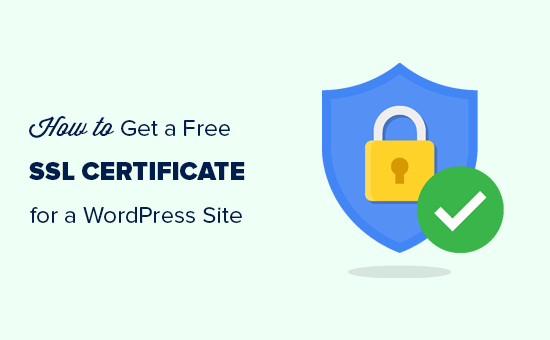
If you have a WordPress website, you may have heard about SSL certificates and how they can help protect your visitors’ sensitive data. An SSL certificate can encrypt your website’s communication and establish a secure connection between your website and the user’s web browser. This can prevent attackers from intercepting information that is transmitted between the two.

While there are many benefits to using SSL, one of the big drawbacks is the cost. SSL certificates can be expensive, and not every website owner has the budget to pay for them. Fortunately, there are now ways to get a free SSL certificate for your WordPress website, and in this article, we’ll show you how.

Option 1: Let’s Encrypt

Let’s Encrypt is a non-profit certificate authority that provides free SSL certificates. They’ve developed an automated process that makes it easy to set up and renew SSL certificates on your web server. Let’s Encrypt certificates are trusted by all major browsers and are valid for 90 days.

To get started with Let’s Encrypt, you need to have a server running Linux, Apache, or Nginx. Most web hosts support one or more of these options, so check with your provider to see if it’s available. Once you’ve confirmed that you can use Let’s Encrypt, you can follow their documentation to install and configure the SSL certificate on your server.

Option 2: Cloudflare SSL

Cloudflare is a content delivery network that offers a range of services to optimize and secure your website. One of those services is SSL, and they offer a free SSL certificate for all customers. Cloudflare’s SSL certificate is valid for as long as you use their service, and it’s supported by all major browsers.

To use Cloudflare’s SSL, you’ll need to sign up for their service and set up your DNS records to point to their servers. Once you’ve done that, turn on the SSL option in your Cloudflare dashboard, and your website will be secured with a free SSL certificate.

Option 3: Comodo SSL

Comodo is one of the largest providers of SSL certificates, and they offer a free SSL certificate for WordPress websites. The Comodo SSL certificate is valid for 90 days, and it’s supported by all major browsers. To get started with Comodo, you’ll need to create an account on their website and follow their instructions to generate a free SSL certificate. Once you’ve done that, you can install the certificate on your web server using your hosting provider’s documentation.

In conclusion, getting a free SSL certificate for your WordPress website is now easier than ever. Whether you choose Let’s Encrypt, Cloudflare, or Comodo, these options will let you secure your website without breaking the bank. Make sure to follow the instructions carefully to ensure the SSL certificate is installed correctly and working properly.

Previous Article

School Leaders Focus on Continuous Improvement

Next Article

How to Get a Cell Phone Using ...

Matthew Lynch

Related articles More from author

  • Digital & Mobile Technology

    How to Install a 1st-Generation Ring Video Doorbell

    April 26, 2023
    By Matthew Lynch
  • Digital & Mobile Technology

    How to Find a Code for My Remote Control

    May 28, 2023
    By Matthew Lynch
  • Digital & Mobile Technology

    How to Unblock a Number on Android

    May 30, 2023
    By Matthew Lynch
  • Digital & Mobile Technology

    How to Hide and Unhide Worksheets in Excel

    June 2, 2023
    By Matthew Lynch
  • Digital & Mobile Technology

    How to Use the PI Function in Excel

    June 15, 2023
    By Matthew Lynch
  • Digital & Mobile Technology

    What is a Null Modem?

    April 18, 2023
    By Matthew Lynch

Search

Login & Registration

  • Log in
  • Entries feed
  • Comments feed
  • WordPress.org

Newsletter

Signup for The Tech Edvocate Newsletter and have the latest in EdTech news and opinion delivered to your email address!

About Us

Since technology is not going anywhere and does more good than harm, adapting is the best course of action. That is where The Tech Edvocate comes in. We plan to cover the PreK-12 and Higher Education EdTech sectors and provide our readers with the latest news and opinion on the subject. From time to time, I will invite other voices to weigh in on important issues in EdTech. We hope to provide a well-rounded, multi-faceted look at the past, present, the future of EdTech in the US and internationally.

We started this journey back in June 2016, and we plan to continue it for many more years to come. I hope that you will join us in this discussion of the past, present and future of EdTech and lend your own insight to the issues that are discussed.

Newsletter

Signup for The Tech Edvocate Newsletter and have the latest in EdTech news and opinion delivered to your email address!

Contact Us

The Tech Edvocate
910 Goddin Street
Richmond, VA 23231
(601) 630-5238
[email protected]

Copyright © 2026 Matthew Lynch. All rights reserved.