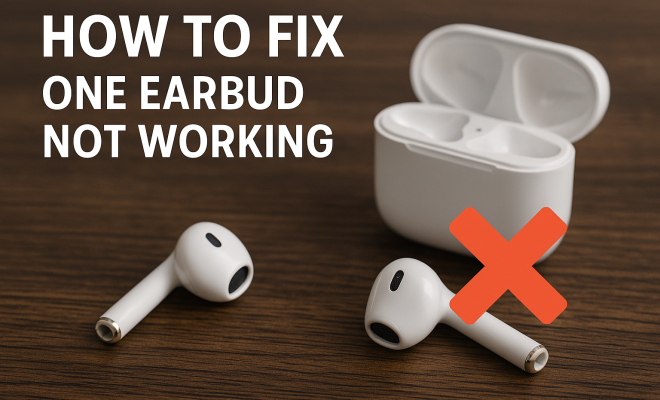
How to fix one earbud not working
“`html
We’ve all been there: you put on your favorite playlist, and suddenly, you realize that one earbud isn’t working. It’s frustrating and can ruin the listening experience, whether you’re jamming out during a workout, catching up on a podcast, or zoning out with an audiobook. Thankfully, fixing an earbud not working is often simpler than it seems. Here’s a comprehensive guide that will walk you through troubleshooting and resolving this common problem.
1. Check the Basics: Is It Really the Earbud?
Before diving into complex fixes, it’s wise to verify that the issue is indeed with the earbud itself. Often, the problem might stem from other factors. Start by connecting your earbuds to a different device. If the earbud still doesn’t work, it’s likely the earbud at fault.
Next, inspect the audio jack or the USB-C port for any foreign objects or debris. Dust and lint can easily accumulate, blocking the connection and causing an earbud not working issue. A simple can of compressed air can help clean out any unwanted obstructions.
2. Inspect the Earbud Cable: Look for Damage
Earbud cables can be notoriously fragile. Over time, they can become frayed or damaged from regular use. Examine the entire length of the cable, paying close attention to areas near the plug, where most wear occurs. If you notice any visible damage, you may need to consider getting a new pair or attempting a DIY repair if you’re adept with tools.
Sometimes, the problem may not be visible at all. You might have a break in the internal wiring. To test this theory, gently wiggle the cable while listening. If the sound cuts in and out, you’ve found your issue. You can try to fix it by soldering the wires back together, but this requires some technical skill and the right tools.
3. Clean the Earbud: Ensure Optimal Performance
Another reason one earbud may not be working could be dirt or grime buildup on the speaker mesh. Over time, earwax, dust, and other debris can clog the speaker, leading to muffled sound or complete silence. To clean your earbuds, use a soft, dry brush to gently remove any debris. You can also use a slightly damp cloth or a cotton swab dipped in rubbing alcohol for tougher grime.
Be careful to avoid getting moisture into the mesh itself. It’s important to allow your earbuds to dry completely before using them again. Regular cleaning can help ensure that your earbuds remain in good working order and that you don’t run into issues often.
4. Reset Your Device: The Software Angle
Sometimes the problem isn’t hardware-related at all; it could be a software issue with your device. Whether you’re using a smartphone, tablet, or laptop, it’s worth performing a quick reset. This can clear out temporary glitches that might be causing your earbud not working.
For most devices, a simple restart will suffice. If you’re still encountering issues after restarting, consider checking for any software updates. Manufacturers often release updates that can help fix bugs affecting audio performance. Make sure your device is running the latest version of its operating system to rule out software as the culprit.
5. Test with Another Pair of Earbuds: Isolate the Issue
To further isolate the problem, test your device with another pair of earbuds. If the new pair works flawlessly, you can confirm that the issue lies with your original earbuds. However, if neither pair works, it’s likely a problem with the device itself. (See: Learn about earbuds on Wikipedia.)
This is especially important if you’re using wireless earbuds. Check if the device’s Bluetooth is functioning correctly by pairing it with another Bluetooth device, such as a speaker. This testing ensures that your original earbuds are the source of the problem rather than the device’s audio output.
6. Update or Reinstall Drivers: For Computer Users
If you’re using your earbuds with a computer and facing the earbud not working problem, consider checking your audio drivers. Outdated drivers can lead to various audio issues, including unresponsive earbuds. Navigate to the device manager on your computer and look for any updates available for your audio drivers.
If updating doesn’t solve the issue, uninstall the drivers and restart your computer. The system should automatically reinstall the drivers upon reboot. This process can resolve conflicts or errors that might prevent your earbuds from functioning properly.
7. Consult the Warranty: When to Seek Professional Help
If you’ve tried all the above methods and still find that one earbud is not working, it may be time to look into warranty options. Many manufacturers offer warranties that cover defects and faults in the product. Check the documentation that came with your earbuds or visit the manufacturer’s website to understand your rights.
Before you send your earbuds in for repairs, it can be useful to gather all the necessary documentation and receipts. Some companies may require proof of purchase, and having your information organized can streamline the process. If your earbuds are still within the warranty period, you might just find that you can get a replacement at no cost.
8. Understanding Different Types of Earbuds
Before you dive deeper into troubleshooting, it’s worth considering the type of earbuds you’re using. There are several categories, including wired, wireless, and noise-canceling earbuds. Each has its unique set of issues that could lead to one side not working.
For instance, wired earbuds may have issues related to cabling or connectors, while wireless earbuds may face problems with Bluetooth connectivity, battery life, and syncing issues. Understanding the type of earbuds you have can guide your troubleshooting process more effectively.
9. Common Issues with Wireless Earbuds
Wireless earbuds, particularly those with advanced features like touch controls and noise cancellation, often come equipped with complex technology that can lead to unique issues. Here are some common problems you might face with wireless earbuds:
- Bluetooth Connectivity: Ensure your earbuds are correctly paired with your device. If they’re connected but still not working, try unpairing them and then reconnecting.
- Battery Issues: Check the battery level of your wireless earbuds. Low battery can lead to one earbud not functioning. Charge both sides fully before testing again.
- Firmware Updates: Just like your smartphone, your wireless earbuds may require occasional firmware updates to function properly. Check the manufacturer’s app for any available updates.
10. Statistics on Earbud Usage and Issues
To put things in perspective, a study conducted by Statista revealed that around 77% of Americans own a pair of earbuds or headphones. Among these users, approximately 15% reported experiencing issues with one earbud not working at least once in the past year. This commonality underscores the importance of knowing how to troubleshoot these devices effectively.
As technology continues to evolve, earbuds have become a staple accessory for music lovers, commuters, and remote workers alike. Knowing how to address common issues can save users time and money, reducing the need for frequent replacements.
11. Expert Perspectives on Earbud Longevity
Experts in audio technology suggest that proper care and regular maintenance can significantly extend the lifespan of your earbuds. According to audio engineer Sarah Smith, “The way you store and clean your earbuds can have a profound impact on their functionality. Using a case when not in use and cleaning them regularly can prevent problems before they start.”
Furthermore, Dr. John Lee, an audiologist, emphasizes using the correct volume levels: “Listening at high volumes can not only damage your hearing but also wear out your earbuds faster. It’s essential to keep your listening levels at a moderate volume to preserve both your ears and your gear.” (See: Prevent lead exposure from electronics.)
12. Frequently Asked Questions (FAQ)
Why is only one earbud not working?
One earbud may not work due to several reasons, including physical damage, a connectivity issue, dirt blocking the sound, or a software glitch. It’s essential to systematically troubleshoot each potential cause.
How can I fix a broken earbud?
If you’ve identified that your earbud is damaged, consider options such as re-soldering any broken wires if you’re comfortable with DIY repairs or seeking a professional service. Alternatively, if it’s under warranty, consider contacting the manufacturer for a replacement.
Are wireless earbuds more prone to issues than wired ones?
Wireless earbuds can face unique challenges like battery life and Bluetooth connectivity issues that wired earbuds typically do not. However, both types can experience wear and tear that leads to one side not working.
What should I do if after all troubleshooting my earbud still doesn’t work?
If all troubleshooting steps fail, your best option may be to consult customer support from the manufacturer or consider a repair service if they are out of warranty.
How often should I clean my earbuds?
It’s recommended to clean your earbuds at least once a week, especially if you use them frequently. Regular cleaning prevents buildup that can lead to sound issues and prolongs their lifespan.
Is it worth repairing earbuds?
This depends on several factors, including the cost of repair versus replacement, the model of your earbuds, and your attachment to them. If they are a more expensive or high-quality brand, repairing might be worth it.
13. DIY Repair Options for Earbuds
If you’re handy and comfortable with tools, there are some DIY repair options you might consider. For example, if the problem is a frayed cable, you could cut the cable above the damaged area and re-solder the wires to a new connector. This requires precision and care, but many users have successfully repaired their earbuds this way.
In addition to cable repairs, some users have reported success with replacing the drivers within the earbuds if they have the right model. However, this requires disassembling the earbuds, so ensure you do your research and follow guides or videos available online to avoid further damage.
14. Choosing the Right Replacement Earbuds
If repairs aren’t feasible, shopping for replacement earbuds can be overwhelming with the plethora of options available today. Start by considering your budget and the features that are essential for you. For instance, do you need noise-cancellation, a built-in microphone for calls, or water resistance for workouts?
Brands like Apple, Sony, and Bose often rank high in user satisfaction, but there are many budget-friendly options like Anker or JLab that offer great quality as well. Reading reviews and testing earbuds if possible can help you find the right fit for your lifestyle. (See: Research on audio device usage.)
15. Innovations in Earbud Technology
The earbud industry is constantly evolving, with new technology emerging each year. Features like adaptive sound control, which adjusts the audio based on your environment, and touch-sensitive controls that allow for seamless interaction with your devices, are just a couple of trends worth noting.
Additionally, advancements in battery technology have significantly improved the longevity and performance of wireless earbuds. Brands are now offering fast charging options and longer battery life, making them more convenient for everyday use.
16. Comparing Wired vs. Wireless Earbuds
When it comes to choosing between wired and wireless earbuds, there are pros and cons to both. Wired earbuds typically offer better sound quality due to a direct connection and don’t require charging, making them convenient for users who prioritize audio fidelity.
On the other hand, wireless earbuds provide freedom of movement and are often packed with features like voice assistants and touch controls. They’re ideal for those who lead an active lifestyle, as they eliminate the hassle of tangled cords.
A common consideration among users is the price. Wired earbuds tend to be more affordable because they lack the technology that comes with wireless models. Therefore, your choice may ultimately depend on your budget and intended use.
17. Final Thoughts on Earbud Care
Caring for your earbuds can prevent many of the common issues that lead to one side not working. Store them in a protective case, keep them clean, and avoid high volumes to prolong their lifespan. With a little attention and care, you can enjoy your audio experience without interruptions.
18. In Closing
Experiencing one earbud not working can be a real hassle, but many solutions are at your fingertips. From basic checks to more technical fixes, you can troubleshoot the issue effectively. Whether it’s cleaning your device, inspecting for damage, resetting your software, or understanding the unique issues related to different types of earbuds, there’s a good chance you can restore your listening experience without needing to buy a new pair. If all else fails, don’t hesitate to consult your warranty options. Happy listening!
“`
Trending Now
Frequently Asked Questions
Why is only one earbud not working?
One earbud not working can be caused by various issues such as a faulty earbud, debris in the audio jack, or damage to the earbud cable. Start by testing the earbud with a different device and inspecting the audio port for dirt or obstructions.
How can I fix my earbud that has no sound?
To fix an earbud with no sound, first check if the issue lies with the earbud itself by testing it on another device. If it still doesn’t work, inspect the cable for damage and clean any dirt from the speaker mesh.
What should I do if my earbud cable is damaged?
If your earbud cable is damaged, inspect it for visible fraying or breaks. If you notice a problem, you may need to replace the earbuds or attempt a DIY repair, such as soldering the wires, if you're skilled enough.
How do I clean my earbuds?
To clean your earbuds, gently remove any dirt or grime from the speaker mesh using a soft brush or a dry cloth. For deeper cleaning, use a can of compressed air to blow out any debris that may be blocking the sound.
Can earwax cause one earbud to stop working?
Yes, earwax buildup can clog the speaker mesh of your earbuds, potentially causing one earbud to stop working. Regular cleaning can help prevent this issue and ensure optimal audio performance.
What’s your take on this? Share your thoughts in the comments below — we read every one.